Mesh ATRIA Wi-Fi 6 Mesh 3000 UK πακέτο 2 τεμαχίων)
Δεν βρέθηκαν αντικείμενα.
Δεν βρέθηκαν αντικείμενα.
Όλες οι ερωτήσεις
Mesh ATRIA Wi-Fi 6 Mesh 3000 UK πακέτο 2 τεμαχίων)
Δεν βρέθηκαν αντικείμενα.
Δεν βρέθηκαν αντικείμενα.
Πώς χρησιμοποιώ τη λειτουργία WPS;

Προειδοποίηση: Μπορείτε να χρησιμοποιήσετε τη λειτουργία WPS για να ρυθμίσετε τη σύνδεση Wi-Fi μεταξύ του δρομολογητή σας και, για παράδειγμα, των υπολογιστών, των smartphone και/ή του εκτυπωτή σας.
Η ενεργοποίηση του WPS στο δρομολογητή σας είναι πολύ εύκολη.
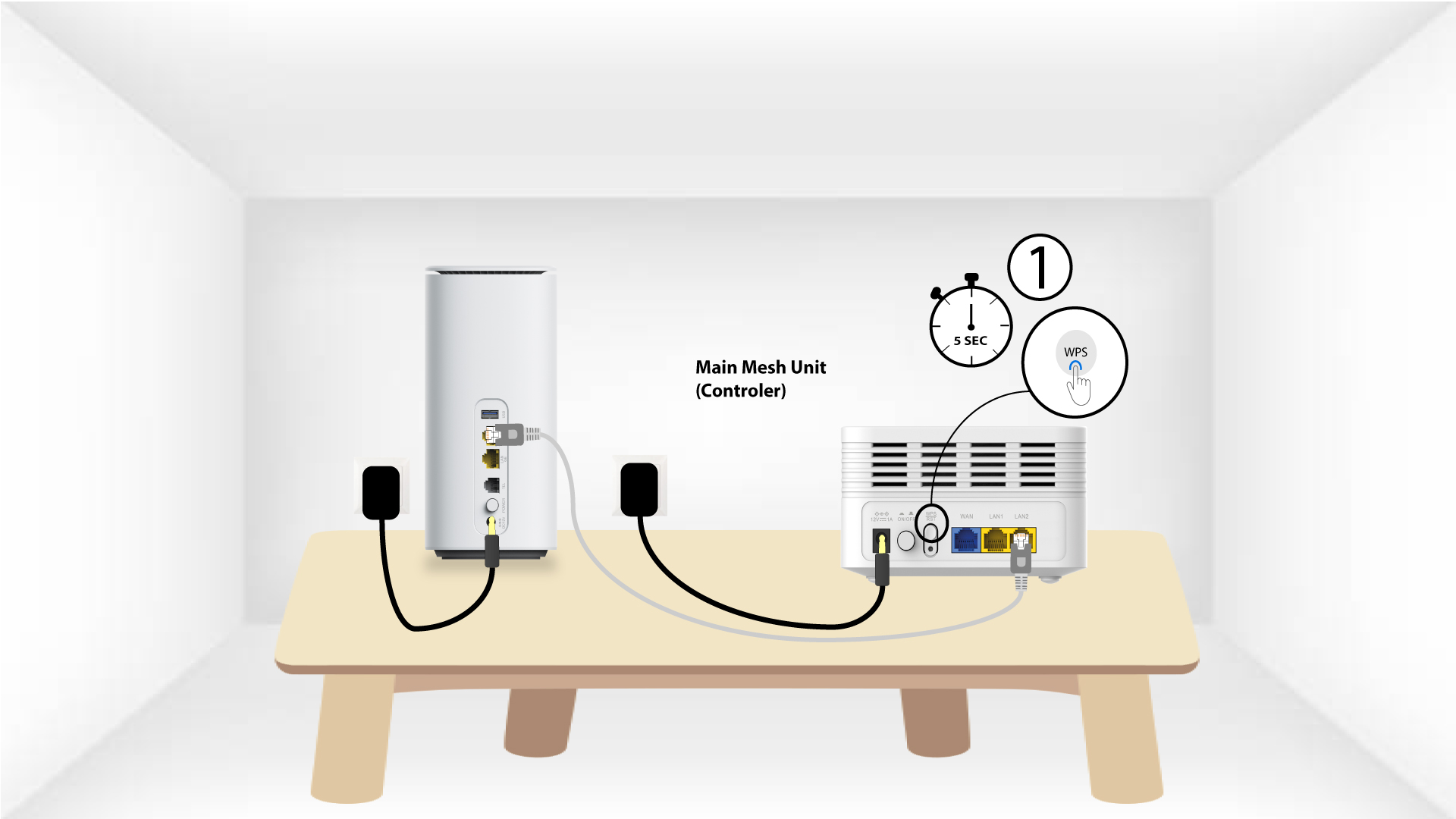
1Mesh
Για να το κάνετε αυτό, πατήστε το κουμπί WPS για 5 δευτερόλεπτα στη συσκευή « Mesh » που είναι συνδεδεμένη στο δίκτυό σας « Mesh ».
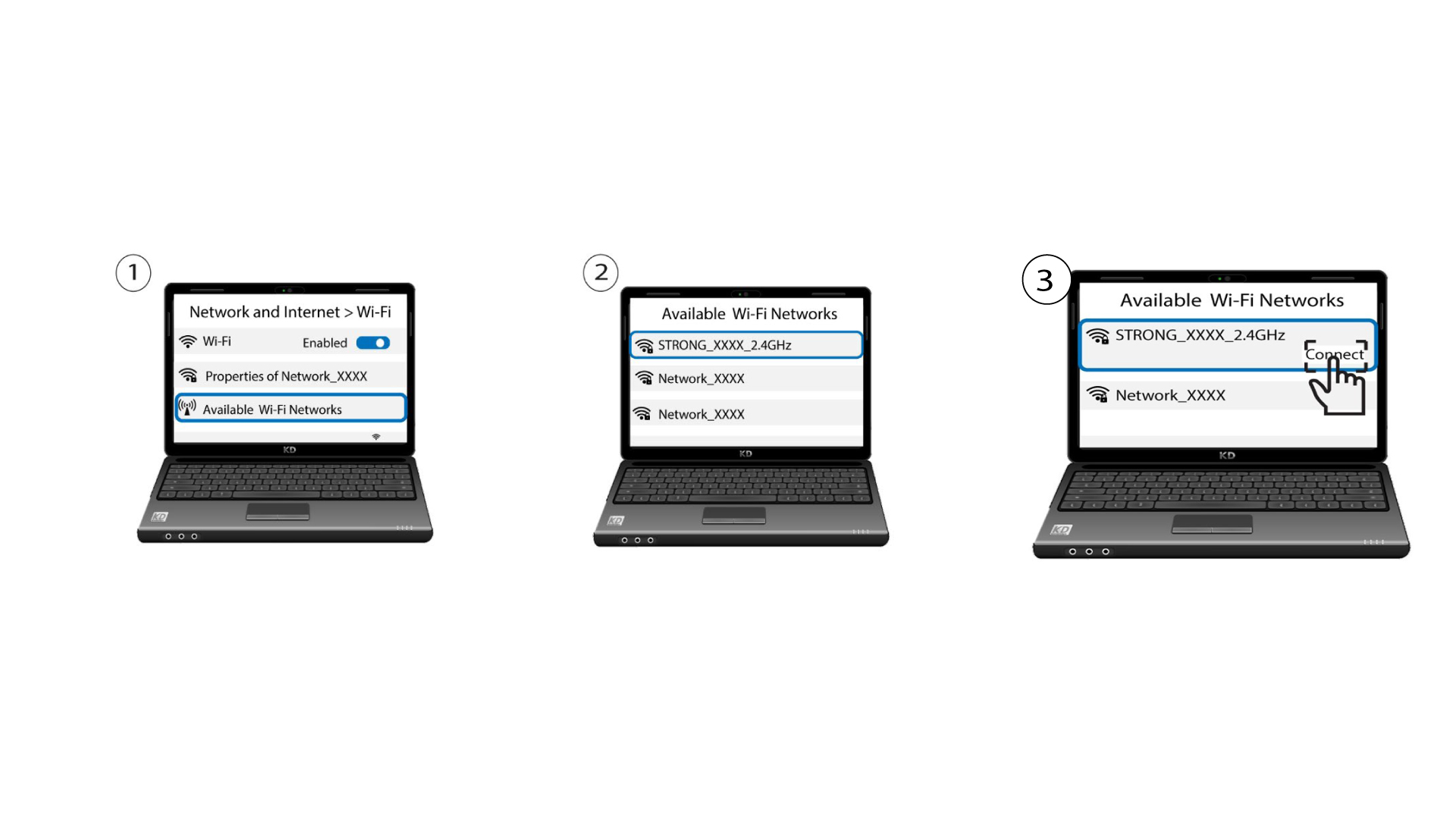
2. Επιλογή δικτύου
Τώρα μεταβείτε στην επιλογή «Δίκτυο» της συσκευής σας (τηλέφωνο, υπολογιστής, εκτυπωτής κ.λπ.)· η νέα συσκευή που προστέθηκε στο δίκτυο θα πρέπει να εμφανίζεται και μπορείτε πλέον να συνδεθείτε στο δίκτυό της.