AIRHOME 710 4G+ con antenas 4G+ desmontables
Todas las preguntas
AIRHOME 710 4G+ con antenas 4G+ desmontables
¿Cómo puedo cambiar el SSID (nombre de la red Wi-Fi) y la contraseña de Wi-Fi?
El router 4G+ 1200 es un router de doble banda; puedes modificar la configuración de tus redes Wi-Fi de 2,4 GHz y 5 GHz.
1. Conéctatea la red Wi-Fi de tu router
Para cambiar el SSID (nombre de la red Wi-Fi) y la contraseña de Wi-Fi, debes estar conectado a la red Wi-Fi de tu dispositivo.

2. Accedea la dirección IP de la interfaz de usuario web
A continuación, introduce la siguiente dirección IP: 192.168.188.1 en tu navegador.

3. Buscatus datos de acceso para la interfaz de usuario web
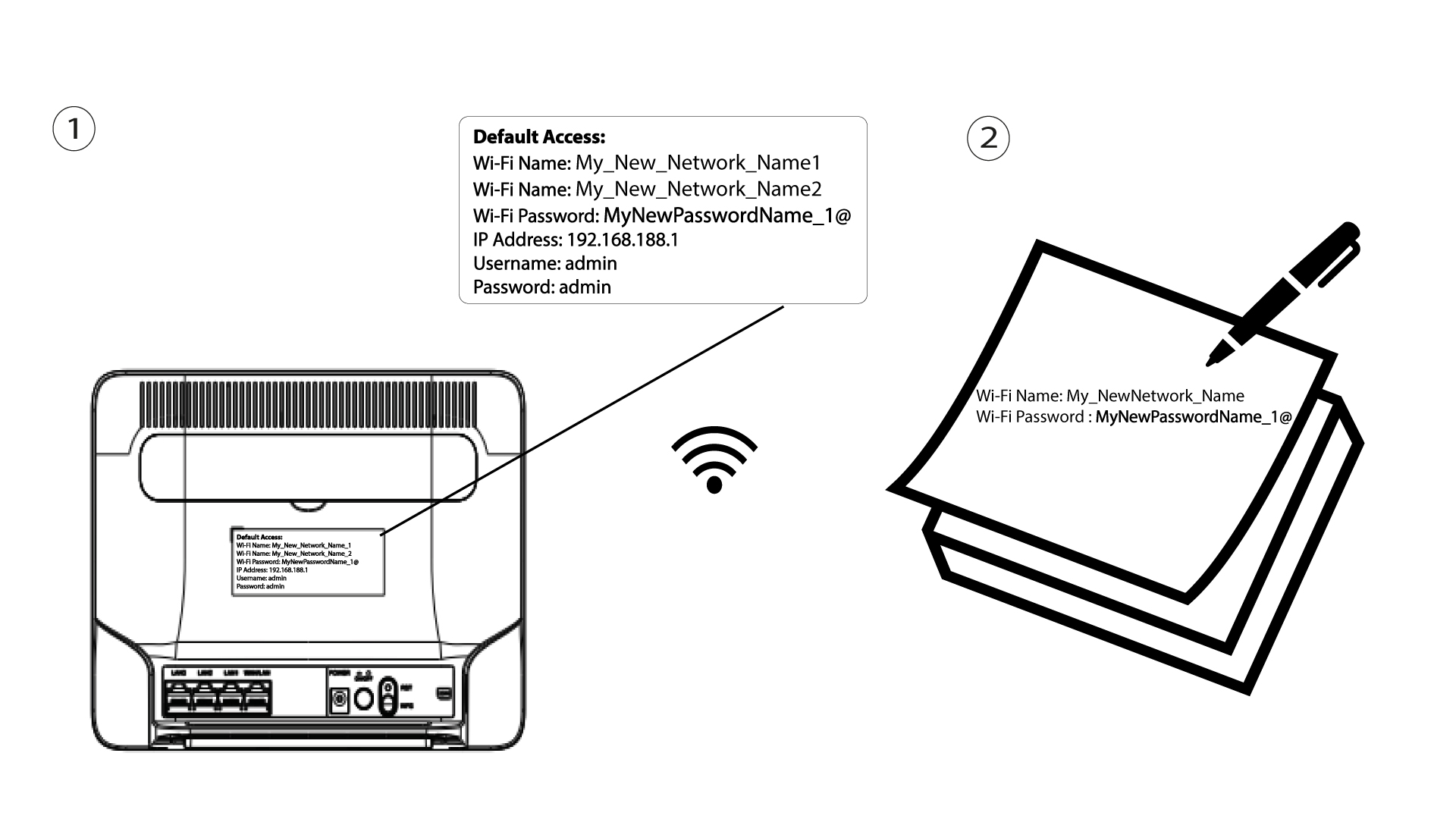
Para consultar tus datos de acceso, fíjate en la etiqueta situada en la parte posterior de tu dispositivo.

4. Introducetus datos de acceso
Debes introducir el nombre de usuario y la contraseña. A continuación, haz clic en «Iniciar sesión».

5. Ajustes de Wi-Fi
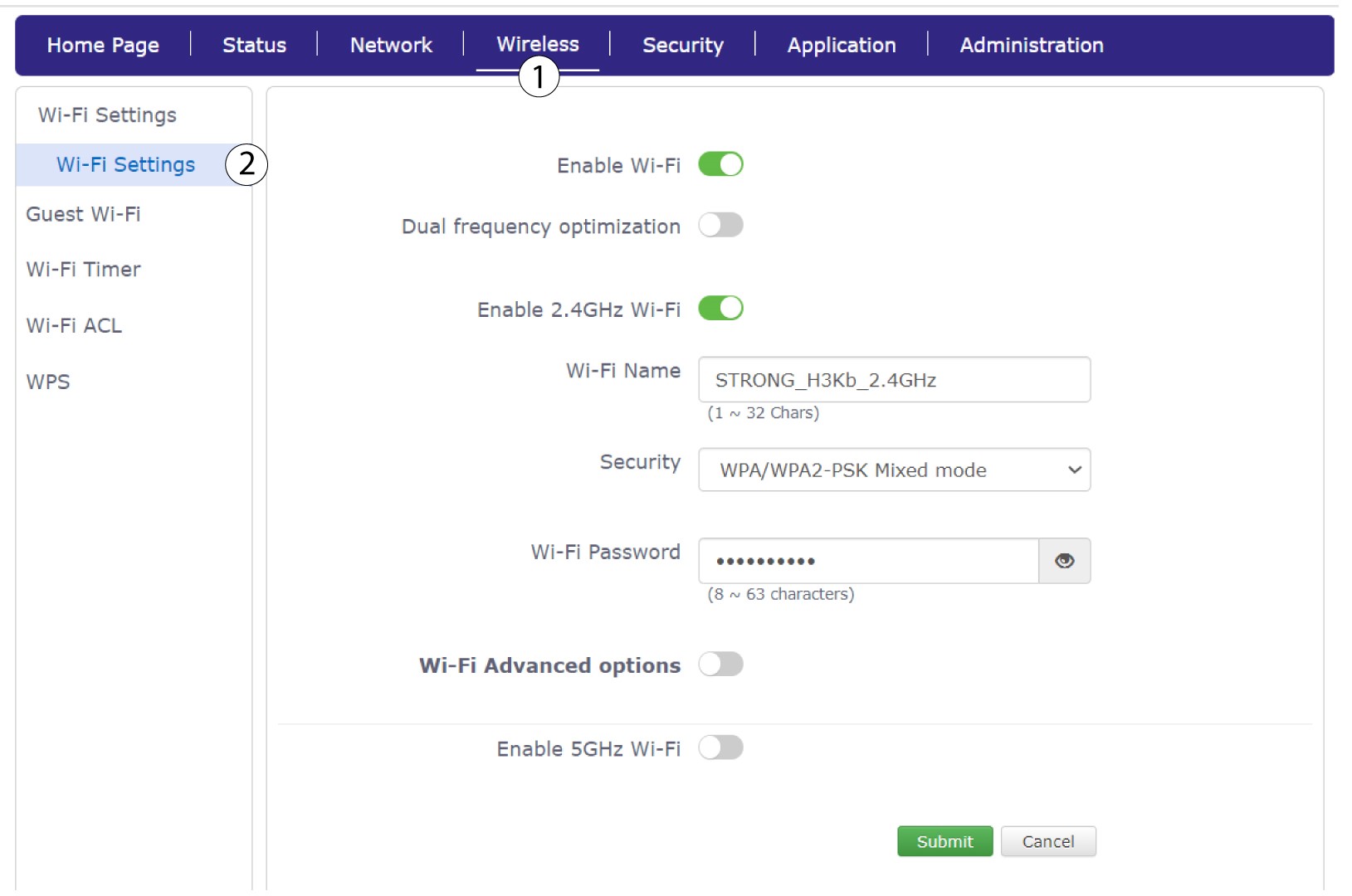
Haz clic en «Conexiones inalámbricas » y selecciona «Ajustes de Wi-Fi».
6. Introducelos nuevos datos de la red
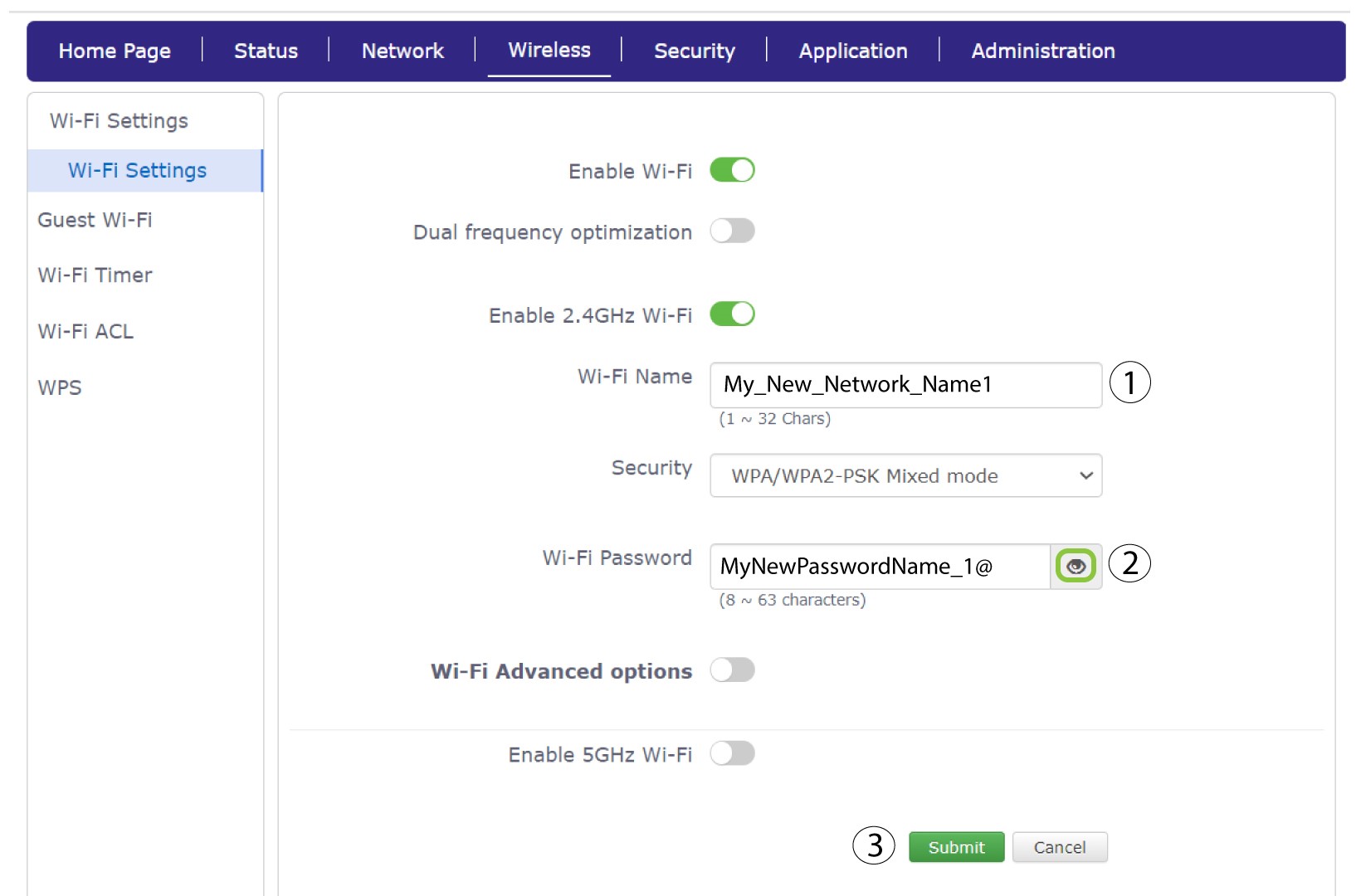
Modifica el nombre introducido en el campo «Nombre de la red Wi-Fi» y haz clic en el icono con forma de ojo situado junto al campo «Contraseña de Wi-Fi». A continuación, modifica la contraseña introducida en el campo «Contraseña de Wi-Fi» y haz clic en «Enviar» para guardar los cambios.
7. Anotalos nuevos datos de la red
Anota tu nuevo SSID (nombre de la red Wi-Fi) y la contraseña de Wi-Fi en un papel y pégalo en el router.