4G AIRHOME 210 UK antenas 4G fijas
Todas las preguntas
4G AIRHOME 210 UK antenas 4G fijas
¿Cómo puedo cambiar el SSID (nombre de la red Wi-Fi) y la contraseña de Wi-Fi? (Ajustes rápidos)
En la interfaz de usuario web, dispones de dos formas de cambiar el SSID (nombre de la red Wi-Fi) y la contraseña Wi-Fi de tu router:
- Mediante el uso de los Ajustes rápidos
- O bien, a través de los ajustes de Wi-Fi.
1. Accesoa la interfaz de usuario web
Para acceder a la interfaz de usuario web, consulta el procedimiento de conexión que se indica a continuación:
2. Ajustes rápidos
En la interfaz de usuario web, la opción «Configuración rápida» te permite modificar la información de tu red: su SSID (nombre de la red Wi-Fi) y la contraseña de Wi-Fi.
Para ello, haz clic en «Ajustes rápidos » en la barra superior.

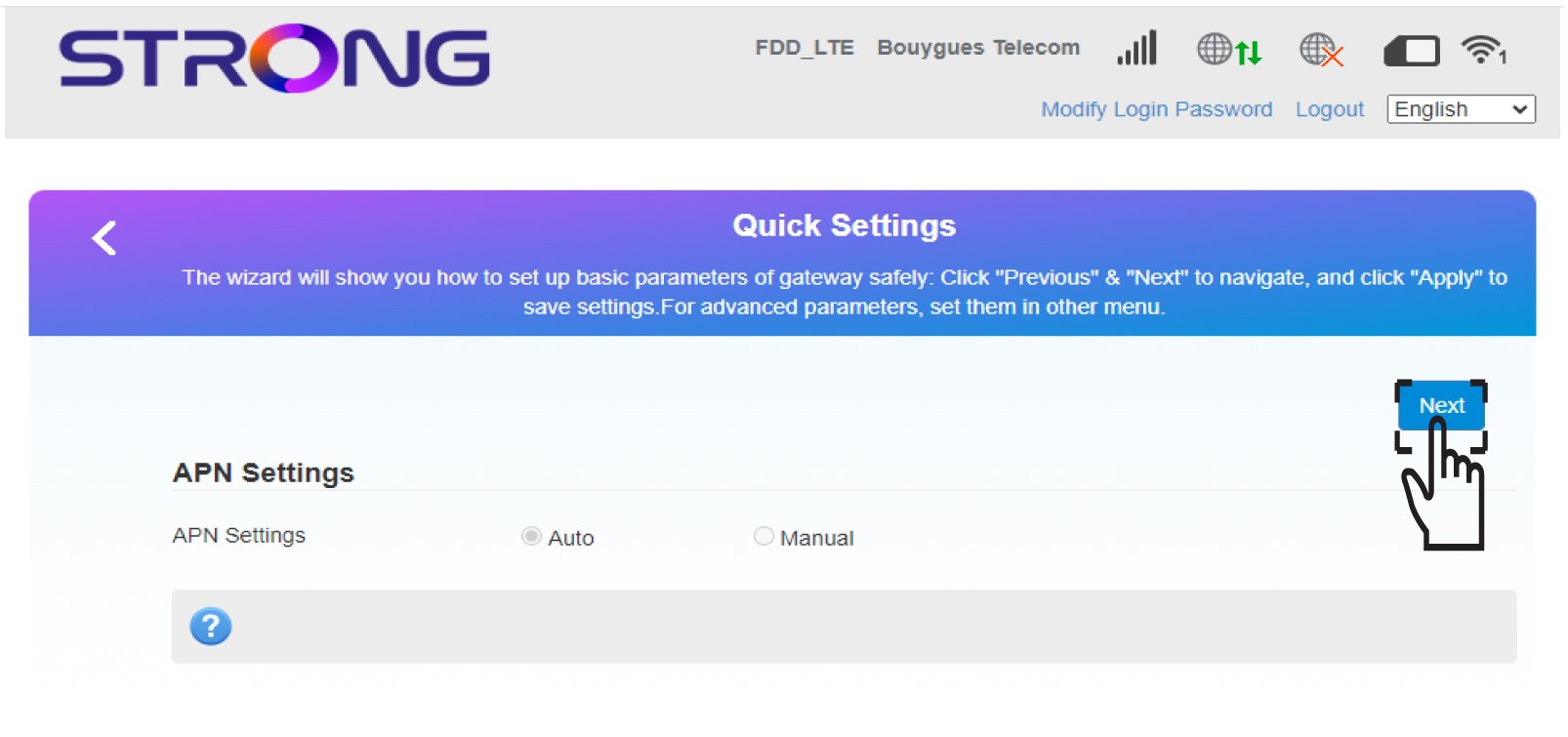
3. Configuración de APN
Haz clic en «Siguiente».
4. Introduceel nuevo nombre de la red
Introduce el nuevo nombre de la red y haz clic en «Siguiente».

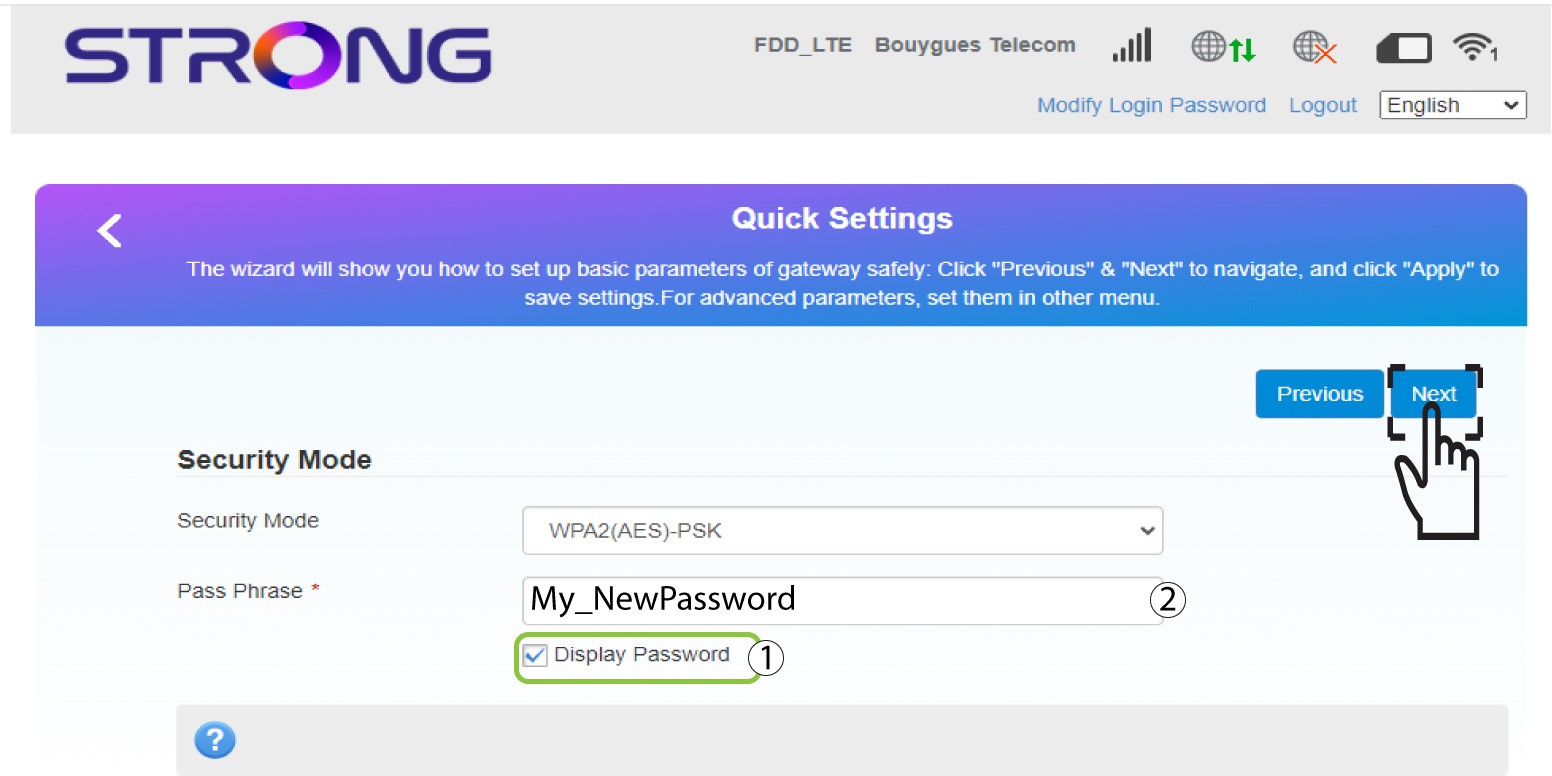
5. Introducela nueva contraseña de Wi-Fi
Haz clic en «Mostrar contraseña » e introduce la nueva contraseña de la red Wi-Fi; a continuación, haz clic en «Siguiente».
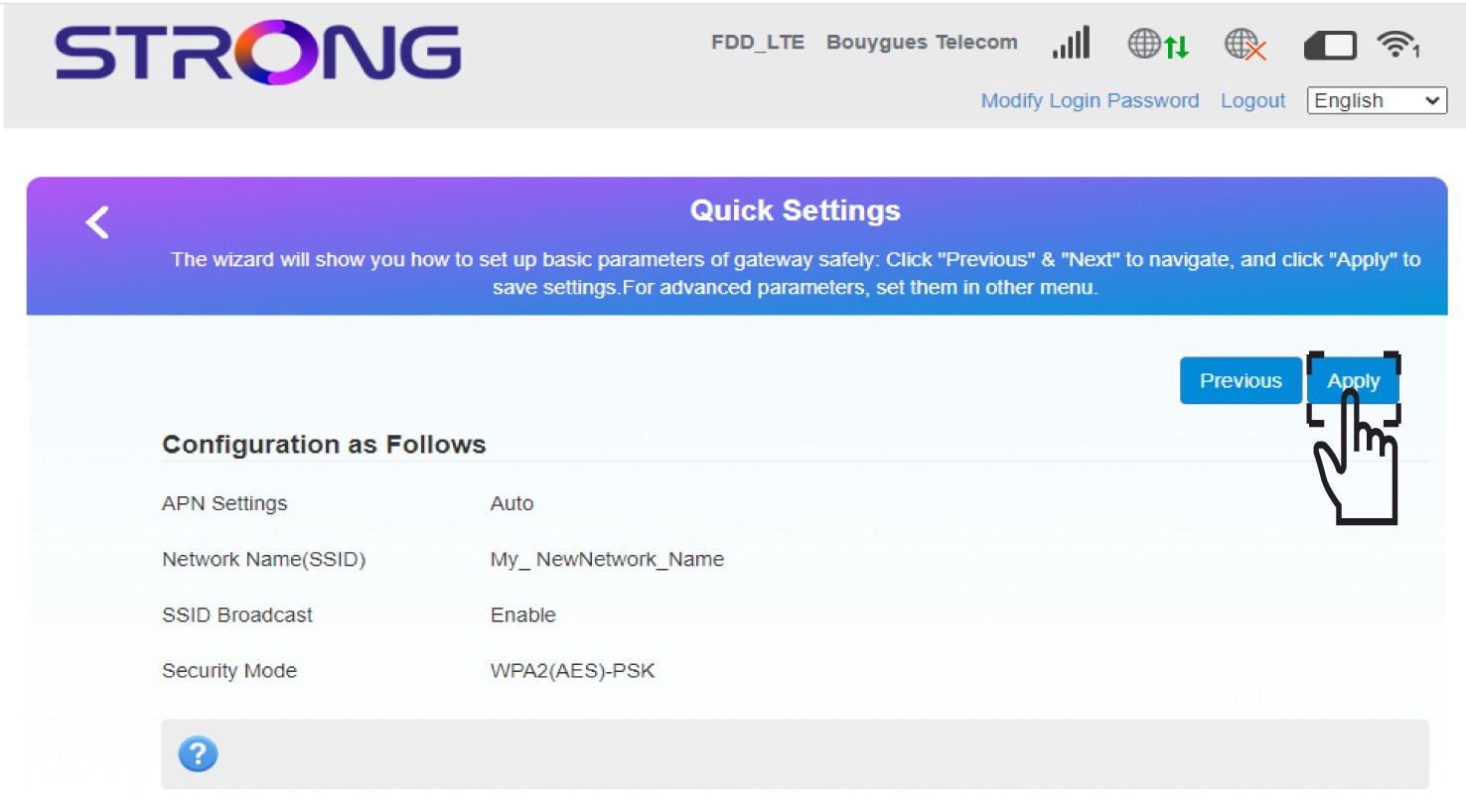
6. Guardala nueva información de red
Haz clic en «Aplicar » para guardar los cambios.
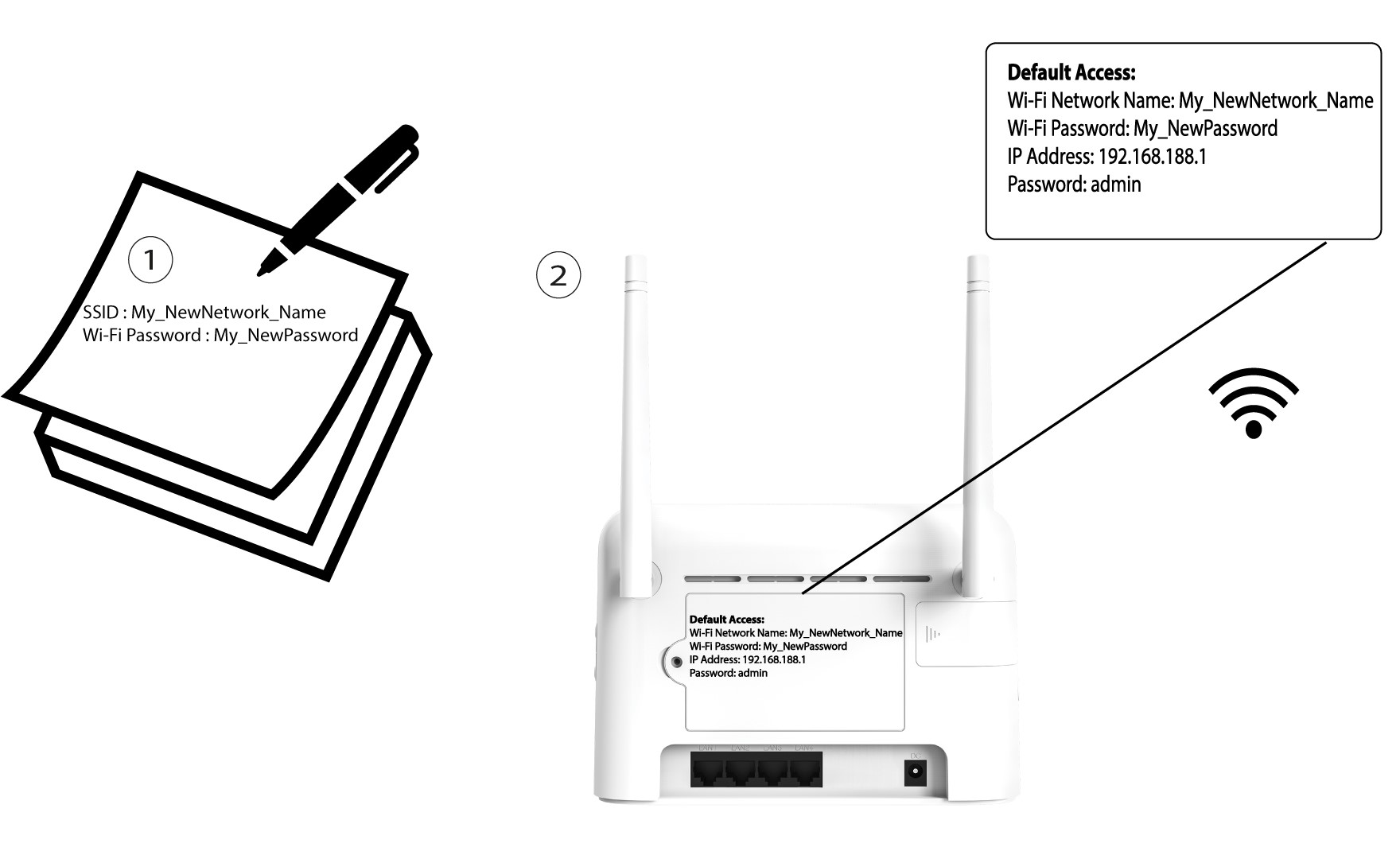
7. Anotalos nuevos datos de la red
Anota la nueva información de red en un papel.