
Repetidor AX1800
Todas las preguntas
Repetidor AX1800
¿Cómo configuro mi repetidor como punto de acceso?
1. Conéctatea la interfaz de usuario web
Sigue uno de los procedimientos que se indican a continuación para conectarte a la interfaz de usuario web:
- ¿Cómo me conecto a la interfaz de usuario web del repetidor? (Cable RJ45)
- ¿Cómo me conecto a la interfaz de usuario web del repetidor? (Wi-Fi)
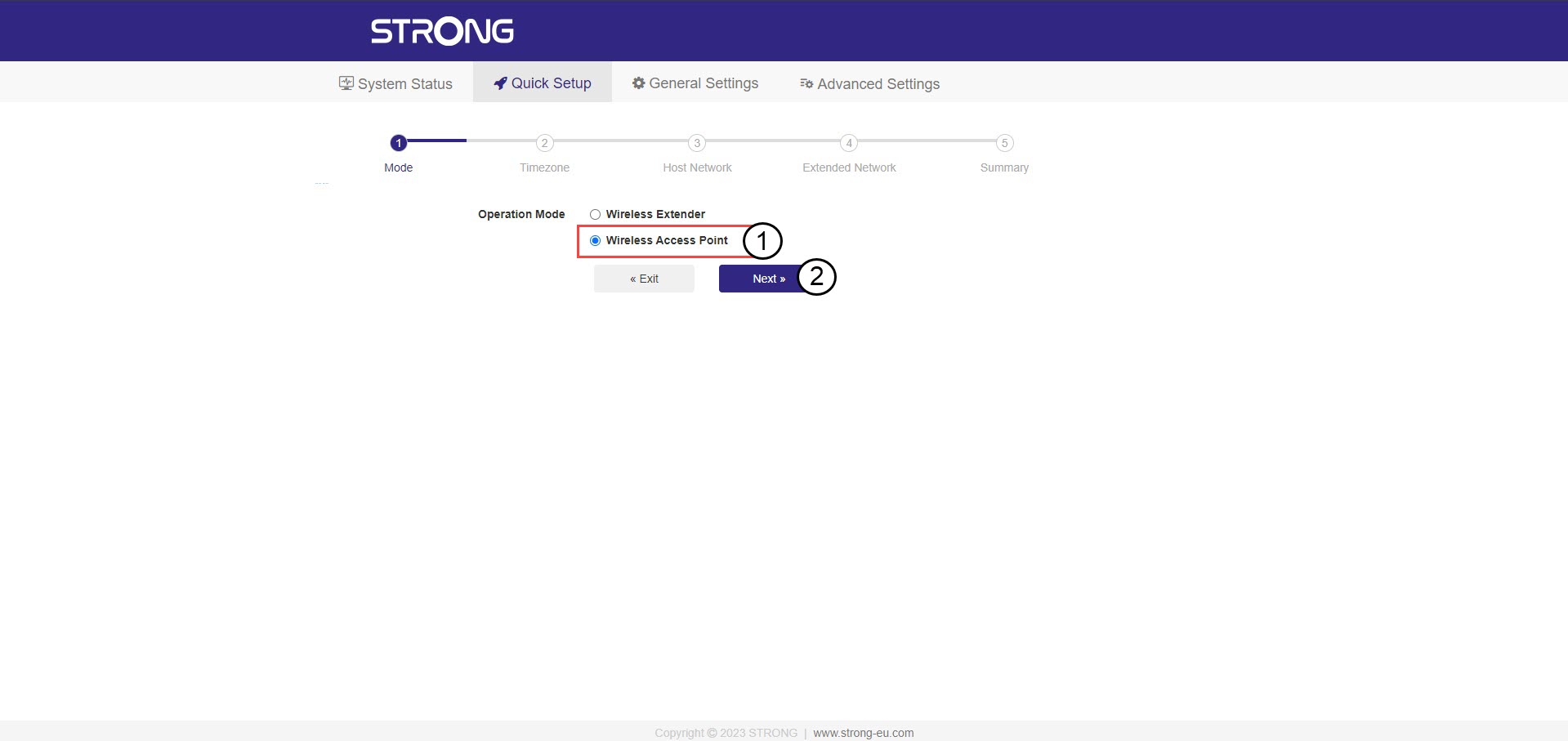
2. Seleccionael modo para tu repetidor
Se abrirá el asistente de configuración del repetidor. Selecciona «Punto de acceso inalámbrico » y haz clic en «Siguiente».
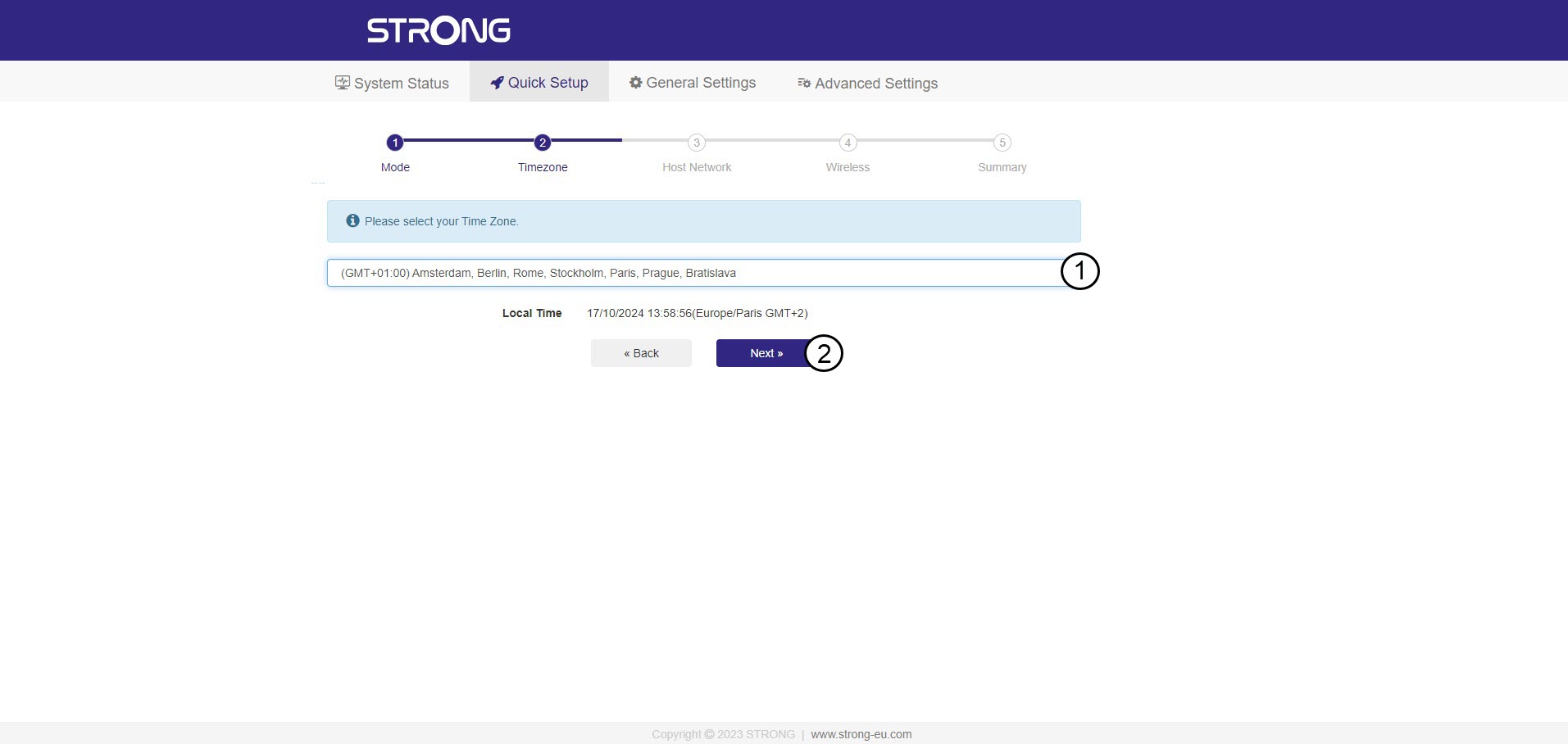
3. Seleccionala zona horaria
Selecciona la zona horaria de la lista si la que se ha detectado automáticamente es incorrecta y haz clic en «Siguiente».
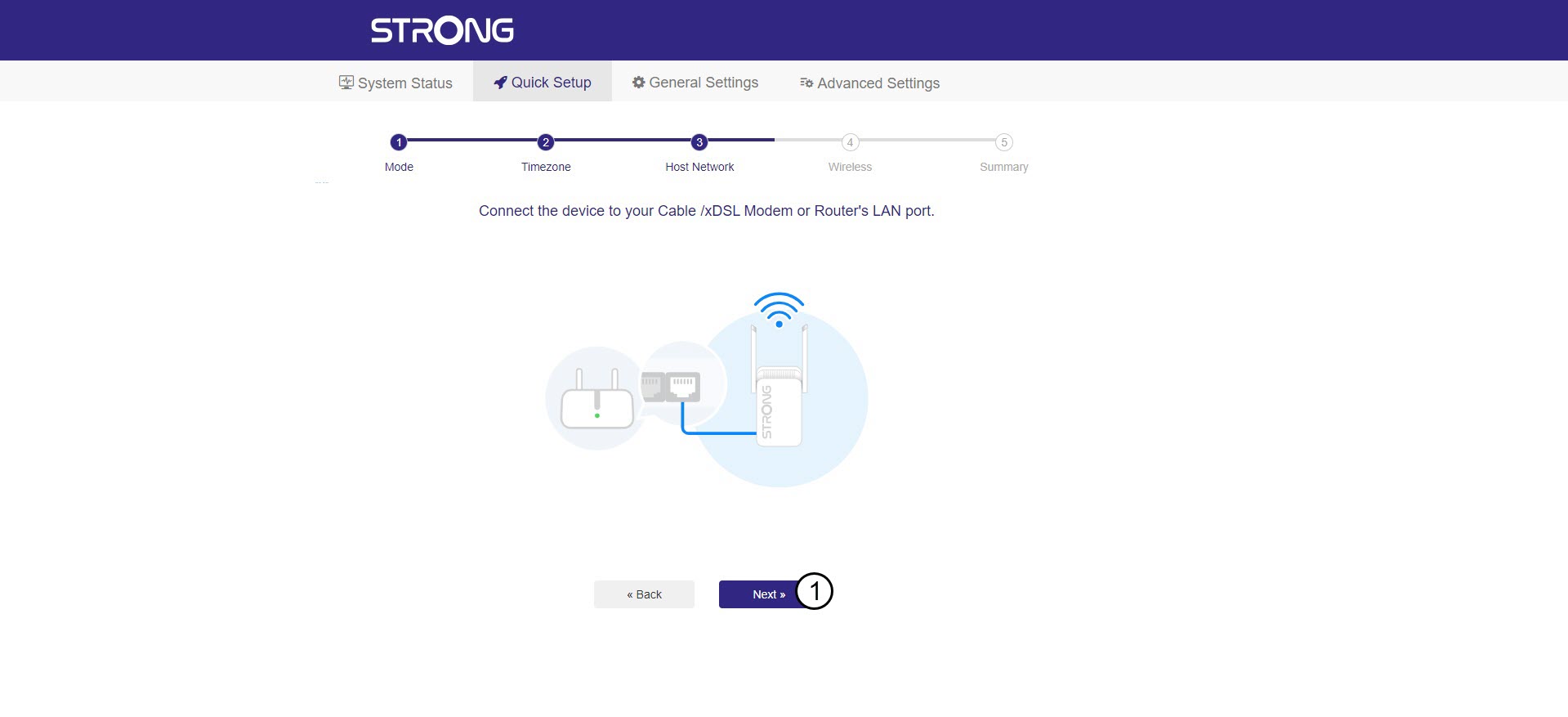
4. Escaneode la red disponible
Conecta tu repetidor al módem/router enchufando un cable RJ45 en el puerto WAN/LAN.
A continuación, haz clic en «Siguiente».
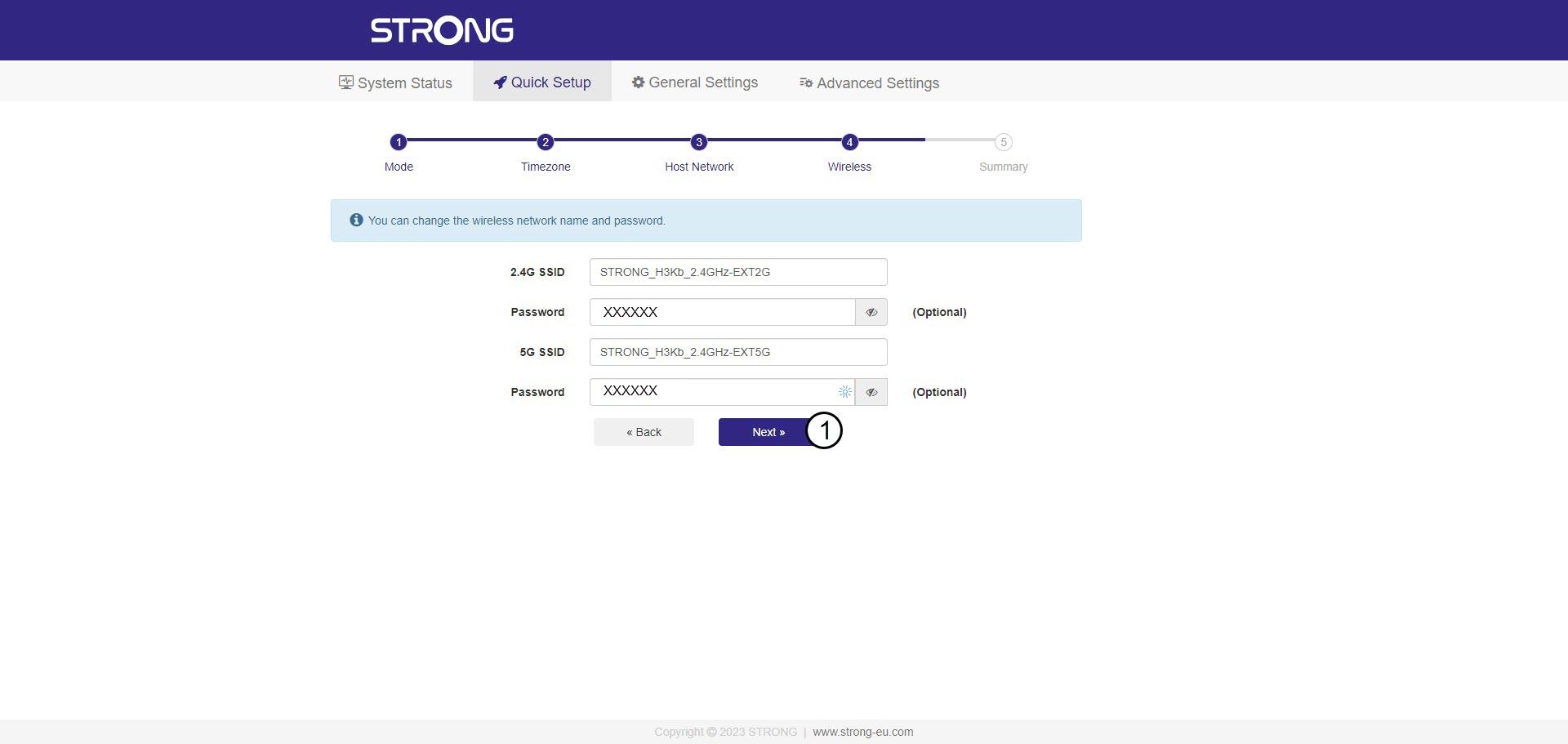
5. Introducela contraseña de la red Wi-Fi del host.
Comprueba la contraseña de las nuevas redes Wi-Fi y haz clic en «Siguiente».
Puedes hacer clic en el icono del ojo para mostrar la contraseña que estás escribiendo.
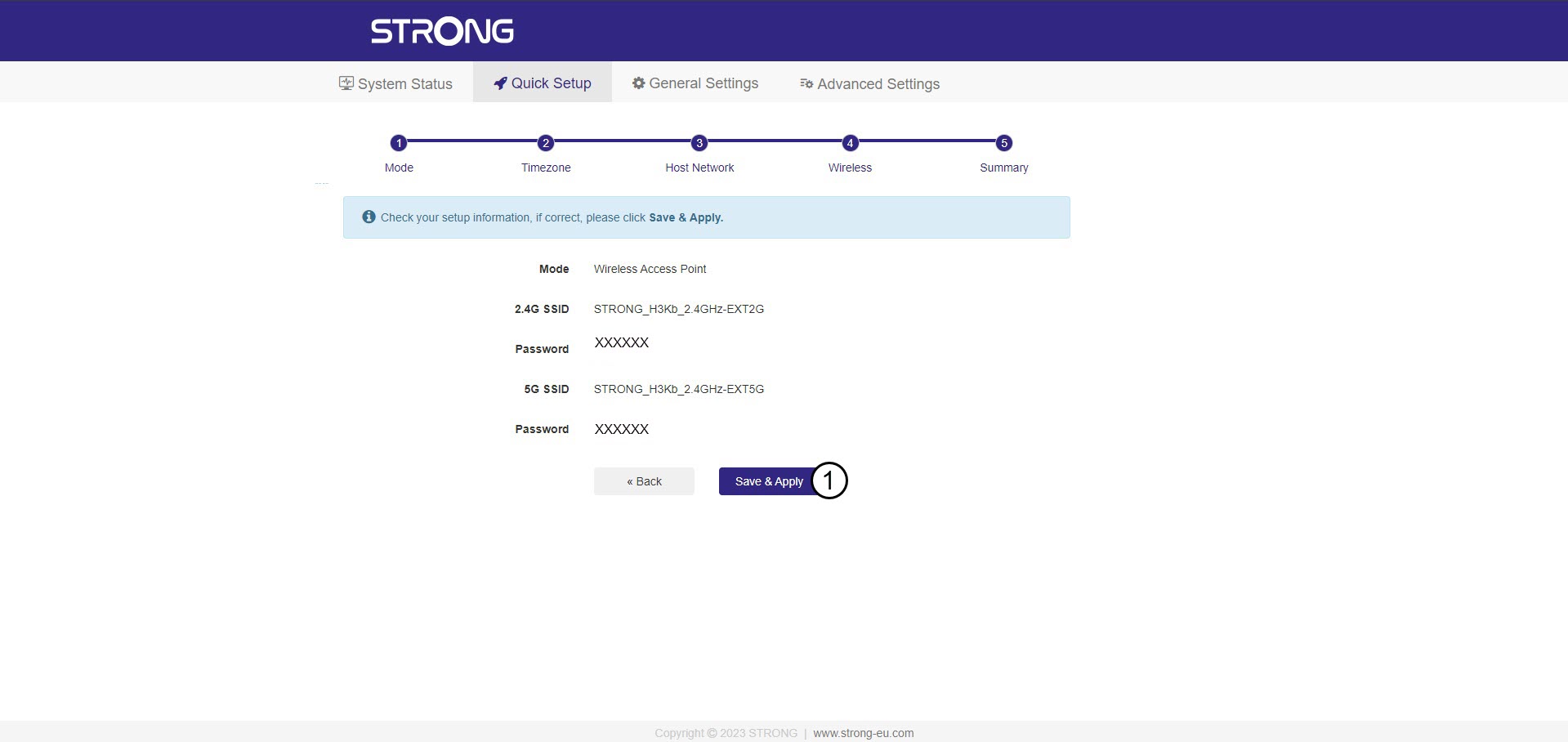
6. Confirmala configuración
Se muestra un resumen de la información de las nuevas redes. Haz clic en «Guardar y aplicar».
Anota los nuevos datos de red. Los necesitarás para conectarte a la interfaz de usuario.
7. Esperamientras se realiza la configuración
Por favor, espera mientras se configura el repetidor.


Advertencia: Una vez finalizada la configuración, tendrás que conectarte a las nuevas redes que se han creado.