
Repetidor AX1800
Todas las preguntas
Repetidor AX1800
¿Cómo actualizo el firmware de mi repetidor?
1. Accedea la sección de descargas de https://www.strong-eu.com/
Antes de actualizar, debes ir a la sección de descargas de nuestra página web para comprobar si hay una nueva versión del software disponible.
2Descargar
Para acceder a las descargas, haz clic en «Asistencia» y «Descargas» en la barra superior y en su submenú.

3. Seleccionala referencia de tu producto
Una vez que hayas accedido a la página de descargas, haz clic en «Redes domésticas y repetidores» y, a continuación, haz clic en la referencia del producto.
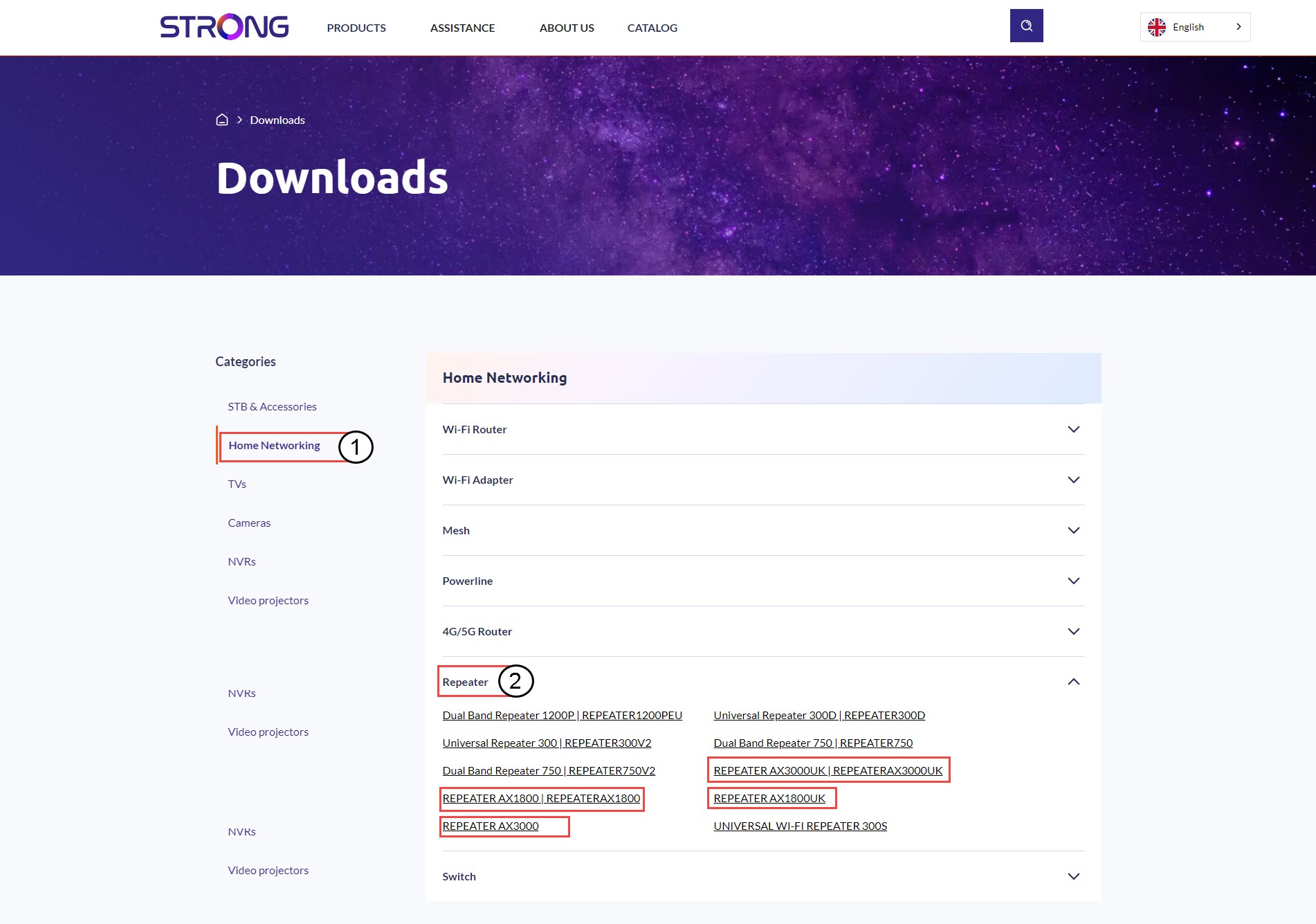
4. Sección de firmware
En la página que aparece a continuación, encontrarás la nueva versión del software en la sección de firmware.
Si no ves una sección dedicada al firmware en la página de descargas, significa que no hay ninguna versión nueva del software disponible.
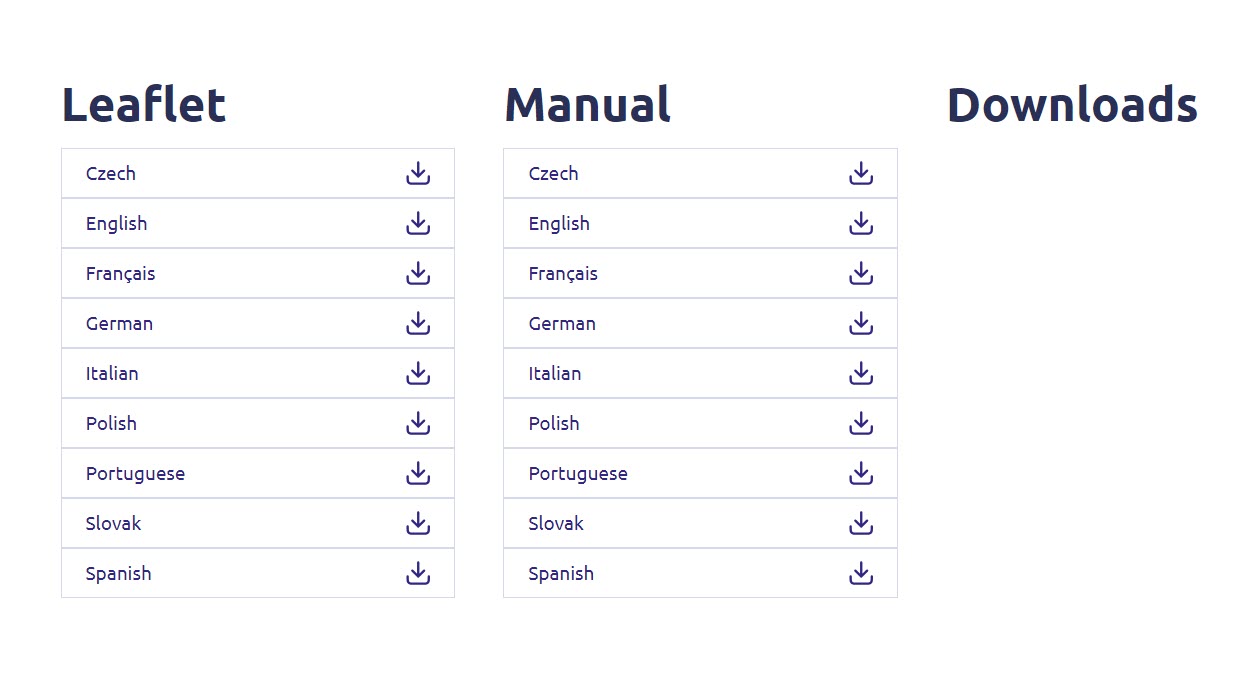
5. Conéctatea la interfaz de usuario web
Sigue estos pasos para conectarte a la interfaz de usuario web.
6. Firmware
Haz clic en «Configuración avanzada » y «Firmware».
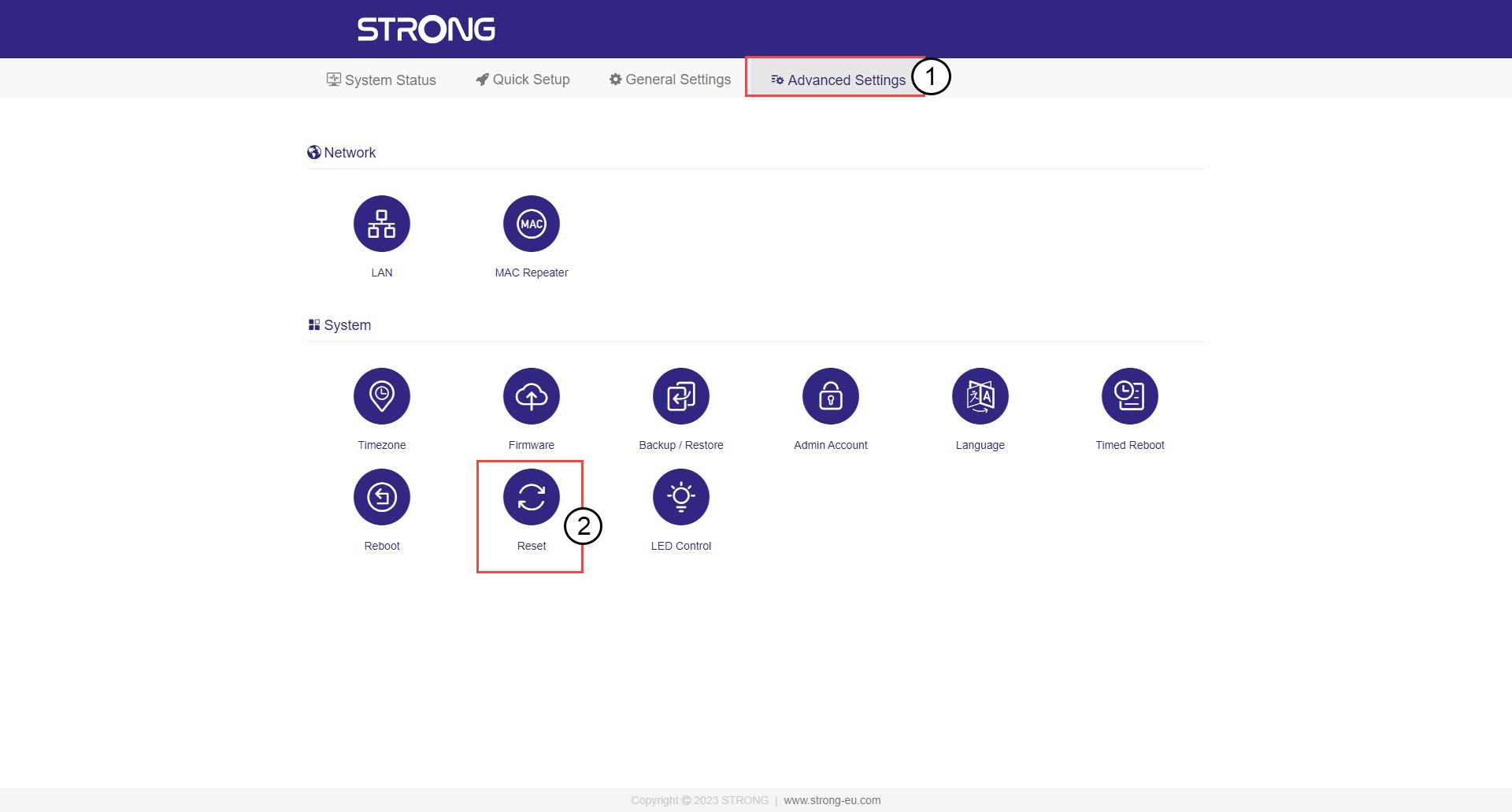
7. Seleccionael archivo de firmware que has descargado
Selecciona tu archivo y la actualización se iniciará automáticamente.
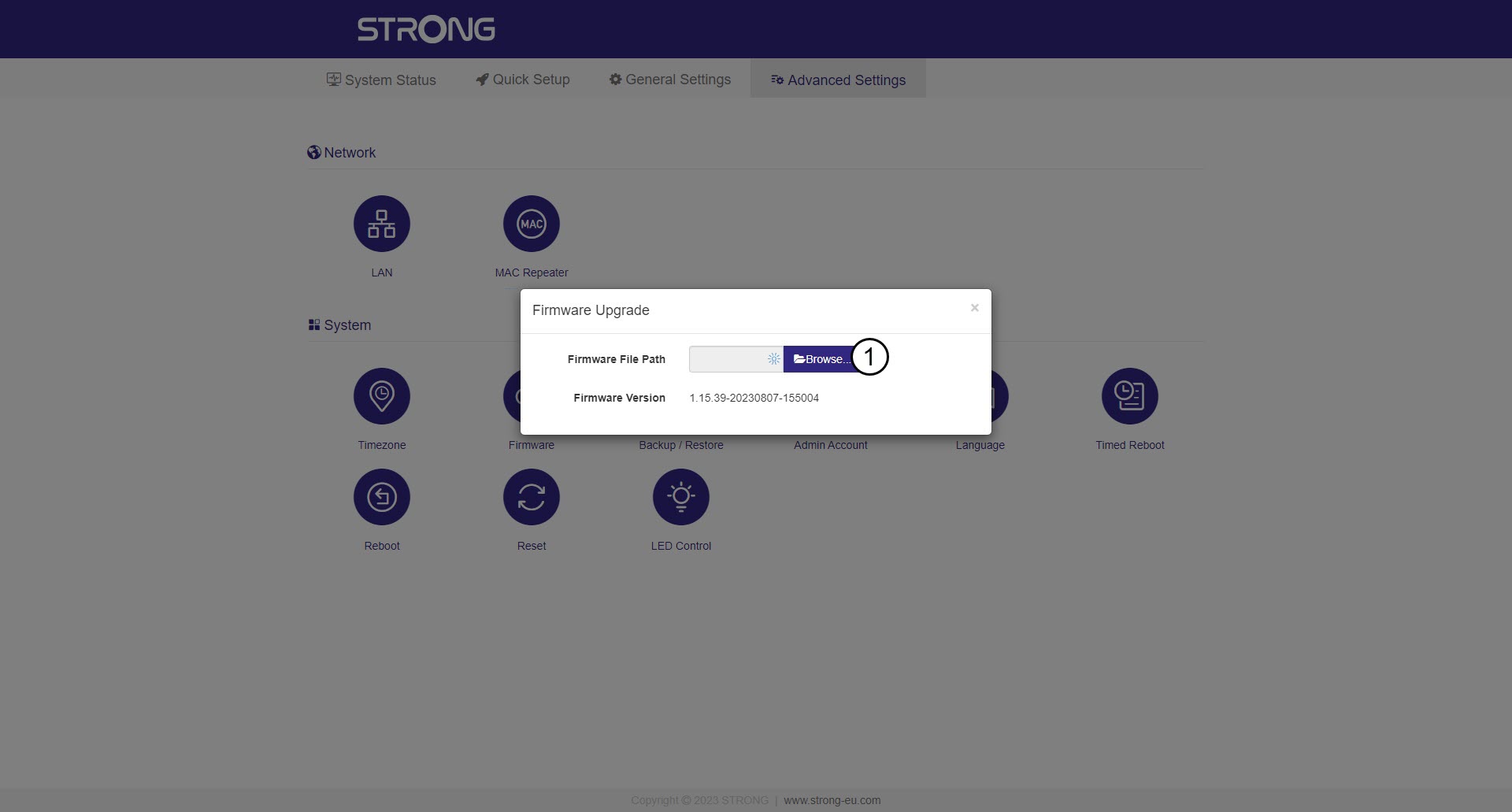

Advertencia: Espera a que finalice la actualización y a que el dispositivo se reinicie. Deberás volver a conectarte a la red Wi-Fi después de la actualización
.