LEAP S3 | 4K Google TV Dolby Vision
Todas las preguntas
LEAP S3 | 4K Google TV Dolby Vision
¿Cómo puedo volver a configurar los ajustes de volumen de mi LEAP S3 cuando el volumen es demasiado bajo?
Si el volumen de tu LEAP S3 es demasiado bajo, puedes seguir el procedimiento que se indica a continuación para restablecer los parámetros de tu LEAP S3.
Durante la instalación de tu LEAP S3, puedes configurar el control de volumen para que se gestione mediante HDMI-CEC. Cuando esta opción está activada, puedes utilizar el mando a distancia de tu LEAP S3 para ajustar el volumen del televisor.
Puedes activar o desactivar esta función en los ajustes de imagen y sonido de tu televisor. El nivel de volumen predeterminado de tu LEAP S3 está configurado en un nivel concreto, y puede resultar demasiado bajo. Si el volumen es demasiado bajo, es mejor desactivar esta opción.
¿Cómo se puede activar o desactivar esta función?
1. Pulsael botón «Ajustes»
En este caso, pulsa el botón «Ajustes » del mando a distancia de Google y, a continuación, pulsa «OK».

2. Ajustes
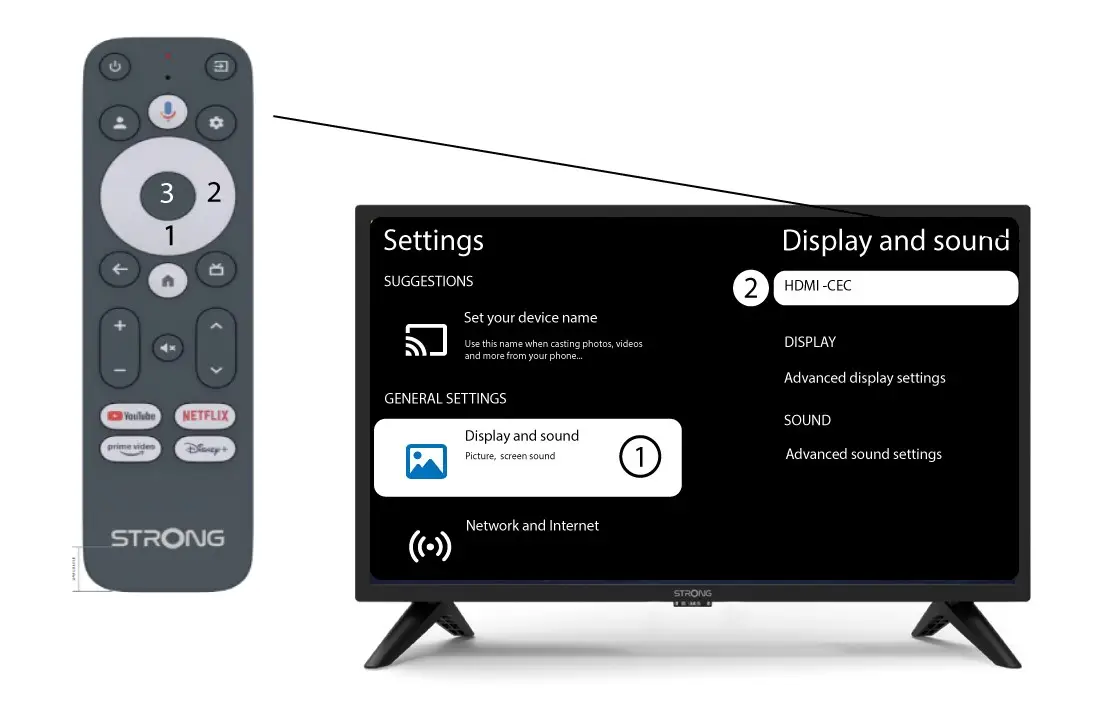
En la página «Ajustes» que aparece en la pantalla, selecciona «Pantalla y sonido». A continuación, pulsa el botón de navegación de la derecha y selecciona«HDMI-CEC».
3. Control de volumen
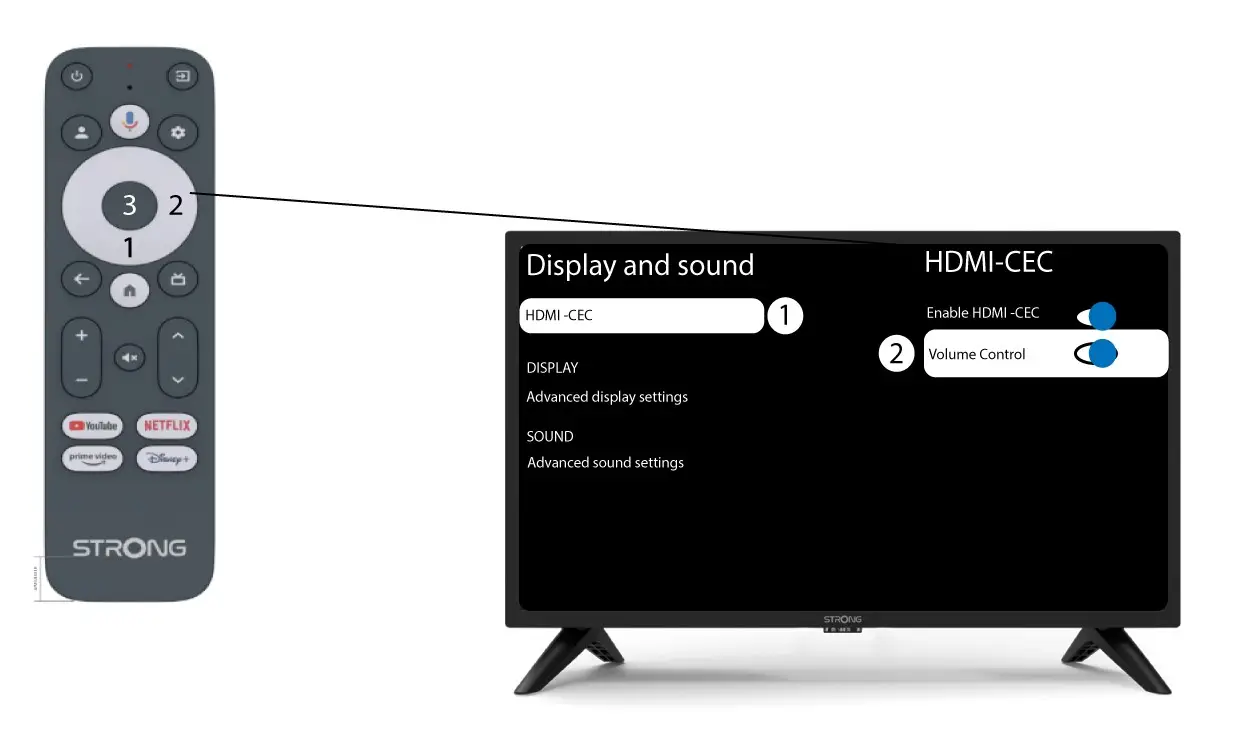
Selecciona «Control de volumen» y pulsa el botón OK para des switch ar esta función.
4Volvera la página de inicio
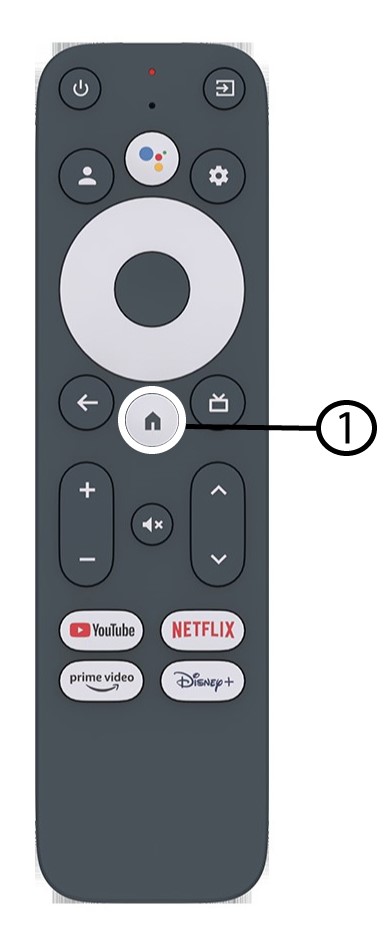
Pulsa el botón INICIO para volver a la pantalla de inicio.
Ahora se puede volver a ajustar el volumen con el mando a distanci LEAP-S3 .