Mesh Wi-Fi 6 ATRIA 3000 (paquete de 2)
Todas las preguntas
Mesh Wi-Fi 6 ATRIA 3000 (paquete de 2)
¿Cómo actualizo el firmware de la unidad « Mesh »?
Es posible que tengas que actualizar el firmware de tu dispositivo para resolver algunos problemas o para disponer de la última versión del software.
Para actualizar el firmware del dispositivo, debes acceder a esta página. En ella encontrarás el archivo de firmware; haz clic en su nombre para descargarlo.
1. Conéctatea la red Wi-Fi del dispositivo
Para continuar, conéctate a la interfaz de usuario web. Sigue este procedimiento: Conexión a la red Wi-Fi y acceso a la interfaz de usuario web
2. Identificarlas direcciones IP de los nodos de « Mesh »
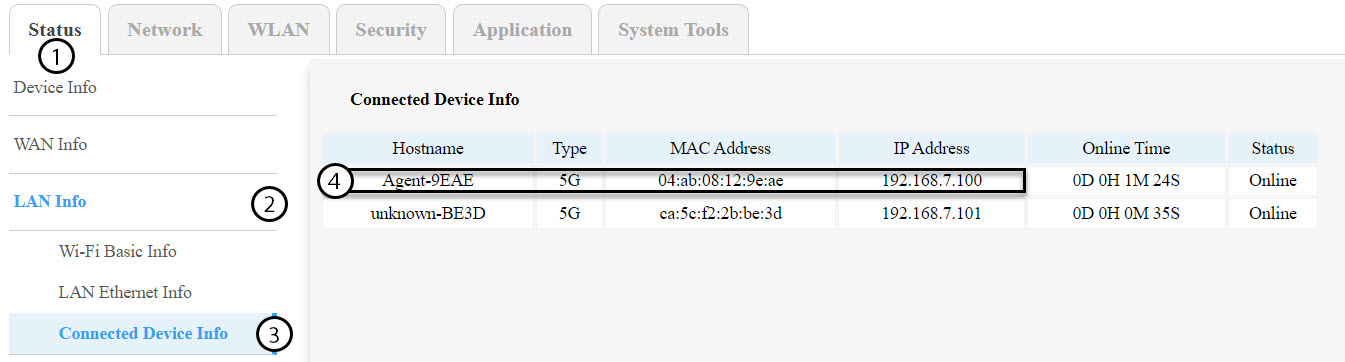
Debes identificar las direcciones IP de los demás nodos de mesh accediendo a «Estado» > «Información de LAN» > «Información de dispositivos conectados».
CONSEJOS: El nombre de las segundas unidades « mesh » será «Agent-XXXX».
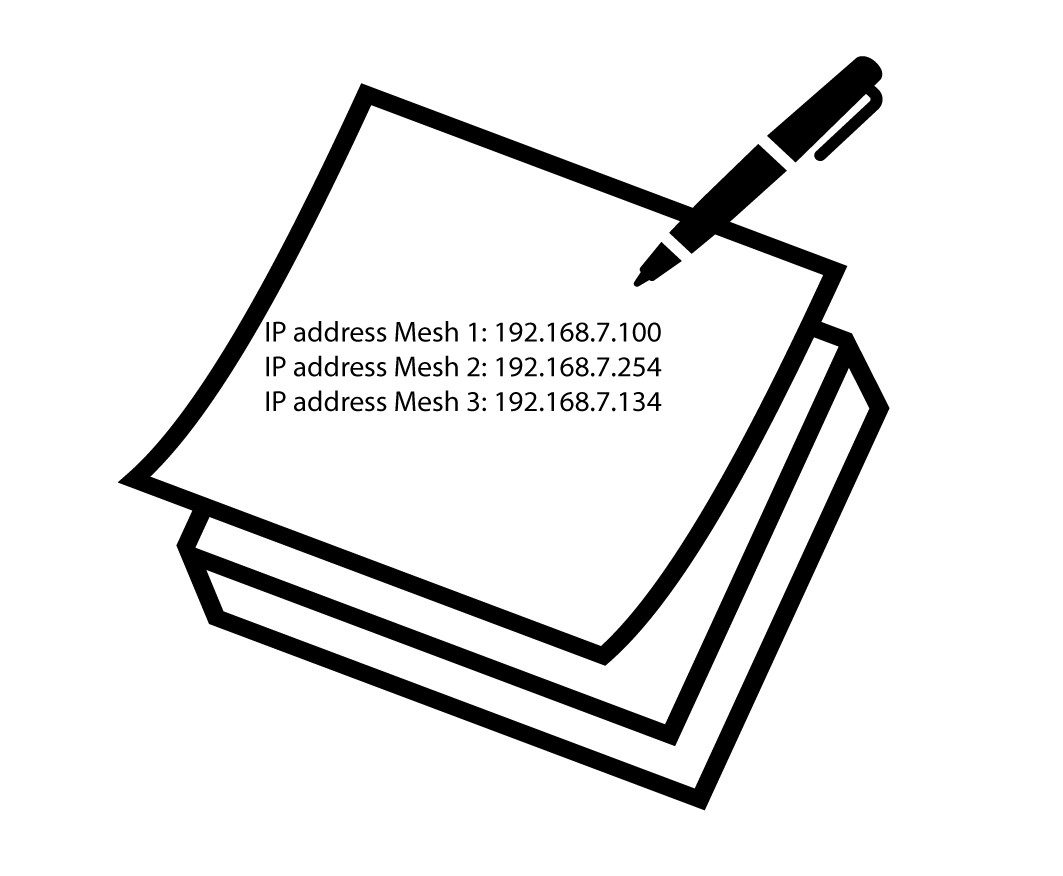
3. Anotala dirección IP de cada dispositivo
Anota las direcciones IP tanto del nodo agente como del nodo maestro para utilizarlas más adelante.
Advertencia: Actualiza siempre primero los nodos de agente y, por último, el nodo maestro. Tendrás que repetir este procedimiento para cada unidad de mesh .
4. Conéctatea la interfaz de usuario web de cada nodo de Mesh
Conéctate a la interfaz de usuario web de cada nodo de « mesh » utilizando la dirección IP que has anotado anteriormente. Puedes seguir este procedimiento:
¿Cómo puedo acceder a la interfaz de usuario web?
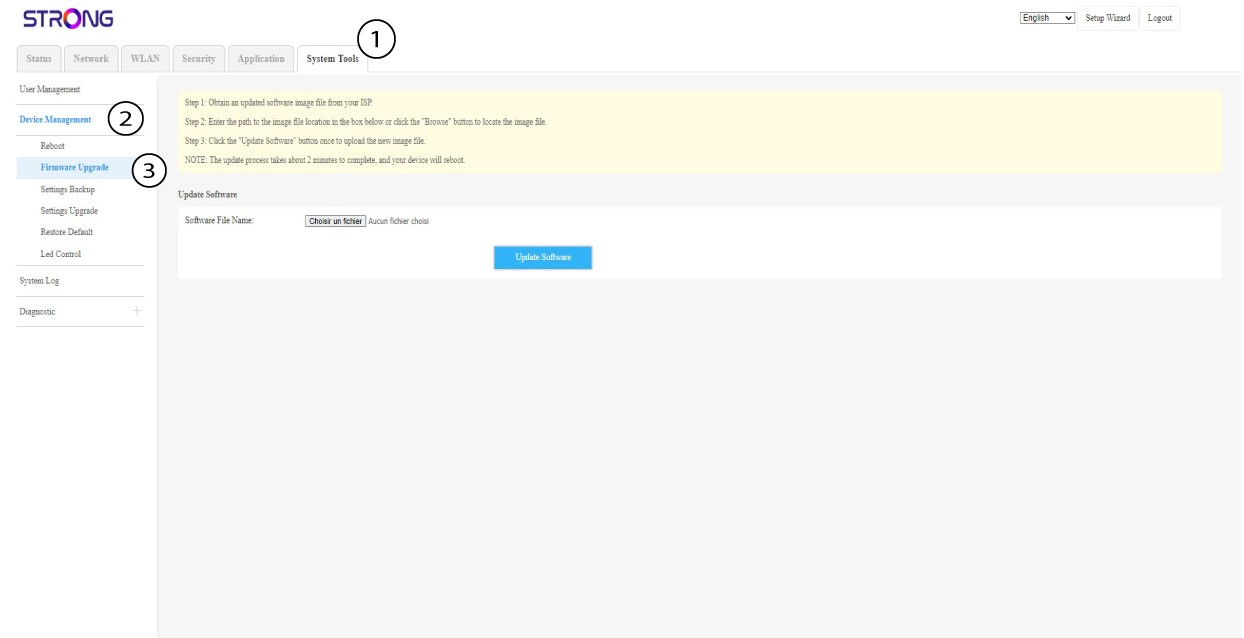
5. Accederal menú de actualización del firmware
Para cada dispositivo, haz clic en «Herramientas del sistema», selecciona «Gestión de dispositivos» y, a continuación , «Actualización de firmware».
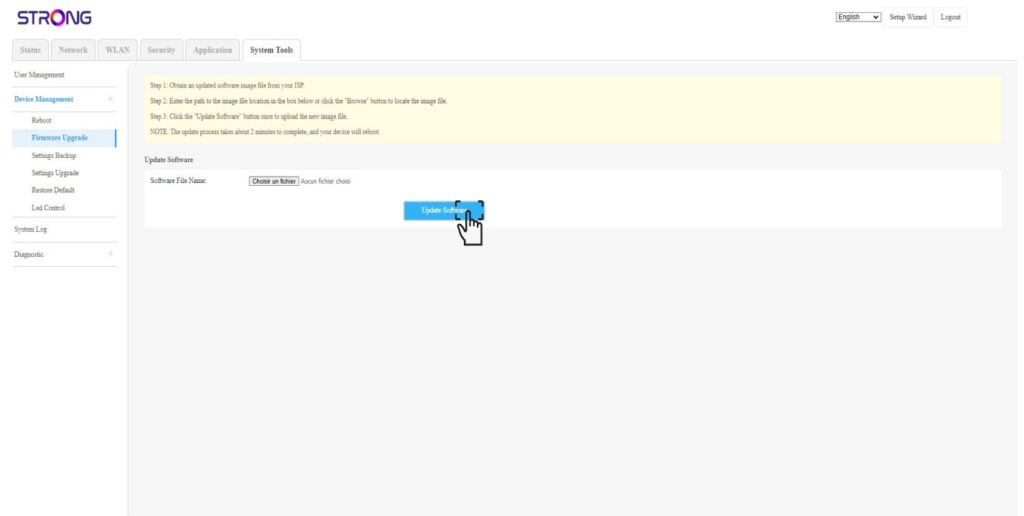
6. Cargare instalar el firmware
Selecciona el archivo haciendo clic en «Elegir archivo» y,a continuación, haz clic en «Actualizar software».