No se han encontrado artículos.
No se han encontrado artículos.
CÁMARA SMART HOME 2K
Todas las preguntas
No se han encontrado artículos.
No se han encontrado artículos.
CÁMARA SMART HOME 2K
¿Cómo configurar o gestionar tu contraseña de administrador?
Deberás configurar tu contraseña de administrador al crear tu cuenta. Si necesitas cambiarla, sigue los pasos que se indican a continuación.

ADVERTENCIA: Tu contraseña debe tener entre 8 y 64 caracteres. Debe incluir al menos tres de los siguientes elementos: mayúsculas, minúsculas, números y un carácter especial.
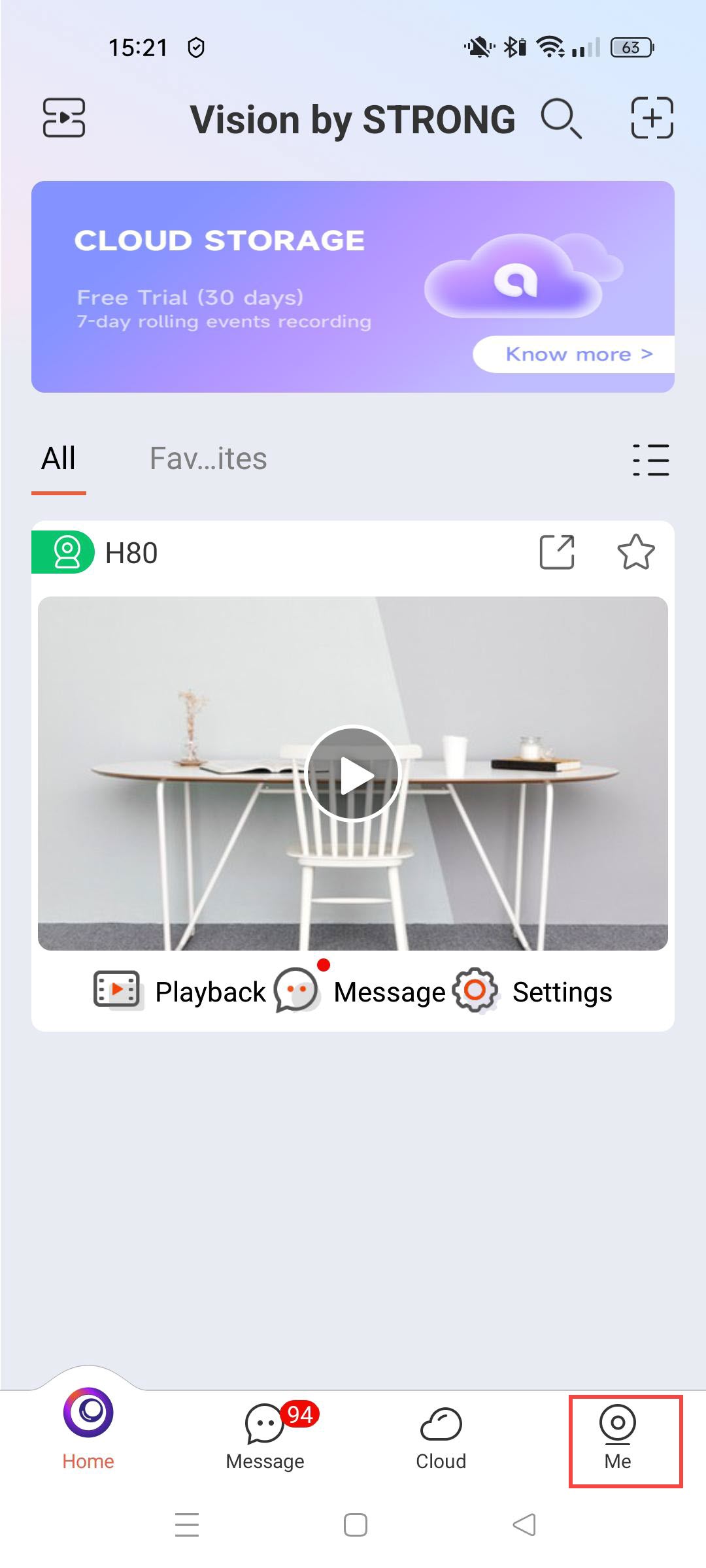
1. Accede atu perfil
Haz clic aquí.
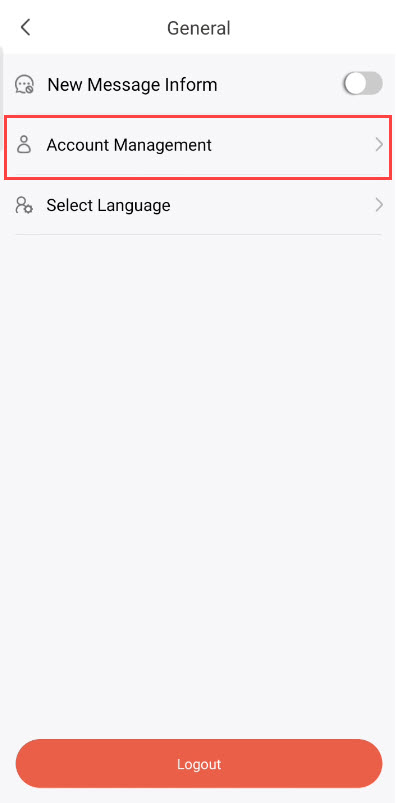
2.Gestión de cuentas abiertas
Haz clic en «Gestión de cuentas».
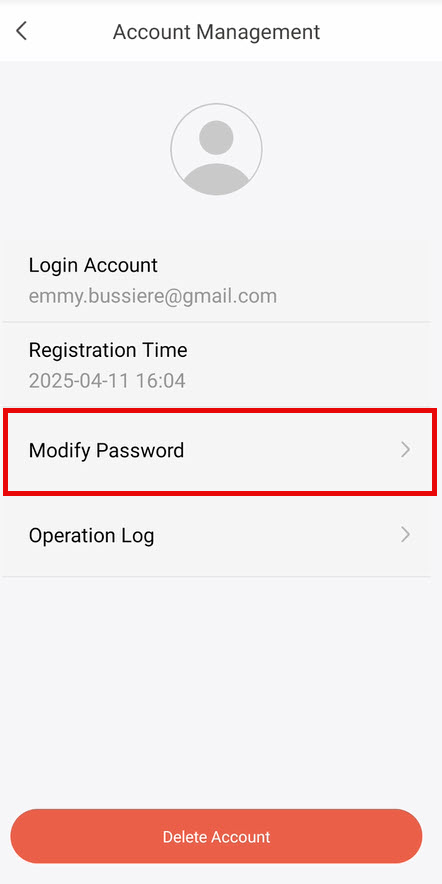
3. Eligela opción de modificar tu contraseña
Haz clic en «Modificar contraseña».
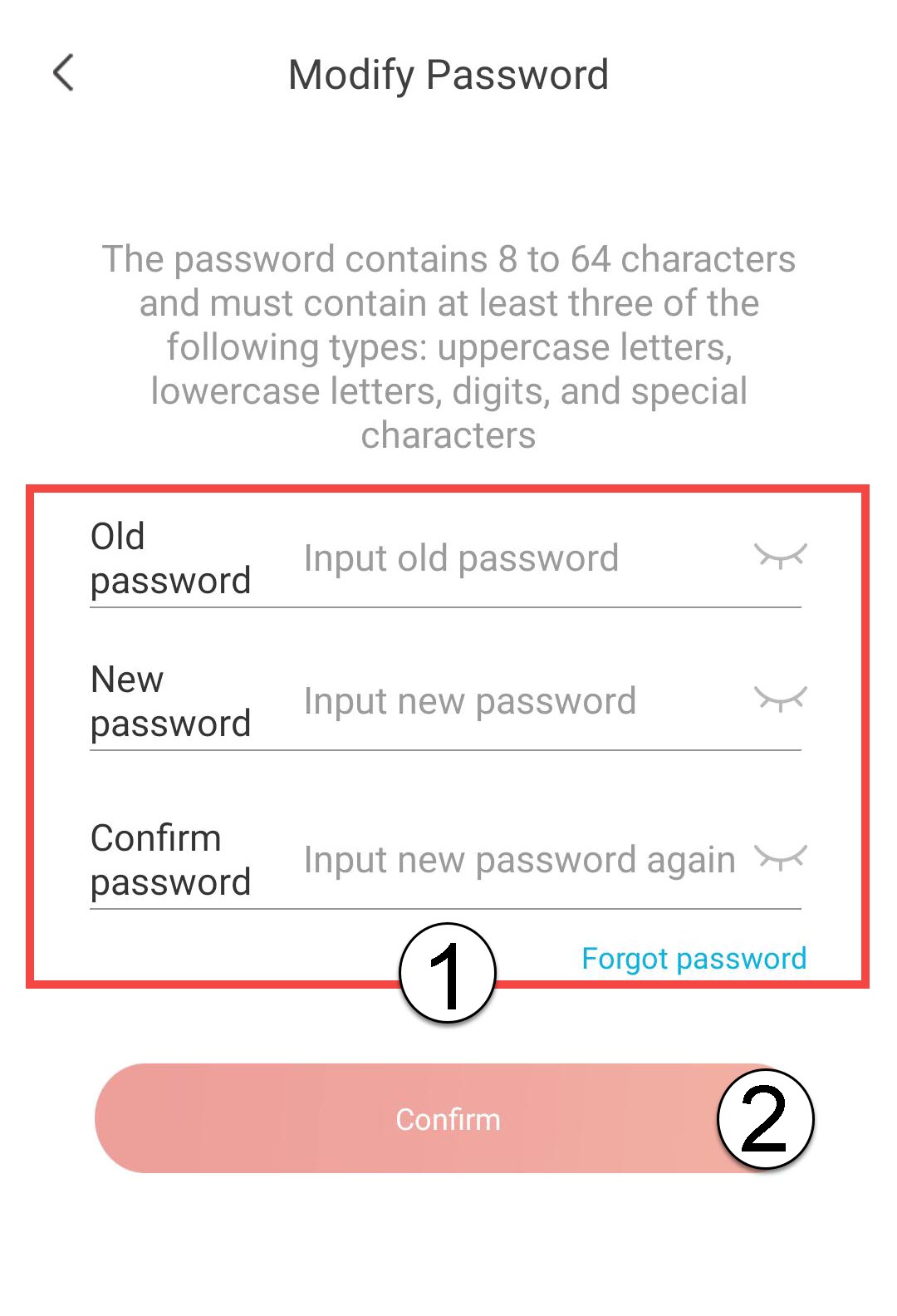
4. Introducetu contraseña
Introduce los siguientes datos antes de hacer clic
- Contraseña anterior: Introduce tu contraseña actual.
- Nueva contraseña: Introduce una nueva contraseña.
- Confirmar contraseña: Introduce la misma contraseña que en el campo anterior.