LEAP
Todas las preguntas
LEAP
He conectado un teclado AZERTY por USB, pero se reconoce como un teclado QWERTY, ¿por qué?

Advertencia: Ten en cuenta que Google es quien define las distribuciones de teclado compatibles con los teclados externos. Por lo tanto, es posible que tu distribución de teclado no sea compatible. En ese caso, te recomendamos que te pongas en contacto con el fabricante de tu teclado para ver si existe alguna aplicación que permita que tu teclado sea compatible.
1.Enciende el dispositivo
Enciende el televisor y tu LEAP S1.
2. Accedeal menú de configuración
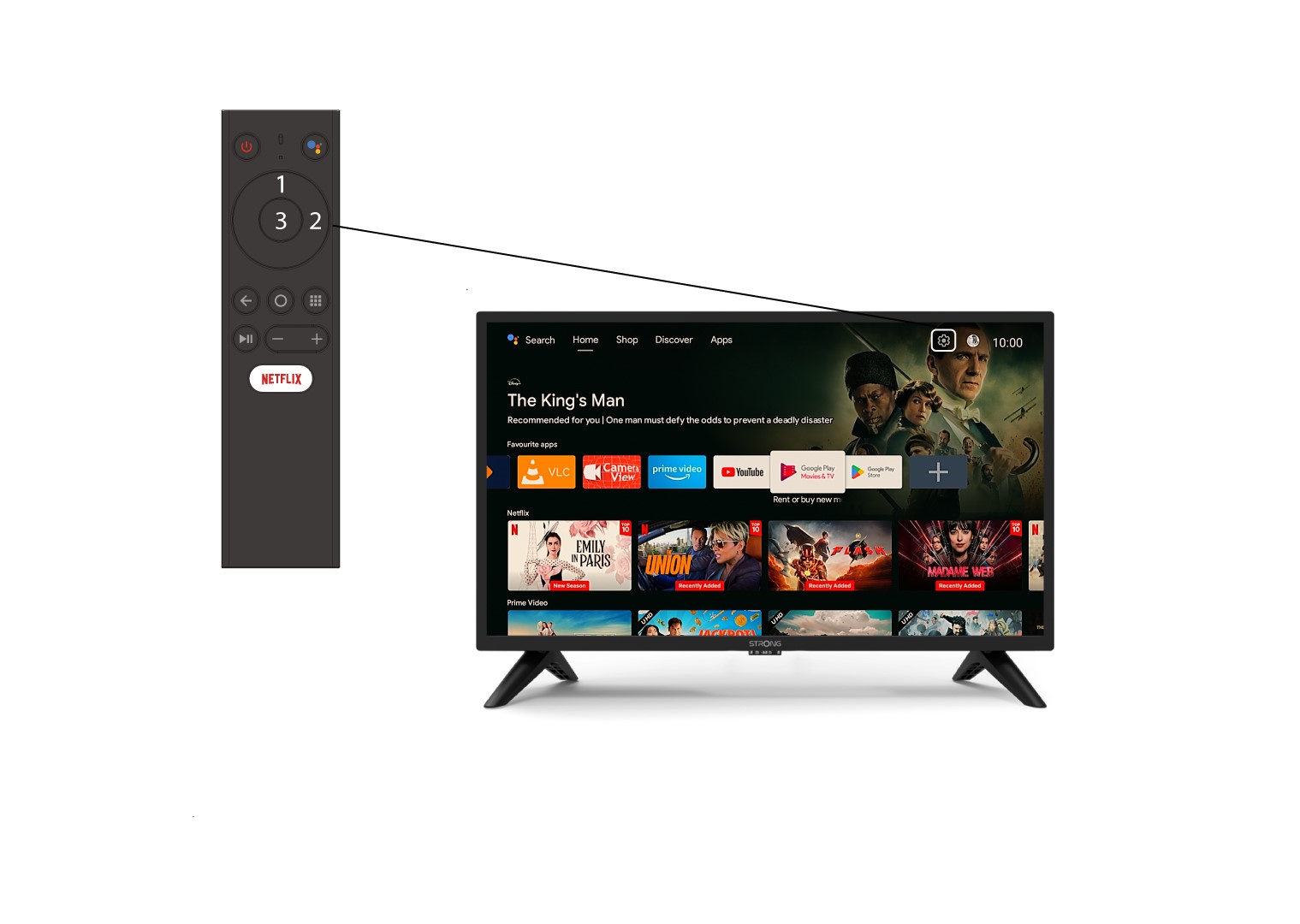
Busca el icono con forma de engranaje (menú de ajustes) situado en la esquina superior derecha de la pantalla y selecciónalo con las flechas del ordenador. A continuación, pulsa el botón «OK» del mando a distancia para abrir el menú de ajustes.
3. Preferencias del dispositivo
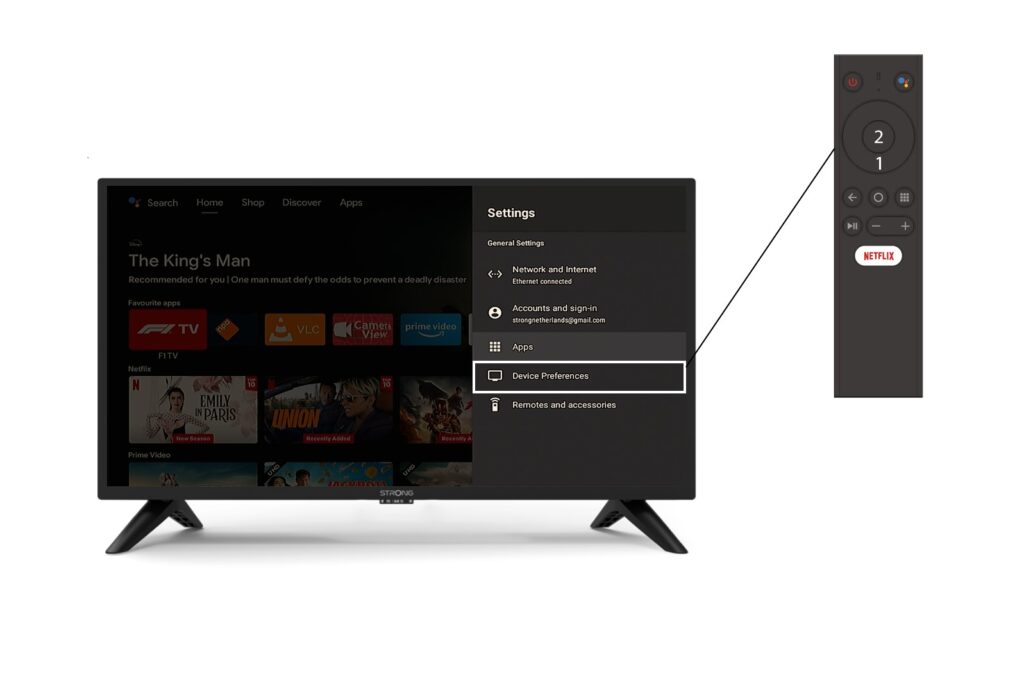
Selecciona «Preferencias del dispositivo» en el menú «Configuración» y pulsa el botón «OK» del mando a distancia.
4. Ajustes del teclado
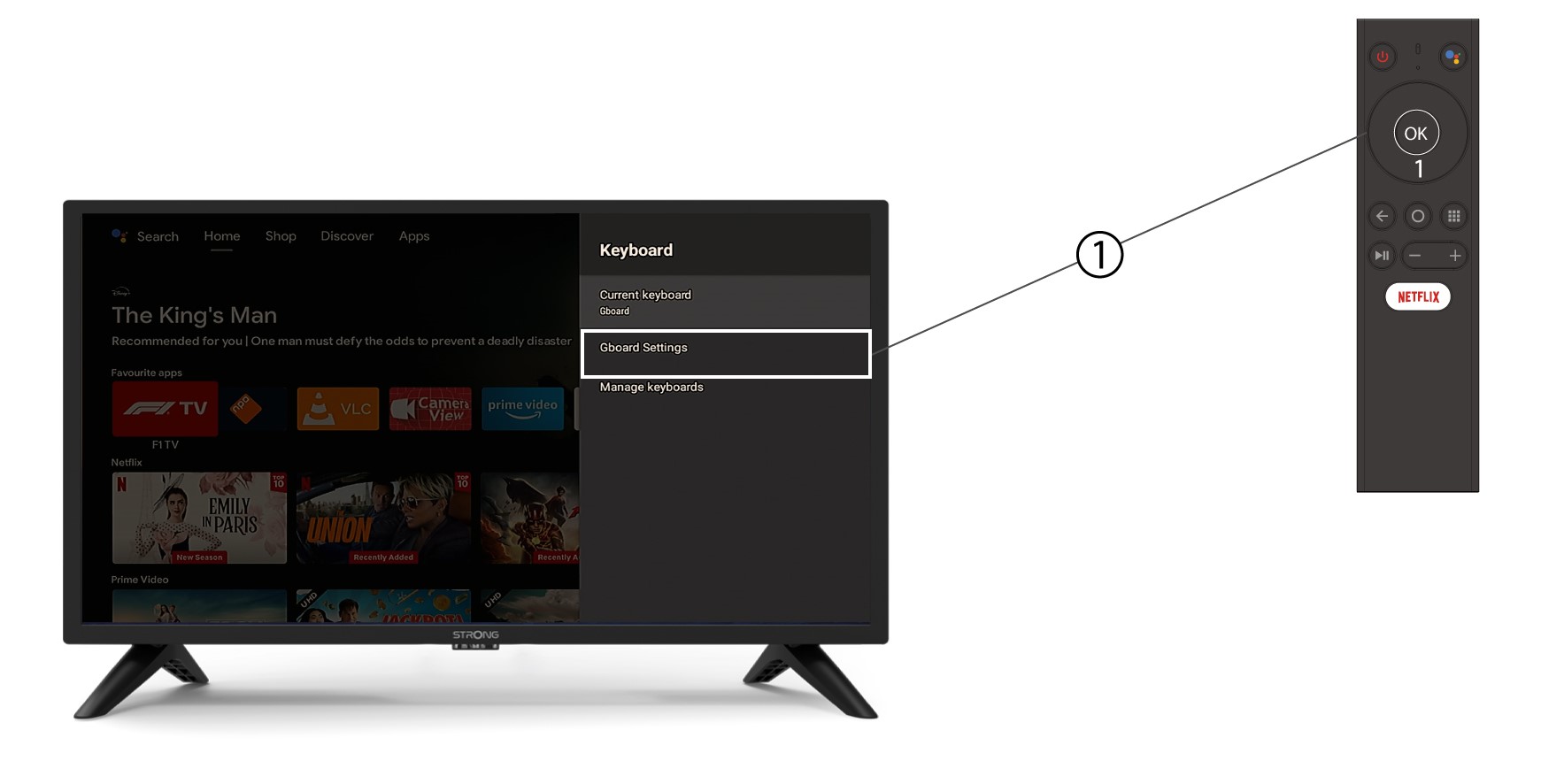
En el menú del teclado, haz clic en «Ajustes de Gboard » y pulsa «Aceptar».
5. Configuración de idioma
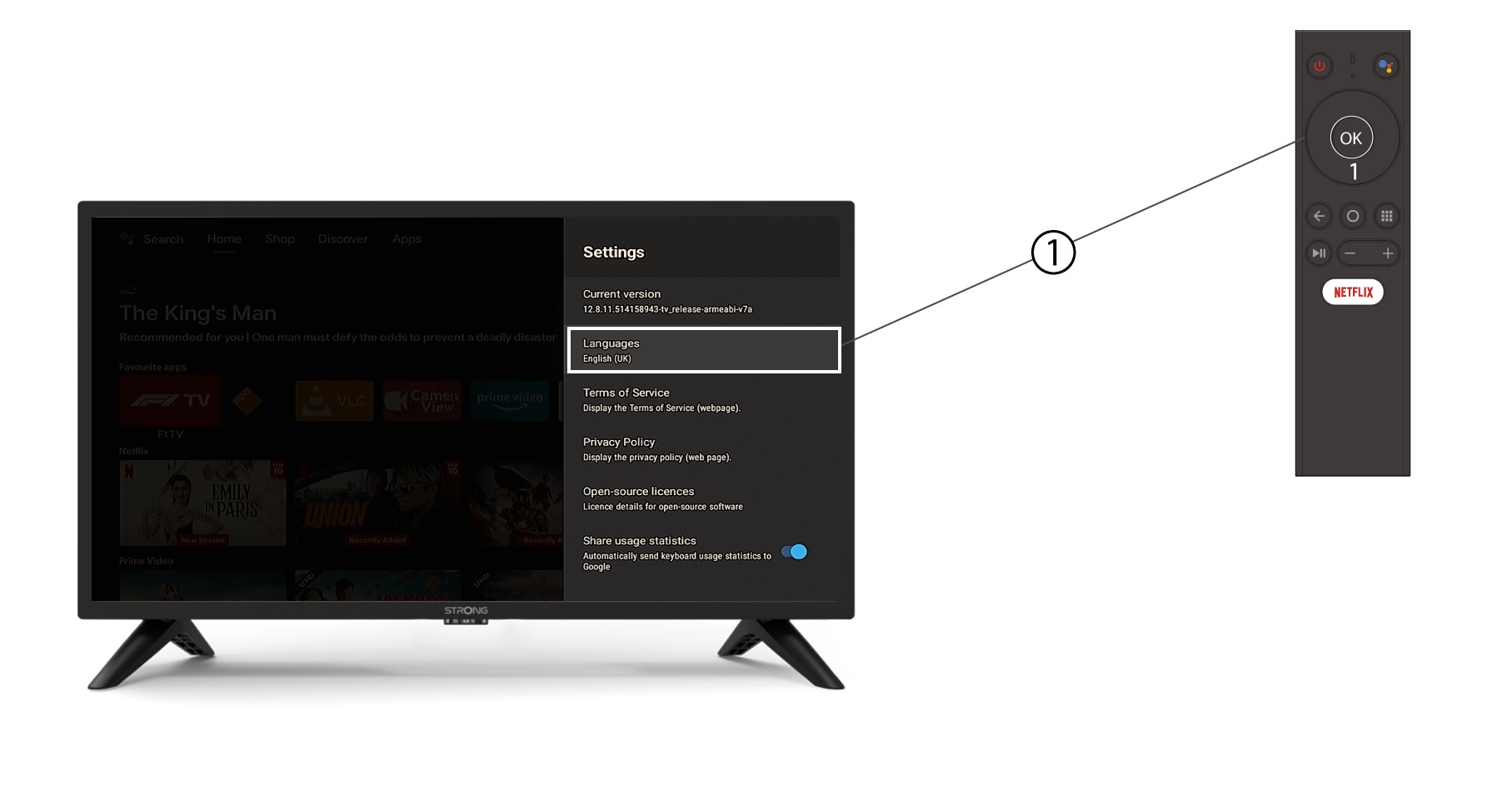
En el menú «Configuración» que se abre, haz clic en «Idioma», selecciona «Inglés UK » y pulsa «Aceptar».