4K GOOGLE TV BOX S3+ | DOLBY VISION ATMOS
Todas las preguntas
4K GOOGLE TV BOX S3+ | DOLBY VISION ATMOS
¿Por qué sigue sin ser posible controlar el nivel de volumen tras desactivar la opción de control de volumen?
Si sigues sin poder controlar el volumen con el mando a distancia del LEAP S3, sigue las instrucciones que se indican a continuación para «olvidar» el televisor en la configuración del mando a distancia.
1. Ajustes
Pulsa el botón «Configuración » y, a continuación, pulsa «Aceptar».

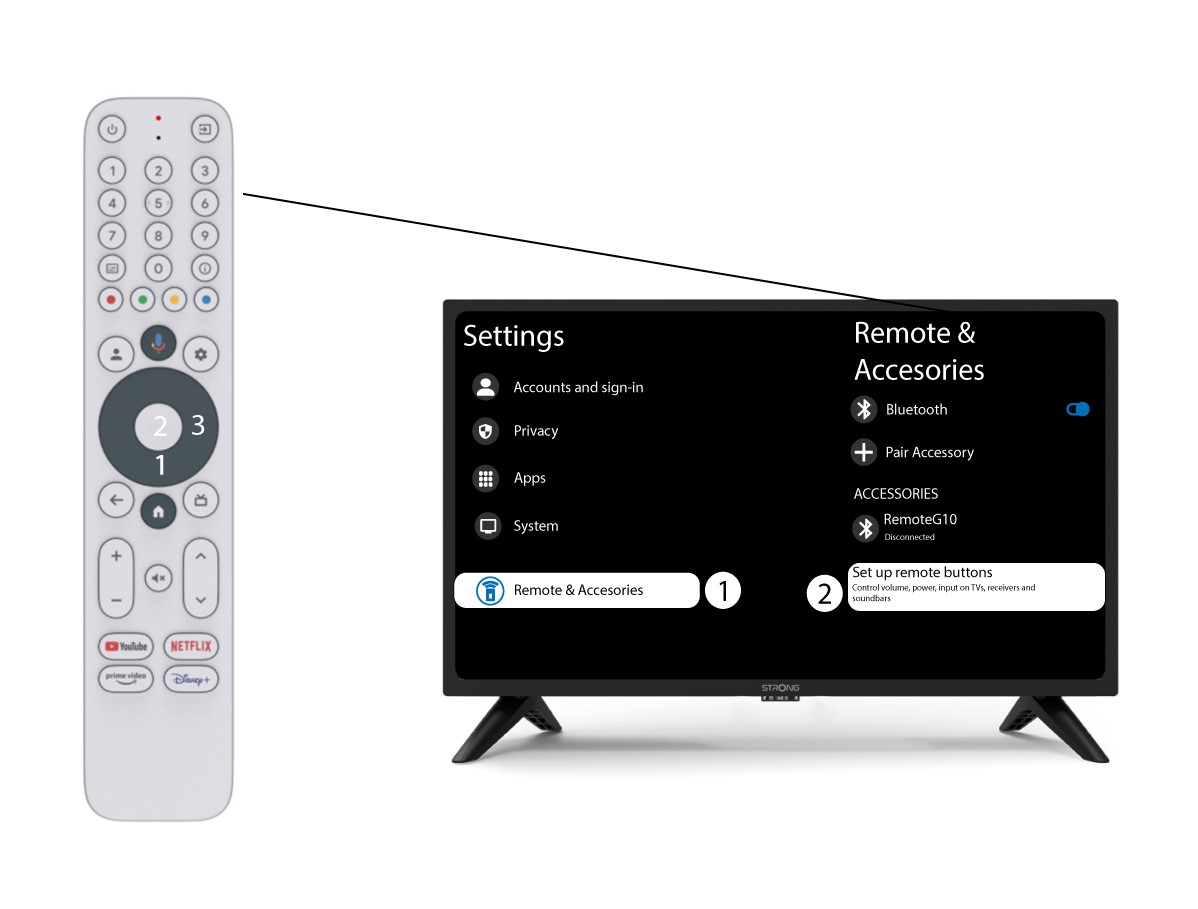
2. Configuración del mando a distanciay los accesorios
Pulsa el botón de bajar varias veces para seleccionar «Mando a distancia y accesorios» y pulsa el botón OK. A continuación, pulsa el botón de bajar varias veces para seleccionar «Configurar botones del mando a distancia»y pulsa el botón OK.
3. Olvídatedel televisor vinculado al mando a distancia
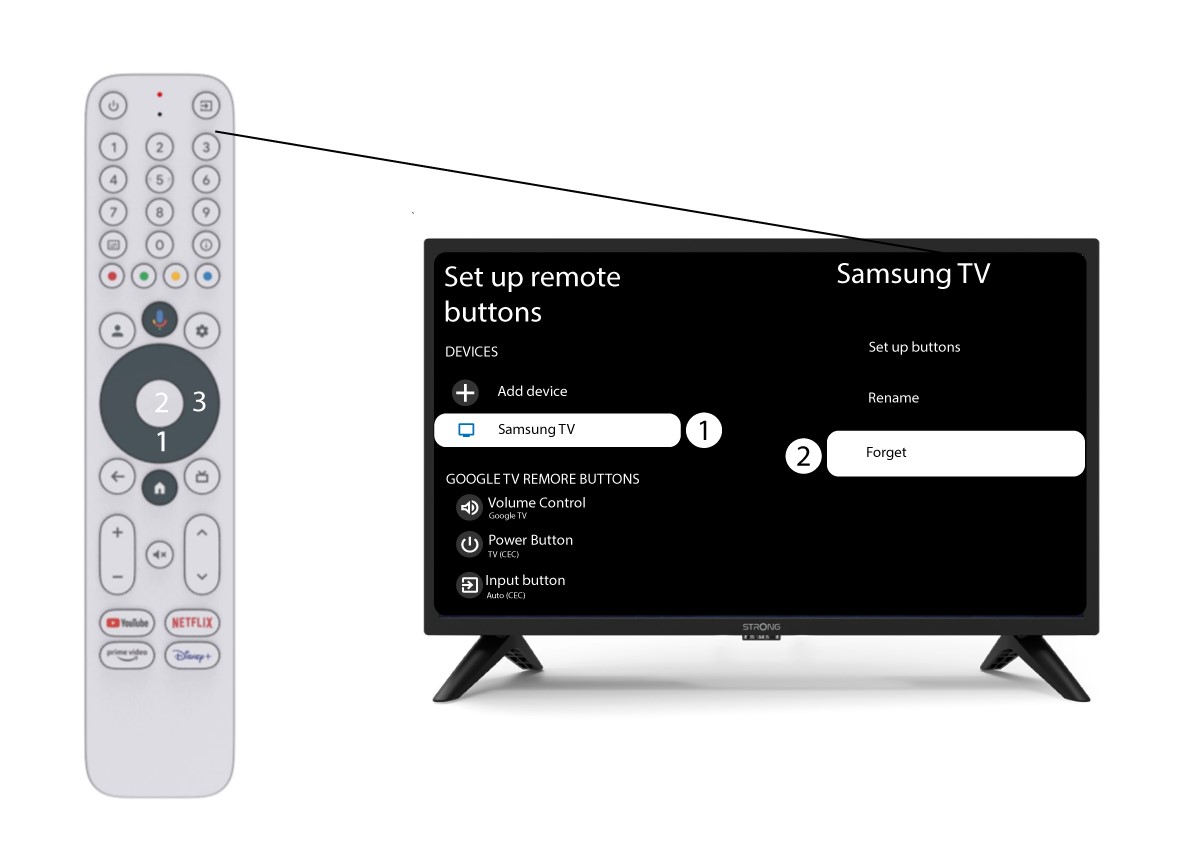
Si un televisor ya está configurado y aparece en la lista, debes eliminarlo de la lista para volver a configurarlo.
Para ello, selecciona la marca del televisor y elige «Olvidar» antes de pulsar el botón «OK» para confirmar.
4. Compruebael control de volumen
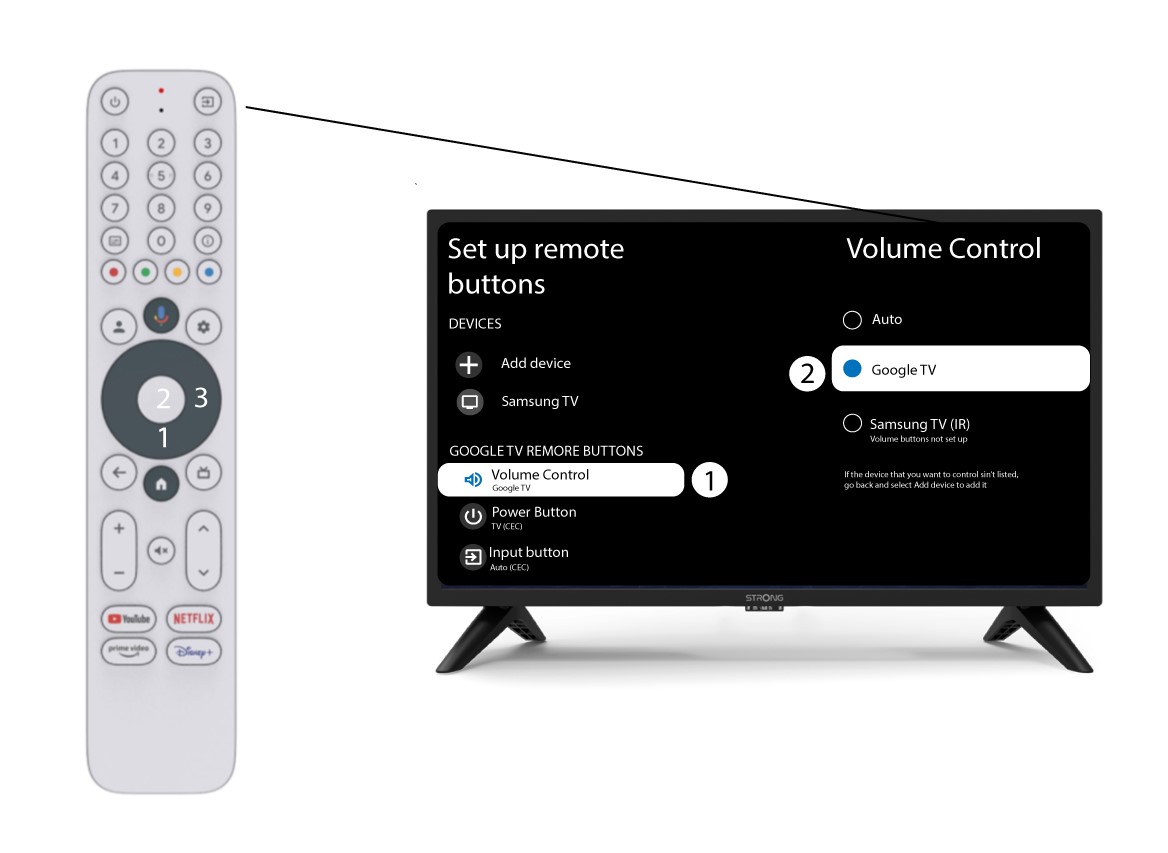
Por último, debes comprobar si el control de volumen está configurado para Google TV. Si no es así, selecciónalo y el control de volumen debería funcionar correctamente en ambos mandos a distancia.