4G AIRSPOT 220 Mobile Wi-Fi with Display
No items found.
No items found.
All questions
No items found.
No items found.
Camera, NVR and recording
How do I configure my SD card?
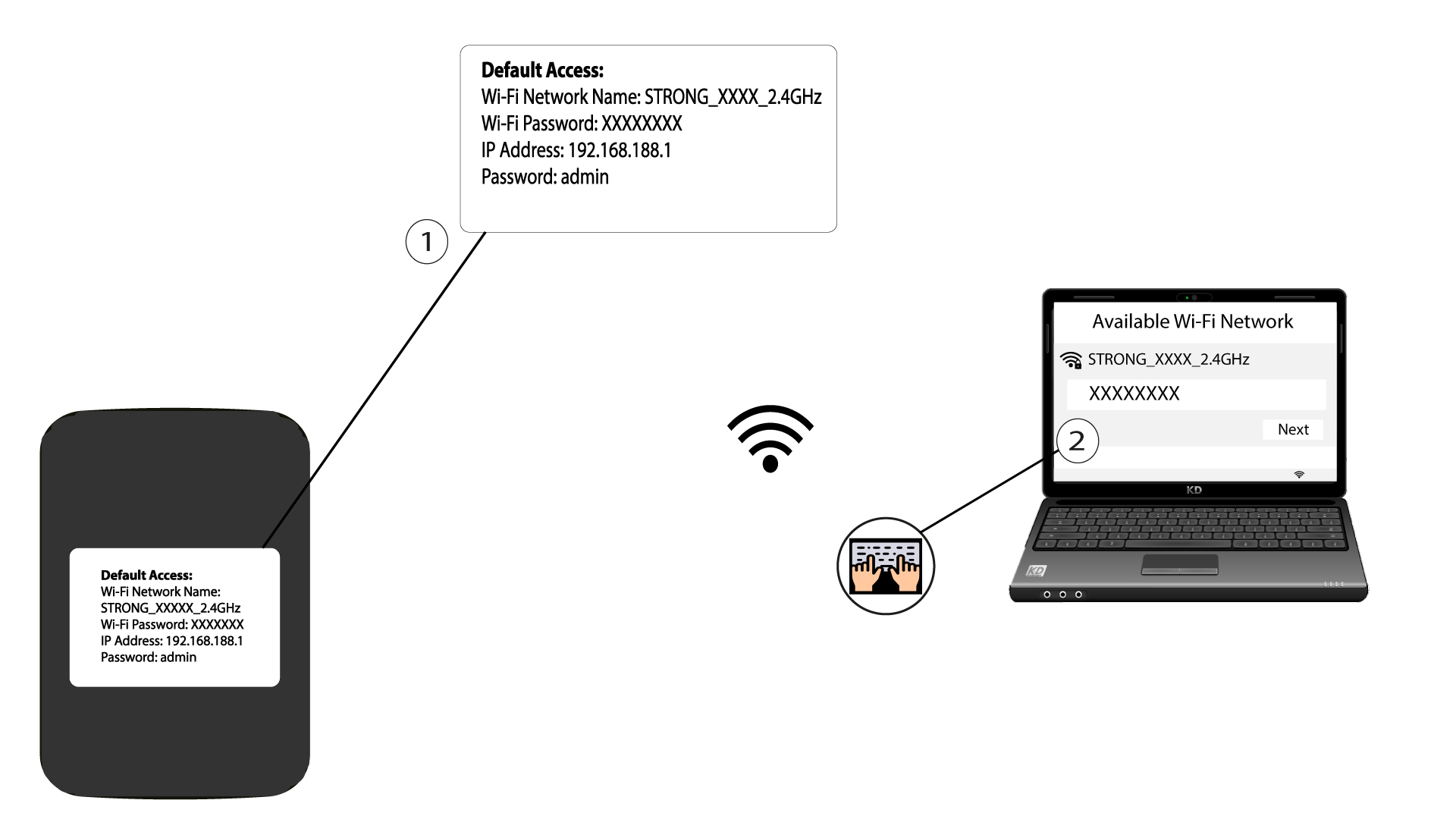
1Connect to the Web UI
You first need to access the WEB UI. To do so, please refer to the following section: How do I access the Web UI?
2Change the SD card mod
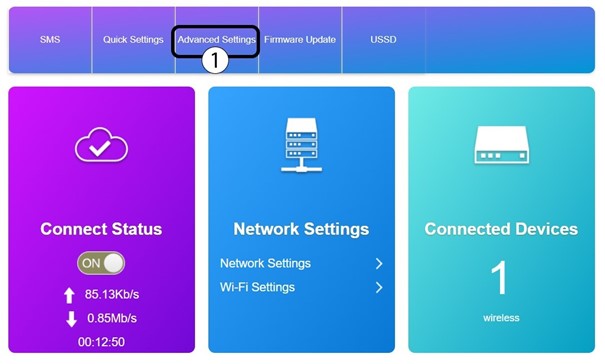
You can change the mode to access the SD Card to HTTP Share
Click Advanced Settings.
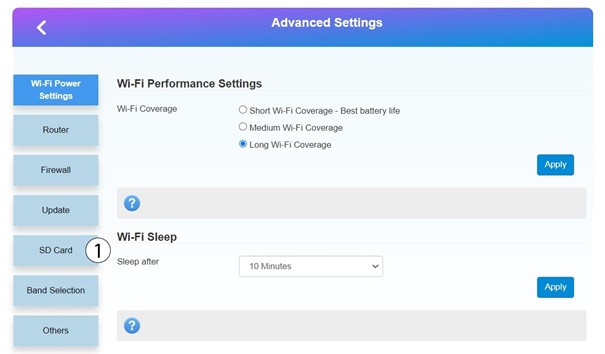
3SD Card settings
Click SD Card.
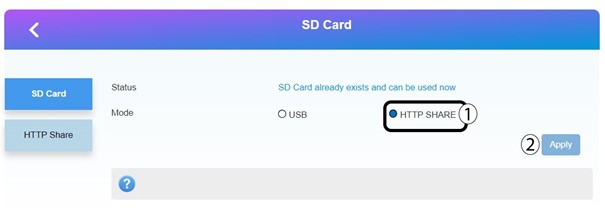
4Share via HTTP
Click HTTP SHARE and Apply.
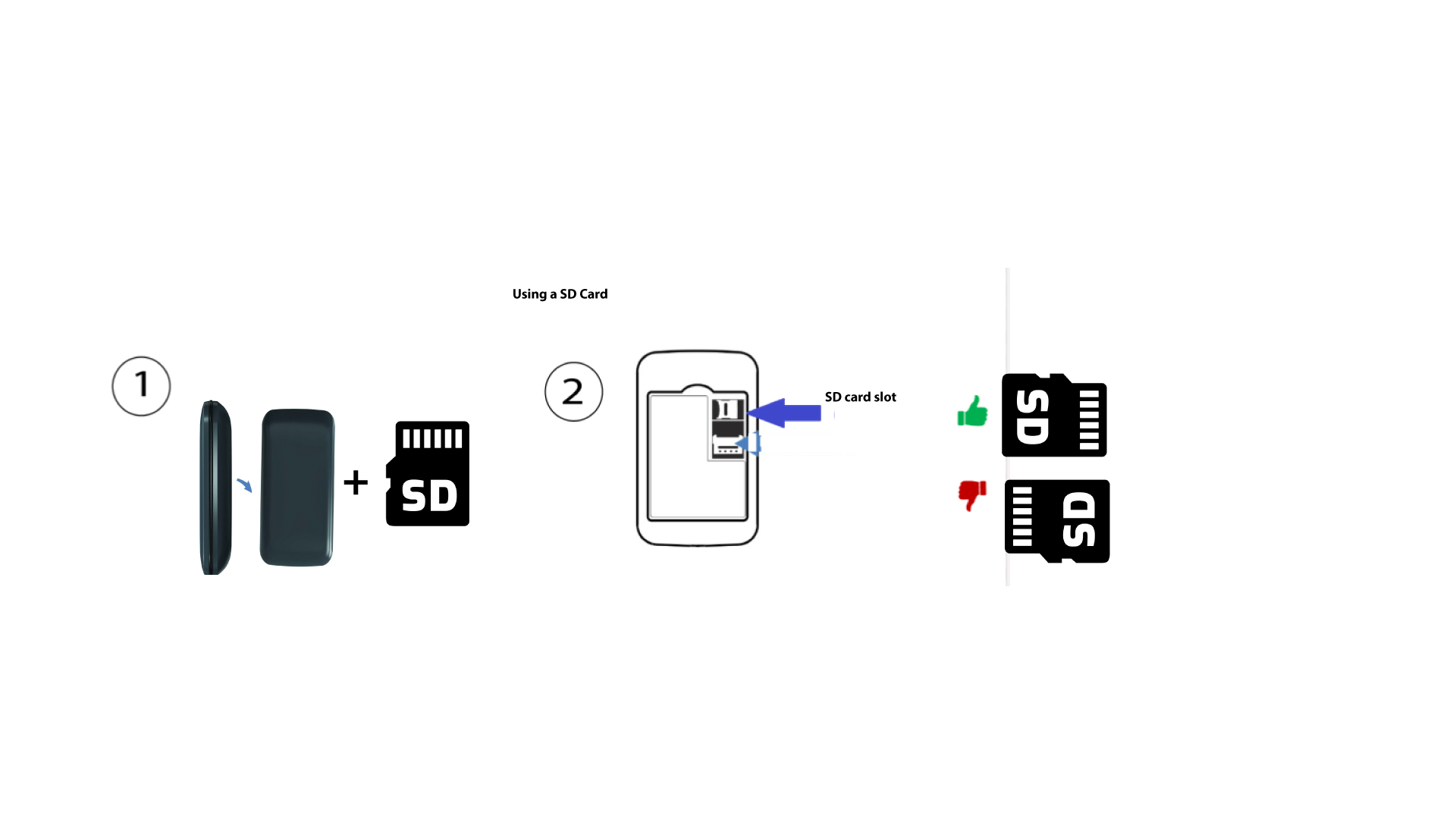
How to insert the SD card in the hotspot 150?
To insert the SD Card in the router, you first need to turn off the device by pressing the power button for five seconds.
1Put the SD Card in
Then, remove the cover, put the SD Card in the slot provided in the top right-hand corner at- the rear of the device.