
Repeater AX3000
All questions
Repeater AX3000
Credentials and Web UI access
How do I connect to the Web UI of the repeater? (RJ45 Cable)
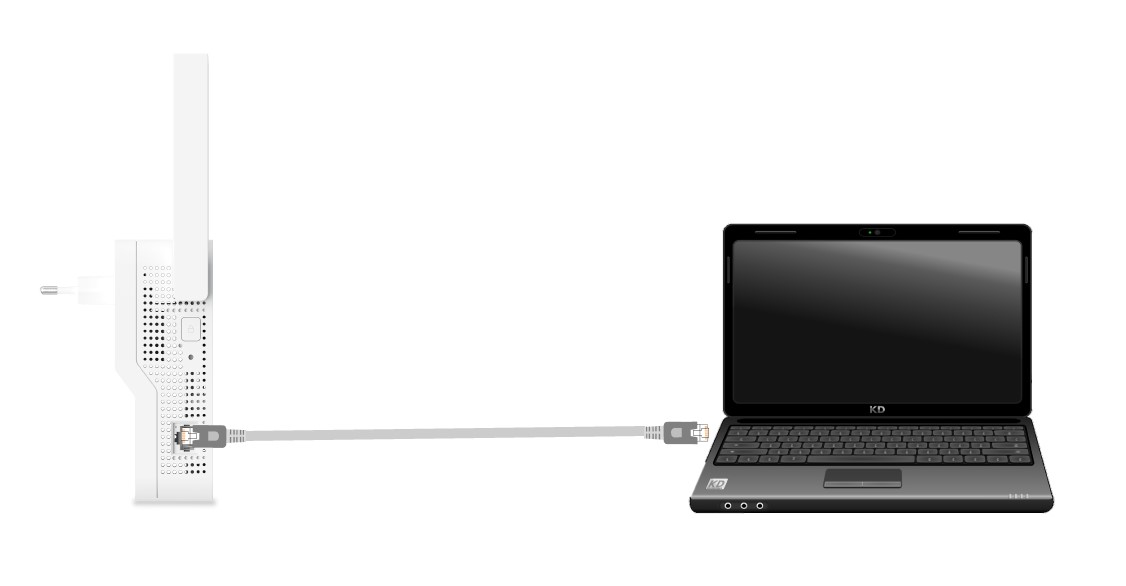
1Connect to the repeater with an RJ45 cable
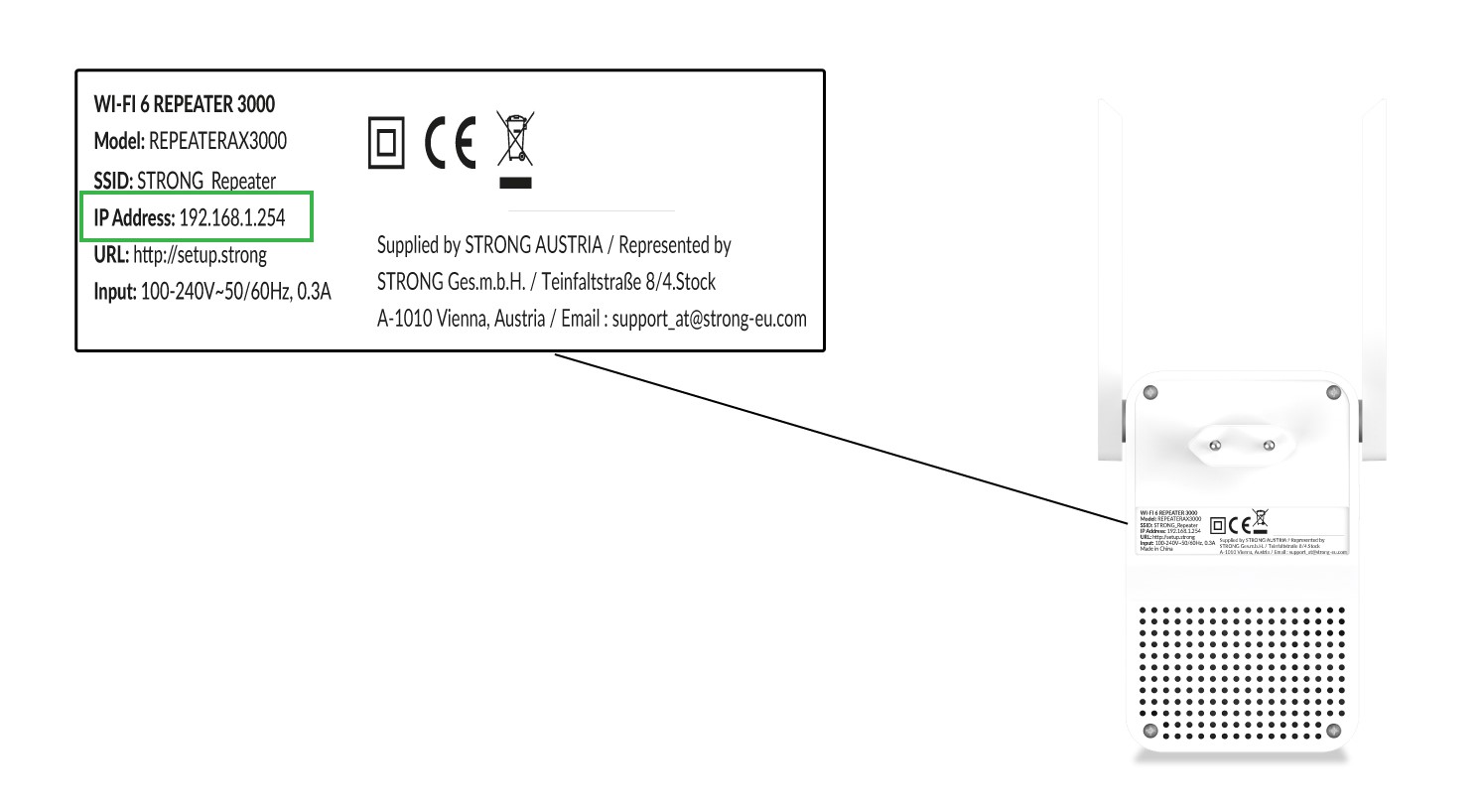
Find the network information of your repeater on the product label, located under the repeater. Select the Network in the available network list and connect to it.
2Browse to the Web UI IP Address
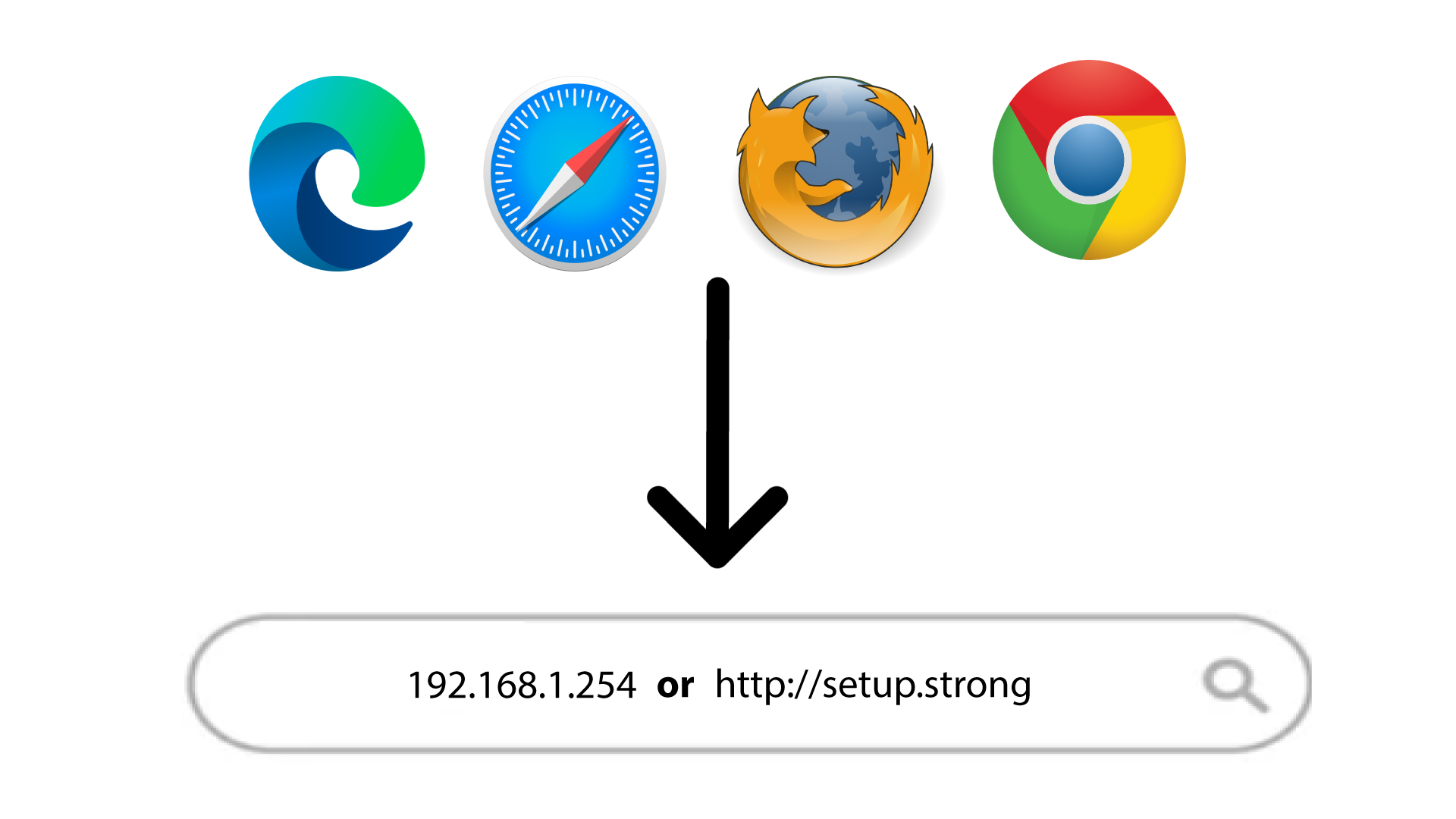
Type the IP Address or the URL in your browser.
3Enter your credentials
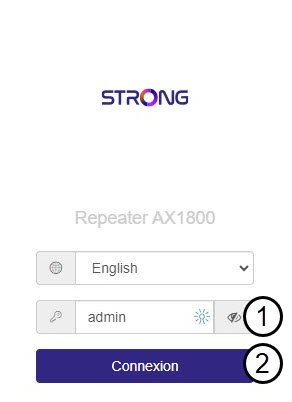
Enter your admin password and click Connexion.
How do I connect to the Web UI after setting up my device?
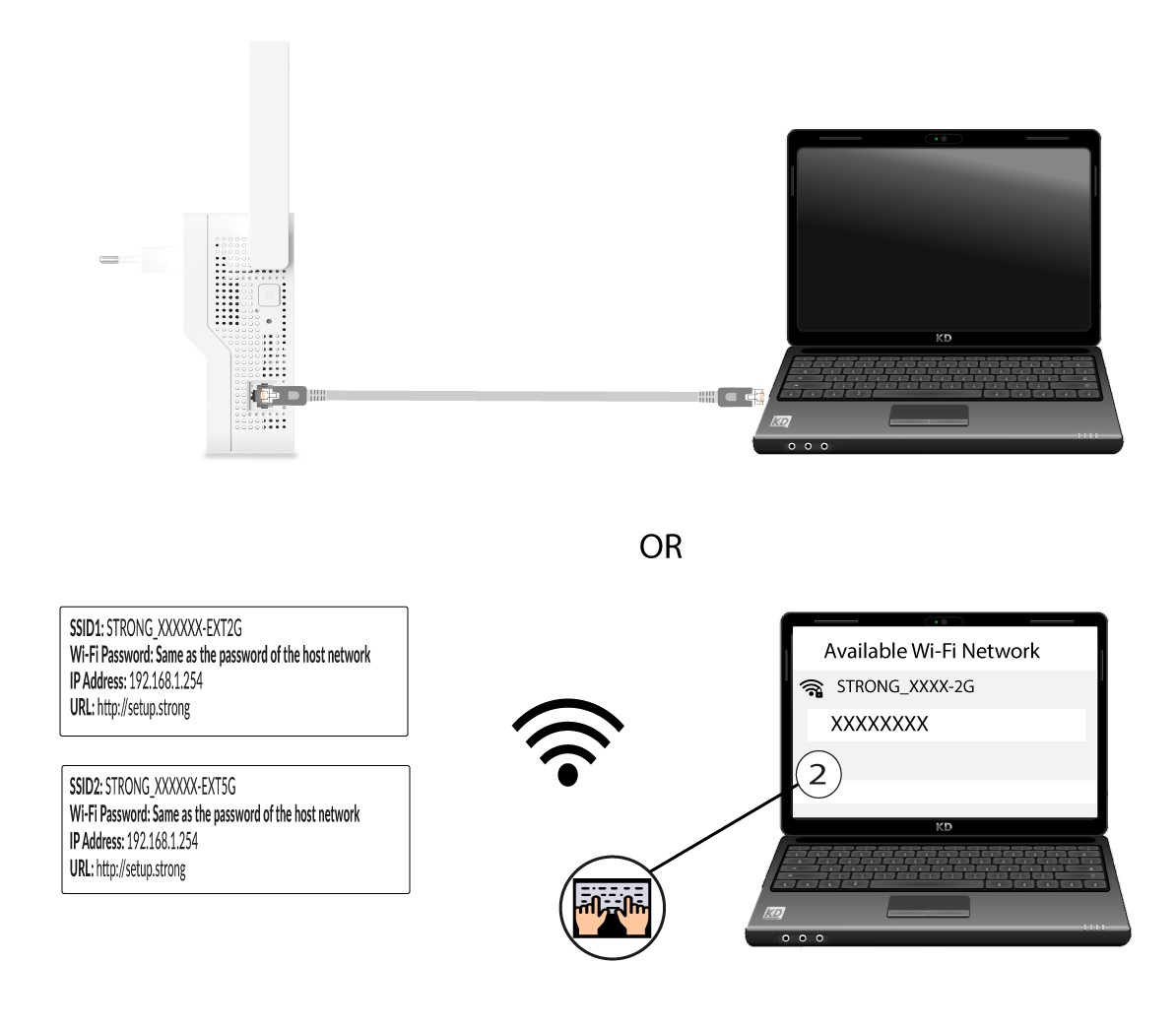
1Connect to the Wi-Fi or the Internet network of the repeater
You need to connect to the repeater by RJ45 or to connect to one of the Wi-Fi networks that was created after the configuration.
2Browse to the Web UI
Enter the URL of the Web UI in your browser.
3Enter the credentials
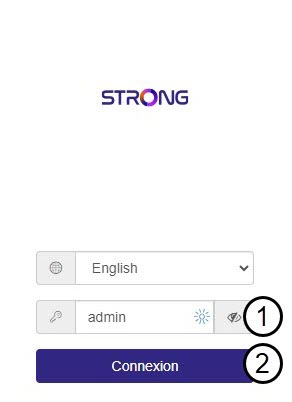
Enter the password and click Connexion.
4Look for the IP address
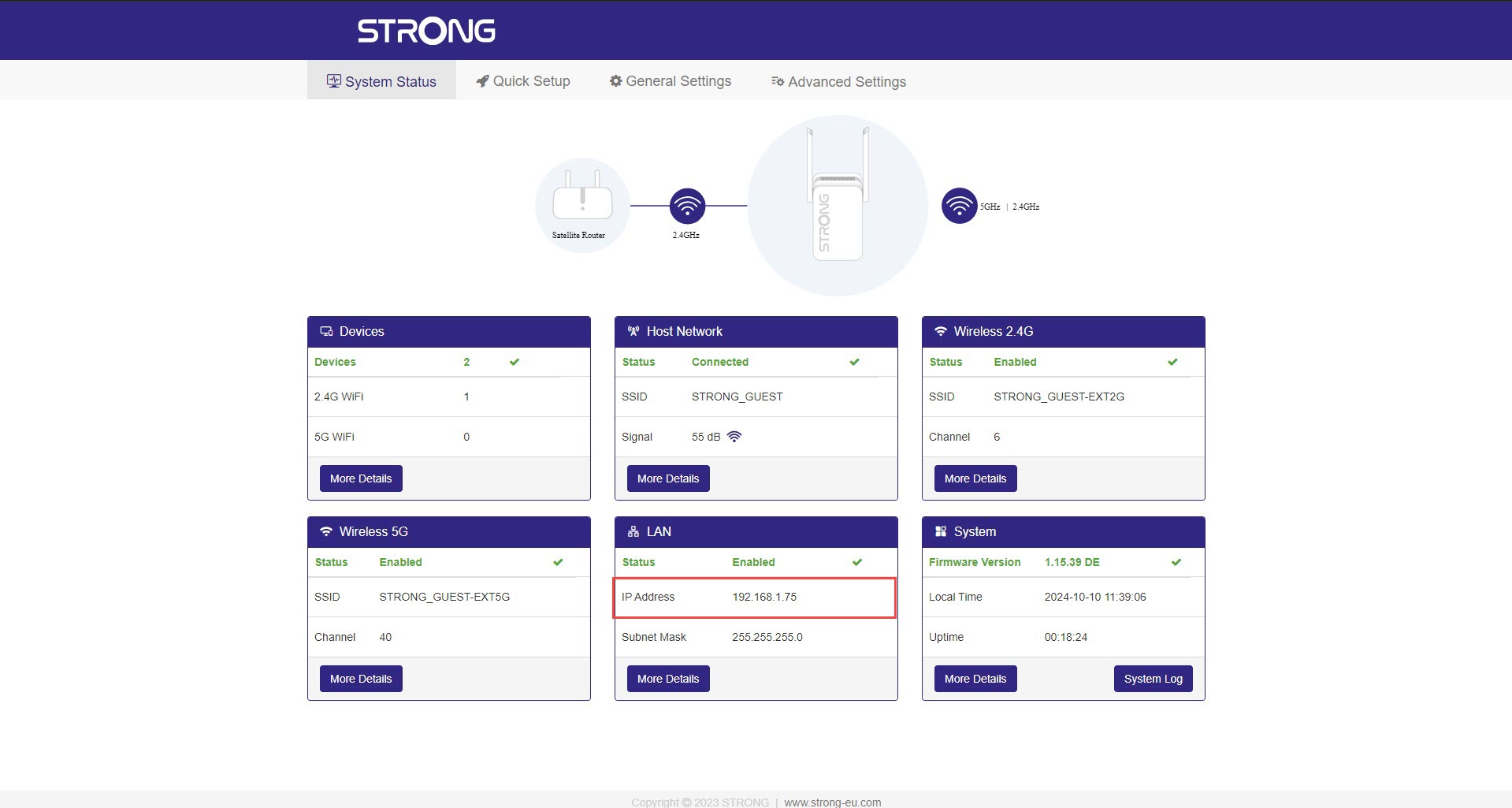
In the device information, look for the IP address of the repeater.
How do I connect to the Web UI of the repeater? (Wi-Fi)
1Connect to the Wi-Fi of the repeater
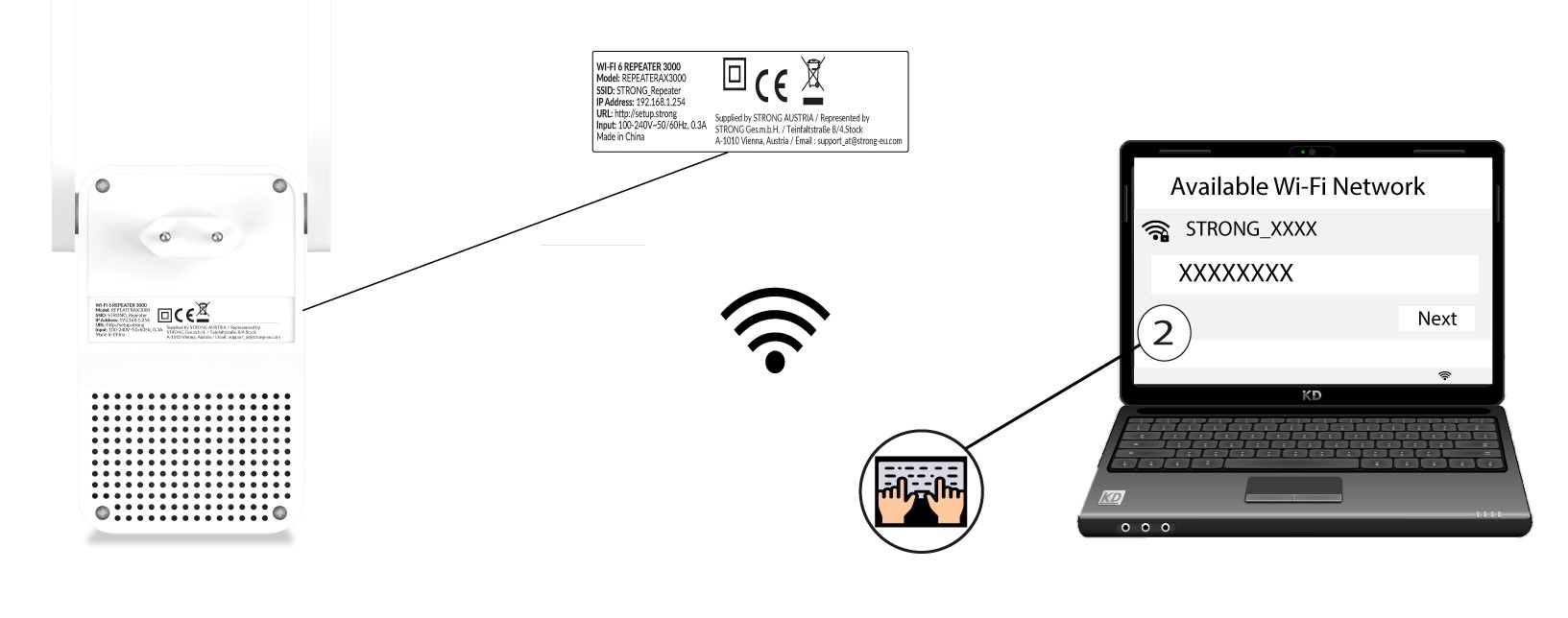
Find the network information of your repeater on the product label, located under the repeater. Select the Network in the available network list and connect to it.
2Browse to the Web UI IP Address
Type the IP Address or the URL in your browser.
3Enter your credentials
Enter your admin password and click Connexion.
How do I set up a new administration password?
1Connect to the Web UI
Connect to the Web UI by following this procedure.
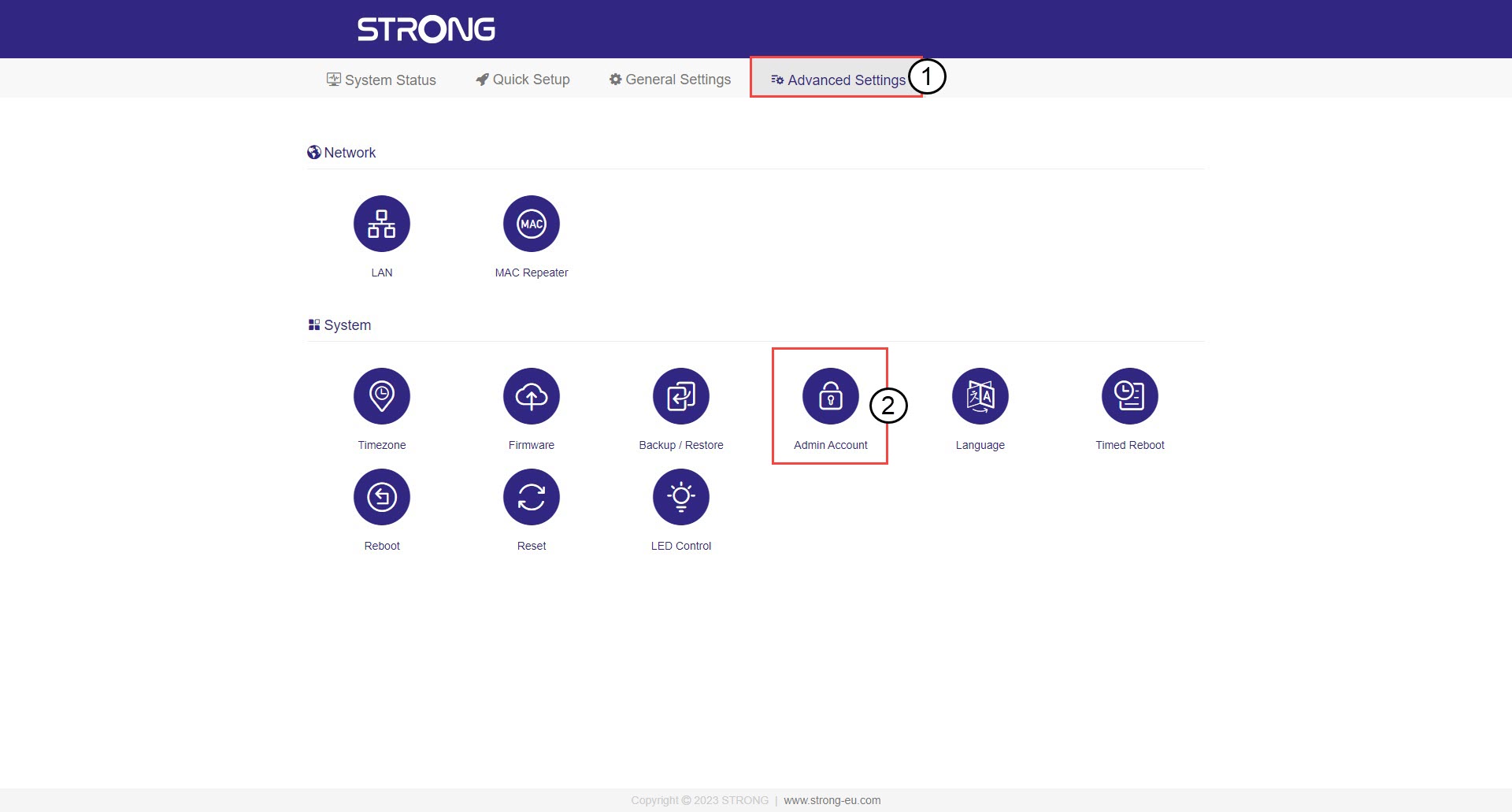
2Admin Account
Click Advanced Settings and Admin Account.
3Create the new password
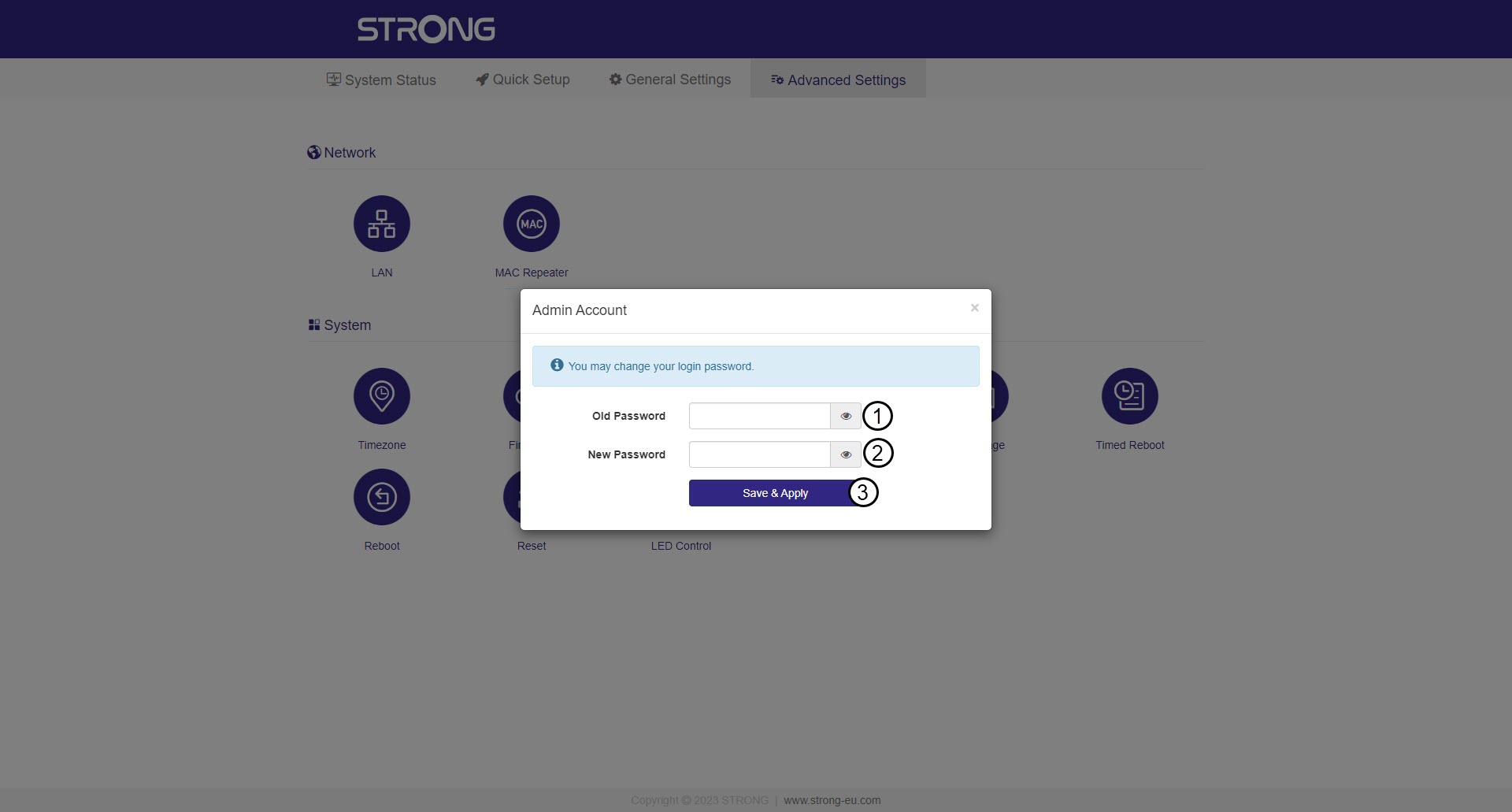
Enter the following information before clicking Save & Apply:
- Old Password: Enter the default administration password (admin).
- New Password: Enter a new password.
I cannot access the Web UI (http://setup.strong) after setting up my repeater, why?

Warning: It is normal that you cannot connect to the Web UI after the set up because the connection information are changed. Indeed, two Wi-Fi networks are created when the set up is completed. You must connect to one of this network to access the Web UI.
1Connect to Wi-Fi or Internet Network of your repeater
You need to connect to the repeater by RJ45 or to connect to one of the Wi-Fi networks that was created after the configuration.
2Browse to the Web UI
Browse to the following URL: http://setup.strong
3Enter your credentials
Enter the password and click Connexion.
4Look for the IP address of the repeater
In the device information, look for the IP address of the repeater.
I cannot access the Web UI with the URL (http://setup.strong) during the configuration, why ?
During the configuration of the repeater, you must connect directly to the IP Address indicated on the product label of the repeater.
What are the credentials to connect to the Web UI?
To connect to the Web UI, you only have to enter the administration password. The default administration password is admin.
Warning: Please note that we strongly advise you to change the administration password
of your repeater to prevent hacking. To do so, please refer to How do I set up a new administration password?
What can I do in the Web UI?
The Web UI is divided into 5 sections, for more information see:
- System Status: where you can see the list of connected devices (Devices), the information
of the host network (Host Network), the 2.4G Wireless network (Wireless 2.4G), the 5G
Wireless network (Wireless 5G), and the LAN Network (LAN). You can also view the system
log (System) - Quick Setup: where you can set up your repeater with the integrated configuration wizard.
- General Settings: where you can see the information of the 2.4G, 5G and Host Networks
and edit them if necessary. - Advanced Settings: where you can update the firmware, reset and reboot the device. You
can also define the time zone, admin password and so on...
What is the IP address of my repeater?
CASE 1: Before configuration
Before setting up your repeater, its default IP address is the one written under the product.
CASE 2: After configuration
Once the repeater is configured you can find the IP Address of the repeater in the LAN settings.
Warning : This IP Address is allocated automatically and changes. If you want to have a
Static IP for your LAN network, please refer to How do I set a static IP for my repeater?