
No items found.
LEAP UNA | FHD Android TV with HDR10+
No items found.
All questions
No items found.
No items found.
Reset, reboot and firmware update
How do I reboot my LEAP UNA?
1Disconnect the SRT 41 from your TV
Disconnect the HDMI Stick from the TV (1) and the USB cable from the SRT 41.
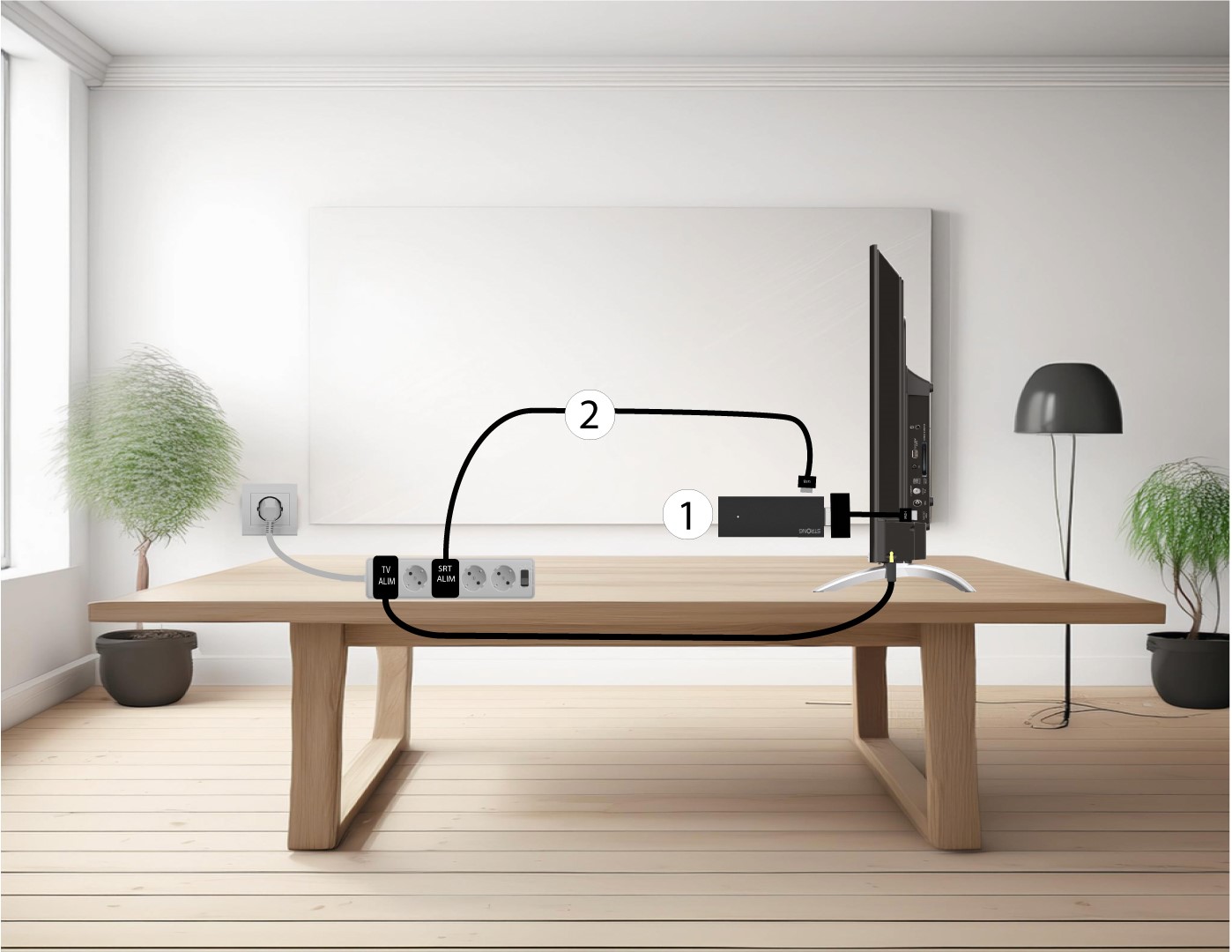
2Connect the SRT 41 to your TV
Reconnect the HDMI stick to the TV (1) and the USB cable (2). Then, plug in the TV.

How do I update the system?
- Go to Settings > Device Preferences > About.
- Select System update.
- If an update is available, follow the on-screen instructions to install it.
The LEAP-UNA does not turn on / no image on screen.
- Verify the Micro USB cable is firmly connected to the stick and the adapter is plugged into the wall.
- Check that the correct HDMI source is selected on the TV.
- Try the HDMI extender cable if the stick does not fit flush in the port.
- Unplug the stick for 10 seconds, then reconnect.
- Try a different HDMI port on the TV.
Where do I find the model name and firmware version?
- Go to Settings > Device Preferences > About.
- The model name (LEAP-UNA), Android version, firmware version, and system information are displayed here.
Have these details ready when contacting STRONG support at www.strong-eu.com.