
PLW1000SDUO
All questions
PLW1000SDUO
Can I disable the Wi-Fi function of the Wi-Fi module so that it works as a simple Powerline?
Yes, it is possible to disable the Wi-Fi. To do so, please follow the steps below.
1Connect to the powerline Wi-Fi network
Connect to the Wi-Fi of the Powerline.
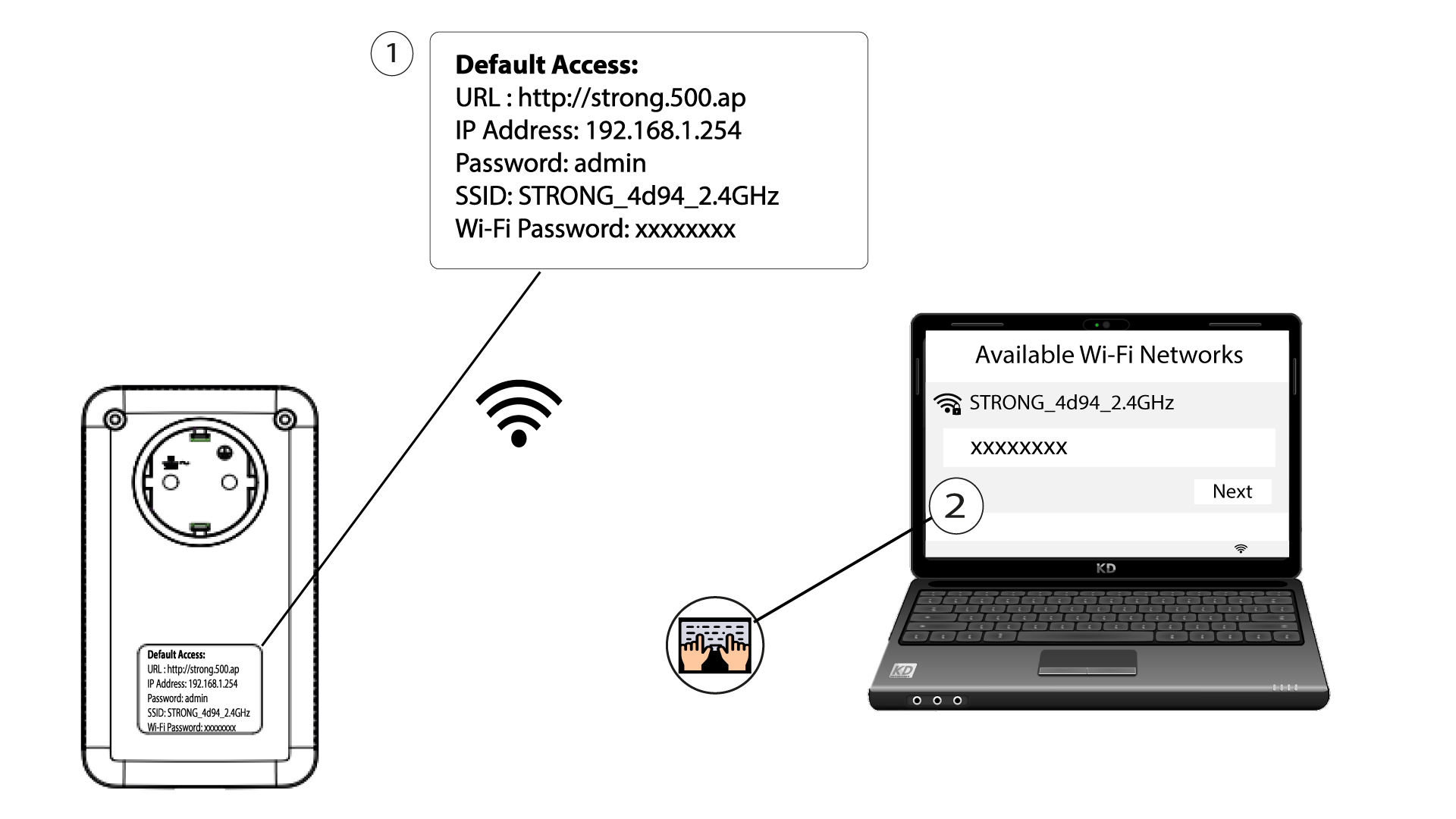
2Browse to the web interface
Connect to the user interface of the Powerline Wi-Fi module via Wi-Fi by typing http://strong.500.ap in the address bar of your Internet browser. The interface should appear.

3Enter the credentials
Once on the home page, enter the password: admin

4WLAN Settings
Click WLAN Settings, then select Basic Settings.

5Deactivate the Wi-Fi
Clear the Enable checkbox on the Wireless line, according to your needs, and click Save.


Please note that to reactivate Wi-Fi via the module's user interface, you will have to connect via an RJ45 cable. The other solution for reactivating Wi-Fi is to reset the Powerline Wi-Fi adapter using a paper clip until the LEDs flash. All the devices that were connected to the powerline Wi-Fi network will be disconnected automatically.