ATRIA Wi-Fi 6 Mesh System 3000 UK (2-pack)
All questions
ATRIA Wi-Fi 6 Mesh System 3000 UK (2-pack)
LEDs, buttons and ports
What are the different ports used for?
1Connect to the Wi-Fi of the device
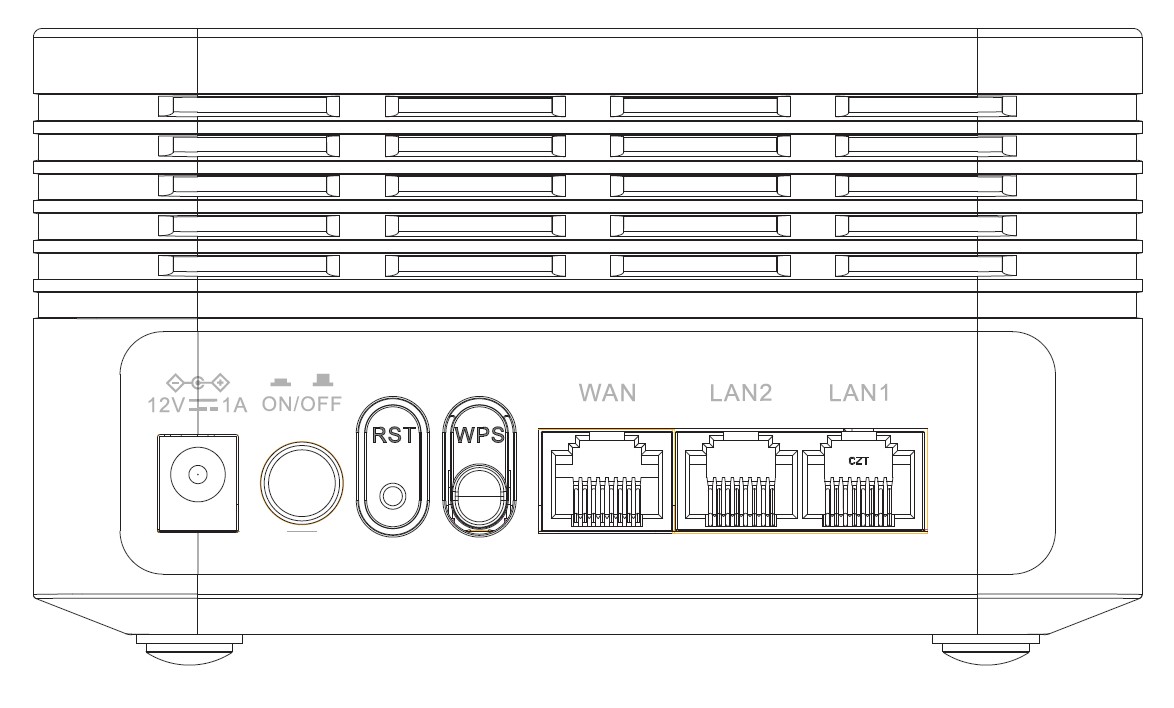
There are 7 ports behind your device:
• 12V1A : It is where you plug the power cable.
• ON/OFF: You can turn on or off your device by simply pressing this button.
• RST: Used to reset your device to its factory settings by inserting a paper clip in it.
• WPS: The WPS button is used to pair different devices together.
• WAN: The WAN port for a RJ45 cable to connect it to your internet box.
• LAN2: It is used to connect one of your personal device to the Mesh via RJ45 to ensure a constant connexion.
• LAN1: It is used to connect one of your personal device to the Mesh via RJ45 to ensure a constant connexion.
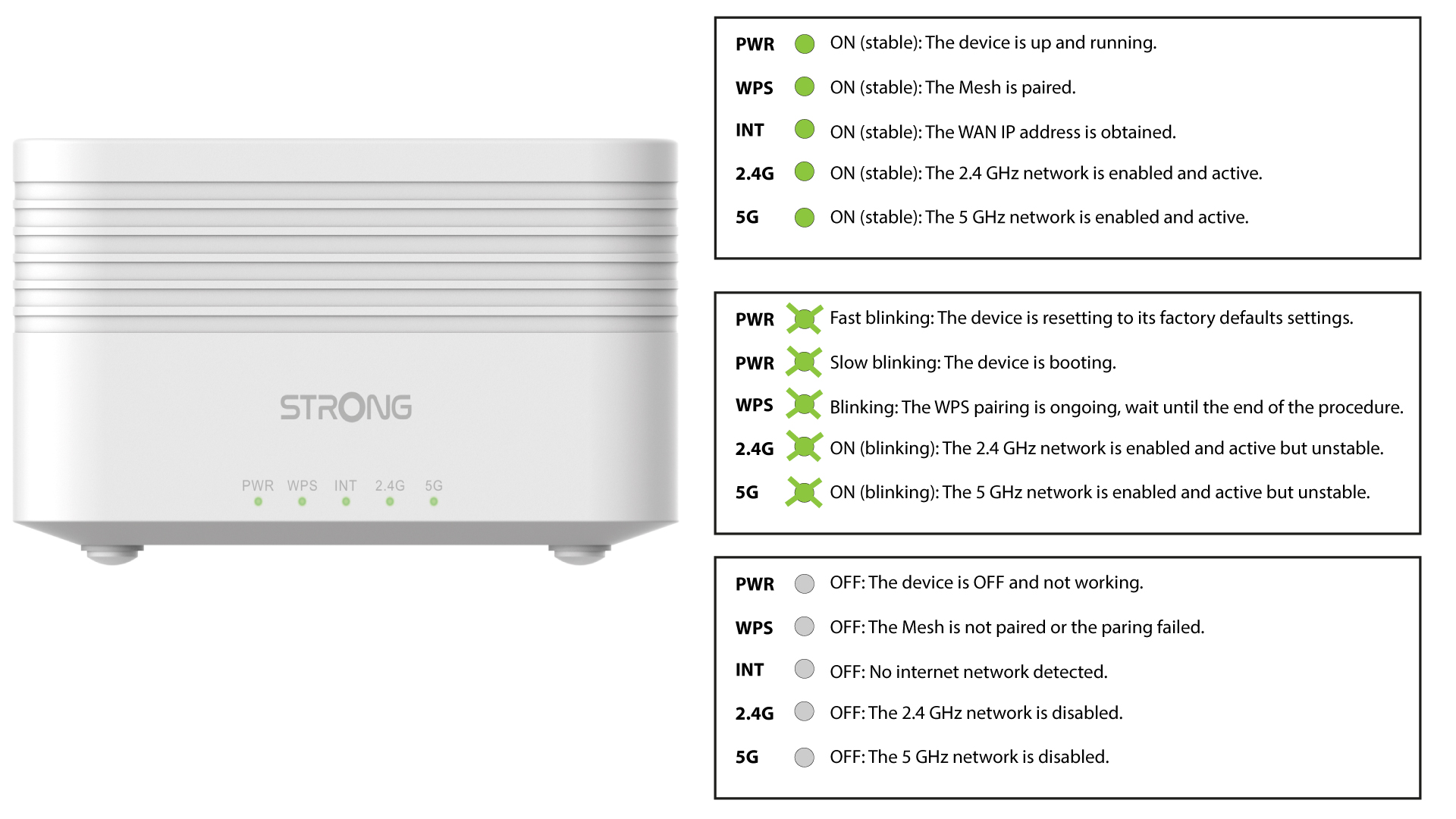
What does the LEDs of the Mesh units mean?
1LEDs
There are 5 different LEDs on the front of your AX3000 Mesh.
For each one, if the LED is green it means that it is working, if it is OFF it means that the corresponding function is OFF and if it is blinking it is doing a specific action and you may need to wait for it to end.
Please report to the following detailed image for more informations about each LED.