ATRIA Wi-Fi 6 Mesh 3000 UK 2-pakkaus)
Kaikki kysymykset
ATRIA Wi-Fi 6 Mesh 3000 UK 2-pakkaus)
Voinko määrittää vierasverkon Mesh -verkkooni? (Tapaus 2: Atria-sovellus)
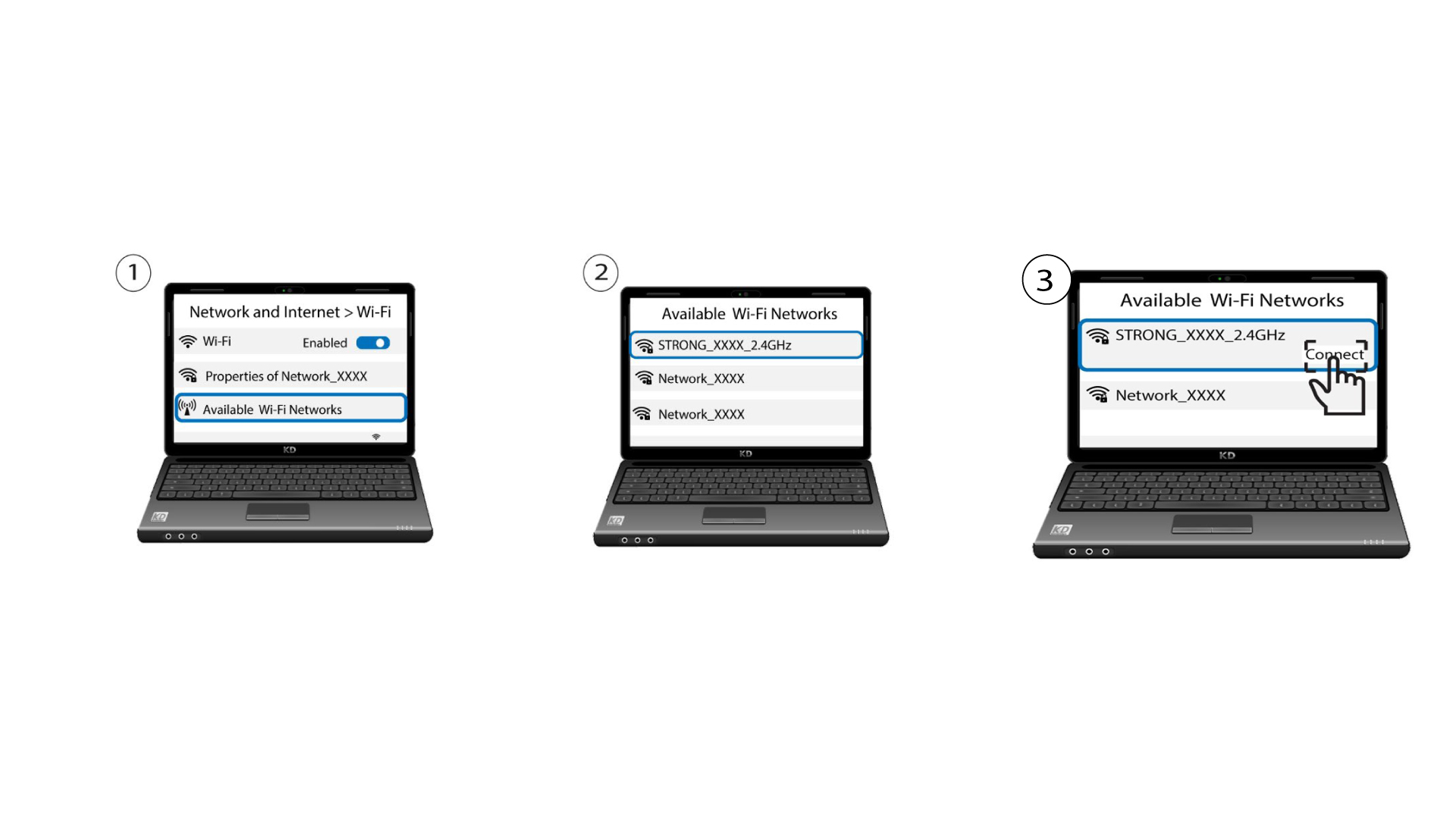
Jotta pääset verkkokäyttöliittymään, sinun on oltava yhteydessä laitteesi Wi-Fi-verkkoon sen jälkeen, kun olet kytkenyt RJ45-kaapelin laitteesi ja internet-reitittimen WLAN-porttiin.
1Tapaus2: Atria-sovellus
Lataa älypuhelinsovellus”ATRIA MESH ” App Storesta tai Google Play -kaupasta.

2Syötätunnuksesi
Sitten sinun on muodostettava yhteys älypuhelimellasi Mesh -sivuston Wi-Fi-verkkoon ja kirjauduttava sovellukseen käyttäjätunnuksillasi, joiden pitäisi olla ”admin” ja ”admin”, ellet ole muuttanut niitä.

3. Vieraille tarkoitettuWi-Fi
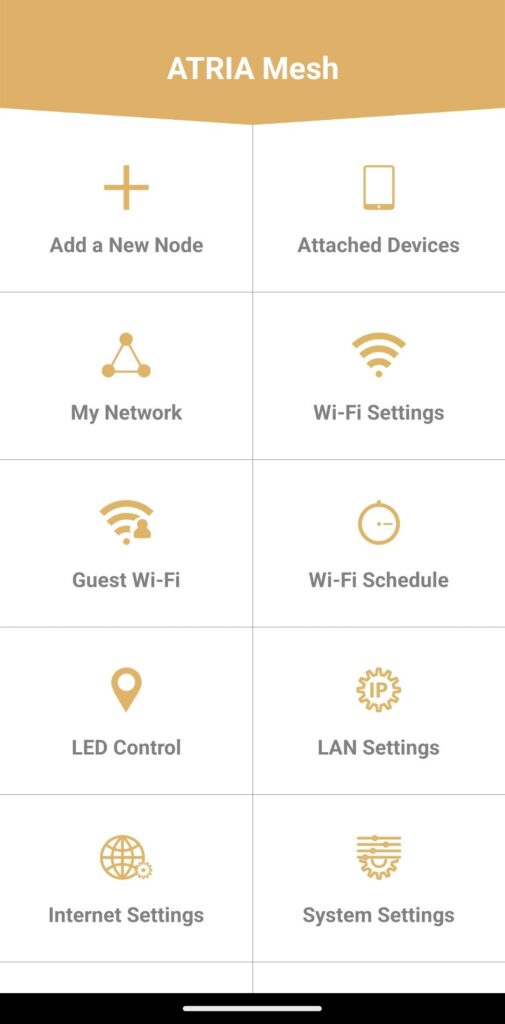
Kun olet pääsivulla, napsauta ”Vierailijoiden Wi-Fi”.
4. Vieras-Wi-Fi:n määrittäminen
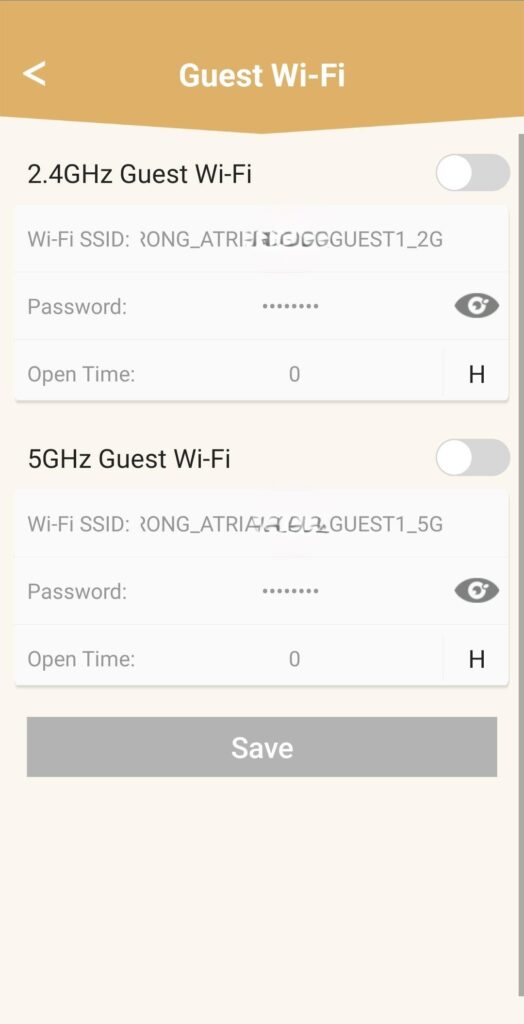
Täällä voit lisätä 2,4 GHz:n tai 5 GHz:n vieras-Wi-Fi-verkon.
• Paina haluamasi verkon kytkinpainiketta.
• Määritä yksilöllinen SSID (Wi-Fi-verkon nimi) ja yksilöllinen salasana.
• Sen jälkeen voit valita aikataulun, jonka mukaan vieras-Wi-Fi on aktiivinen tai ei ole aktiivinen kohdassa ”Aukioloajat”.
• Napsauta Tallenna.
5. Tarkistauusi Wi-Fi-verkko
Uusi vierasverkko näkyy nyt laitteidesi Wi-Fi-verkkoluettelossa.