ATRIA Wi-Fi 6 Mesh 3000 UK 2-pakkaus)
Kaikki kysymykset
ATRIA Wi-Fi 6 Mesh 3000 UK 2-pakkaus)
Miten voin määrittää kiinteän IP-osoitteen tai varata oman IP-osoitteen Atria Mesh AX3000 -laitteelleni?
Voi olla hyödyllistä määrittää staattinen IP-osoite mesh -ohjaimellesi, jotta pääset helpommin käsiksi verkkokäyttöliittymään verkossasi Atria-sovelluksessa Mesh .
Voit myös määrittää omat IP-osoitteet laitteille, jotka on kytketty mesh -verkkoosi, verkkokäyttöliittymän kautta.
1Tapaus1: Määritä staattinen IP-osoite mesh -ohjaimelle Atria Mesh -sovelluksessa
Sinun on muodostettava laitteellasi yhteys mesh -sivuston Wi-Fi-verkkoon ja avattava Atria-sovellus.

2Syötätunnuksesi
Syötä käyttäjätunnus ja salasana (admin/admin) ennen kuin napsautat Kirjaudu sisään.

3Internet-asetukset – Staattiset
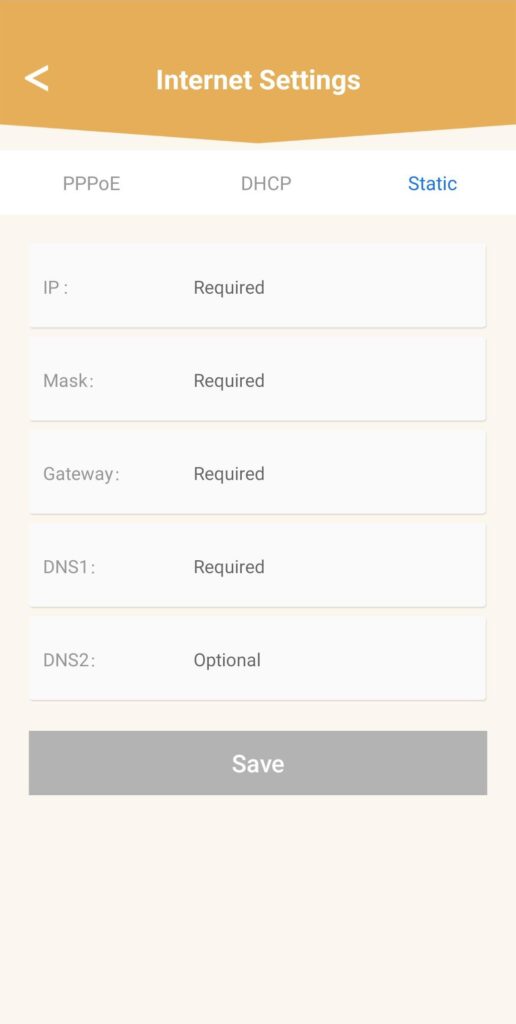
Napsauta Internet-asetukset ja Staattinen. Sinun on syötettävä seuraavat tiedot ennen kuin napsautat Tallenna:
• IP: syötä IP-osoite, jonka haluat määrittää laitteelle mesh.
• Maski: kenttä täyttyy automaattisesti aiemmin syötetyn IP-osoitteen perusteella.
• Yhdyskäytävä: kenttä täyttyy automaattisesti aiemmin syötetyn IP-osoitteen perusteella.
• DNS1: Syötä internet-reitittimesi palveluntarjoajan ensisijainen DNS-osoite.
• DNS2: Syötä internet-reitittimesi palveluntarjoajan toissijainen DNS-osoite.
1Tapaus2: Määritä mesh -agentteillesi/laitteillesi oma IP-osoite verkkokäyttöliittymässä
Tätä varten syötä laitteeseesi reitittimen SSID (Wi-Fi-verkon nimi) ja Wi-Fi-salasana:
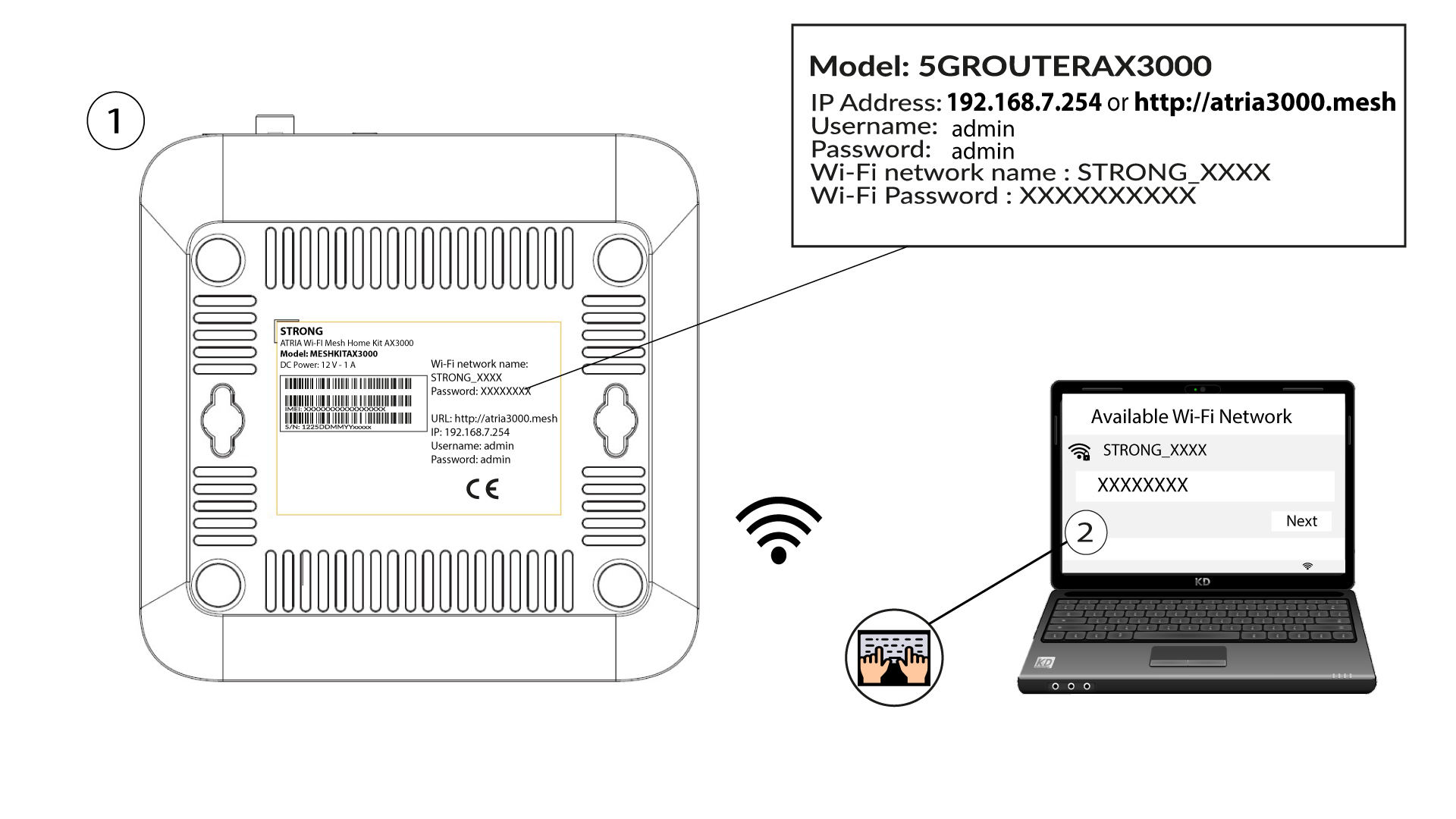
2Siirryverkkokäyttöliittymän IP-osoitteeseen
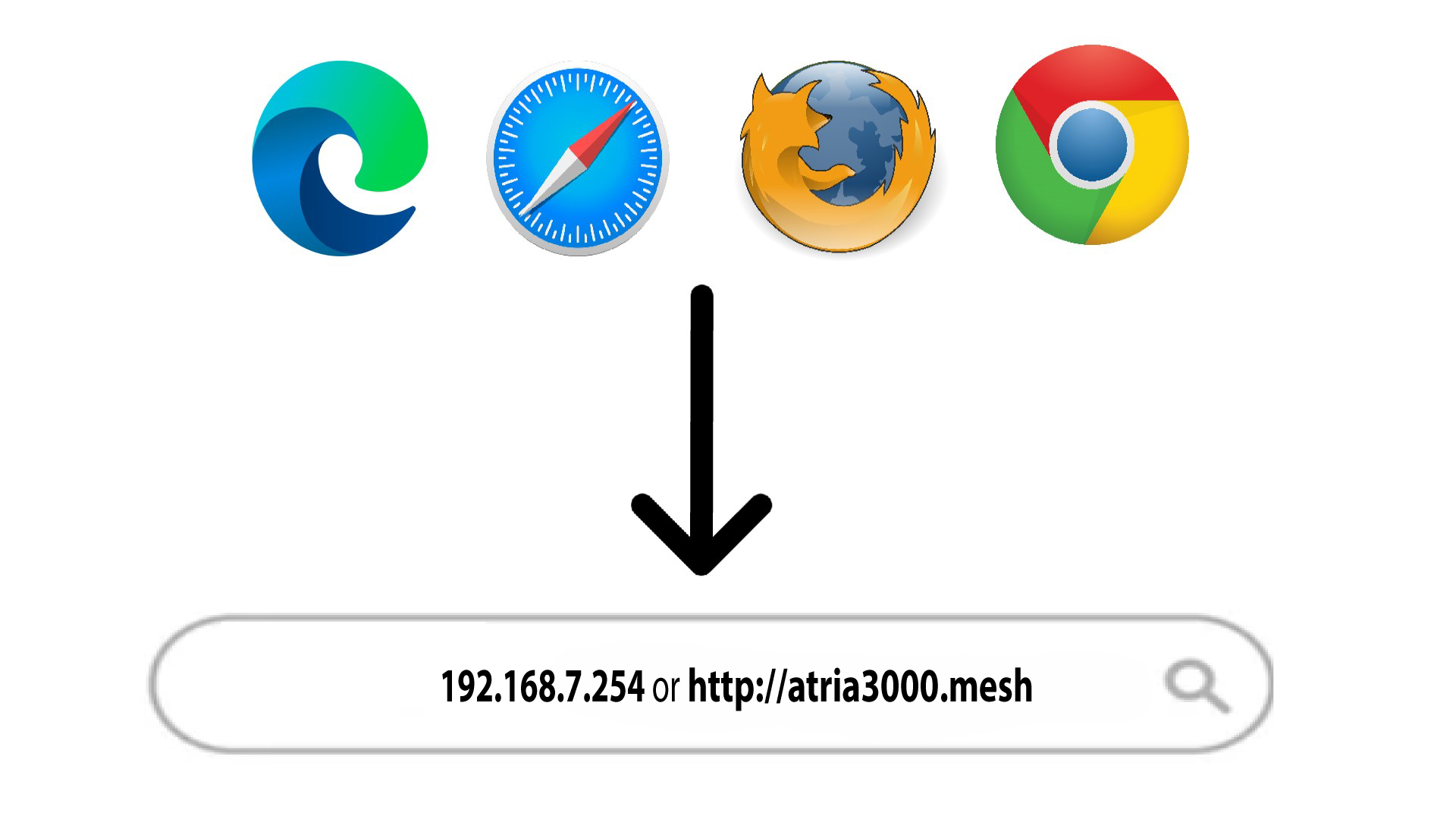
Syötä sitten selaimeesi seuraava IP-osoite: 192.168.7.254 tai kirjoita seuraava osoite: http://atria3000.mesh
3Syötätunnuksesi
Syötä käyttäjätunnus (admin) ja salasana (admin) (huomaa, että ensimmäisen kirjautumisen jälkeen luot oman järjestelmänvalvojan salasanasi, minkä vuoksi tuotteen etiketissä oleva salasana ei enää toimi). Napsauta sitten Kirjaudu sisään.

4. IPv4-määritykset
Napsauta ”Verkko”, ”LAN-asetukset ” ja ”IPv4-asetukset”.

5. LisääIPv4-osoite
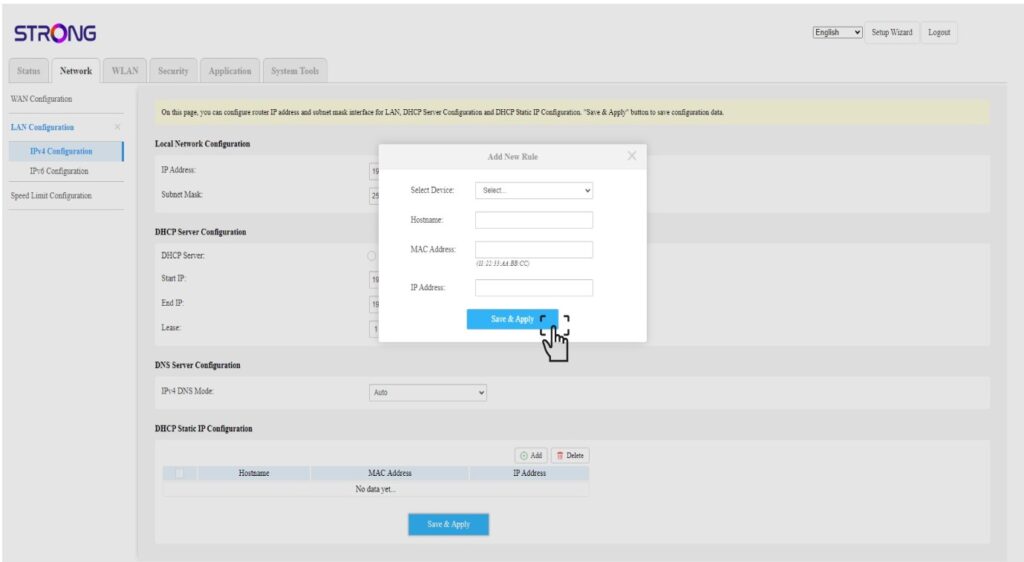
Napsauta Lisää-painiketta kohdassa ”DHCP:n staattisen IP-osoitteen määritykset”. Syötä sitten seuraavat tiedot ennen kuin napsautat Tallenna ja ota käyttöön-painiketta.
• Valitse laite: valitse laitteen nimi luettelosta.
• Isäntänimi: kenttään täytetään automaattisesti laitteen nimi.
• MAC-osoite: kenttään täytetään automaattisesti laitteen MAC-osoite.
• IP-osoite: kenttään täytetään automaattisesti laitteelle osoitettu staattinen IP-osoite