ATRIA Wi-Fi 6 Mesh 3000 UK 2-pakkaus)
Kaikki kysymykset
ATRIA Wi-Fi 6 Mesh 3000 UK 2-pakkaus)
Miten voin luoda tai muuttaa Mesh -verkkoni Wi-Fi-salasanan?
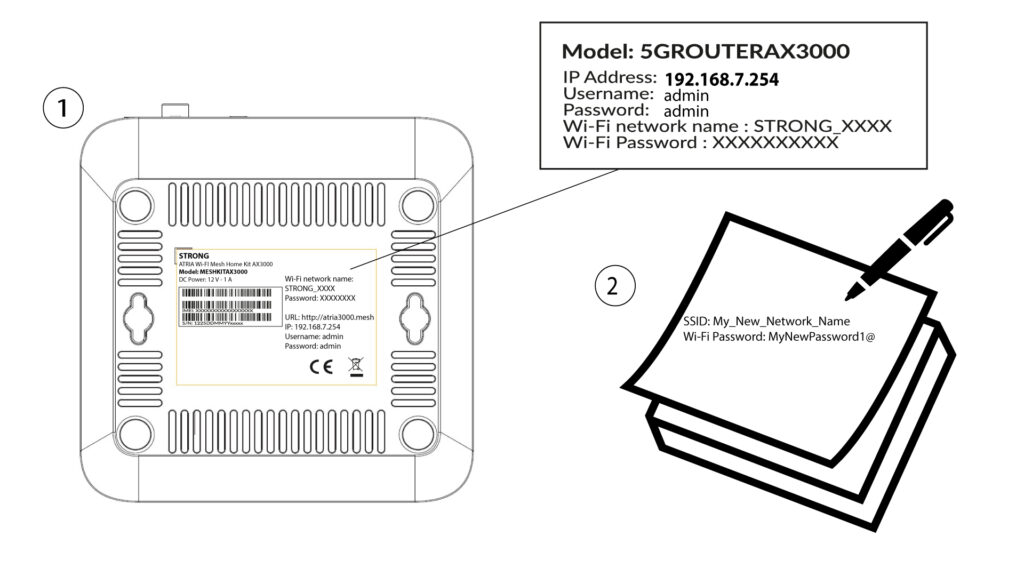
1Oletusarvoinensalasanan sijainti
Wi-Fi-salasanan oletusarvo löytyy laitteen pohjasta, mutta jos olet jo muuttanut sitä, saatat joutua palauttamaan Mesh AX 3000:n tehdasasetuksiin.
Katso ohjeet seuraavasta kohdasta: Miten palautan Mesh -laitteiden tehdasasetukset?
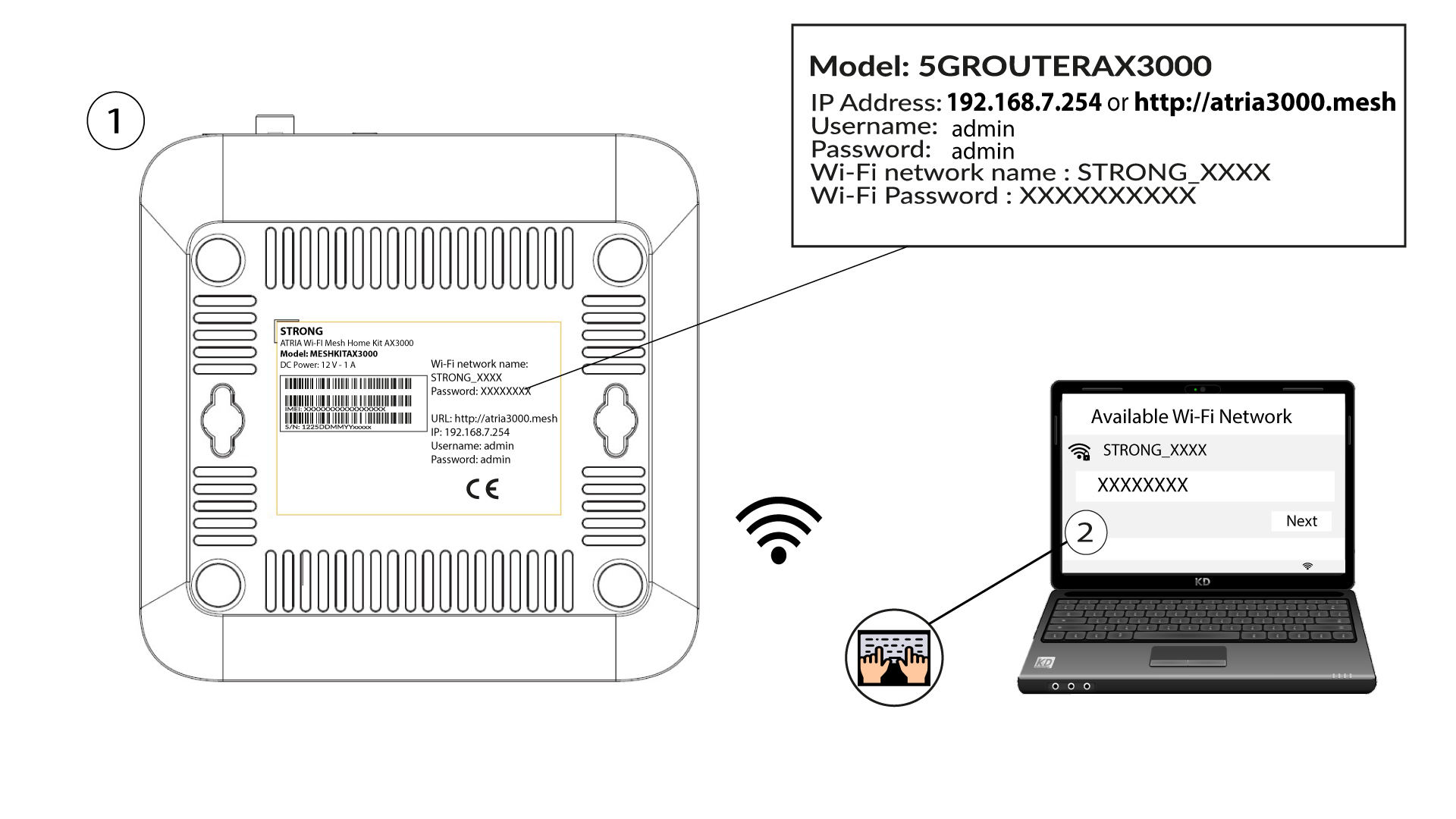
Kun tämä on tehty, voit muuttaa Wi-Fi-verkoston oletussalasanan omaksi salasanaksesi
1. Yhdistälaitteen Wi-Fi-verkkoon
Tätä varten syötä laitteeseesi reitittimen SSID (Wi-Fi-verkon nimi) ja Wi-Fi-salasana:
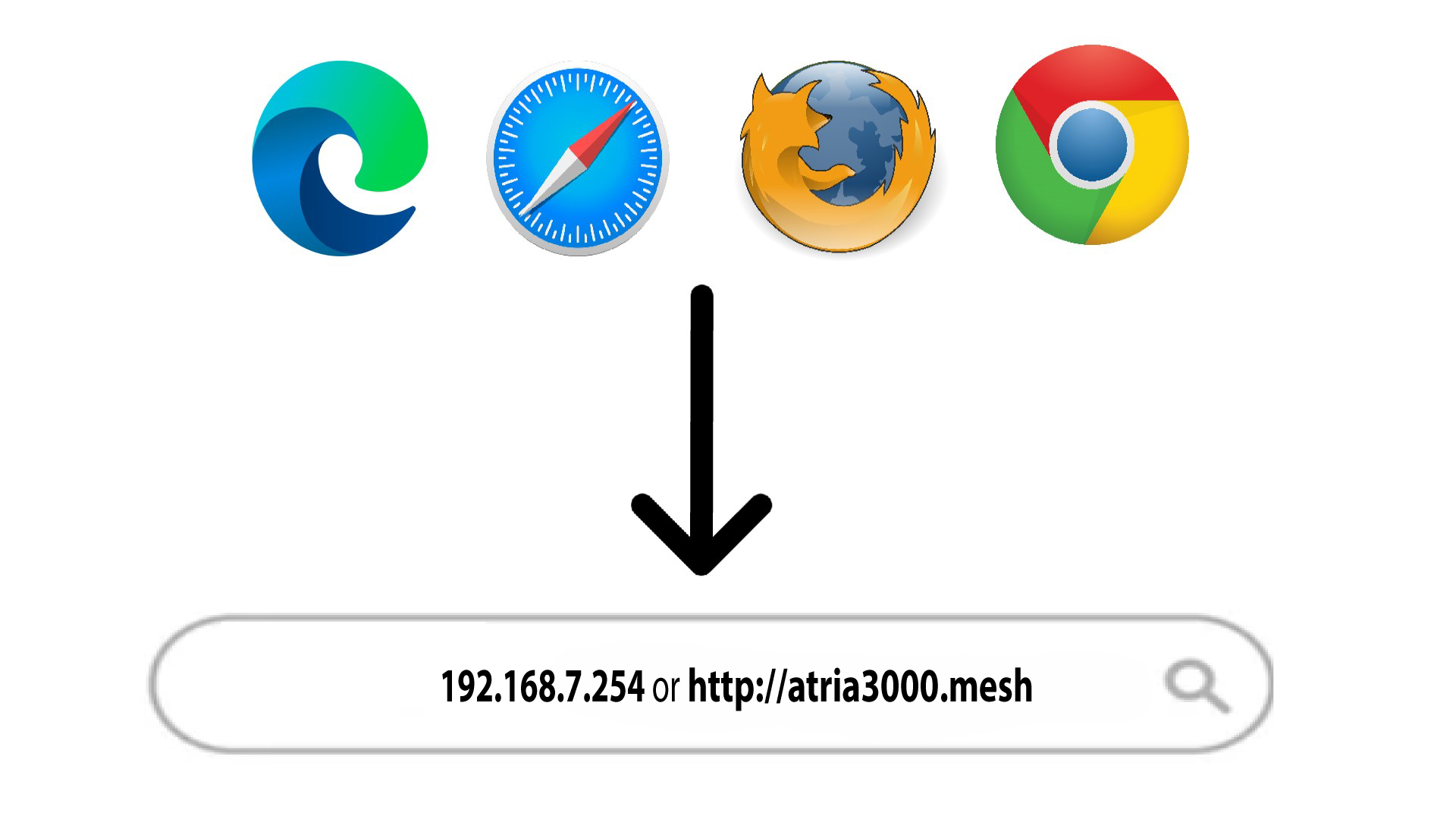
2Siirryverkkokäyttöliittymän IP-osoitteeseen
Syötä sitten selaimeesi seuraava IP-osoite: 192.168.7.254 tai kirjoita seuraava osoite: http://atria3000.mesh
3Syötätunnuksesi
Syötä käyttäjätunnus (admin) ja salasana (admin) (huomaa, että ensimmäisen kirjautumisen jälkeen luot oman järjestelmänvalvojan salasanasi, minkä vuoksi tuotteen etiketissä oleva salasana ei enää toimi). Napsauta sitten Kirjaudu sisään.

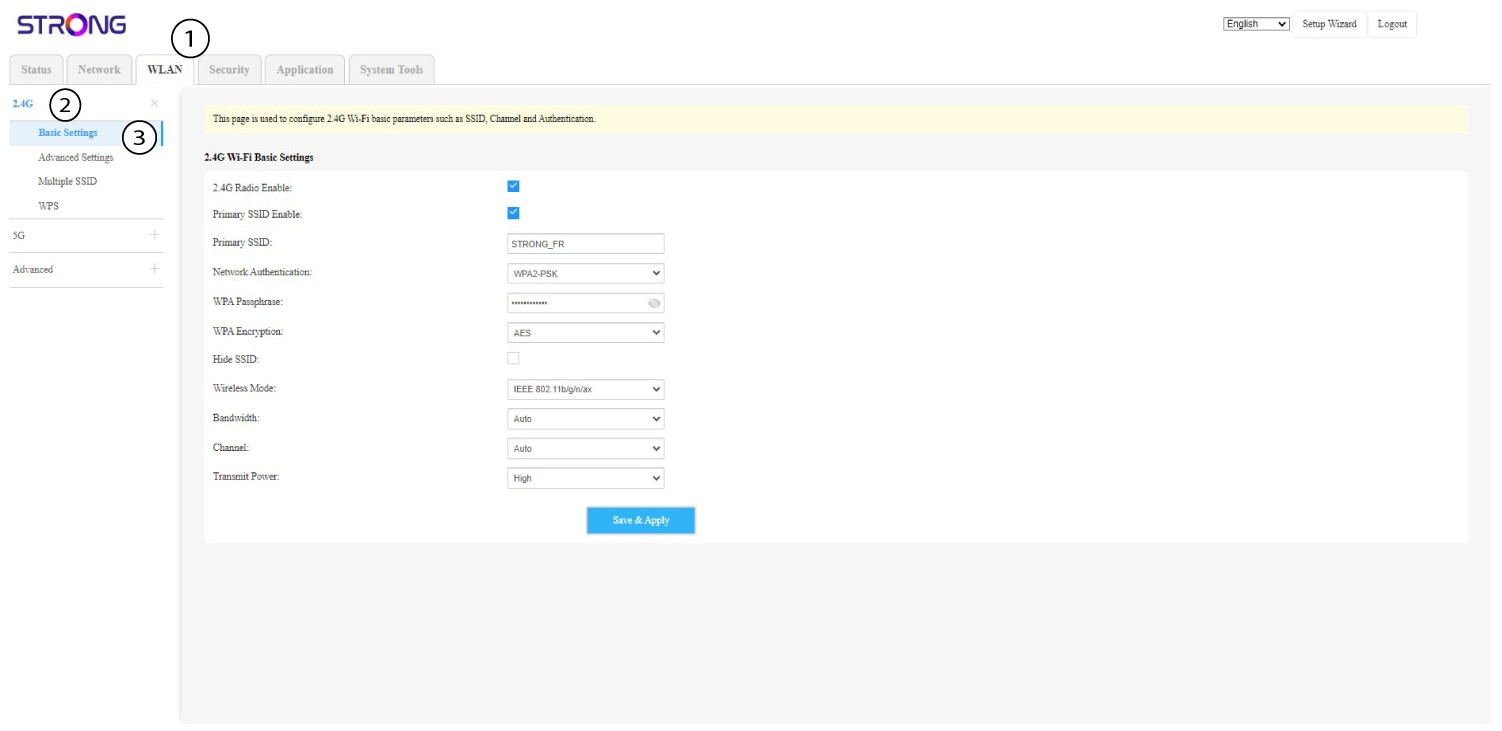
4WLAN2,4 GHz ja 5 GHz
Napsauta sitten yläpalkissa kohtaa ”WLAN” ja siirry kohtaan ”2,4 G” tai ”5 G” sen mukaan, mihin verkkotyyppiin olet kytketty. Siirry sitten kohtaan ”Perusasetukset”.
5. Kirjoitase muistiin
Kirjoita uusi salasana paperilapulle ja kiinnitä se teipillä laitteeseesi.
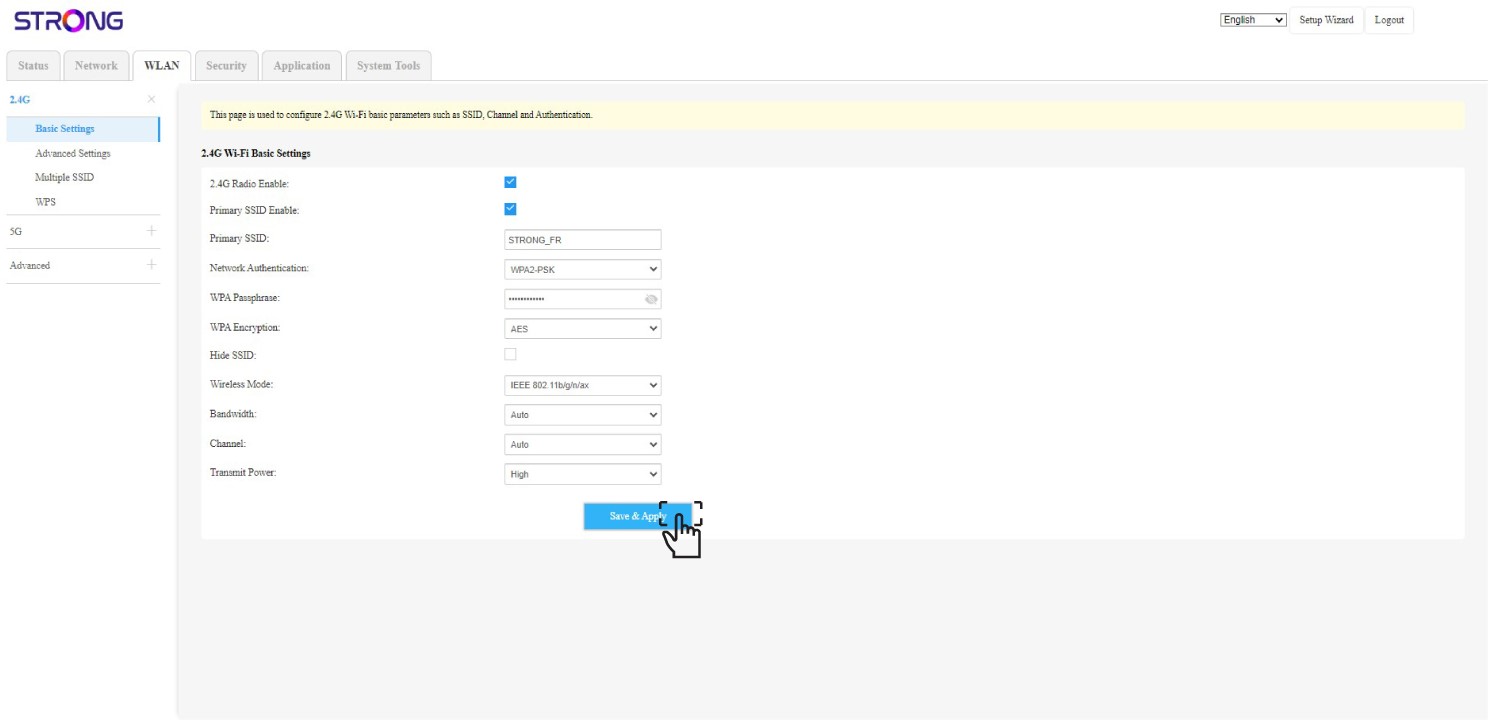
6Tallennamuutokset
Napsauta Tallenna ja ota käyttöön.