
5G AIRHOME 1050 | Wi-Fi 6
Kaikki kysymykset
5G AIRHOME 1050 | Wi-Fi 6
Miten pääsen verkkokäyttöliittymään?
Jotta pääset käyttämään verkkokäyttöliittymää, sinun on oltava yhteydessä laitteesi Wi-Fi-verkkoon sen jälkeen, kun olet asettanut SIM-kortin korttipaikkaan.
1. Yhdistäreitittimen Wi-Fi-verkkoon
Tätä varten syötä laitteeseesi reitittimen SSID (Wi-Fi-verkon nimi) ja Wi-Fi-salasana:

2Siirryverkkokäyttöliittymän IP-osoitteeseen
Syötä sitten selaimeesi seuraava IP-osoite: 192.168.0.1

3Etsitunnuksesi
Löydät käyttäjätunnuksesi ja salasanasi laitteen takana olevasta tarrasta.
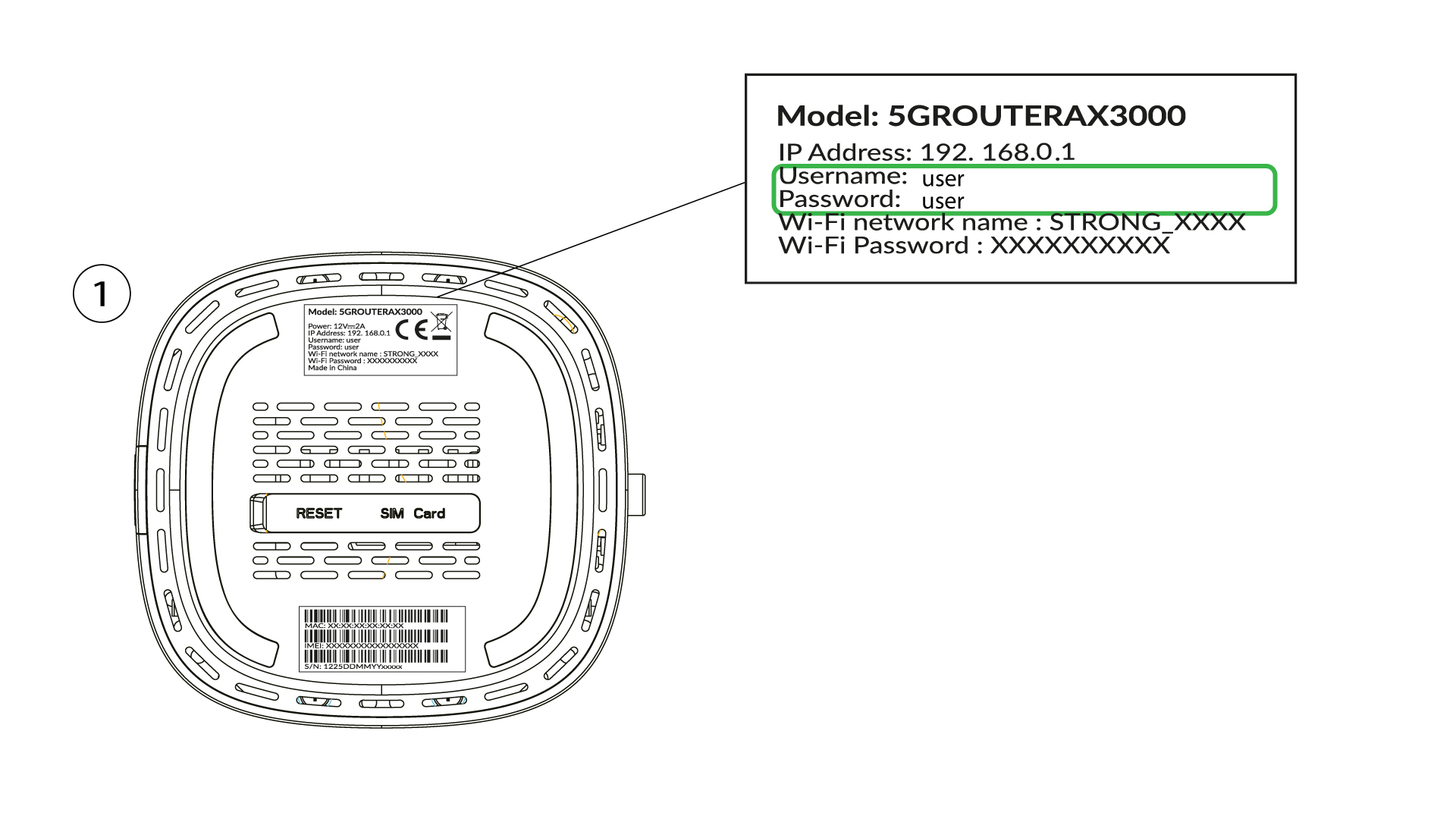
4Syötätunnuksesi
Syötä käyttäjätunnus ja salasana ja napsauta Kirjaudu sisään ( löydät kirjautumistietosi edellisestä vaiheesta).

5. Vaihdajärjestelmänvalvojan salasana
Avautuvassa ponnahdusikkunassa sinun on luotava uusi järjestelmänvalvojan salasana ensimmäisen kirjautumisen jälkeen. Tee tämä syöttämällä seuraavat tiedot ennen kuin napsautat ”Commit”-painiketta:
- Muokkaa salasanaa: anna 8–32 merkin pituinen salasana, joka sisältää isoja ja pieniä kirjaimia, numeroita sekä vähintään yhden erikoismerkin (@, $, !, %, *, ?, &)
- Vahvista salasana: kirjoita sama salasana.
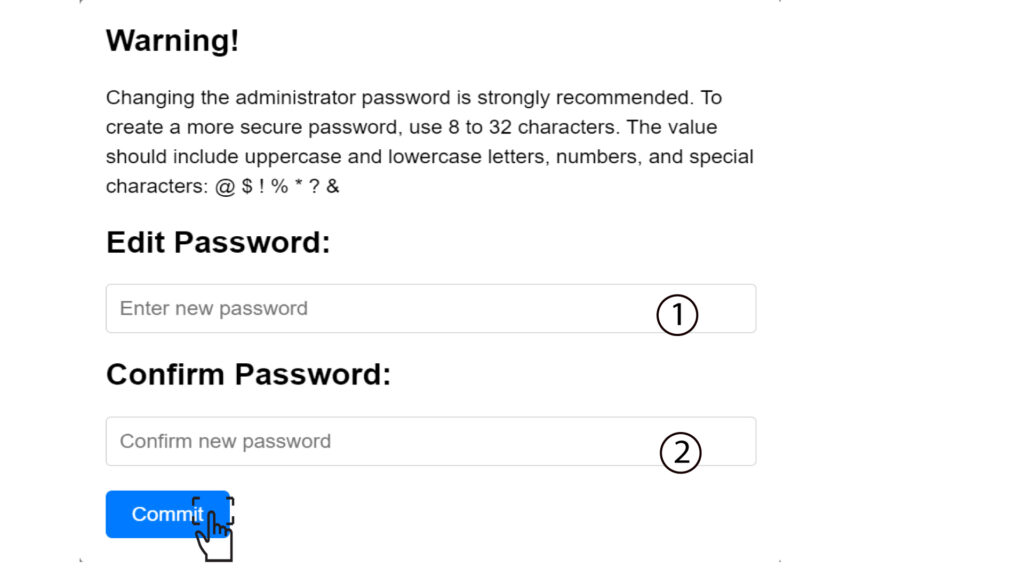
6Kirjoitauudet tunnistetiedot
Kirjoita uusi järjestelmänvalvojan salasana ja käyttäjätunnus paperilapulle:
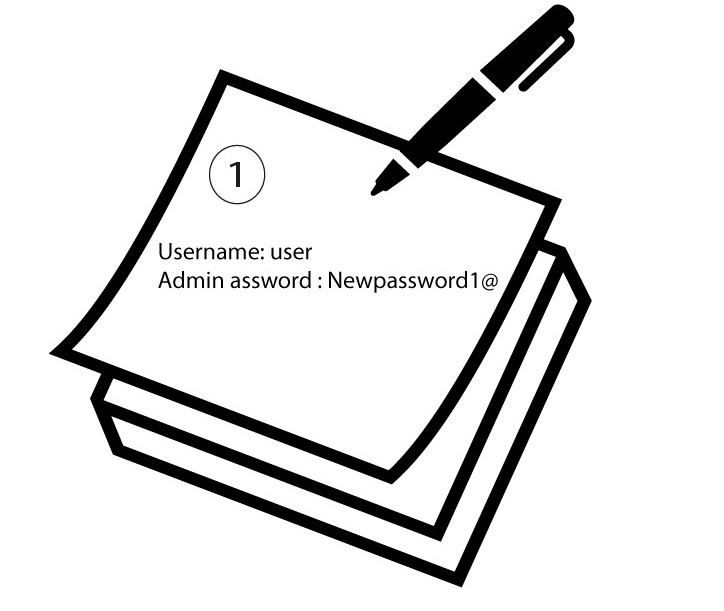

Varoitus: Jos hallinnan oletussalasana on ”user”, sinun on vaihdettava se ensimmäisen yhteyden muodostamisen jälkeen, jotta reitittimeen pääsy on suojattu ja hakkerointi estetään. Kun olet määrittänyt uuden salasanan, kirjoita se muistiin.