4G AIRHOME 200 Mini -reititin irrotettavilla 4G-antenneilla
Ei löytynyt kohteita.
Ei löytynyt kohteita.
Kaikki kysymykset
4G AIRHOME 200 Mini -reititin irrotettavilla 4G-antenneilla
Ei löytynyt kohteita.
Ei löytynyt kohteita.
Miten voin muuttaa lähiverkkoni IP-osoitetta?
1. Yhdistäverkkokäyttöliittymään
Voit avata verkkokäyttöliittymän seuraavien ohjeiden mukaisesti:
2. Katkaiseinternetyhteys
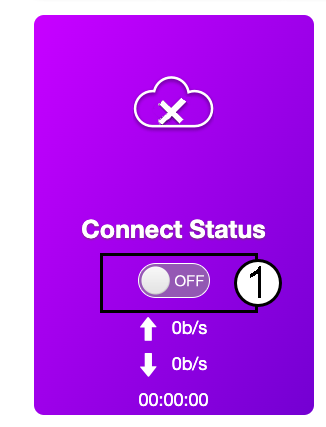
Napsauta kotisivulla ”Yhteyden tila” -kytkintä, jotta voit katkaista internetyhteyden.
LAN-verkon IP-osoitetta ei voi muuttaa, kun Internet-yhteys on päällä.
3.Lisäasetukset
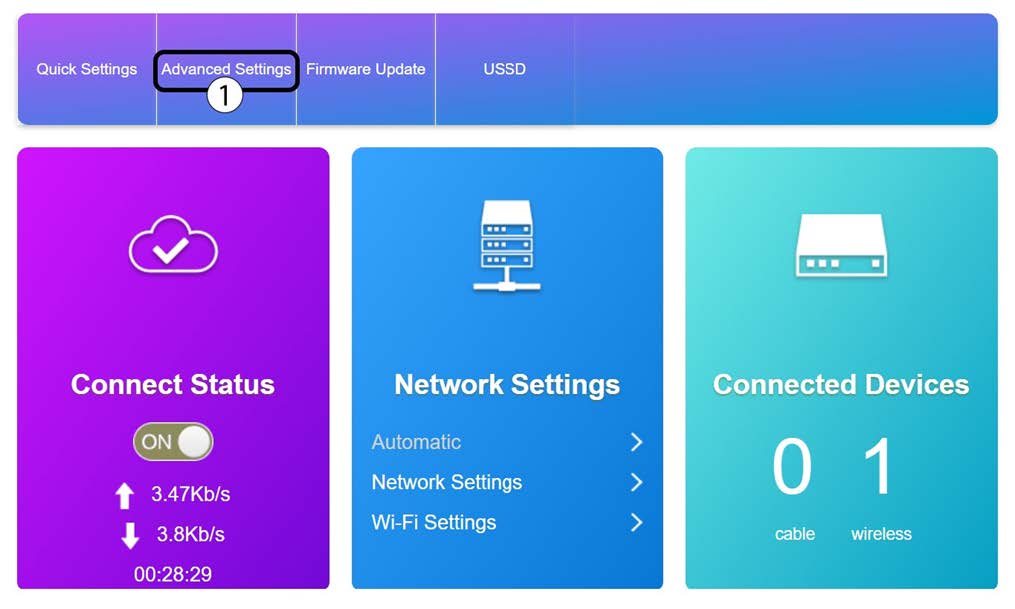
Napsauta ”Lisäasetukset”
4. Reitittimenasetukset
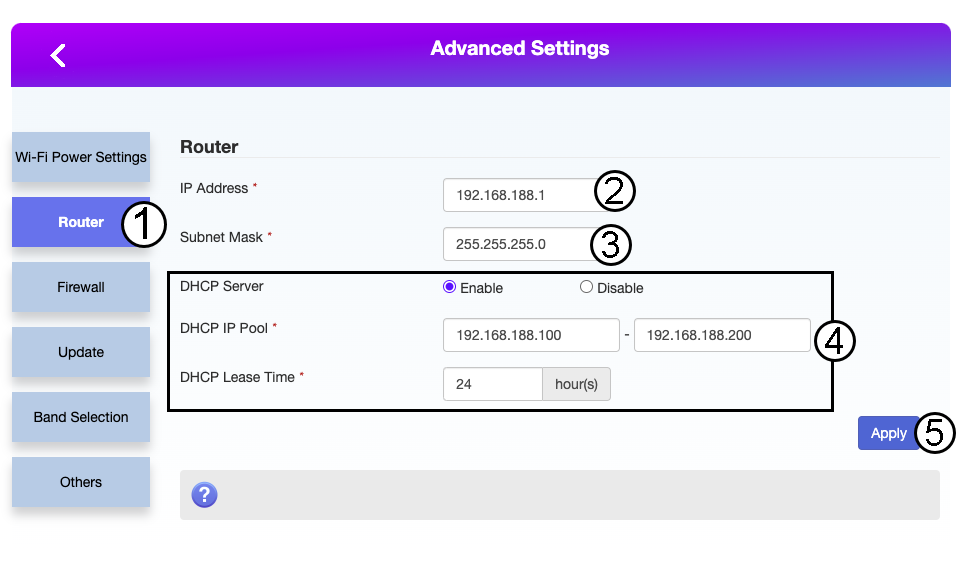
Napsauta ”Reititin”. Syötä sitten seuraavat tiedot ennen kuin napsautat ”Käytä”:
- IP-osoite: Syötä reitittimesi uusi IP-osoite.
- Aliverkon peite: Syötä aliverkon peitteen IP-osoite
- DHCP-palvelin: Ota DHCP-palvelin käyttöön
- DHCP-IP-osoitealue: Syötä DHCP-palvelimesi IP-osoitteiden alku- ja loppuarvot.
- DHCP-aika: Syötä vuokra-ajan enimmäispituus tunteina.