
4G AIRHOME 200 Mini -reititin irrotettavilla 4G-antenneilla
Kaikki kysymykset
4G AIRHOME 200 Mini -reititin irrotettavilla 4G-antenneilla
Minkä tyyppisen SIM-kortin voin laittaa reitittimeeni?
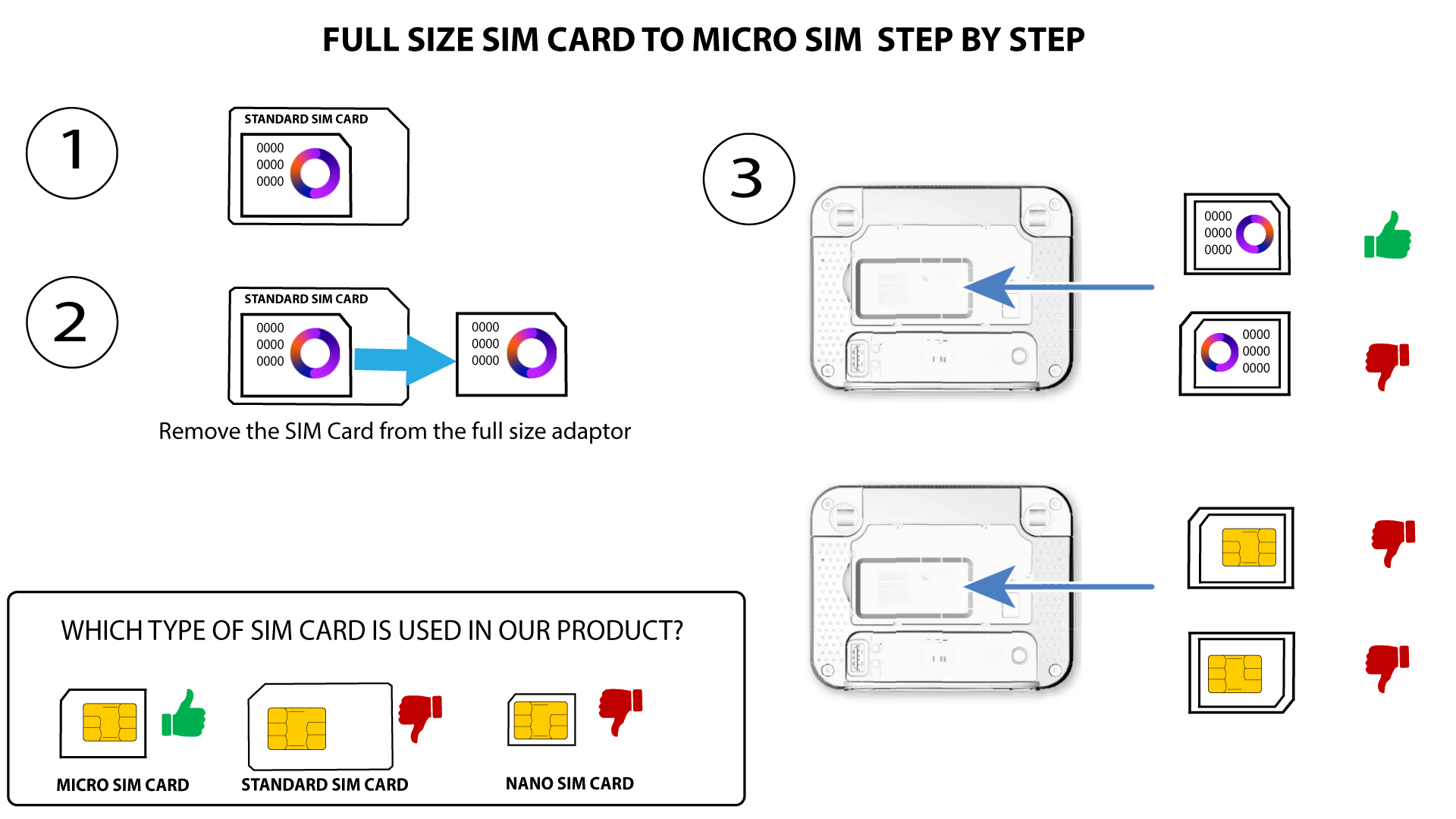
4G LTE Router 350M:n SIM-korttipaikkaan on asetettava mikro-SIM-kortti. Sinun ei tarvitse huolehtia SIM-korttisi koosta, sillä reitittimen pakkauksessa on mukana sovittimia, joilla saat kortin sopivaan kokoon. SIM-kortti on asetettava paikalleen ennen laitteen käynnistämistä.
Kun olet asettanut SIM-kortin sovittimeen, paina korttia kevyesti sovittimeen, jotta se pysyy paikallaan. Ota laite käteesi ja aseta SIM-kortti korttipaikkaan alla olevan kaavion mukaisessa asennossa.
Tapaus 1: Täysikokoinen SIM-kortti mikro-SIM-kortiksi
TAPAUS 2: Nano-SIM-kortti – Micro-SIM-kortti
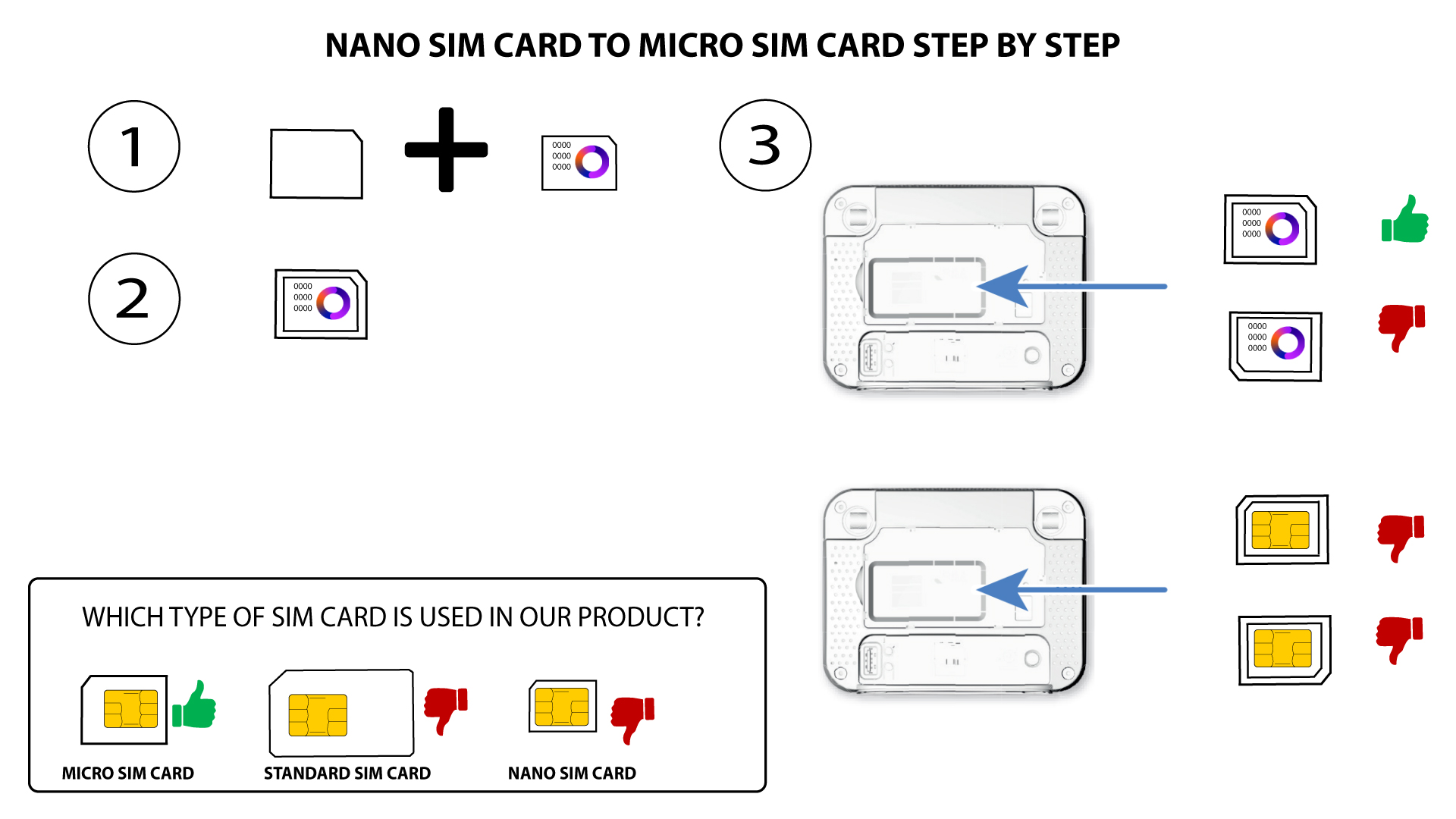

Varmista, että SIM-kortti on asetettu oikein sovittimeen, ennen kuin asetat sen korttipaikkaan.
• Jos laite ei tunnista SIM-korttiasi, tarkista kortin asento ja varmista, että olet asettanut sovittimen paikalleen oikein.