4G AIRHOME 310 irrotettavilla 4G-antenneilla
Ei löytynyt kohteita.
Ei löytynyt kohteita.
Kaikki kysymykset
4G AIRHOME 310 irrotettavilla 4G-antenneilla
Ei löytynyt kohteita.
Ei löytynyt kohteita.
Miten voin vaihtaa SIM-kortin PIN-koodin?
1. Yhdistäreitittimen Wi-Fi-verkkoon
Sinun on muodostettava yhteys verkkokäyttöliittymään. Tee se syöttämällä laitteeseesi reitittimen SSID ja salasana.

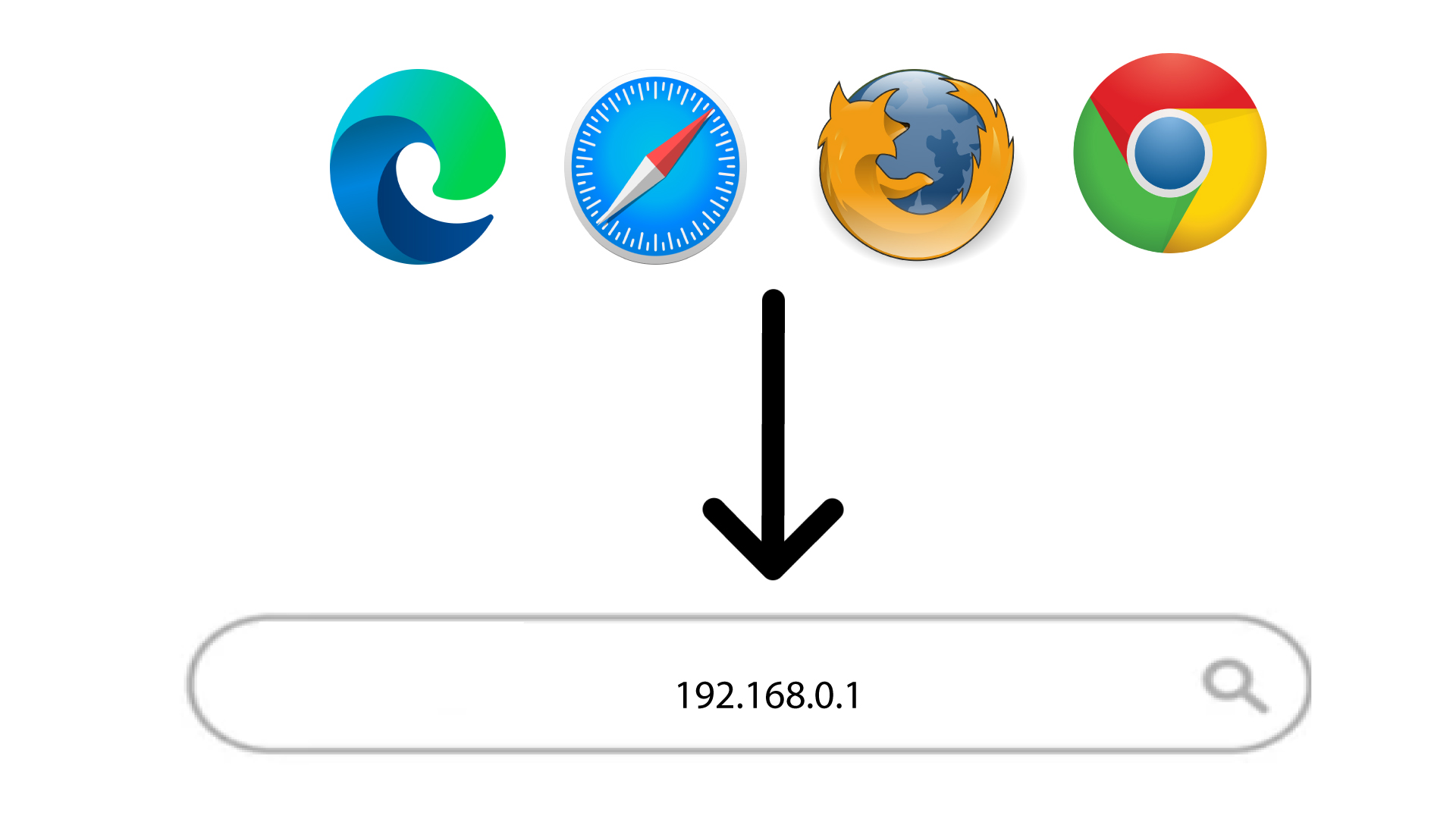
2Siirryverkkokäyttöliittymän IP-osoitteeseen
Syötä sitten selaimeesi seuraava IP-osoite: 192.168.0.1
3Kirjaudu sisään
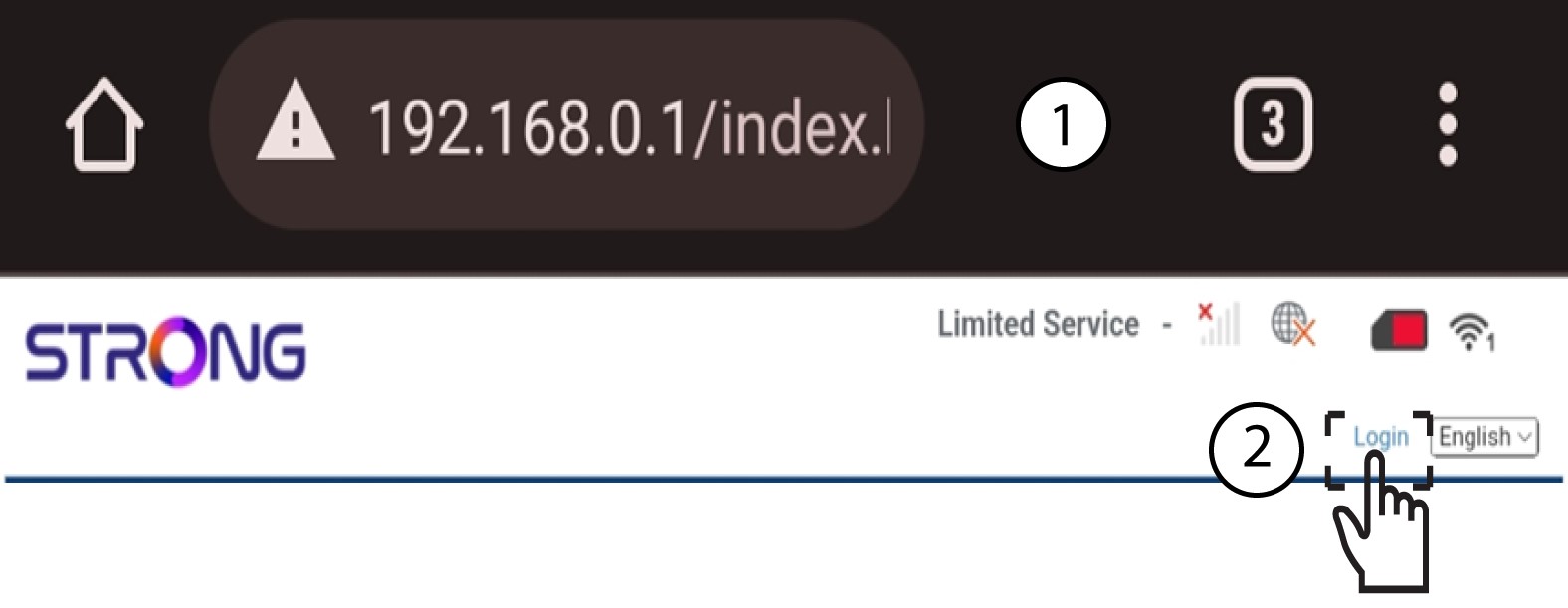
Kun olet siirtynyt kyseiseen IP-osoitteeseen, napsauta ”Kirjaudu sisään”.
4Syötätunnuksesi
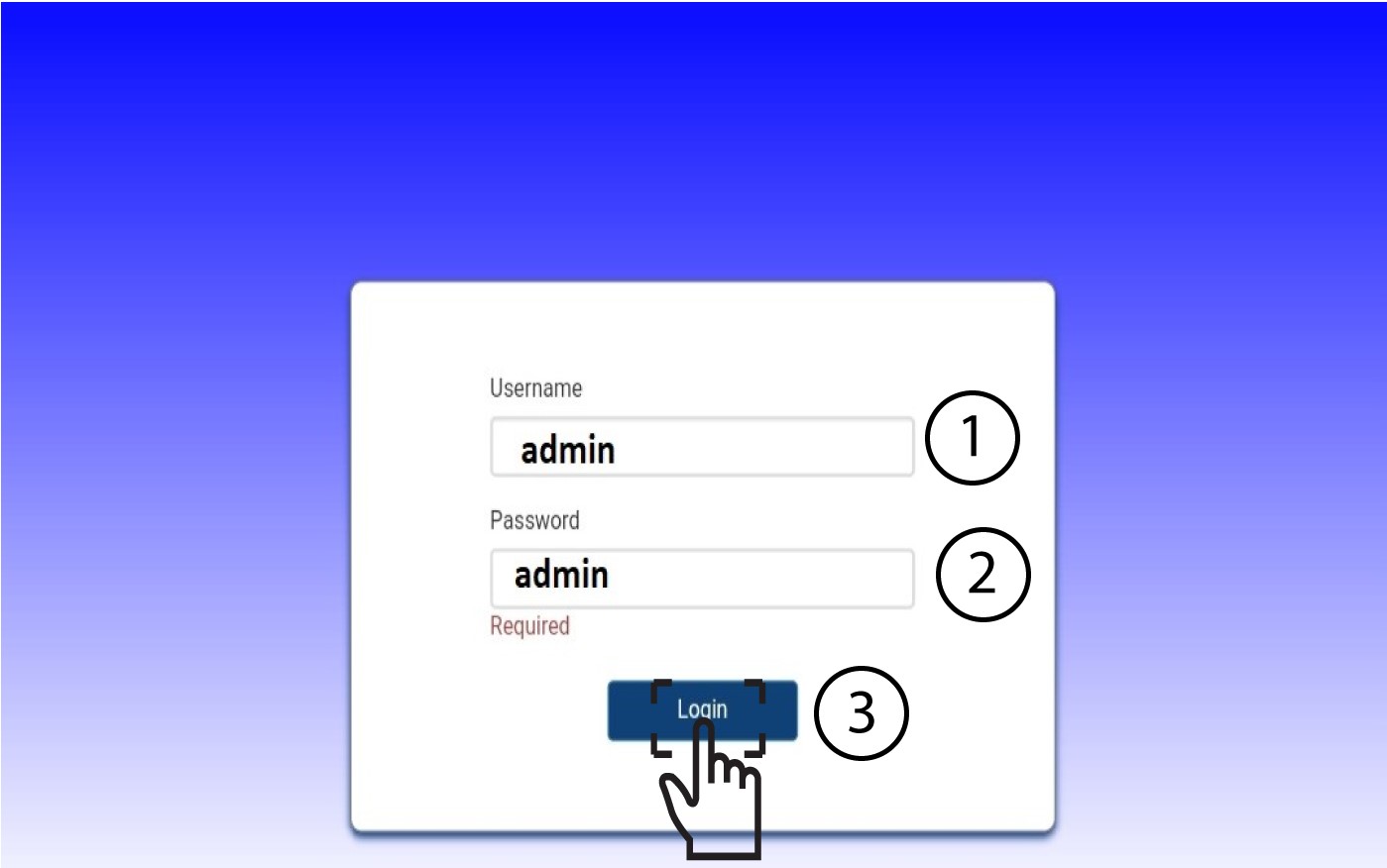
Syötä käyttäjätunnus ja salasana. Napsauta sitten Kirjaudu sisään.
5. Lisäasetukset
Napsauta sitten ”Laitteen asetukset ” ja siirry ”Lisäasetukset ”-välilehdelle.
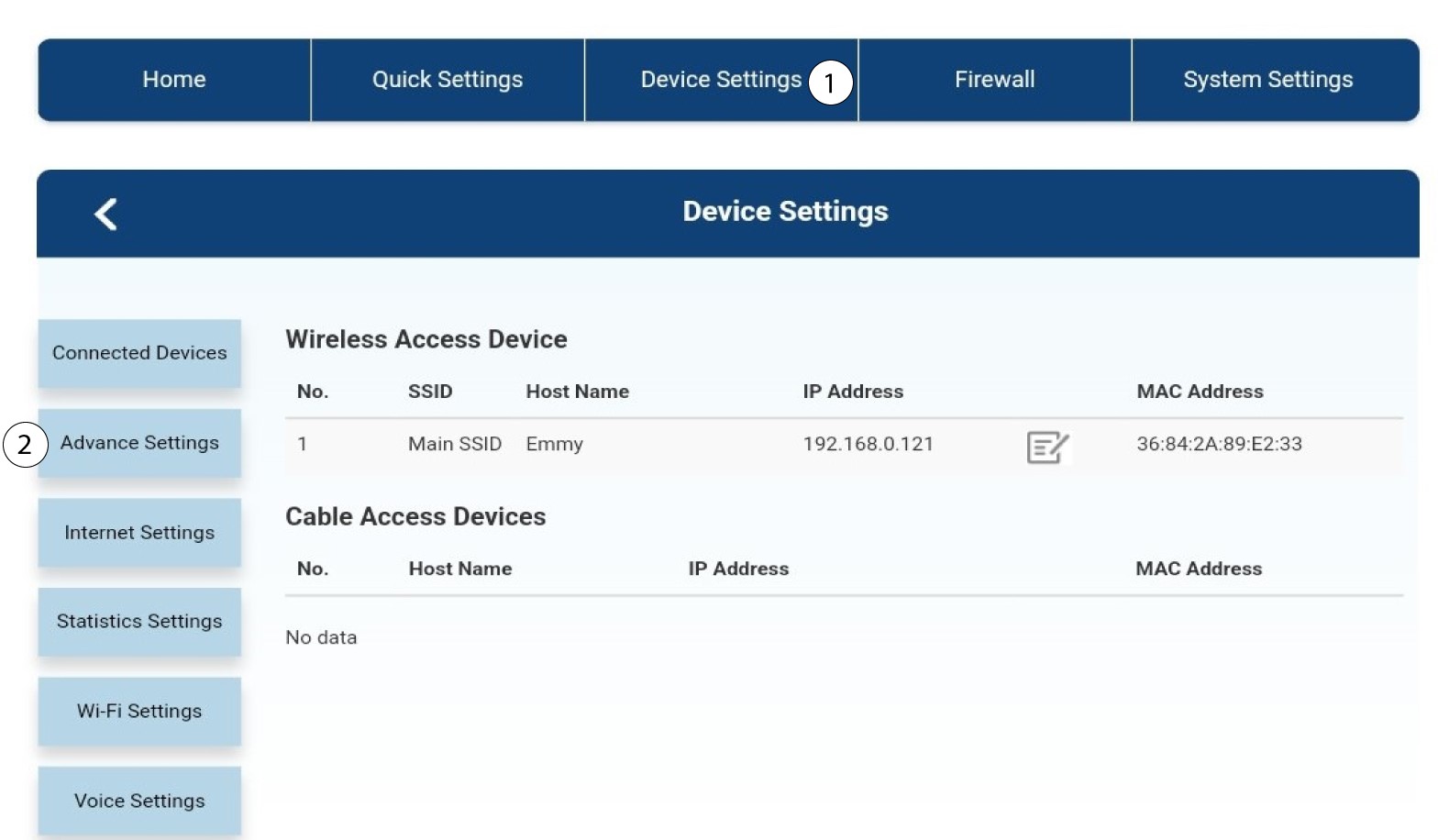
6Pin-hallinta
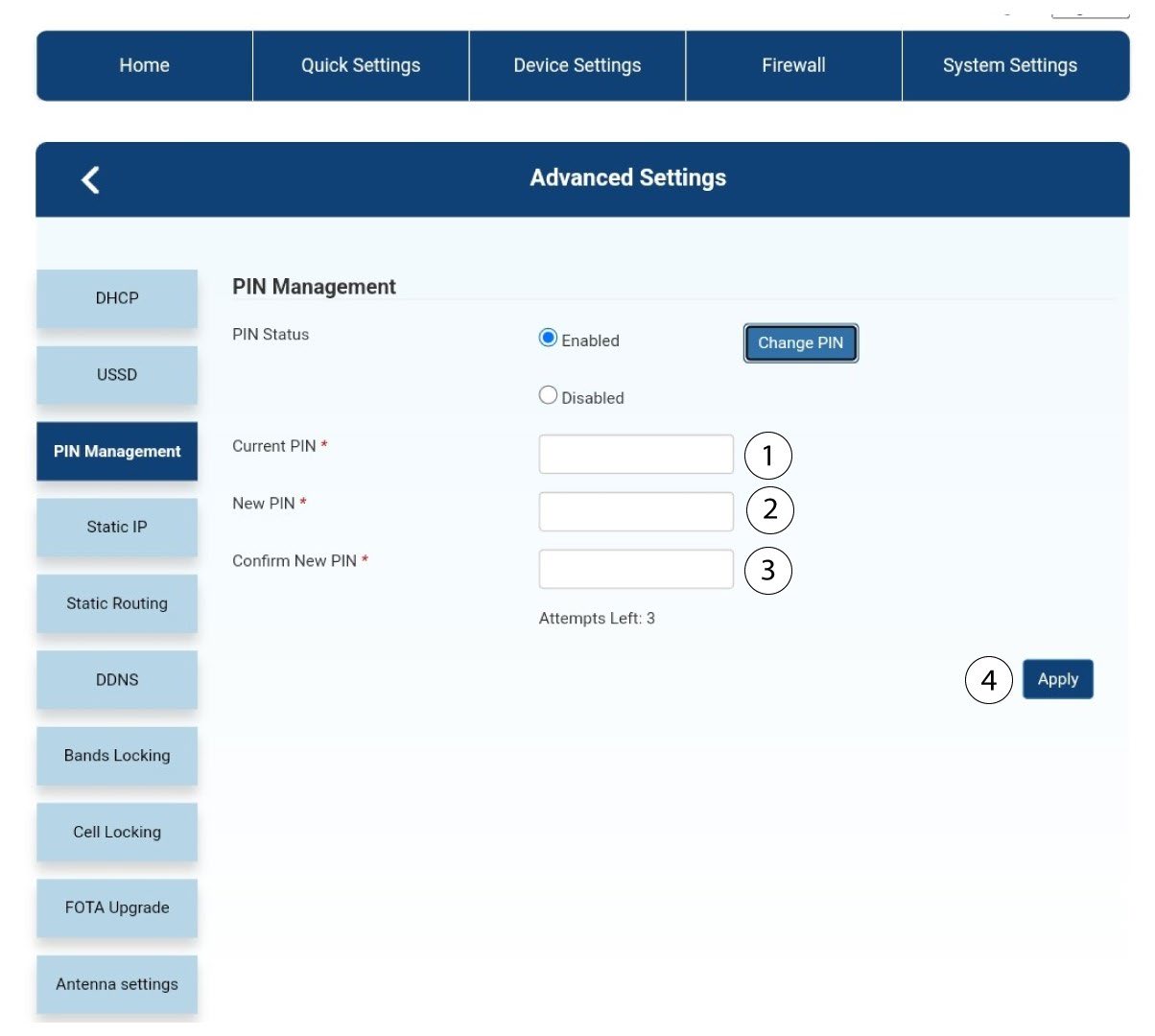
Napsauta ”PIN-koodin hallinta ” ja ”Vaihda PIN-koodi”.
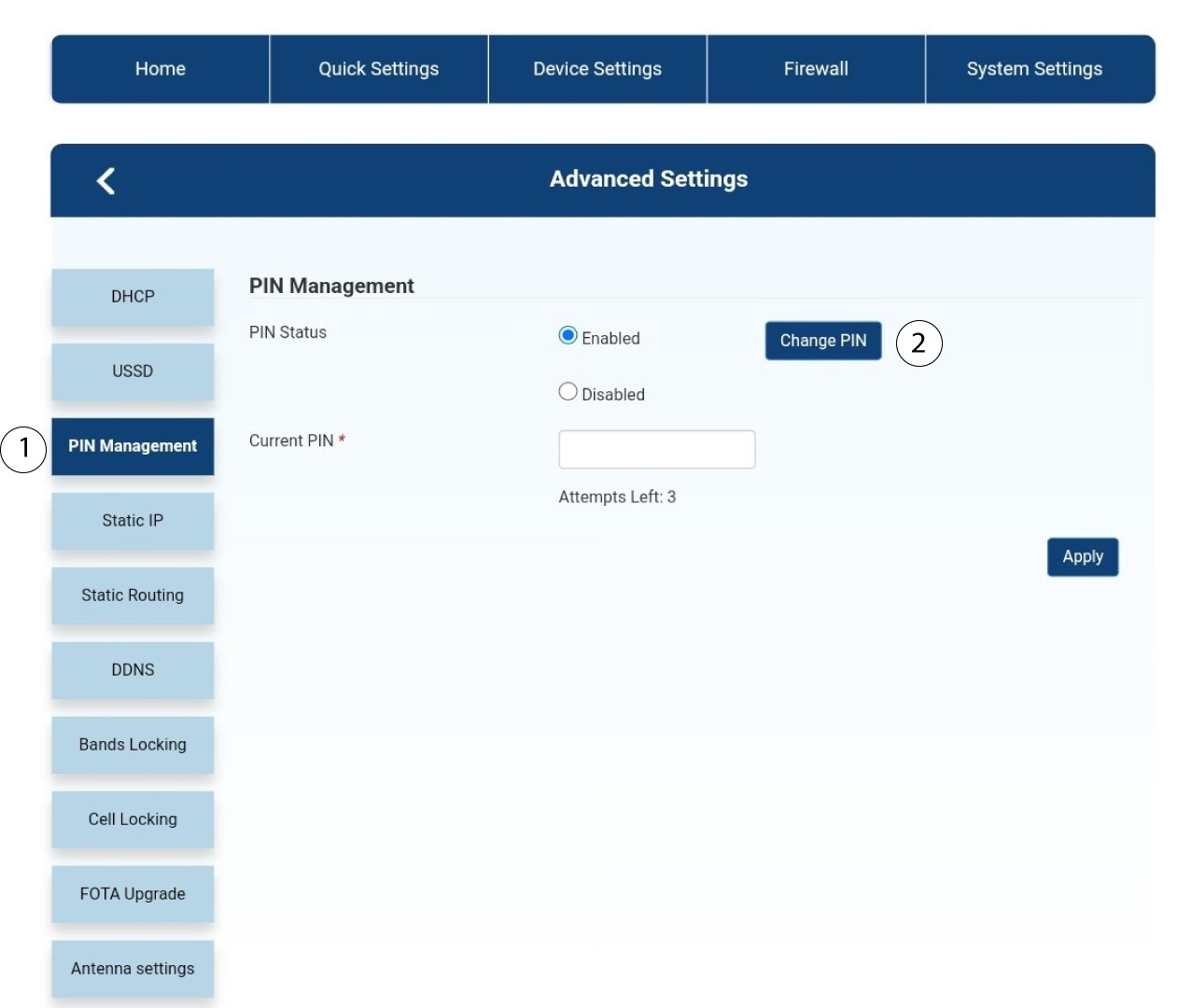
7Syötäuusi PIN-koodi
Syötä seuraavat tiedot ja napsauta ”Käytä”:
• Nykyinen PIN-koodi: syötä SIM-korttisi PIN-koodi.
• Uusi PIN-koodi: syötä uusi PIN-koodi.
• Vahvista uusi PIN-koodi: syötä sama PIN-koodi kuin edellisessä kentässä.