4G AIRHOME 310 irrotettavilla 4G-antenneilla
Kaikki kysymykset
4G AIRHOME 310 irrotettavilla 4G-antenneilla
Miten palautan reitittimen tehdasasetuksiin?
Joskus voi käydä niin, että laitteesi ei toimi oikein ja että sinulla ei ole internetyhteyttä. Tällöin suosittelemme palauttamaan laitteen tehdasasetuksiin ja päivittämään sen laiteohjelmiston uudelleen tarvittaessa.
Voit tehdä tämän kahdella tavalla: voit palauttaa laitteen painamalla nollauspainiketta tai suorittamalla palautuksen verkkokäyttöliittymän kautta.
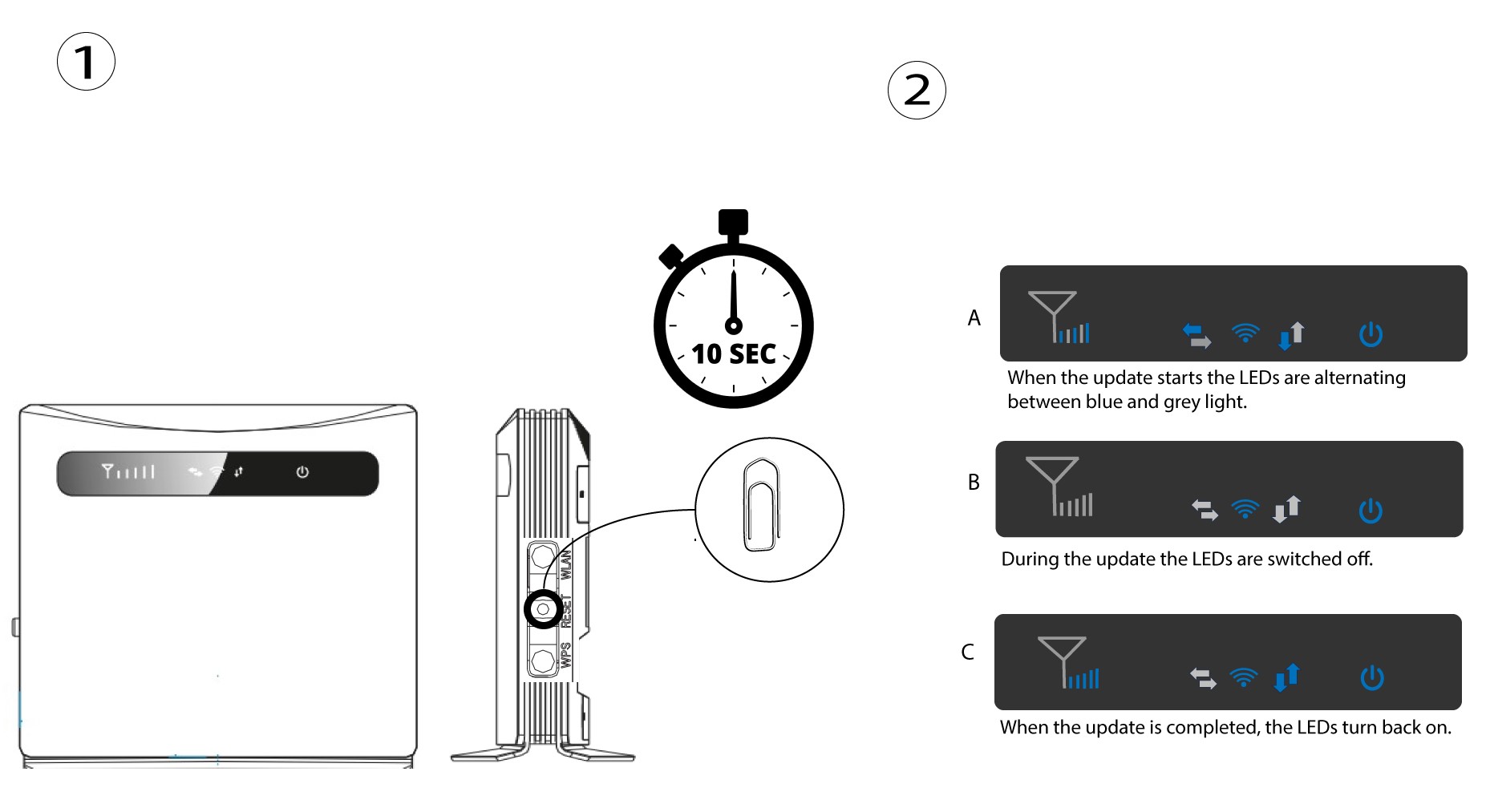
TAPAUS 1: Nollauspainike.
Tee näin asettamalla paperiliitin reikään nollauspainikkeen painamiseksi. Paina nollauspainiketta 10 sekunnin ajan. LED-valot sammuvat ja syttyvät uudelleen switch .
1Tapaus2: nollaus verkkokäyttöliittymässä
Sinun on muodostettava yhteys laitteesi Wi-Fi-verkkoon ja noudatettava seuraavassa ohjeessa kuvattuja vaiheita:

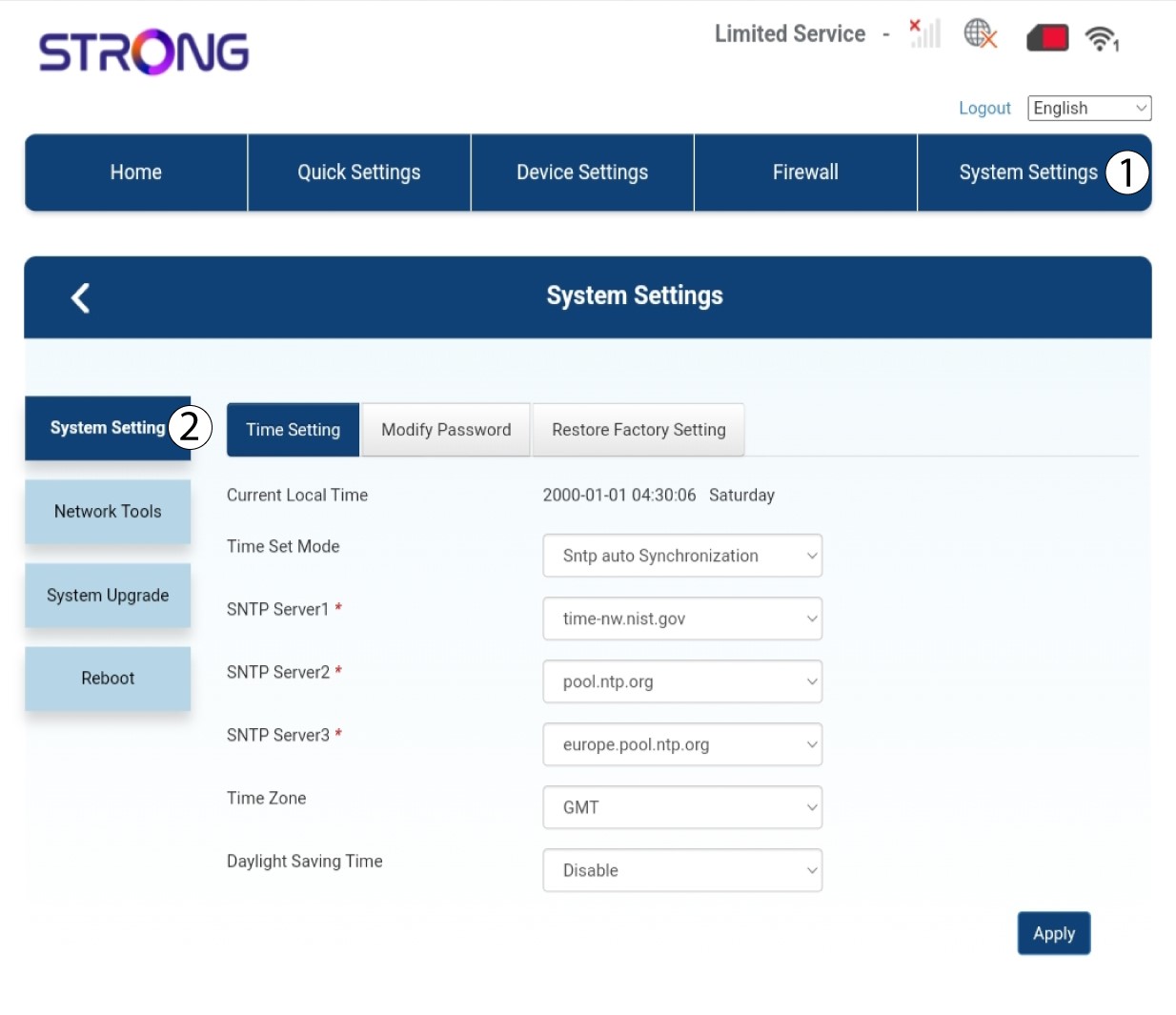
2. Järjestelmäasetukset
Napsauta sitten ”Järjestelmäasetukset ” ja valitse ”Järjestelmäasetukset”.
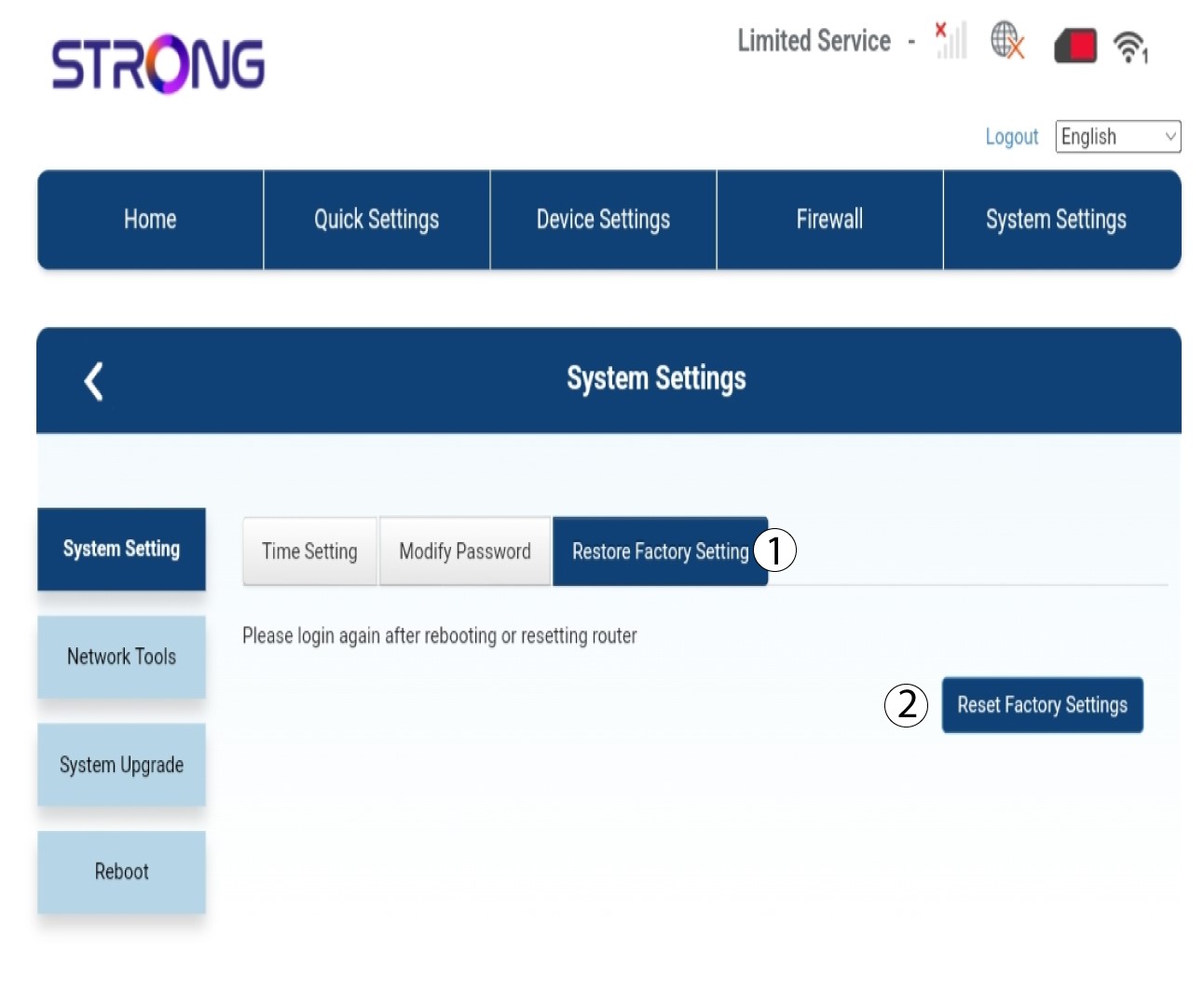
3Palautatehdasasetukset
Napsauta ”Palauta tehdasasetukset” ja sen jälkeen ”Nollaa tehdasasetukset”
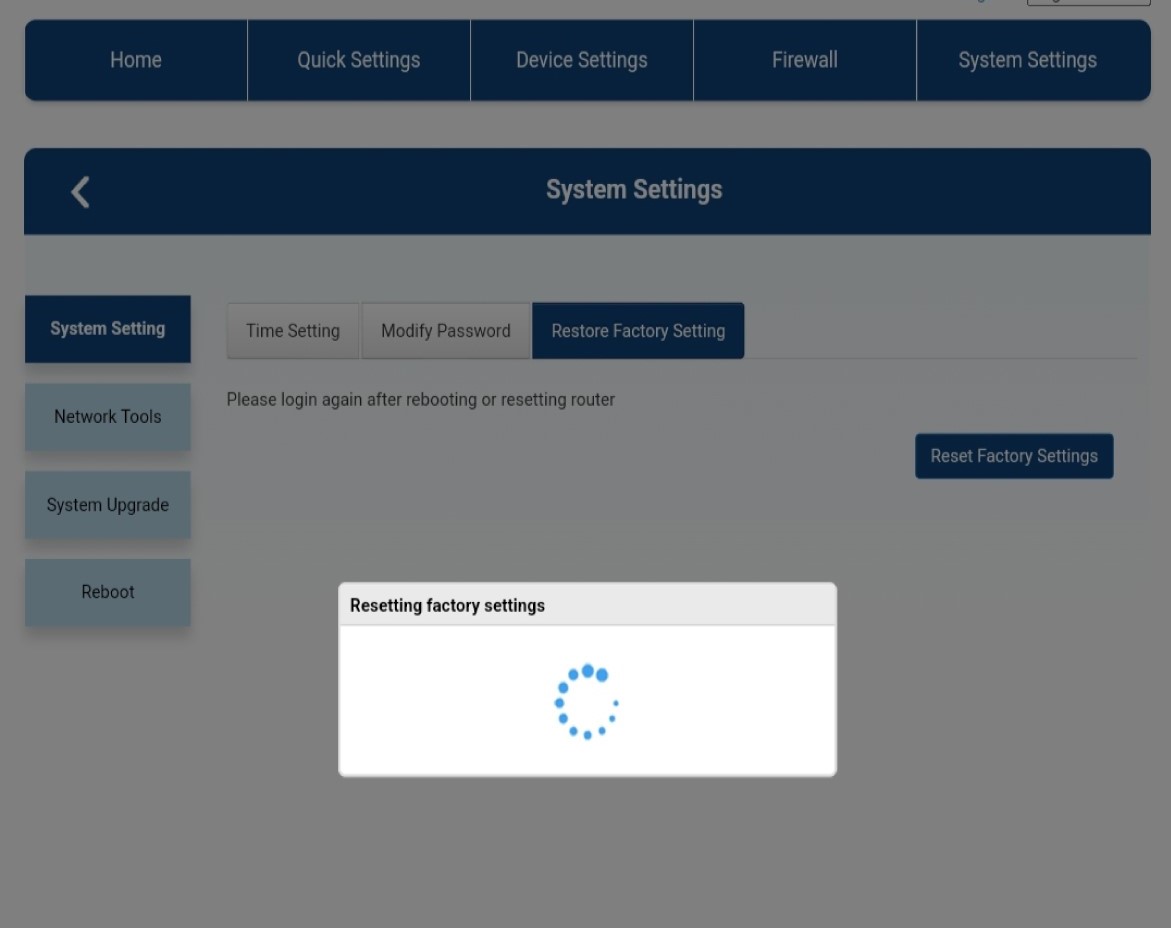
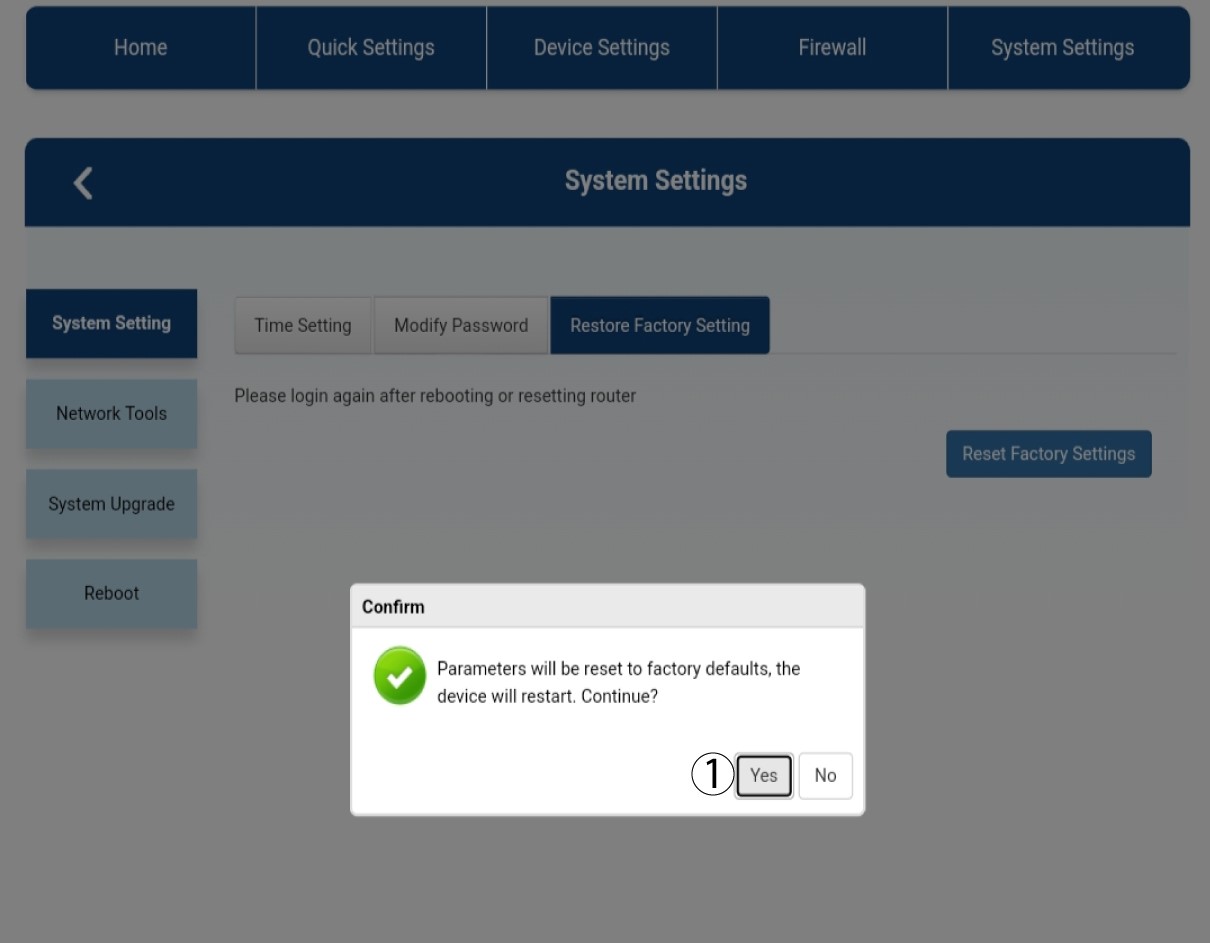
4. Ponnahdusviesti
Napsauta näkyviin tulevassa ponnahdusviestissä Kyllä.
5Odota, kunnes prosessi on päättynyt
Kun laite palautetaan tehdasasetuksiin, ruudulle ilmestyy uusi ponnahdusikkuna.