ATRIA Wi-Fi 6 Mesh 3000 (2 kpl)
Ei löytynyt kohteita.
Ei löytynyt kohteita.
Kaikki kysymykset
ATRIA Wi-Fi 6 Mesh 3000 (2 kpl)
Ei löytynyt kohteita.
Ei löytynyt kohteita.
Miten määritän Wi-Fi- mesh -verkon asetukset?

Varoitus: Mesh -verkon määrittämiseksi tutustu tuotteen pakkauksessa olevaan pikaoppaaseen ( QIG).
Huomaa, että sinun on toistettava tämä toimenpide jokaisen Mesh -laitteen osalta, jonka haluat lisätä Mesh -verkkoosi.
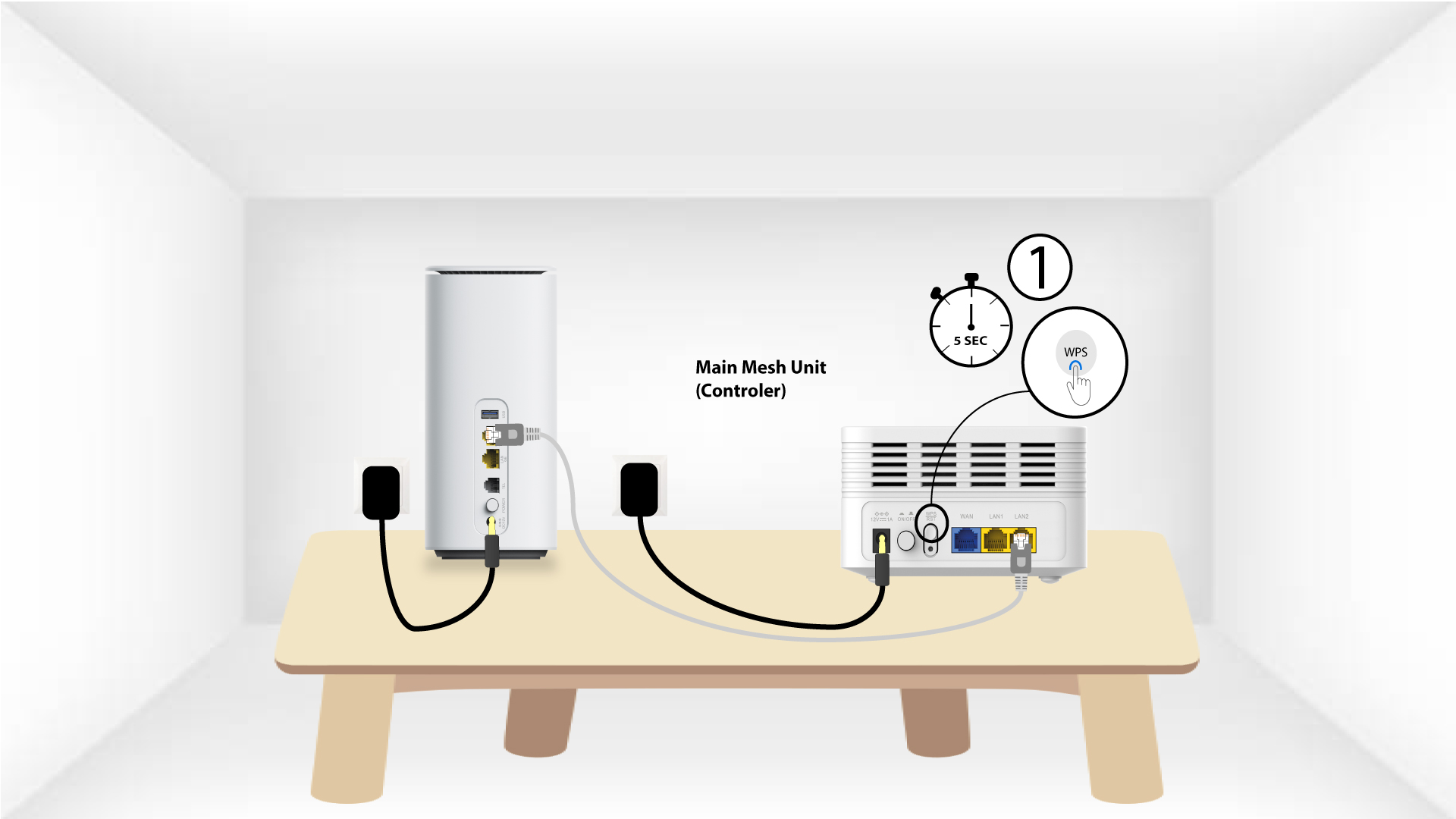
1Tapaus1: WPS-painike
Mesh -laite on kytkettävä pistorasiaan ja liitettävä modeemiin RJ45-kaapelilla ennen virtapainikkeen painamista.
2Main Mesh WPS
Paina modeemiin kytketyn mesh -laitteen WPS-painiketta 5 sekunnin ajan .
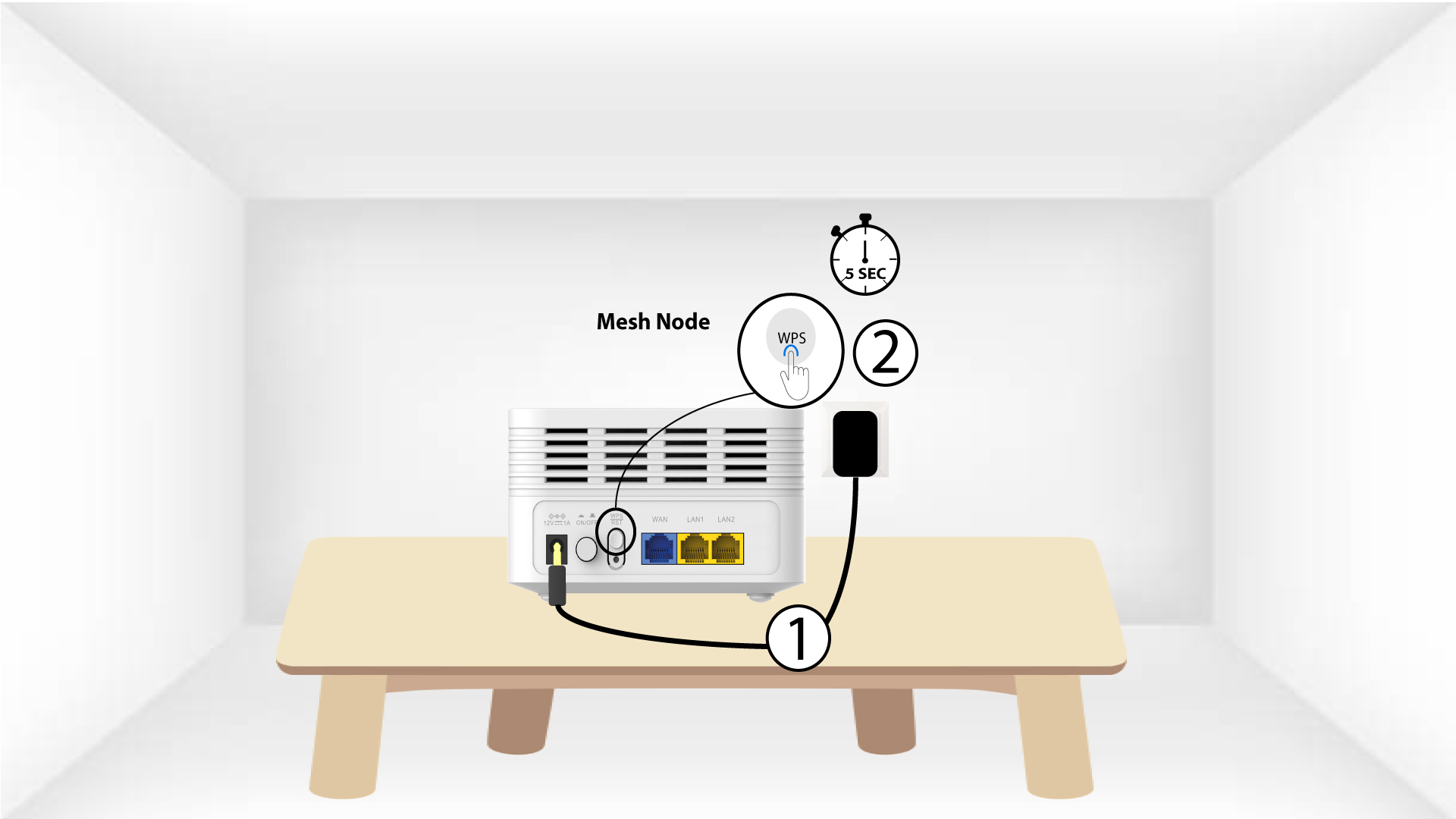
3Second Mesh -laite WPS
Kytke toinen Mesh -laite pistorasiaan ja paina WPS-painiketta 5 sekunnin ajan.
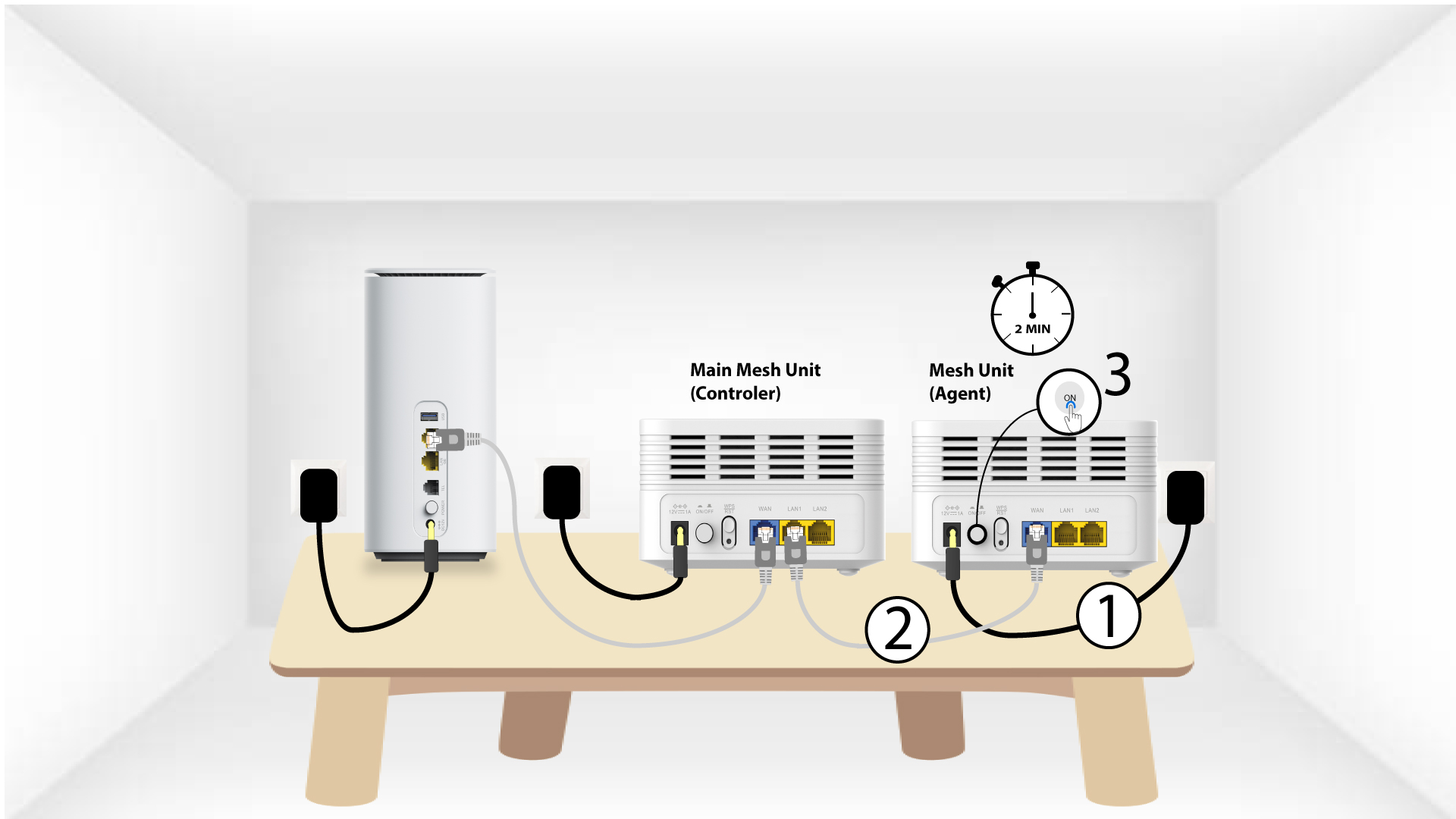
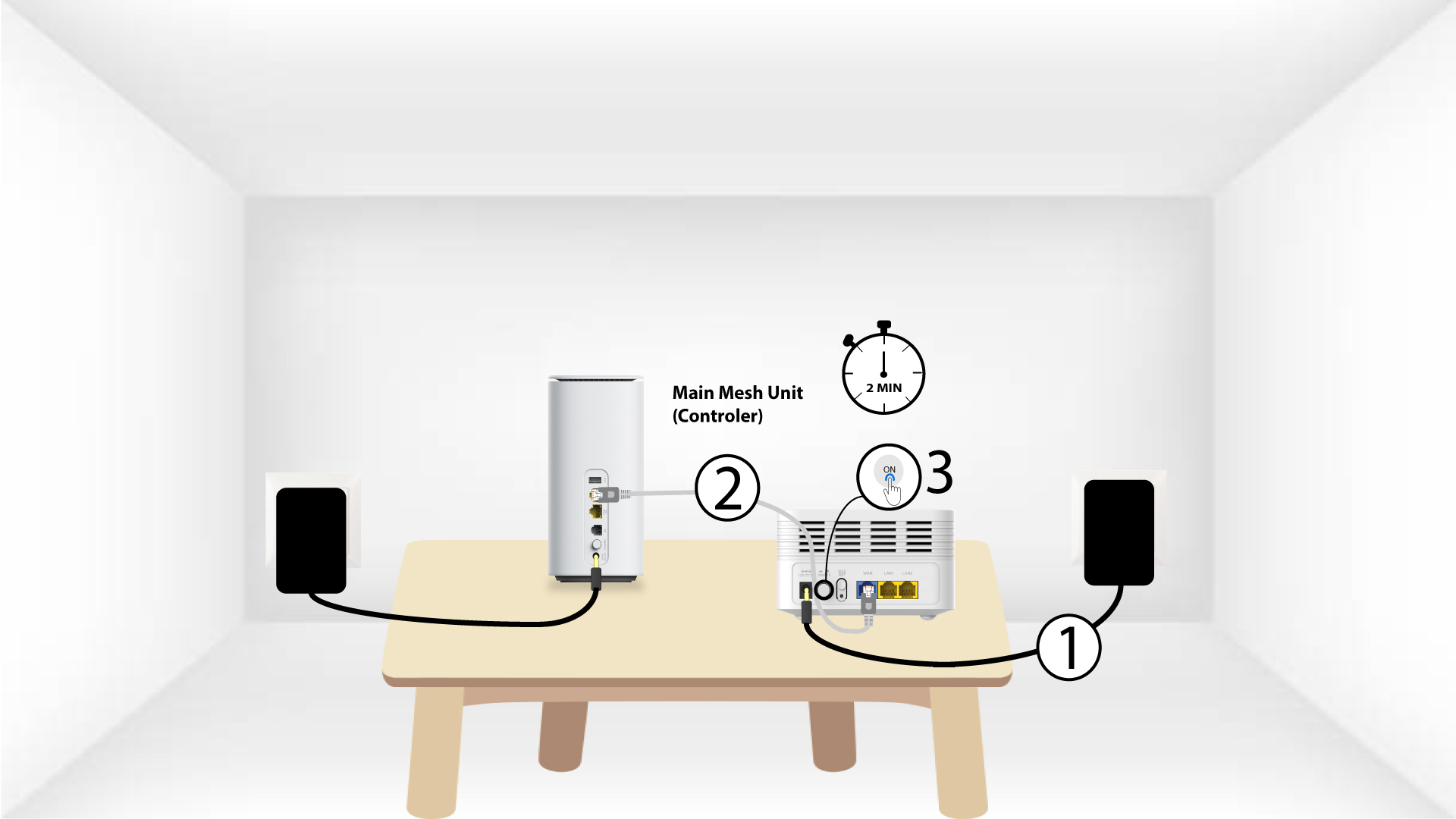
1Tapaus2: Ethernet-kaapeli (RJ45)
Mesh -laite on kytkettävä pistorasiaan ja liitettävä modeemiin RJ45-kaapelilla WLAN-porttiin ennen virtapainikkeen painamista .
2 Ethernet-kaapeli molempien LAN-portteihin Mesh
Liitä pää Mesh -yksikkö (ohjain) Mesh -yksikköön (agentti) RJ45-liitännällä molempien 2 Mesh-laitteiden LAN-portteihin.