ATRIA Wi-Fi 6 Mesh 3000 (2 kpl)
Kaikki kysymykset
ATRIA Wi-Fi 6 Mesh 3000 (2 kpl)
Mitä voin tehdä verkkokäyttöliittymässä?
1. Yhdistälaitteen Wi-Fi-verkkoon
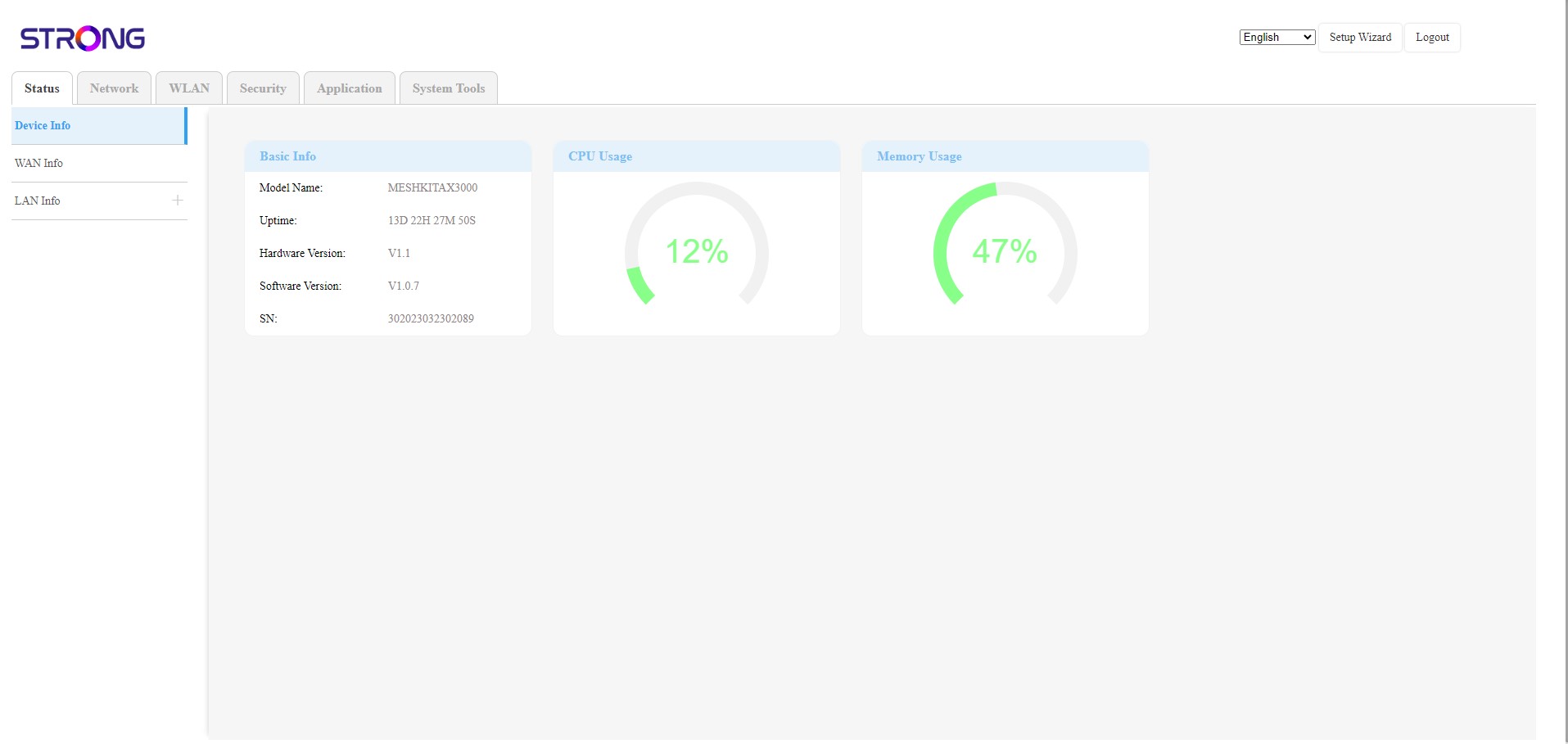
Verkkokäyttöliittymä on jaettu kuuteen osioon:
• Tila: Täältä löydät kaikki tiedot Mesh -laitteesta ja verkosta.
• Verkko: Täältä voit määrittää WAN- ja LAN-asetukset (IPv4 / IPv6) sekä asettaa nopeusrajoituksen.
• WLAN: Täältä voit valita 2,4 GHz:n tai 5 GHz:n verkon, määrittää useita SSID-tunnuksia, WPS-asetukset, hallita eri MAC-osoitteiden internet-käyttöä, muokata SSID-tunnusta ja Wi-Fi-salasanoja sekä määrittää Mesh.
• Turvallisuus: Täältä voit määrittää palomuurin, DoS-asetukset, URL-/MAC-suodattimet, IP-suodattimet, vanhempien valvonnan ja palveluiden hallinnan sekä ajoittaa Mesh -verkon aktivoinnin.
• Sovellukset: Täältä voit määrittää NAT-asetukset (ALG, DMZ, porttien uudelleenohjaus), VPN:n, SNTP:n (aikavyöhyke), dynaamisen DNS:n, UPnP:n sekä avata IPTV-asetukset.
• Järjestelmätyökalut: Täältä voit muuttaa kirjautumistietoja, käynnistää laitteen uudelleen, päivittää laiteohjelmiston, tallentaa ja palauttaa varmuuskopion, palauttaa tehdasasetukset, hallita LED-merkkivaloja, tarkastella lokitietoja ja käynnistää vianmäärityksen.