
ATRIA Mesh kit | MESHKIT1200
Ei löytynyt kohteita.
Ei löytynyt kohteita.
Kaikki kysymykset
ATRIA Mesh kit | MESHKIT1200
Ei löytynyt kohteita.
Ei löytynyt kohteita.
Miten määritän Wi-Fi- mesh -verkon asetukset (Tapaus 1: WPS-painike)
Mesh -verkon määrittämiseksi tutustu tuotteen pakkauksessa olevaan pikaoppaaseen (QIG).
1. Liitälaite pistorasiaan
mesh -laite on kytkettävä pistorasiaan, jotta se käynnistyy (laitteessa ei ole virtapainiketta), ja se on liitettävä modeemiisi
RJ45-kaapelilla.

2Odotaasennuksen aikana
Sen jälkeen sinun on odotettava muutama minuutti, kunnes laite on määrittänyt asetuksensa.
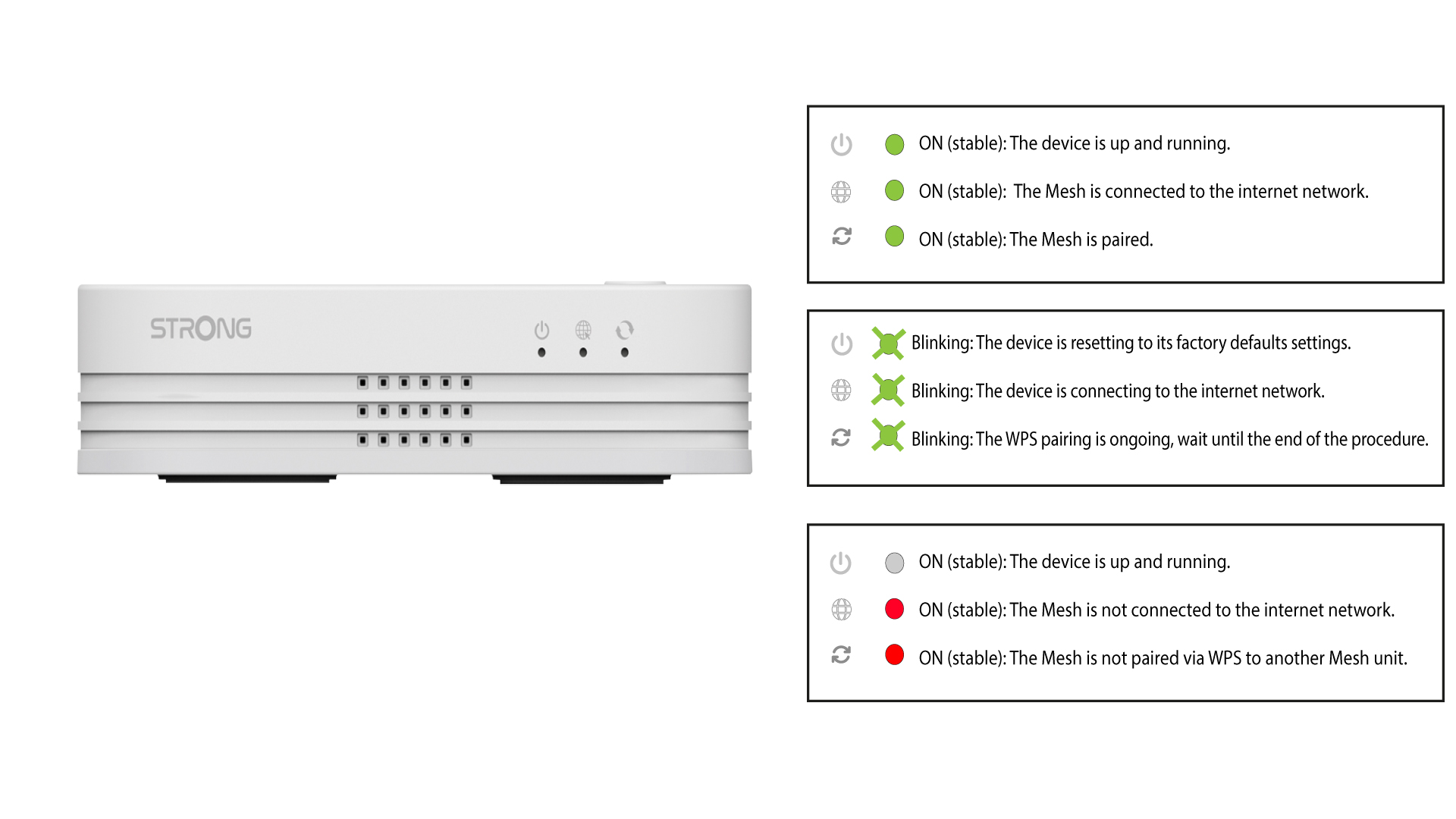
3. Liitätoinen laite pistorasiaan
Toinen mesh -laite on kytkettävä pistorasiaan.
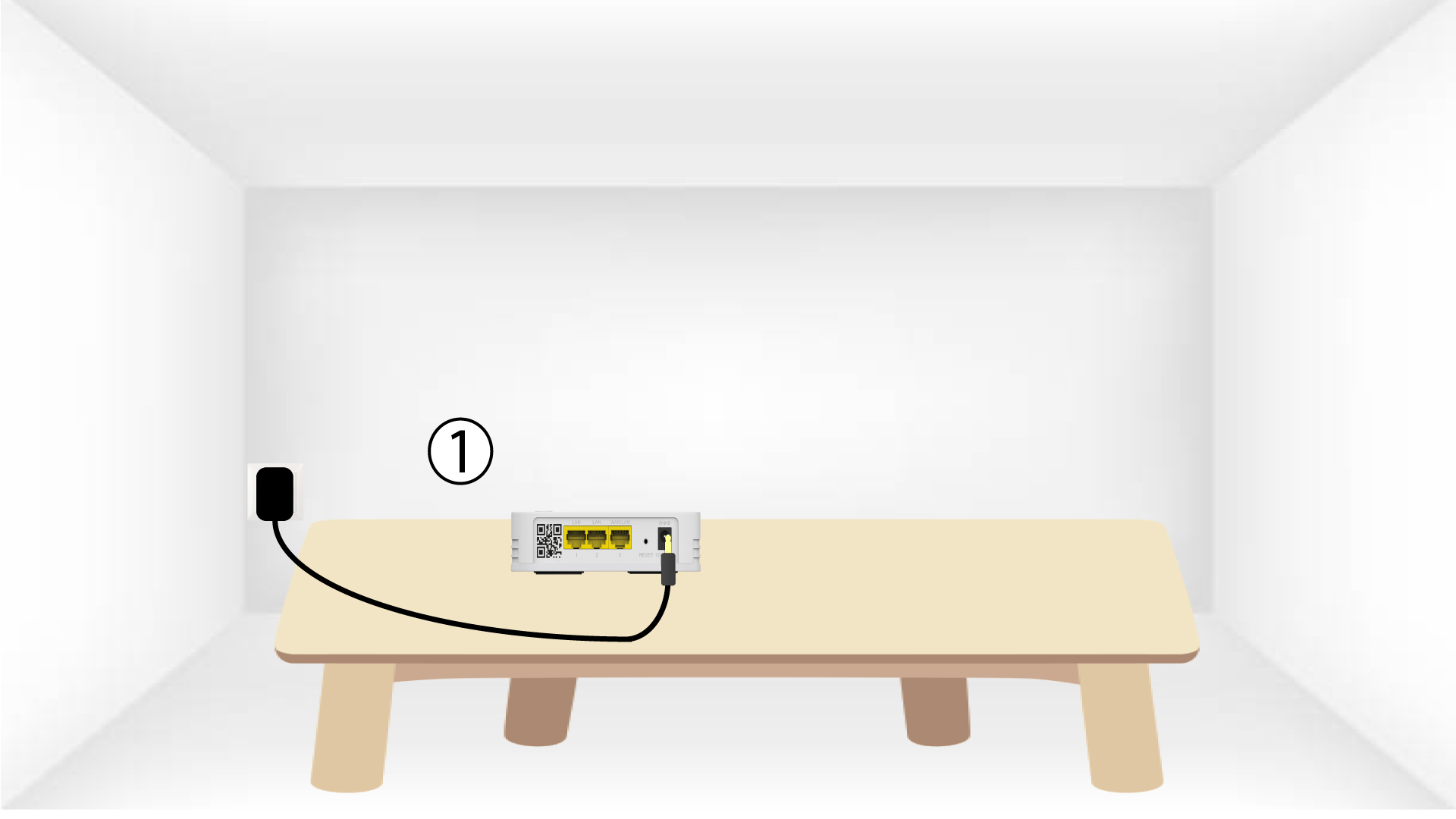
4. OtaWPS käyttöön päälaitteessa mesh
Paina WPS-painiketta vähintään 4 sekunnin ajan siinä Mesh -laitteessa, joka on kytketty modeemiin/reitittimeen.
WPS:n aktivoinnin jälkeen LED-merkkivalo vilkkuu vihreänä.
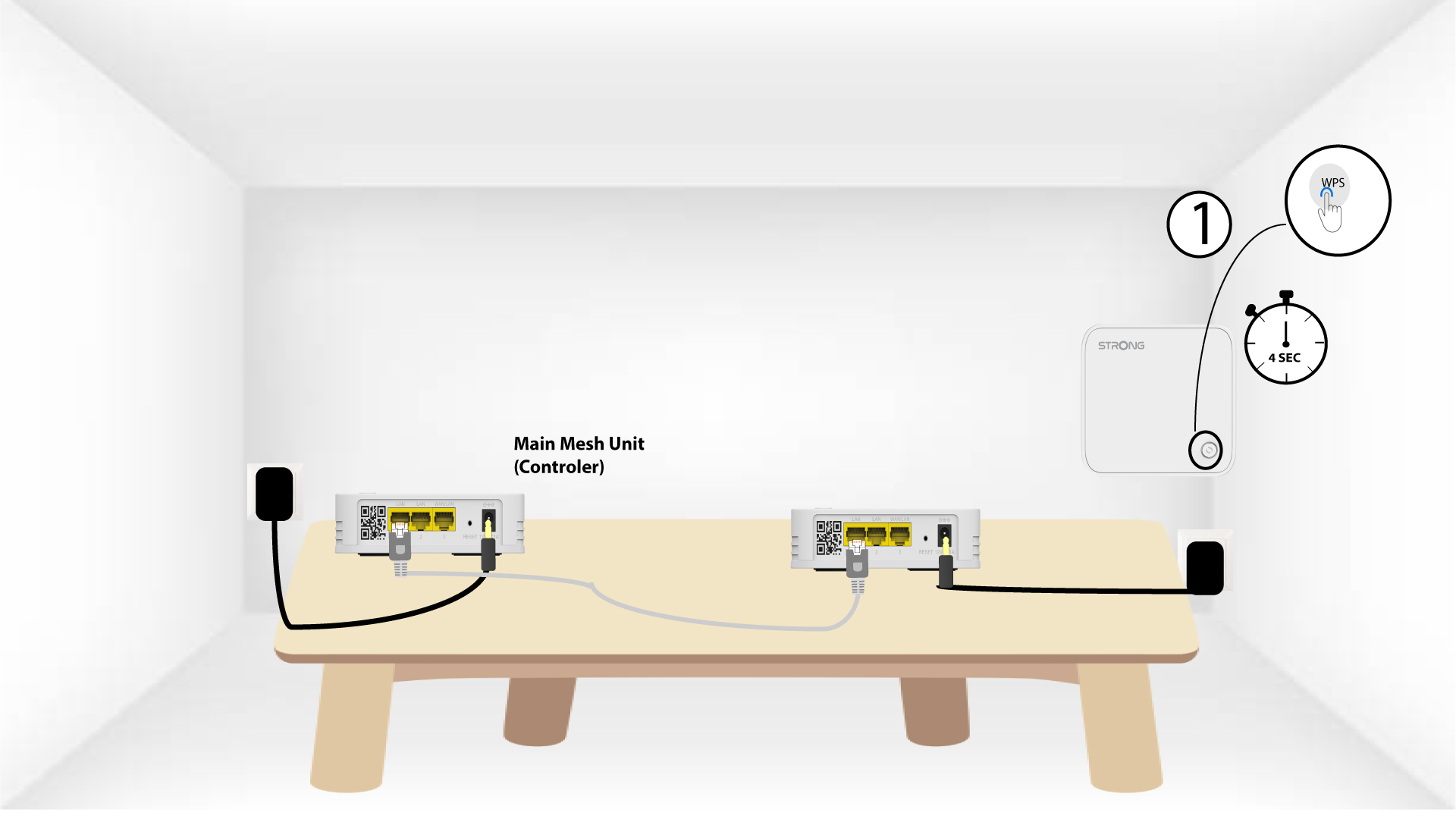
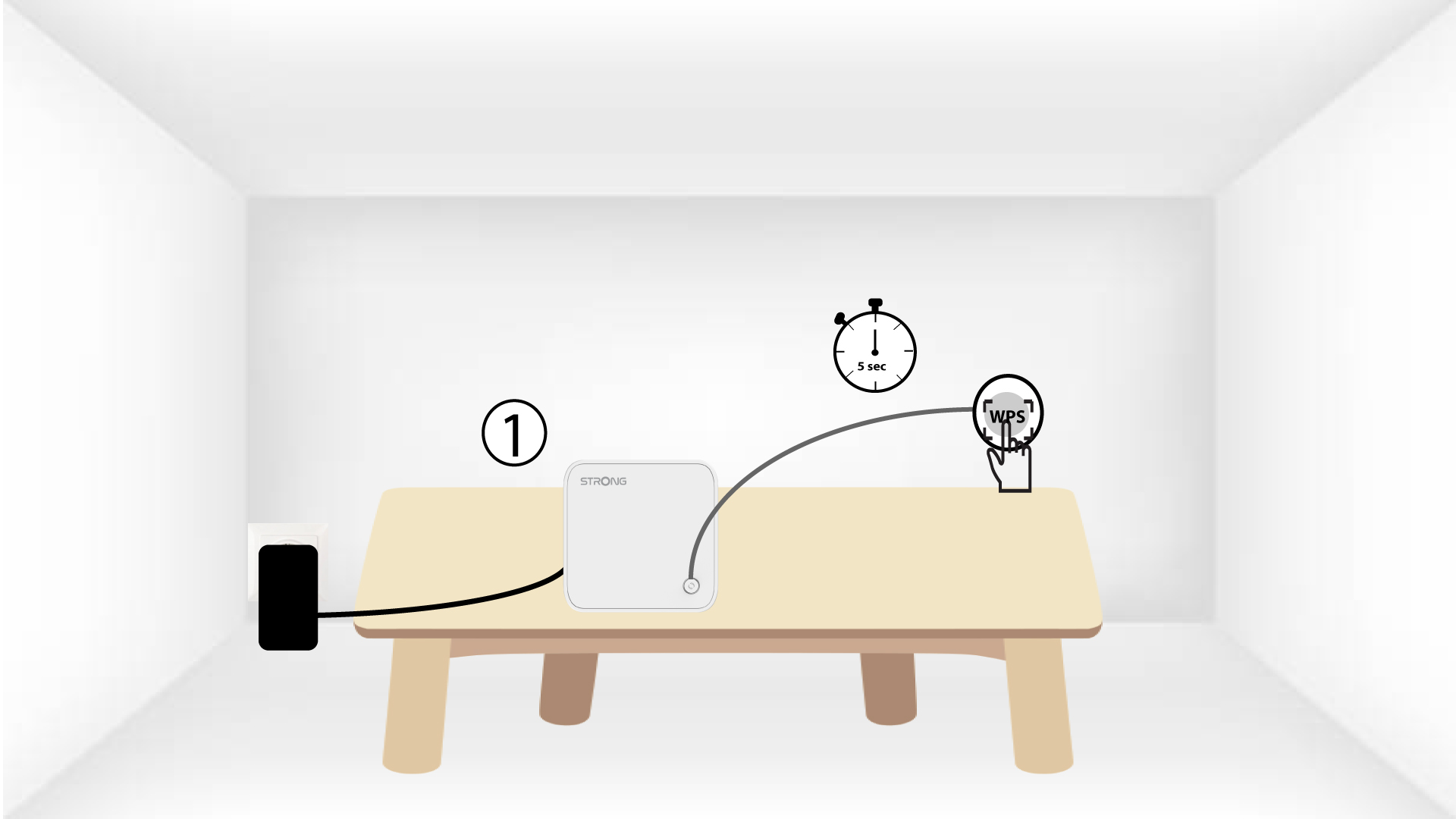
5. OtaWPS käyttöön toisessa mesh
Paina toisen Mesh -laitteen WPS-painiketta vähintään 4 sekunnin ajan.
6Laitteetmuodostavat pariliitoksen
Lorem ipsum dolor sit amet, consectetur adipisicing elit. Culpa enim esse excepturi nemo nesciunt officia officiis optio.