Aucun élément n'a été trouvé.
LEAP
Aucun élément n'a été trouvé.
Toutes les questions
Aucun élément n'a été trouvé.
LEAP
Aucun élément n'a été trouvé.
Comment puis-je ajouter ou supprimer une application de l'écran d'accueil ?
1Casn° 1 : Ajouter une application
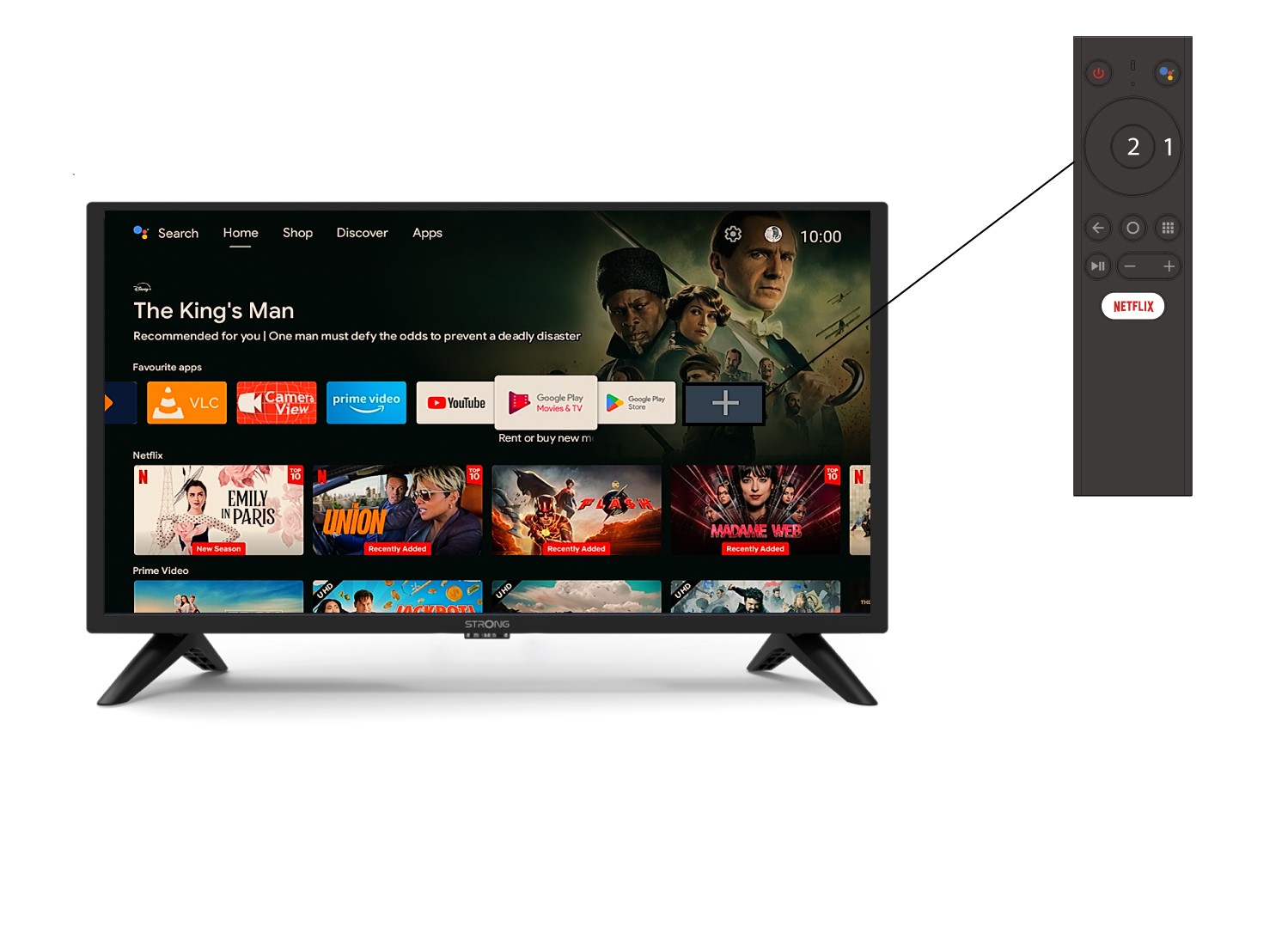
Pour ajouter une application sur l'écran d'accueil, sélectionnez l'icône « + » située à la fin de la liste des applications déjà présentes sur l'écran d'accueil, puis appuyez sur « OK ».
2Liste des applications
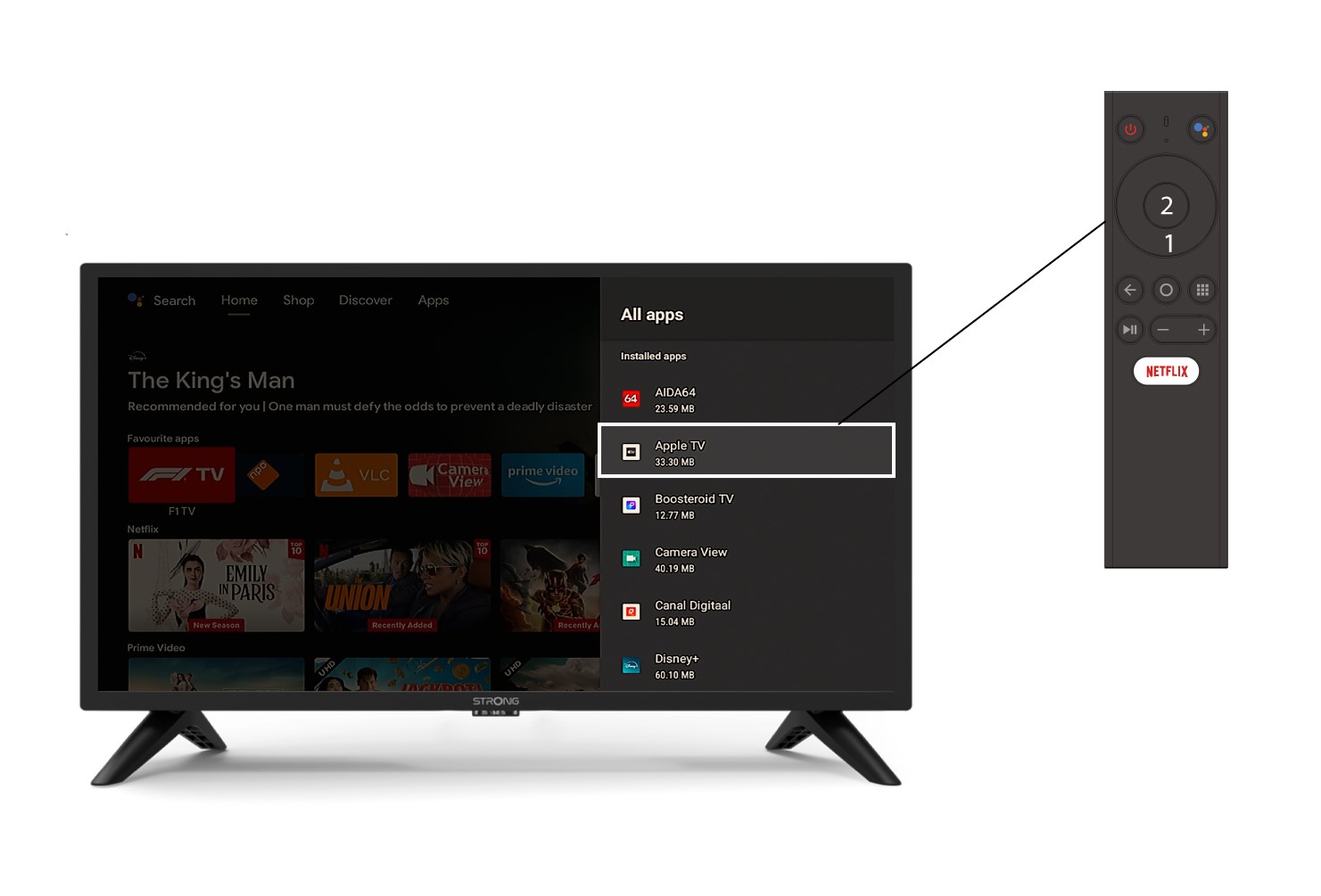
La liste des applications s'affiche alors ; sélectionnez l'application de votre choix et appuyez sur la touche OK de votre télécommande.
3Casn° 2 : Supprimer une application
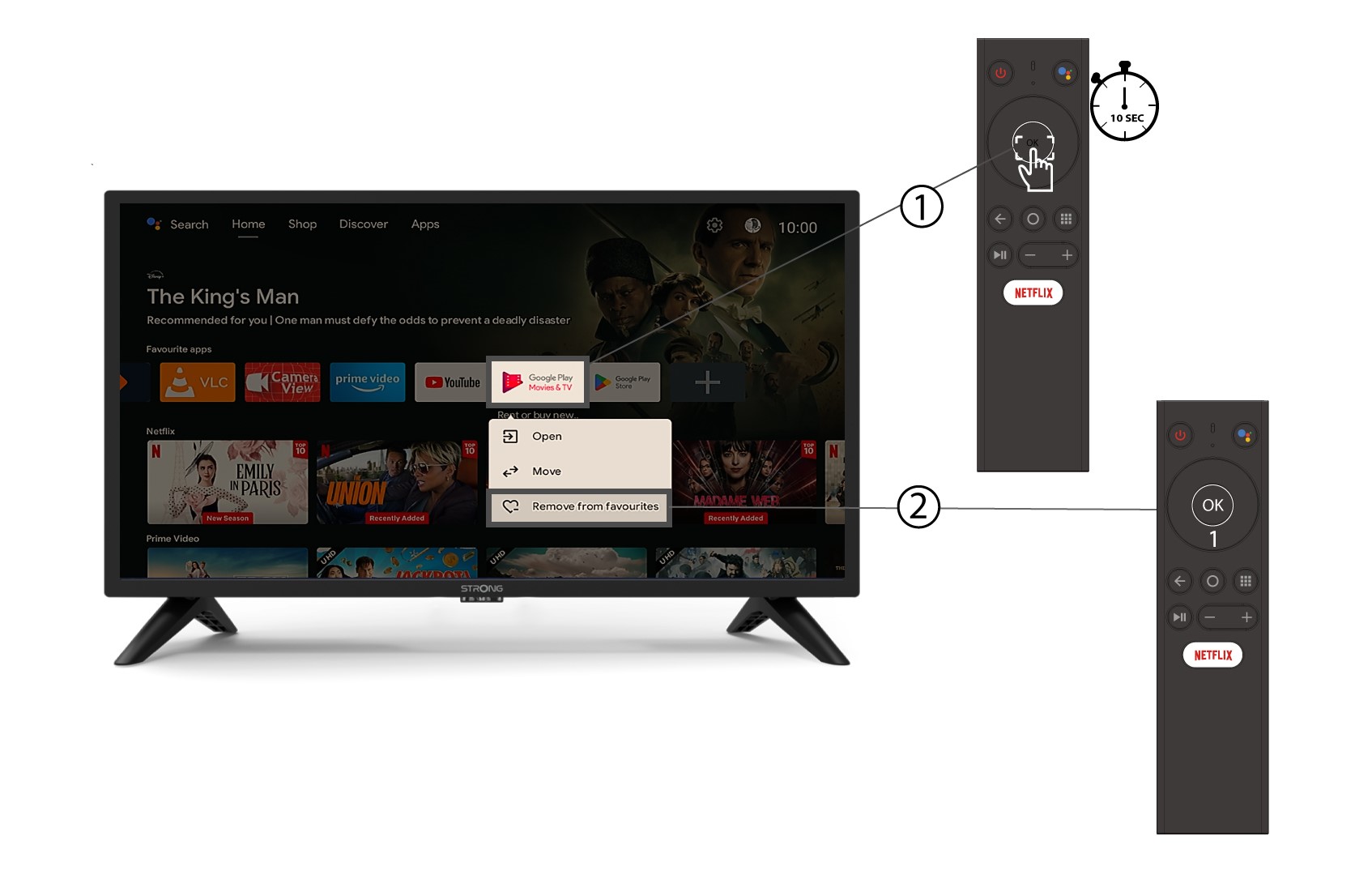
Pour supprimer une application de l'écran d'accueil, dans la liste des applications déjà présentes sur la page d'accueil, accédez à l'application que vous souhaitez supprimer, appuyez longuement sur le bouton « OK » ; une fenêtre s'affiche, sélectionnez « Supprimer des favoris ».