Point d'accès Wi-Fi 4G+ AIRSPOT 520 avec écran tactile
Aucun élément n'a été trouvé.
Aucun élément n'a été trouvé.
Toutes les questions
Point d'accès Wi-Fi 4G+ AIRSPOT 520 avec écran tactile
Aucun élément n'a été trouvé.
Aucun élément n'a été trouvé.
Comment modifier le SSID (nom du réseau Wi-Fi) et le mot de passe Wi-Fi ? (Écran Mi-Fi)
Vous pouvez modifier les informations relatives au réseau Wi-Fi depuis l'écran de votre Mi-Fi.
1. Accéderaux paramètres Wi-Fi
Déverrouillez l'écran et cliquez sur l'icône Wi-Fi.
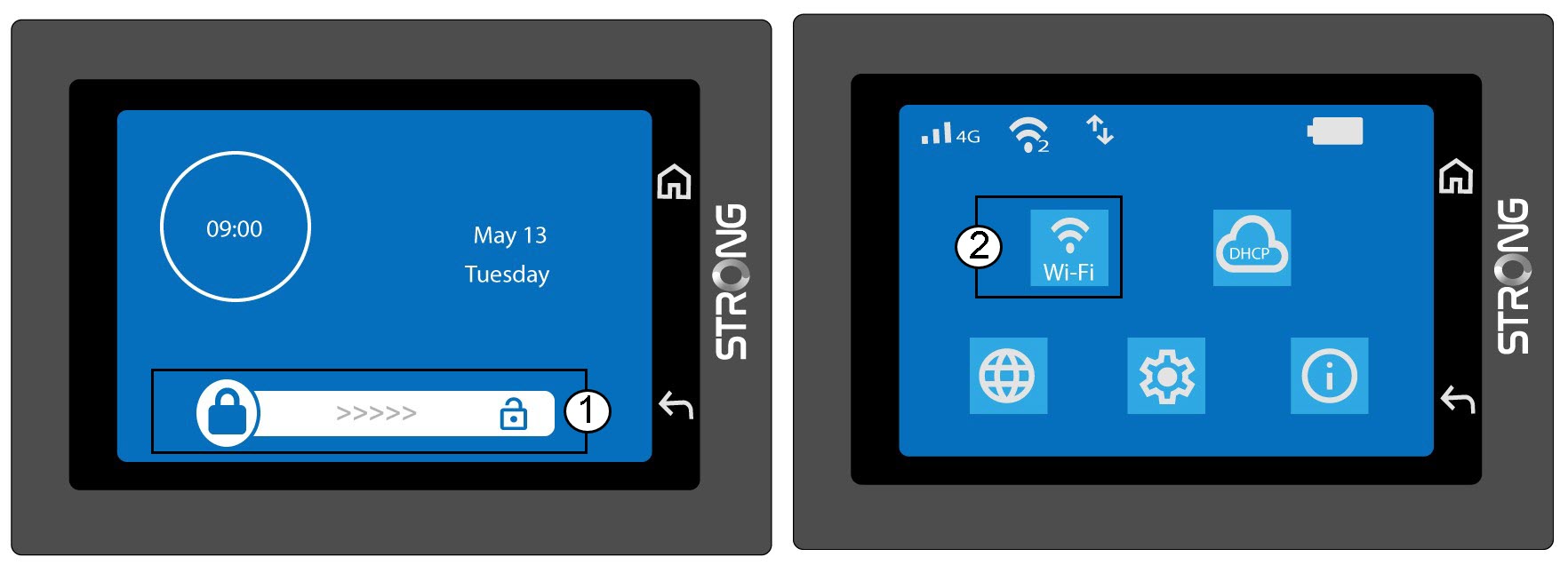
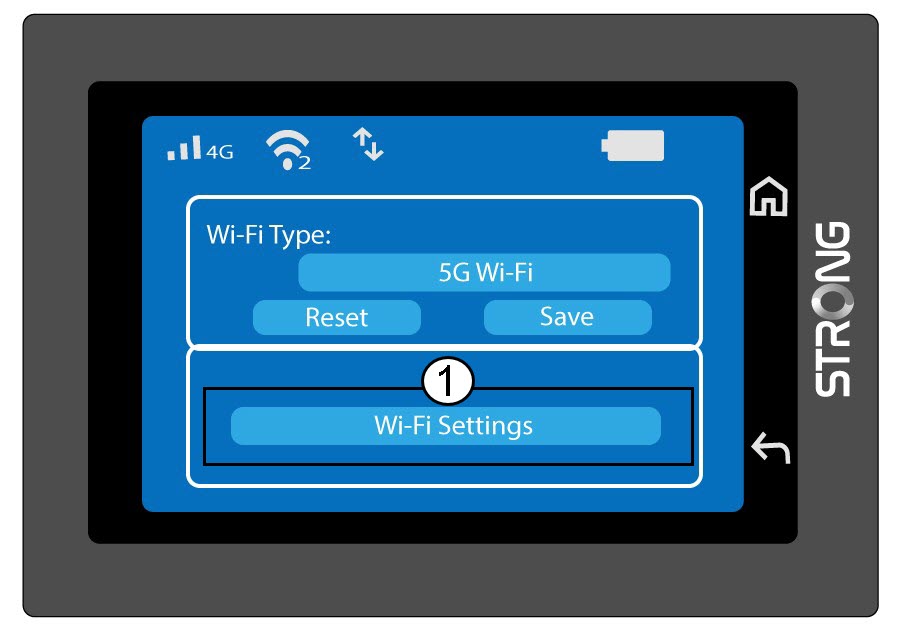
2. Configuration du Wi-Fi ouvert
Cliquez sur « Paramètres Wi-Fi ».
3Modifierle nom du réseau (SSID)
Cliquez sur l'icône en forme de stylo à côté du nom du réseau Wi-Fi, saisissez le nouveau nom, puis appuyez sur (V) pour confirmer.
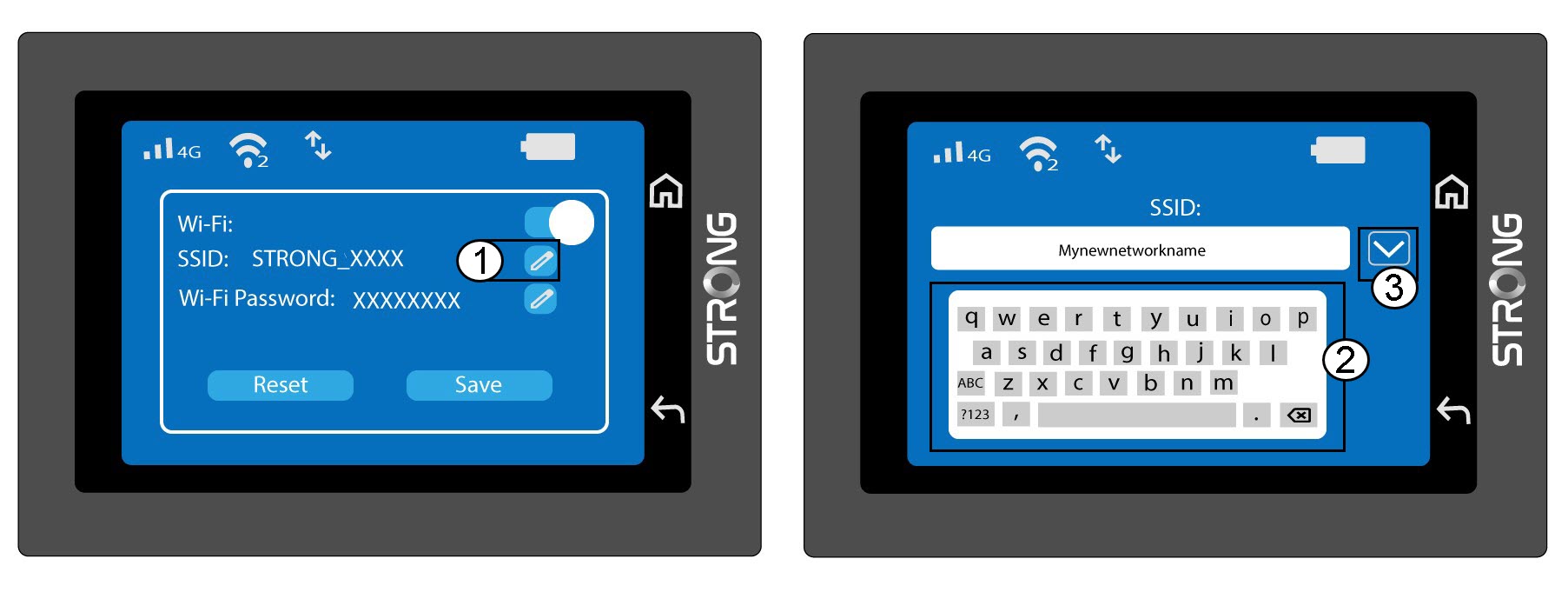
4. Modifierle mot de passe Wi-Fi
Cliquez sur l'icône en forme de stylo à côté du mot de passe Wi-Fi, saisissez le nouveau mot de passe, puis appuyez sur (V) pour valider.
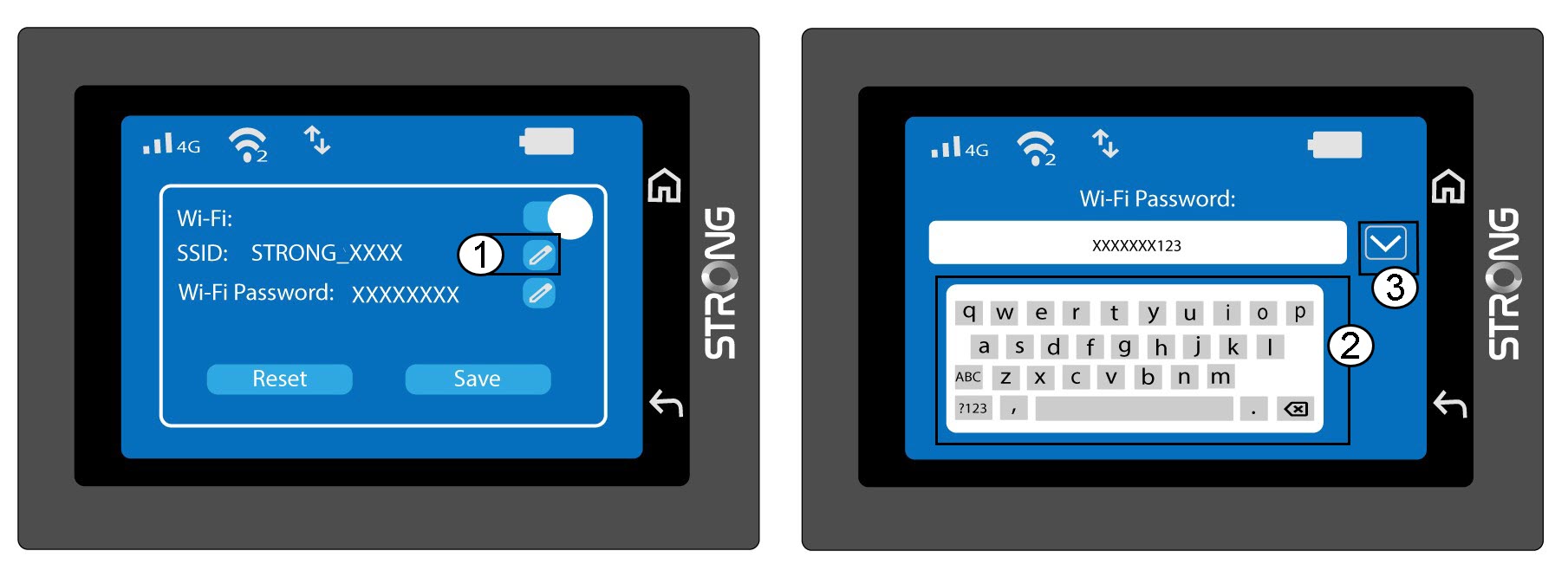
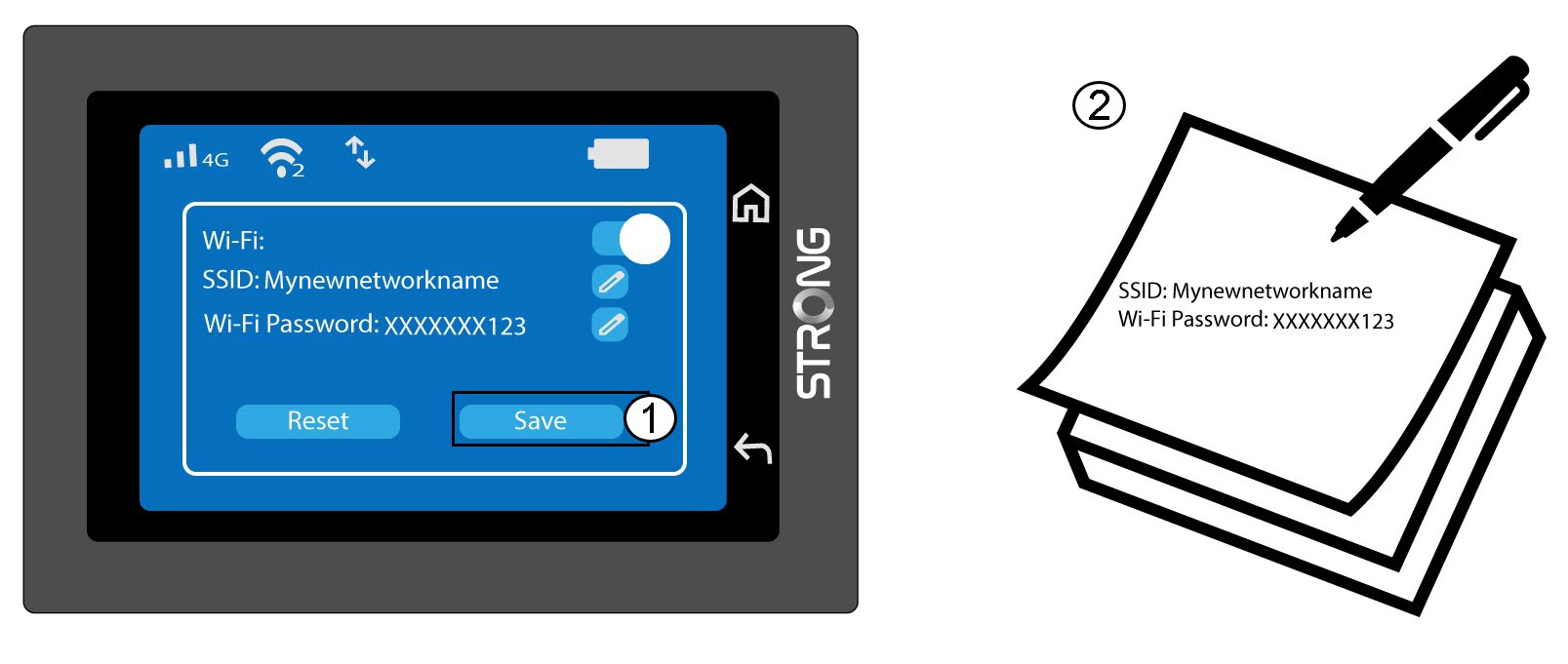
5. Enregistrezvos modifications
Cliquez sur « Enregistrer » et notez le nouveau nom du réseau et le mot de passe pour pouvoir vous y référer ultérieurement.