Aucun élément n'a été trouvé.
4K GOOGLE TV BOX S3+ | DOLBY VISION ATMOS
Aucun élément n'a été trouvé.
Toutes les questions
Aucun élément n'a été trouvé.
4K GOOGLE TV BOX S3+ | DOLBY VISION ATMOS
Aucun élément n'a été trouvé.
Comment réinitialiser le LEAP S3 à ses paramètres d'usine ?

Avertissement : lorsque vous réinitialisez votre appareil à ses paramètres d'usine, toutes les applications et tous les paramètres personnalisés seront supprimés. Vous devrez réinstaller toutes vos applications depuis le début.
1. Allumez l'appareil.
Allumez votre téléviseur et votre LEAP S3.
2. Accédezau menu « Paramètres »
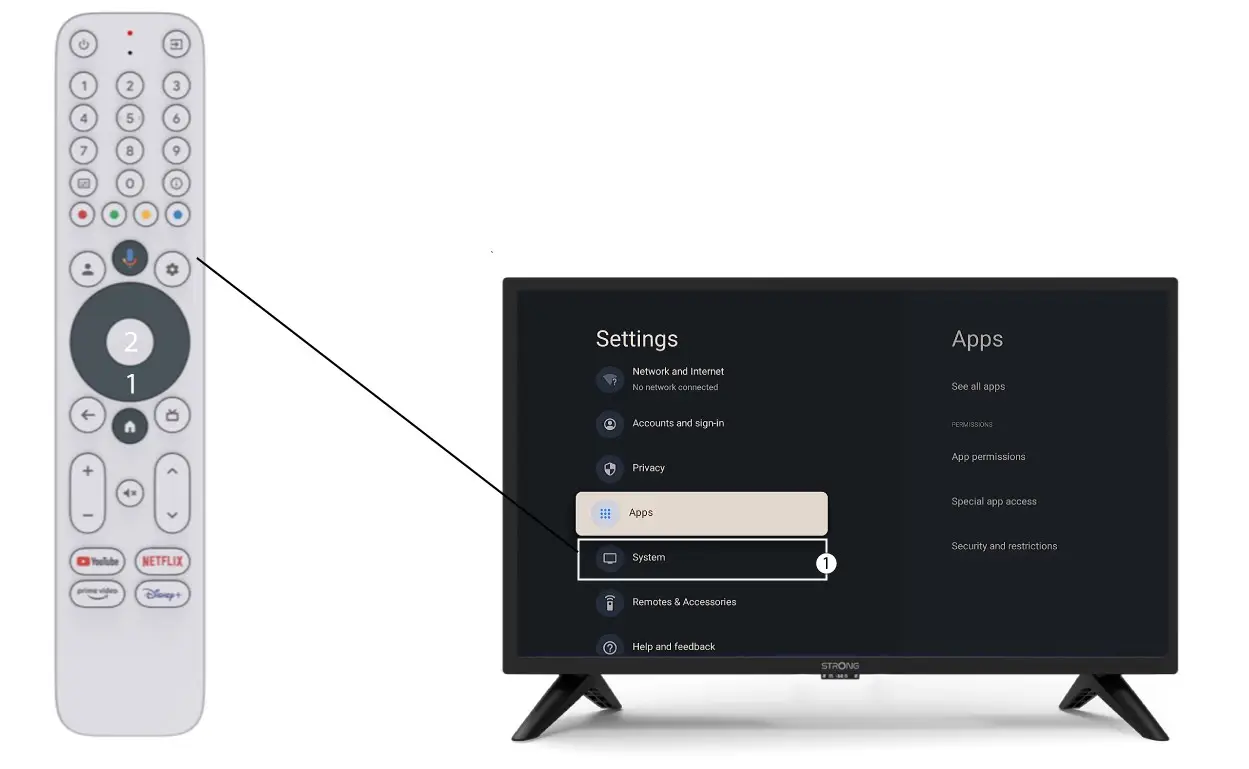
Appuyez sur l'icône en forme d'engrenage (bouton « Paramètres ») de la télécommande. Appuyez ensuite sur le bouton « OK » de votre télécommande pour ouvrir le menu des paramètres.

3. Paramètres système
Dans le menu « Paramètres », sélectionnez « Système » puis appuyez sur OK.
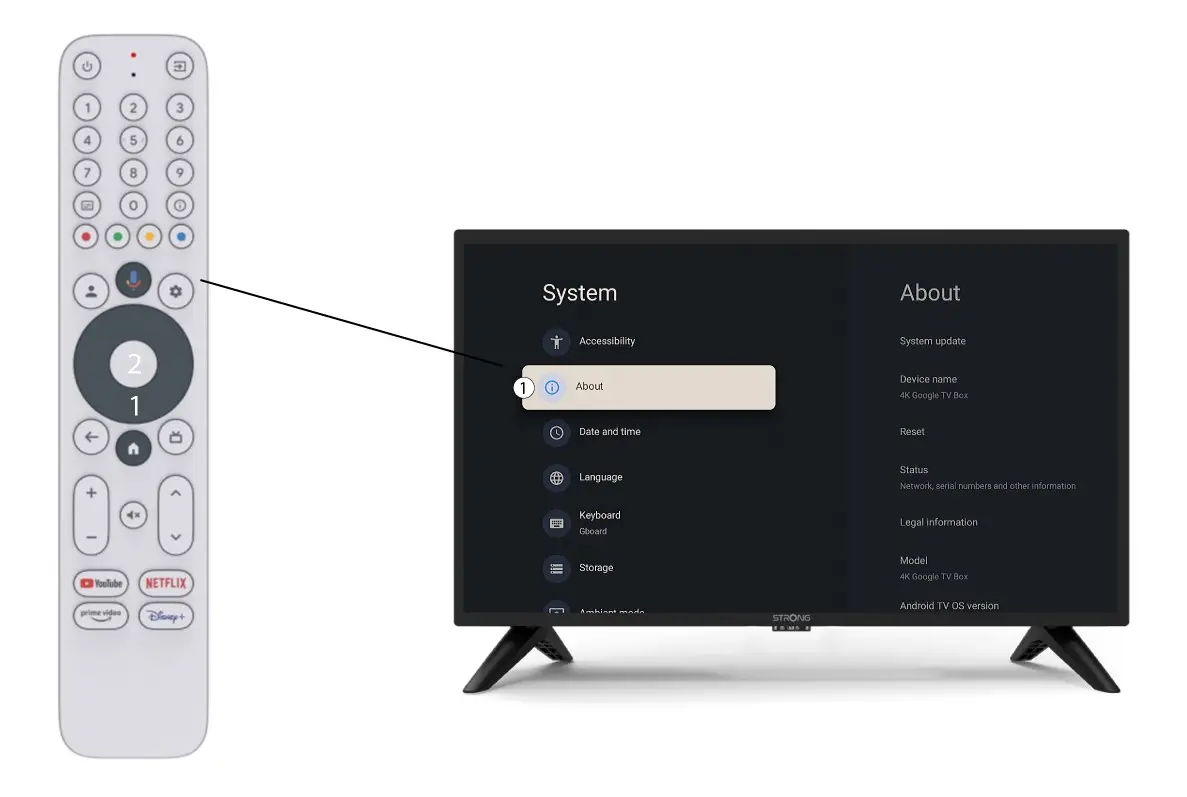
4Àpropos
Sélectionnez « À propos » dans le menu « Paramètres système », puis appuyez sur la touche OK de votre télécommande.
5. Réinitialisation aux paramètres d'usine
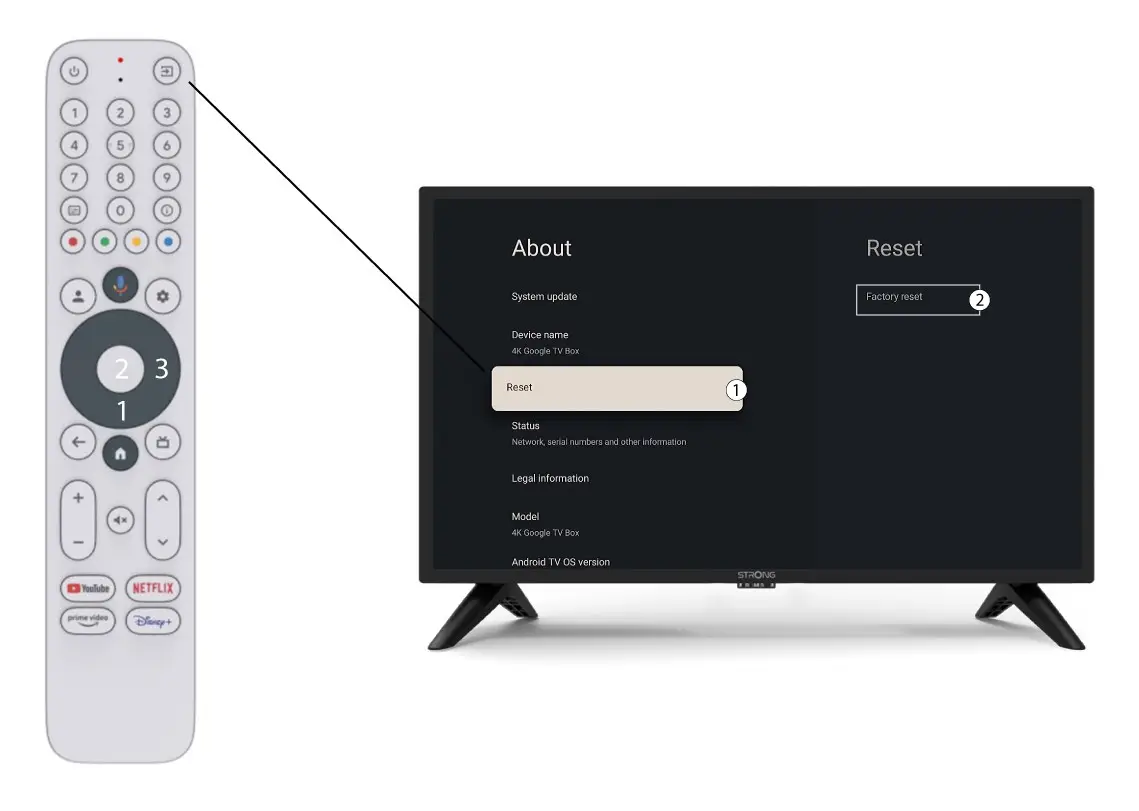
Sélectionnez « Réinitialiser », puis « Réinitialisation d'usine » avant d'appuyer sur OK.