
Répéteur AX1800
Aucun élément n'a été trouvé.
Aucun élément n'a été trouvé.
Toutes les questions
Répéteur AX1800
Aucun élément n'a été trouvé.
Aucun élément n'a été trouvé.
Comment puis-je configurer une adresse IP statique pour mon répéteur ?
1. Se connecterà l'interface utilisateur Web
Suivez cette procédure pour vous connecter à l'interface utilisateur Web.
2. État du système
Dans l'écran « État du système », cliquez sur le bouton « Plus de détails » dans la section « LAN ».
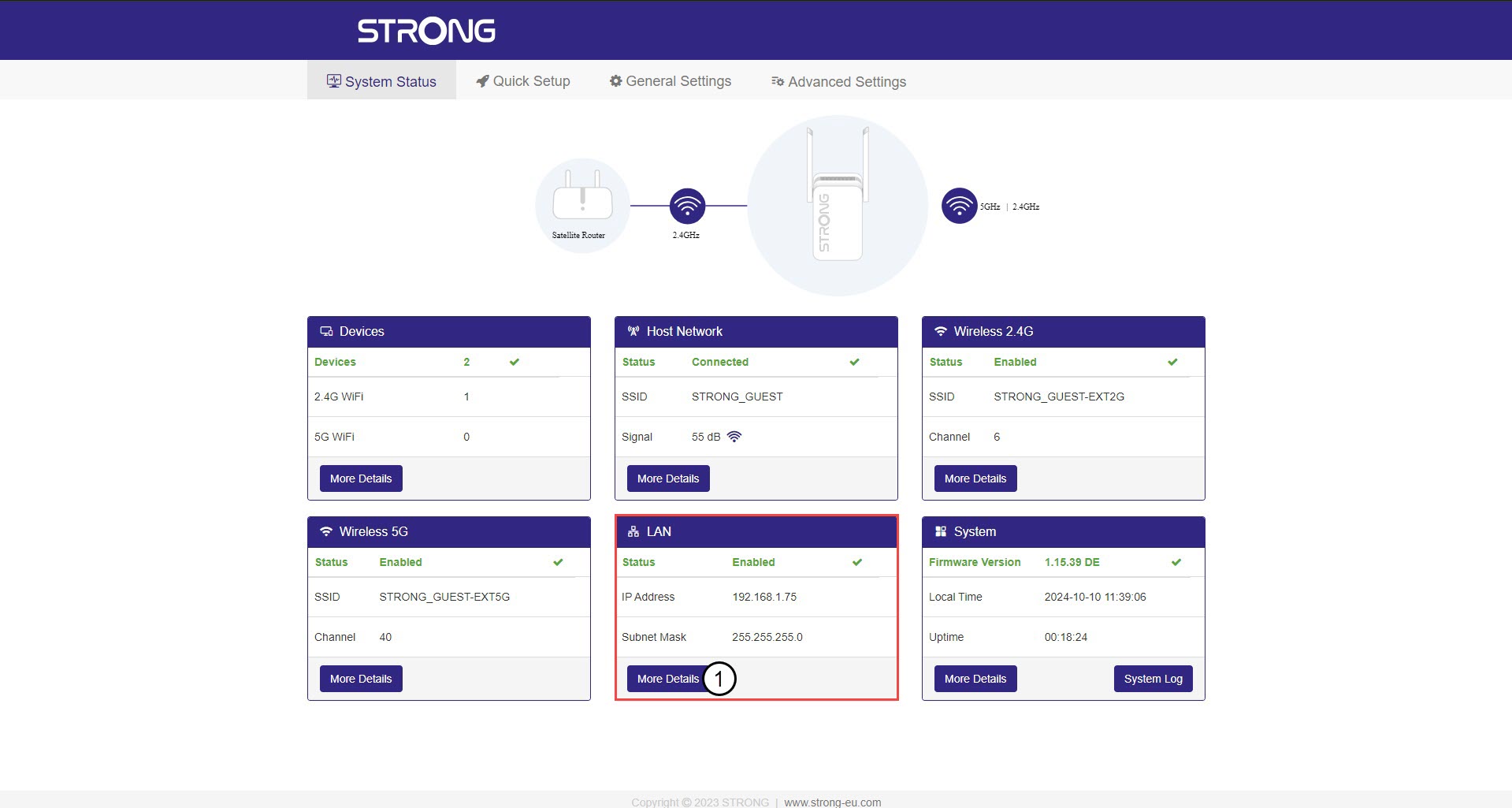
3. Adresse IP statique
Cliquez sur « Paramètres », puis sur le bouton « Adresse statique ». Saisissez ensuite les informations suivantes avant de cliquer sur « Enregistrer et appliquer » :
- Adresse IP: Saisissez l'adresse IP du répéteur.
- Masque de sous-réseau : sélectionnez le masque de sous-réseau dans la liste
- Passerelle par défaut : saisissez l'adresse IP de votre répéteur
- DNS préféré : vous pouvez saisir la même valeur que dans le champ précédent.
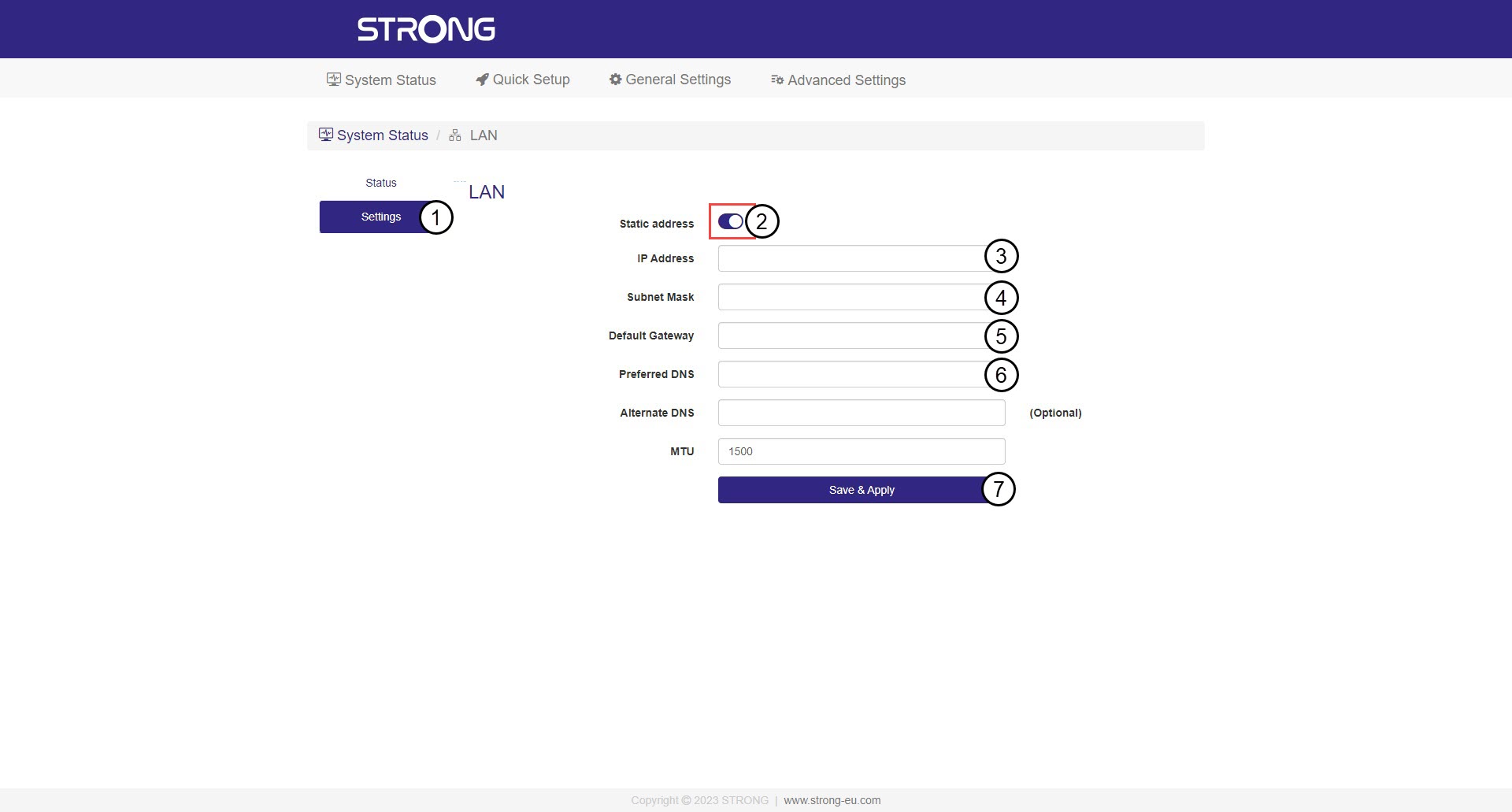

Avertissement : notez la nouvelle adresse IP de votre réseau. Vous en aurez besoin pour vous connecter à l'interface utilisateur Web à partir de maintenant.