
Répéteur Dual Band 1200
Toutes les questions
Répéteur Dual Band 1200
Comment mettre à jour le micrologiciel de mon répéteur ?
1. Vérifiers'il existe une mise à jour du micrologiciel
Avant de procéder à la mise à jour, vous devez vous rendre dans la section « Téléchargements » de notre site Web pour vérifier si une nouvelle version du logiciel est disponible.
2Accédezà la page des téléchargements
Cliquez sur « ASSISTANCE » > « Téléchargements ».

3. Choisissezvotre produit
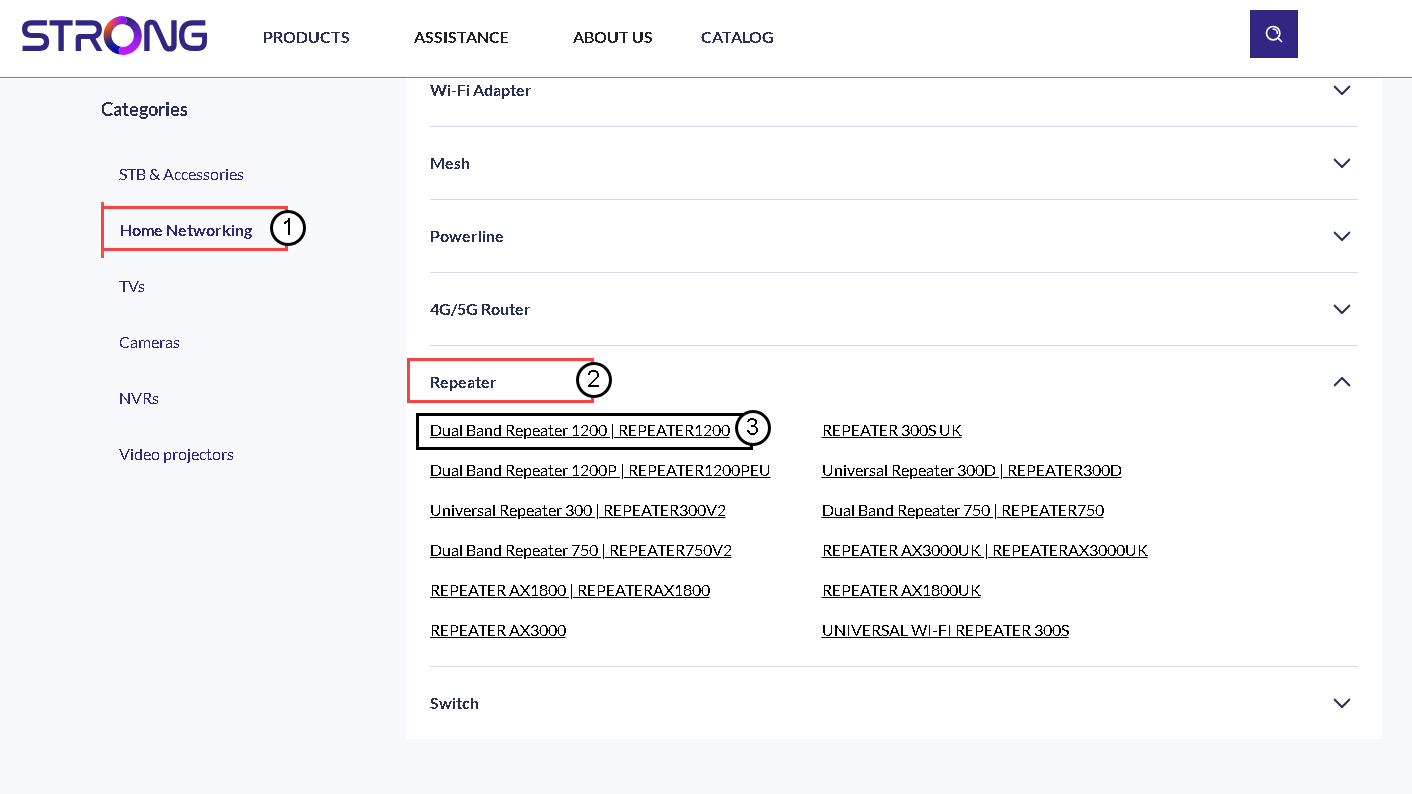
Une fois que vous avez accédé à la page « Téléchargements », cliquez sur « Réseaux domestiques et répéteurs », puis sur la référence du produit.
4. Téléchargerle micrologiciel
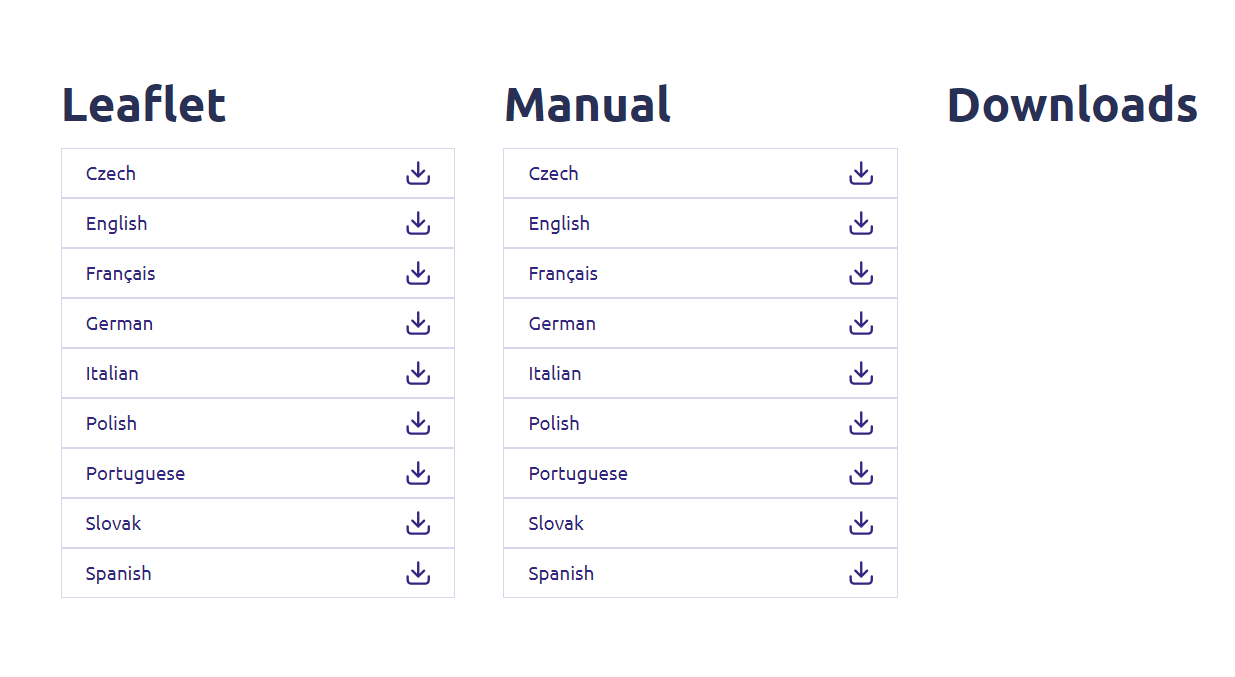
Sur la page ci-dessous, vous trouverez la nouvelle version du logiciel dans la section « Firmware ». Si un fichier est disponible, veuillez le télécharger.
5. Se connecterau répéteur
Une fois cette opération effectuée, connectez-vous au réseau Wi-Fi du répéteur.

6. Accéder àl'interface utilisateur Web
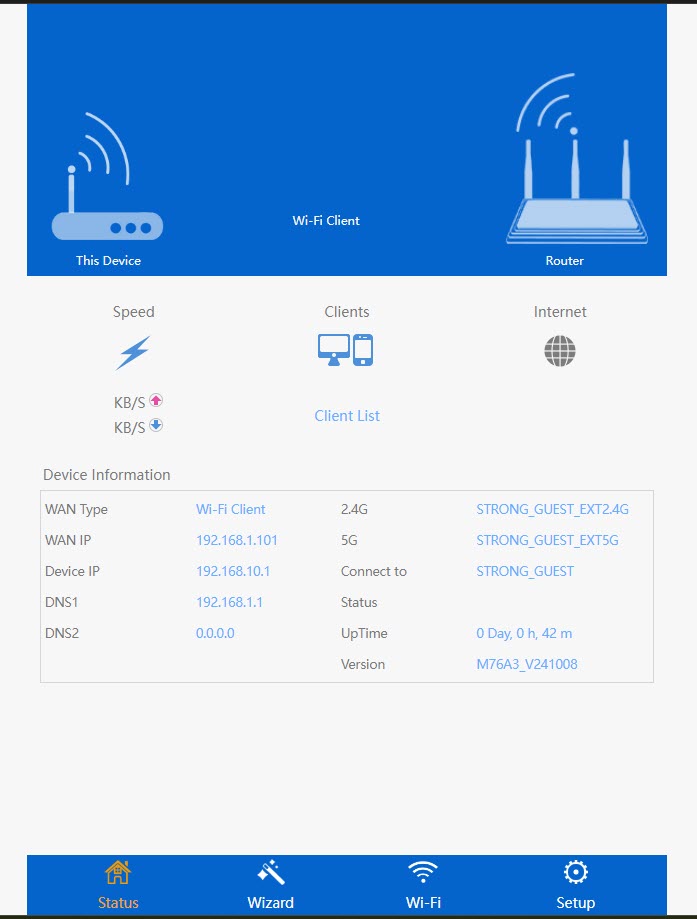
Accédez à l'URL de l'interface utilisateur Web.

7. Ouvrezle menu de configuration
Cliquez sur « Configuration ».
8Lancerla mise à jour du micrologiciel
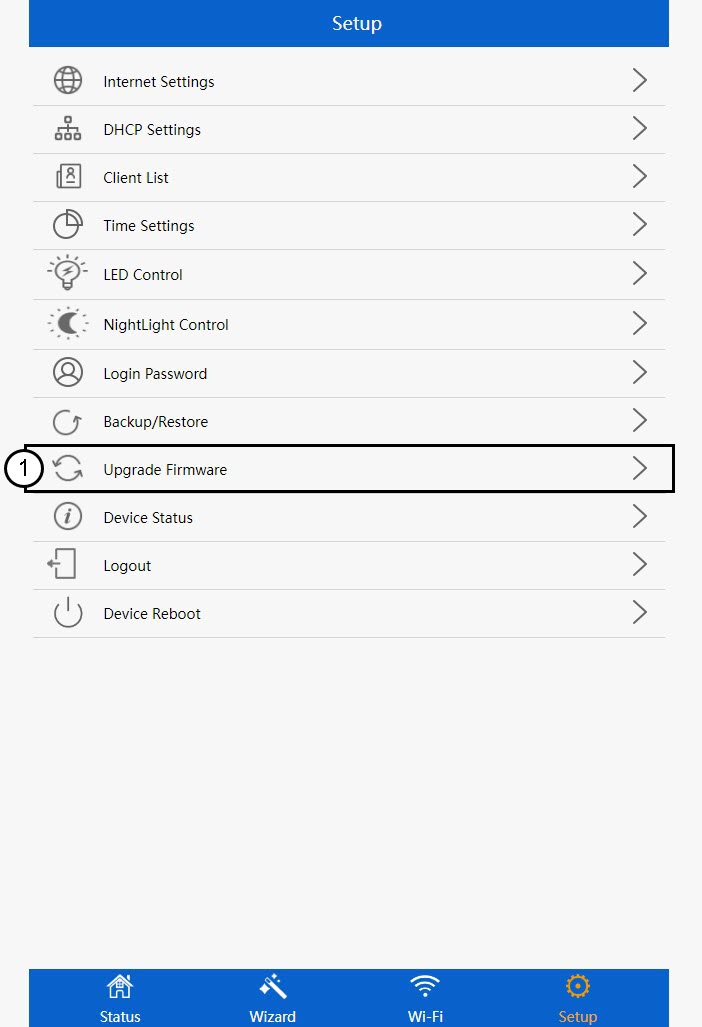
Cliquez sur « Mettre à jour le micrologiciel ».
9Appliquerla mise à jour
Sélectionnez votre fichier, puis cliquez sur « Appliquer ». La mise à jour démarrera alors automatiquement.
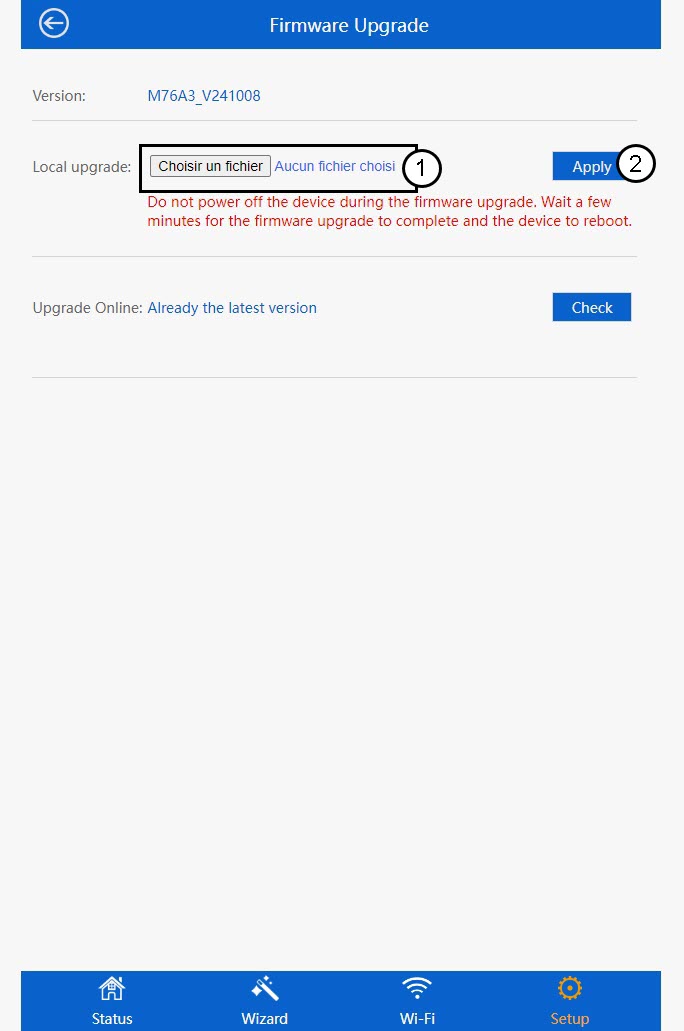
 Avertissement : veuillez patienter jusqu'à la fin de la mise à jour et au redémarrage de l'appareil. Vous devrez vous reconnecter au Wi-Fi après la mise à jour.