Hotspot portable 4G Hotspot
Aucun élément n'a été trouvé.
Aucun élément n'a été trouvé.
Toutes les questions
Hotspot portable 4G Hotspot
Aucun élément n'a été trouvé.
Aucun élément n'a été trouvé.
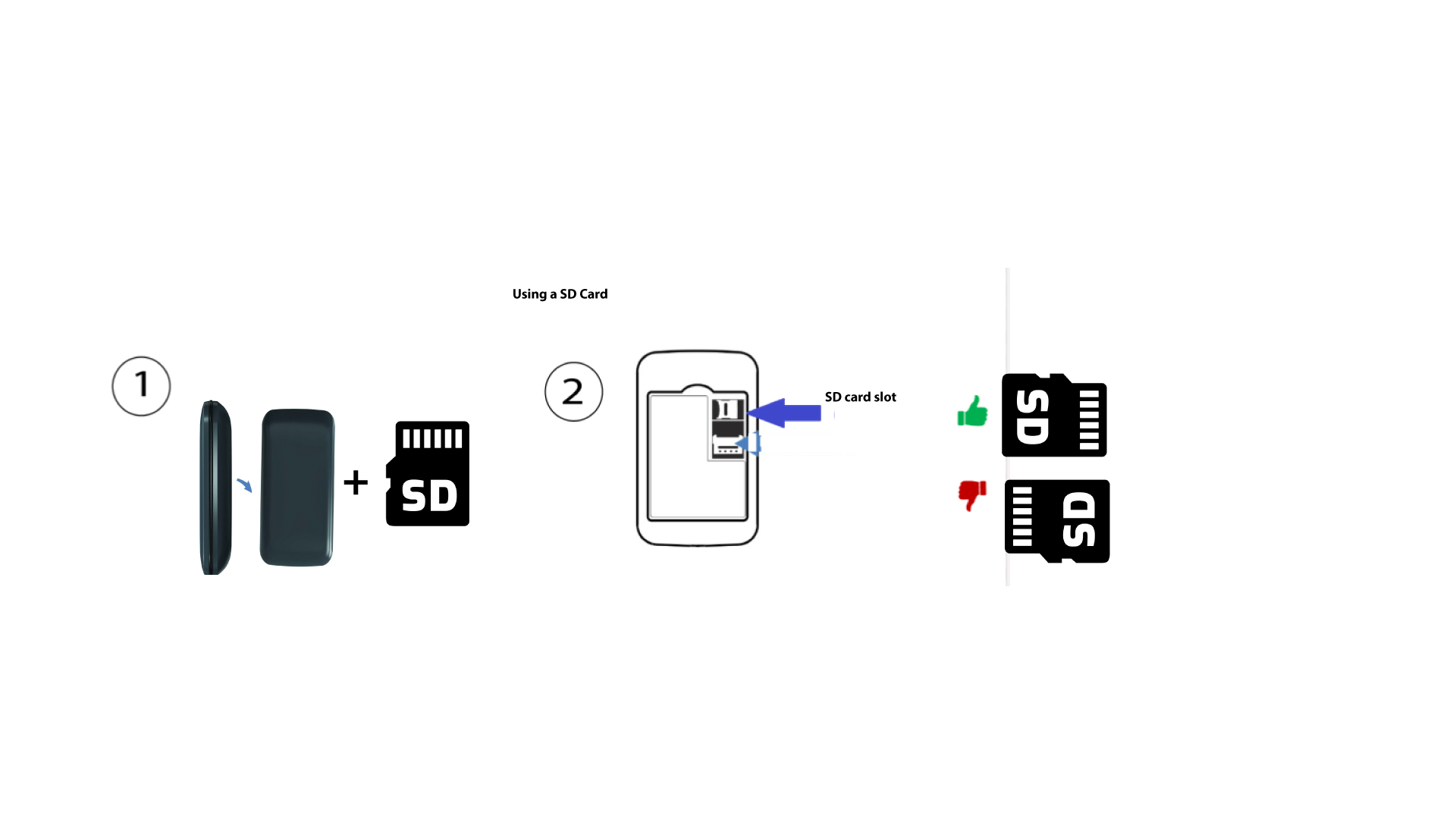
Comment insérer la carte SD dans l'hotspot 150 ?
Comment insérer la carte SD dans l'hotspot 150 ?
Pour insérer la carte SD dans le routeur, vous devez d'abord éteindre l'appareil en appuyant sur le bouton d'alimentation pendant cinq secondes.
1
Insérez la carte SD
Retirez ensuite le cache, puis insérez la carte SD dans le logement prévu à cet effet, situé dans le coin supérieur droit à l'arrière de l'appareil.