4G+ AIRSPOT 520 Mobilni Wi-Fi s dodirnim zaslonom
Nema pronađenih stavki.
Nema pronađenih stavki.
Sva pitanja
4G+ AIRSPOT 520 Mobilni Wi-Fi s dodirnim zaslonom
Nema pronađenih stavki.
Nema pronađenih stavki.
Kako mogu promijeniti SSID (naziv Wi-Fi mreže) i lozinku za Wi-Fi? (Mi-Fi zaslon)
Informacije o Wi-Fi mreži možete urediti s ekrana vašeg Mi-Fi uređaja.
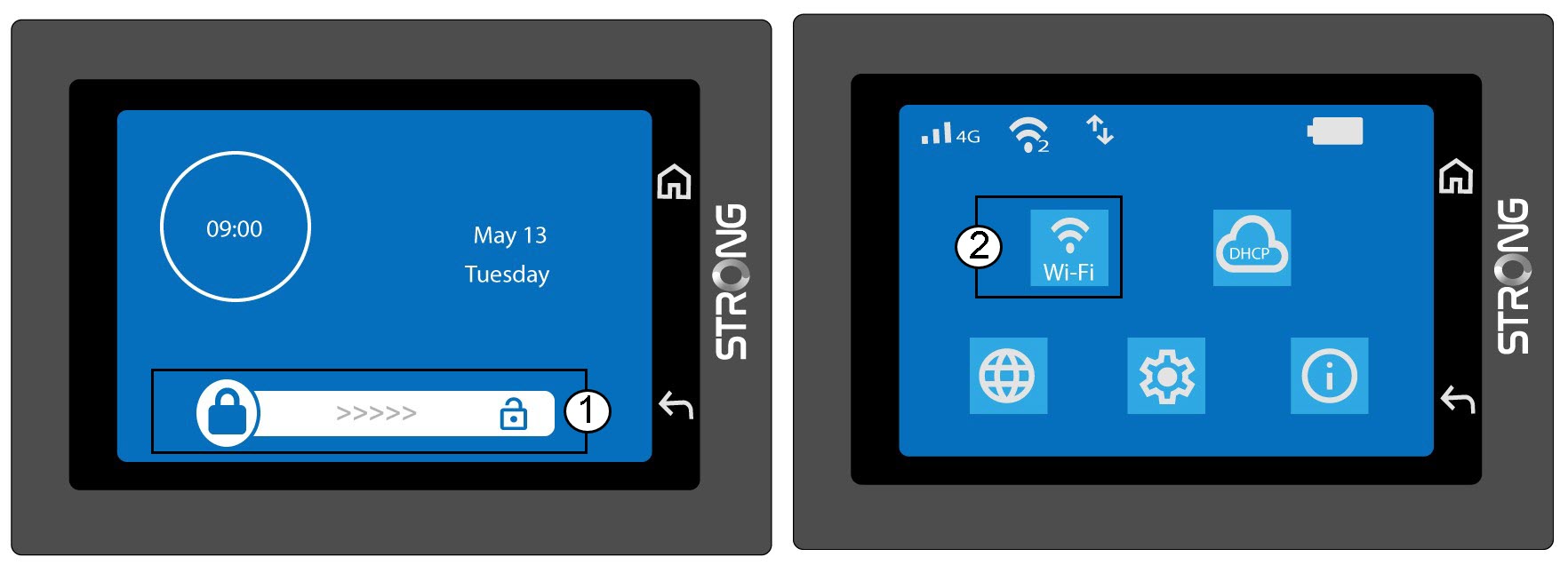
1 Pristupite postavkama Wi-Fi mreže
Otključajte zaslon i kliknite Wi-Fi karticu.
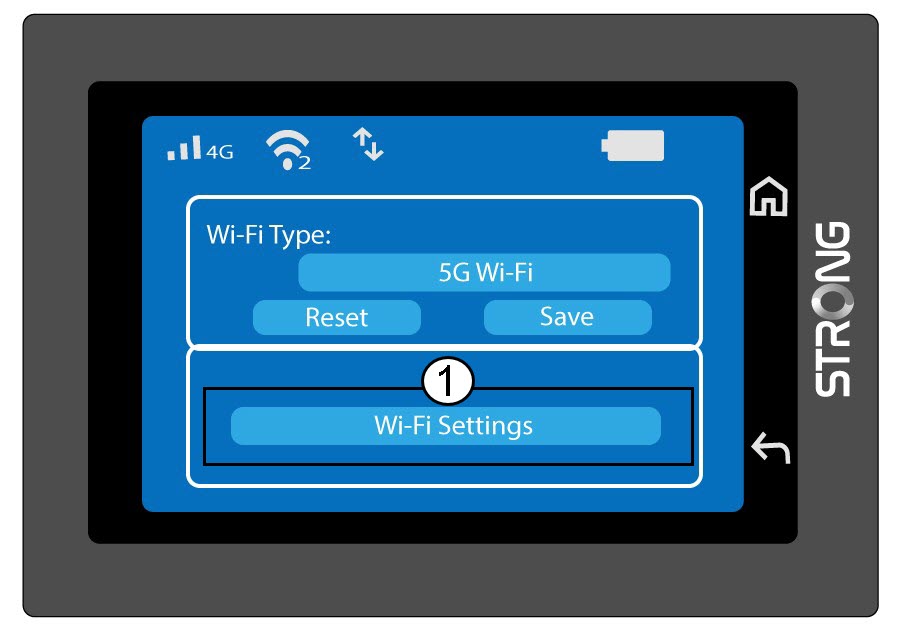
2 Otvorite konfiguraciju Wi-Fi mreže
Kliknite Postavke Wi-Fi-ja.
3. Promijenite naziv mreže (SSID)
Kliknite ikonu olovke pored naziva Wi-Fi mreže, unesite novi naziv i pritisnite (V) za potvrdu.
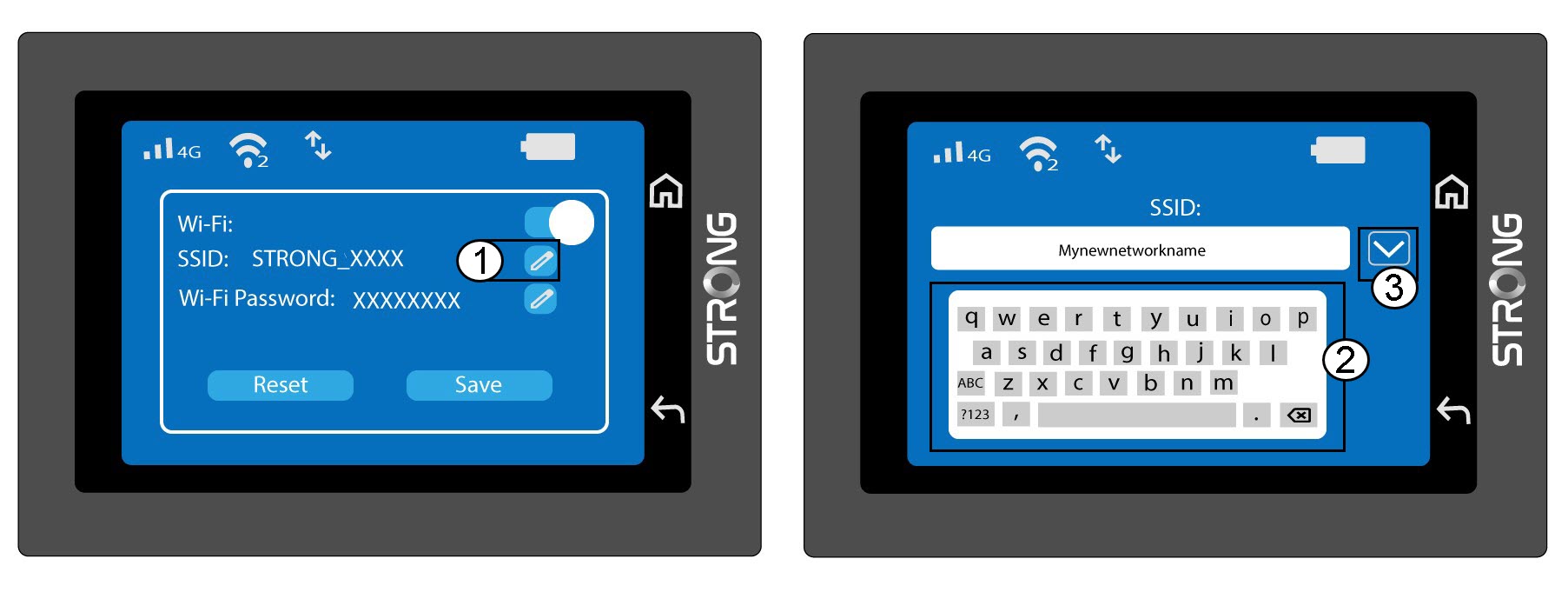
4 Promijenite lozinku za Wi-Fi
Kliknite ikonu olovke pored lozinke za Wi-Fi, unesite novu lozinku i pritisnite (V) za potvrdu.
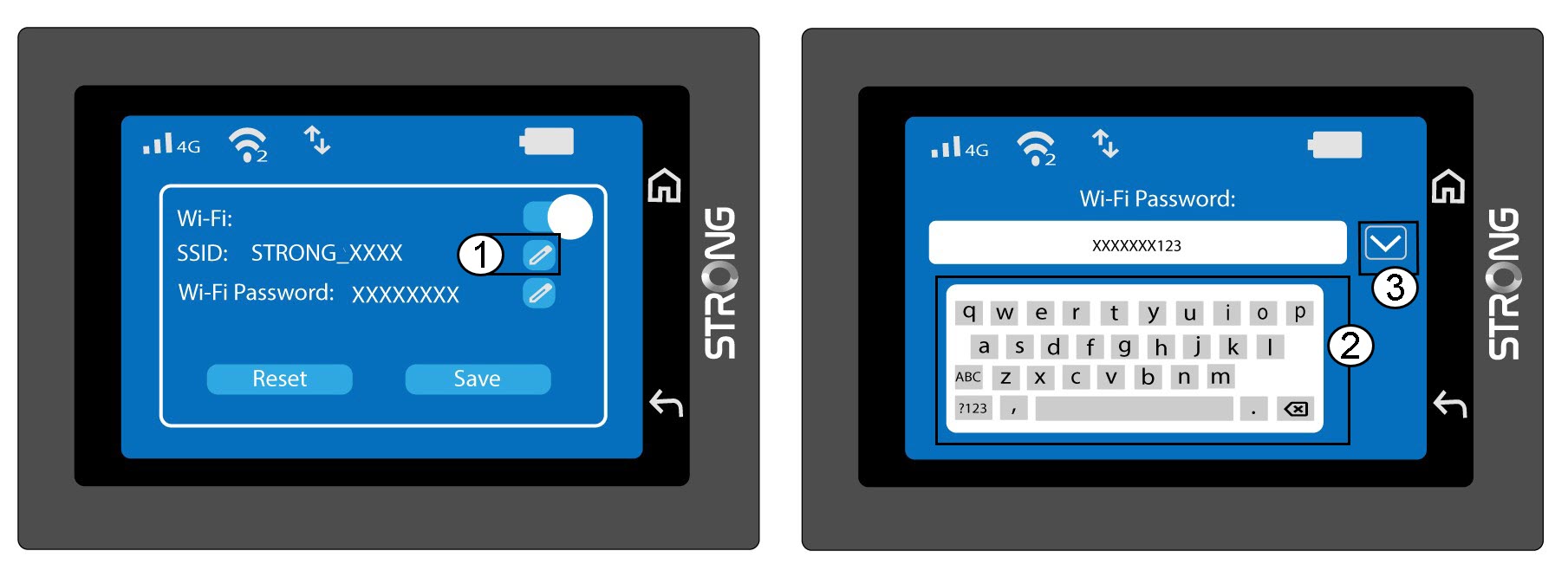
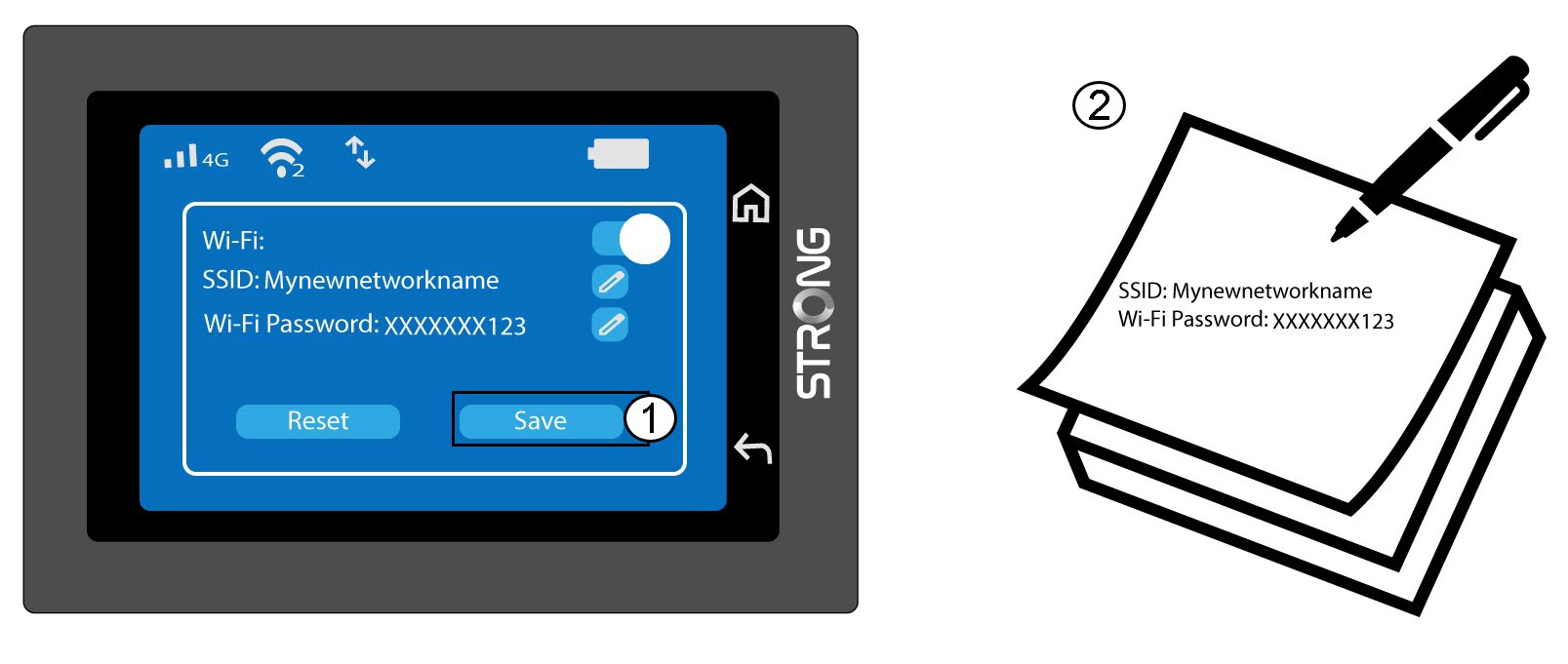
5. Spremite promjene
Kliknite Spremi i zapišite novi naziv mreže i lozinku za buduću upotrebu.