Nema pronađenih stavki.
LEAP 41 | 4K Google TV s HDR10+
Nema pronađenih stavki.
Sva pitanja
Nema pronađenih stavki.
LEAP 41 | 4K Google TV s HDR10+
Nema pronađenih stavki.
Kako mogu izbrisati aplikaciju?
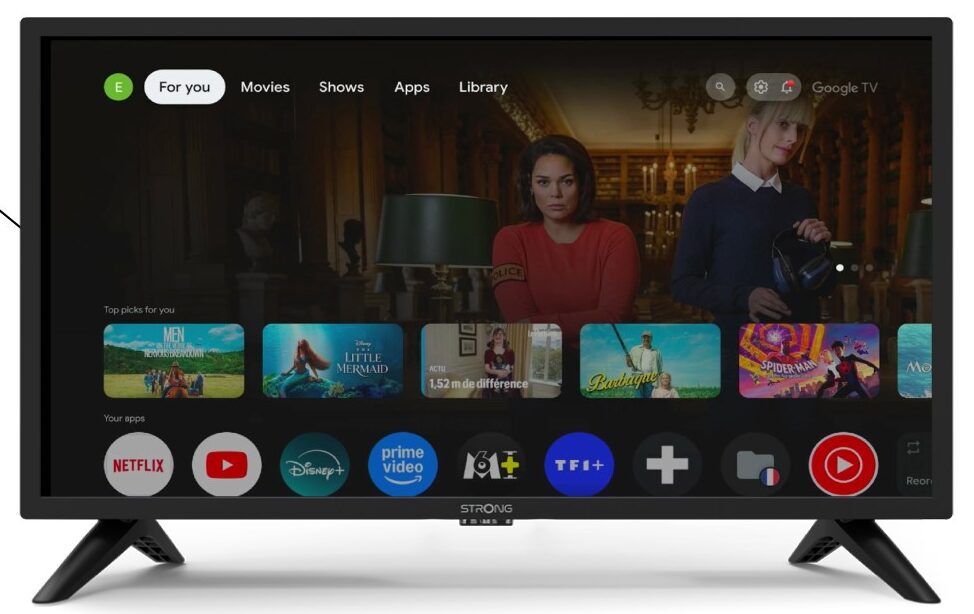
1 Postavke
Pritisnite gumb Postavke na daljinskom upravljaču (ikona zupčanika). Izbornik Postavke prikazat će se na zaslonu vašeg televizora.
2 aplikacije
U postavkama odaberite Aplikacije .

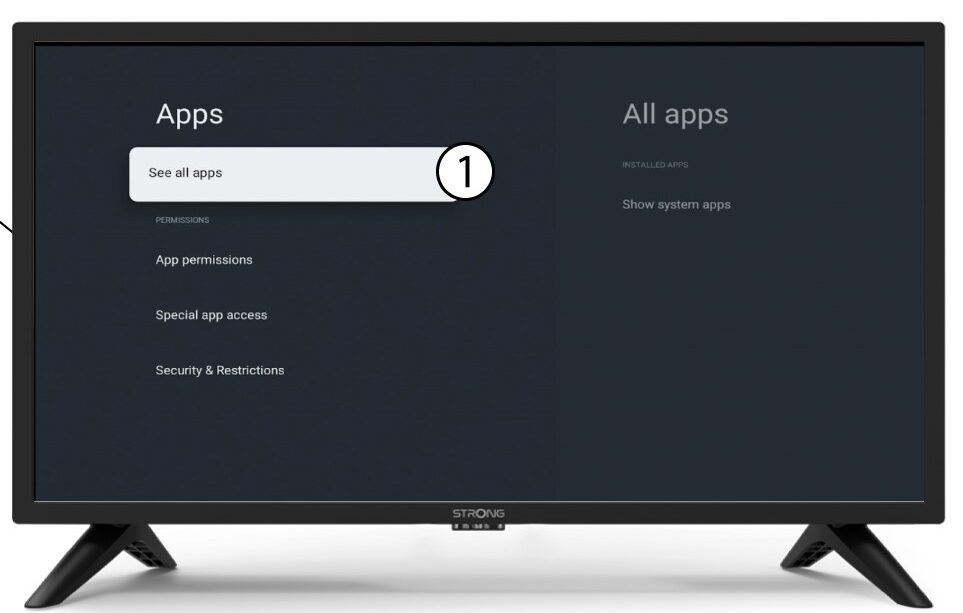
3 Sve aplikacije
Odaberite Prikaži sve aplikacije.
4 Odaberite aplikaciju koju želite izbrisati
Odaberite aplikaciju s popisa.
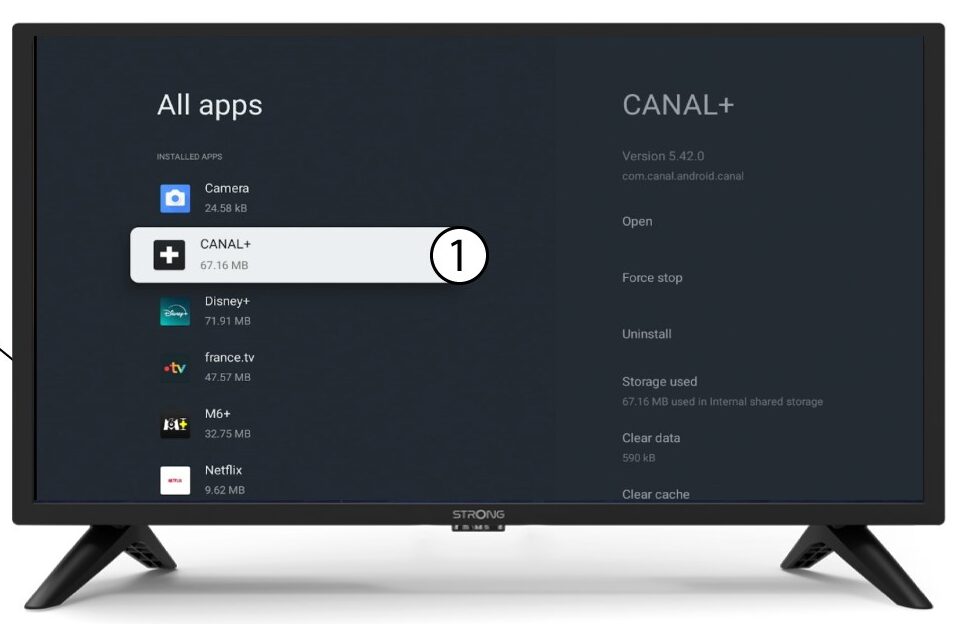
5 Deinstaliraj
Odaberite Deinstaliraj.
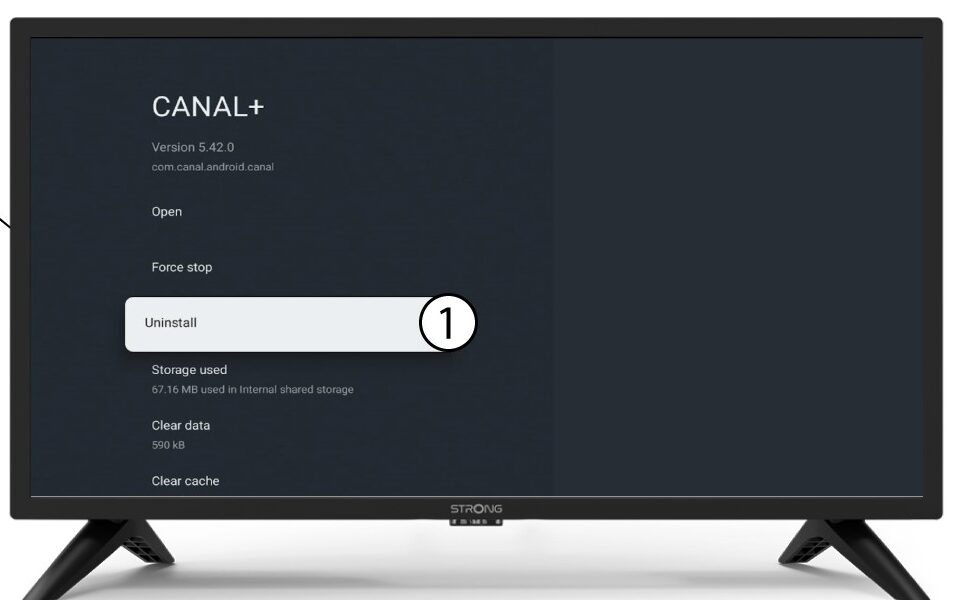
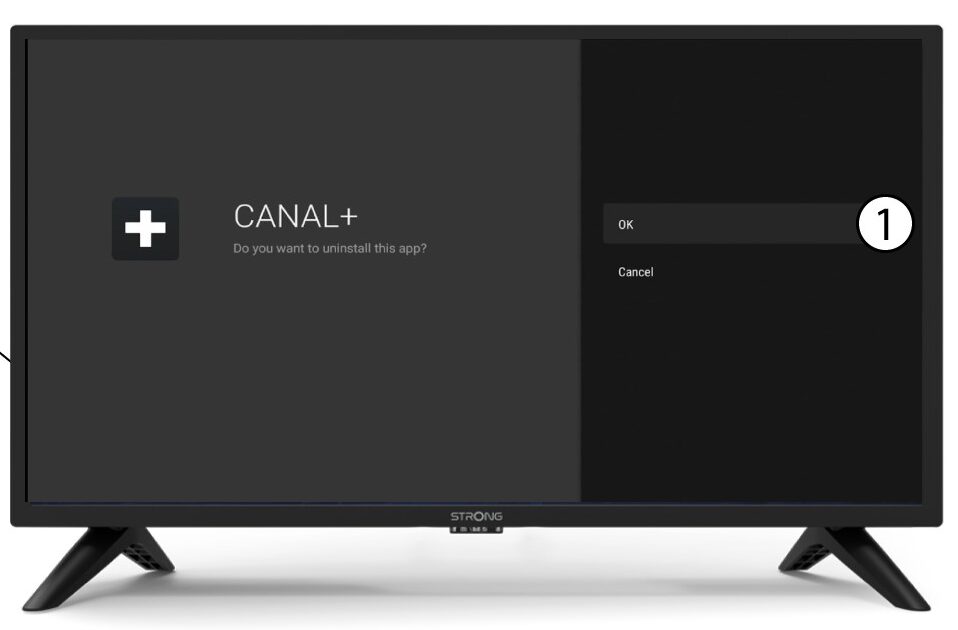
6 Potvrdite brisanje
Odaberite U redu .