4K GOOGLE TV BOX S3+ | DOLBY VISION ATMOS
Sva pitanja
4K GOOGLE TV BOX S3+ | DOLBY VISION ATMOS
Kako mogu ponovno konfigurirati postavke glasnoće na svom LEAP S3 kada je razina glasnoće preniska?
Ako je razina glasnoće vašeg LEAP S3 uređaja preniska, možete slijediti dolje navedeni postupak za resetiranje parametara vašeg LEAP S3 uređaja.
Tijekom instalacije vašeg LEAP S3 uređaja, možete postaviti kontrolu glasnoće putem HDMI-CEC-a. Kada je ova opcija omogućena, daljinski upravljač LEAP S3 uređaja može se koristiti za podešavanje glasnoće vašeg televizora.
Ovu značajku možete aktivirati ili deaktivirati u postavkama zaslona i zvuka vašeg televizora. Zadana razina glasnoće vašeg LEAP S3 postavljena je na određenu razinu i može biti preniska. Ako je glasnoća preniska, bolje je deaktivirati ovu opciju.
Kako možete aktivirati ili deaktivirati ovu značajku?
1 Pritisnite gumb Postavke
U tom slučaju pritisnite gumb Postavke na daljinskom upravljaču za Google i pritisnite OK

2 postavke
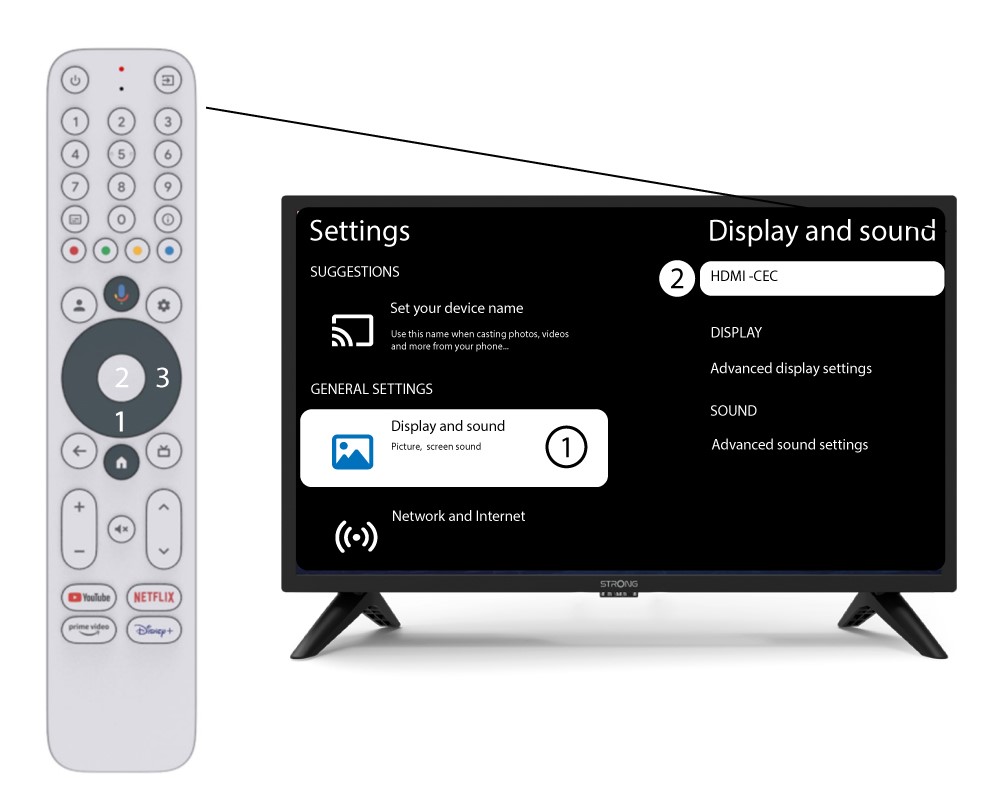
Na stranici Postavke prikazanoj na vašem zaslonu odaberite „Prikaz i zvuk” . Zatim pritisnite desnu navigacijsku tipku i odaberite „ HDMI-CEC ”.
3 Kontrola glasnoće
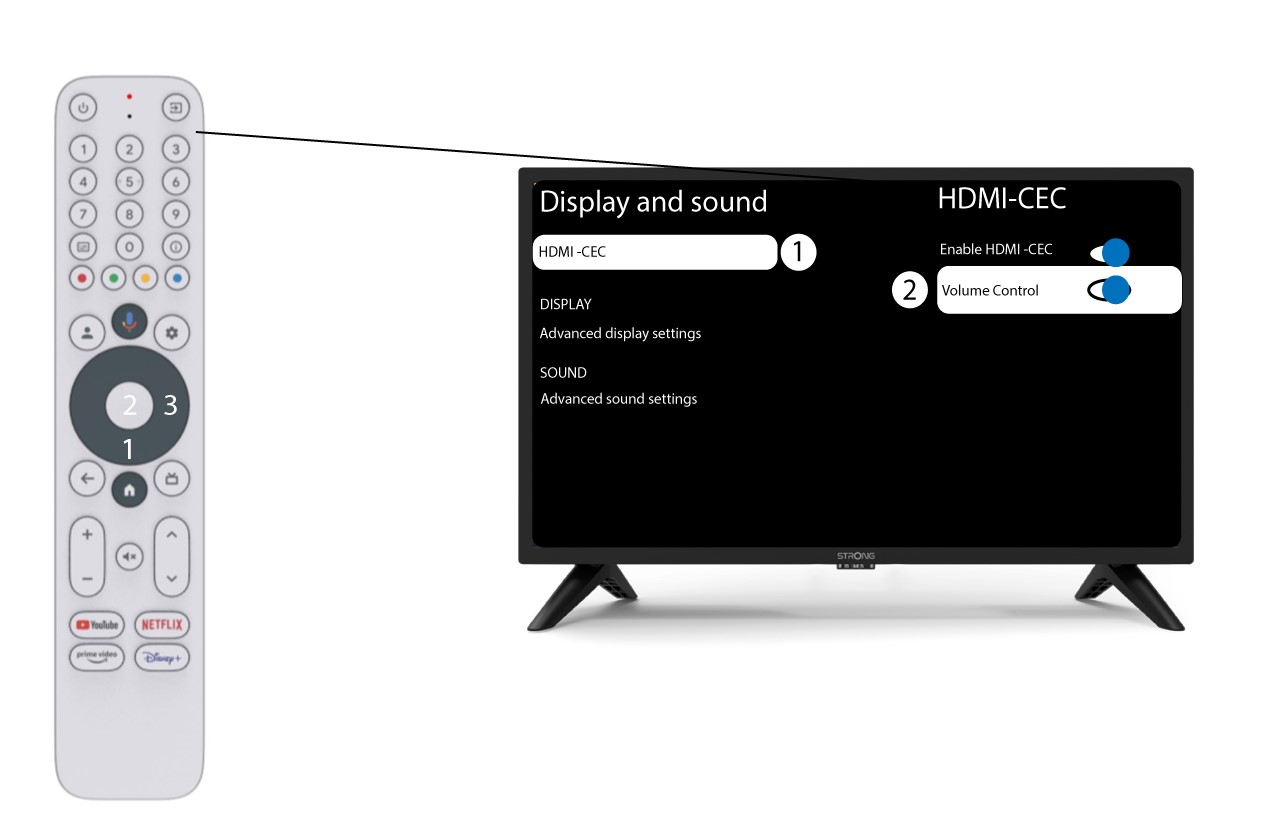
Odaberite "Kontrola glasnoće" i pritisnite gumb OK za switch ISKLJUČITE ovu značajku
4 Vratite se na početnu stranicu
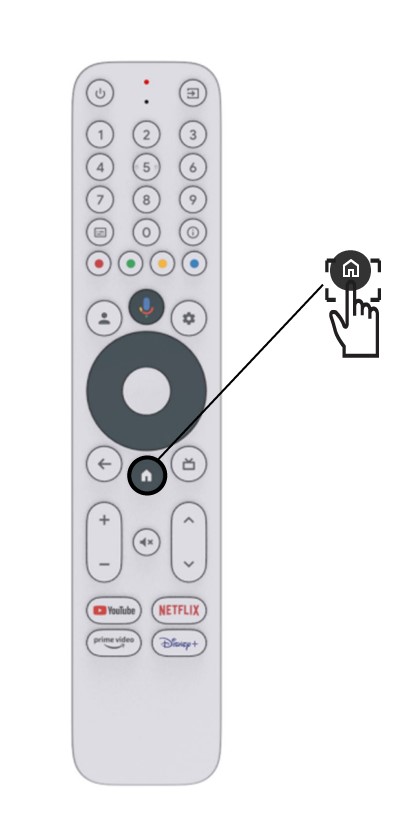
Pritisnite tipku HOME za povratak na početni zaslon.
Podešavanje glasnoće sada se može ponovno izvršiti pomoću LEAP-S3 daljinski upravljač.