4G AIRHOME 200 Mini ruter s odvojivim 4G antenama
Nema pronađenih stavki.
Nema pronađenih stavki.
Sva pitanja
4G AIRHOME 200 Mini ruter s odvojivim 4G antenama
Nema pronađenih stavki.
Nema pronađenih stavki.
Kako mogu resetirati ruter na tvorničke postavke?
Ponekad je moguće da vaš uređaj ne radi ispravno i da nemate pristup internetu. U tom slučaju predlažemo da vratite uređaj na tvorničke postavke i nakon toga ponovno ažurirate firmver ako je potrebno.
Imate dva načina za to, možete resetirati uređaj pritiskom na gumb za resetiranje ili to učiniti putem web sučelja.
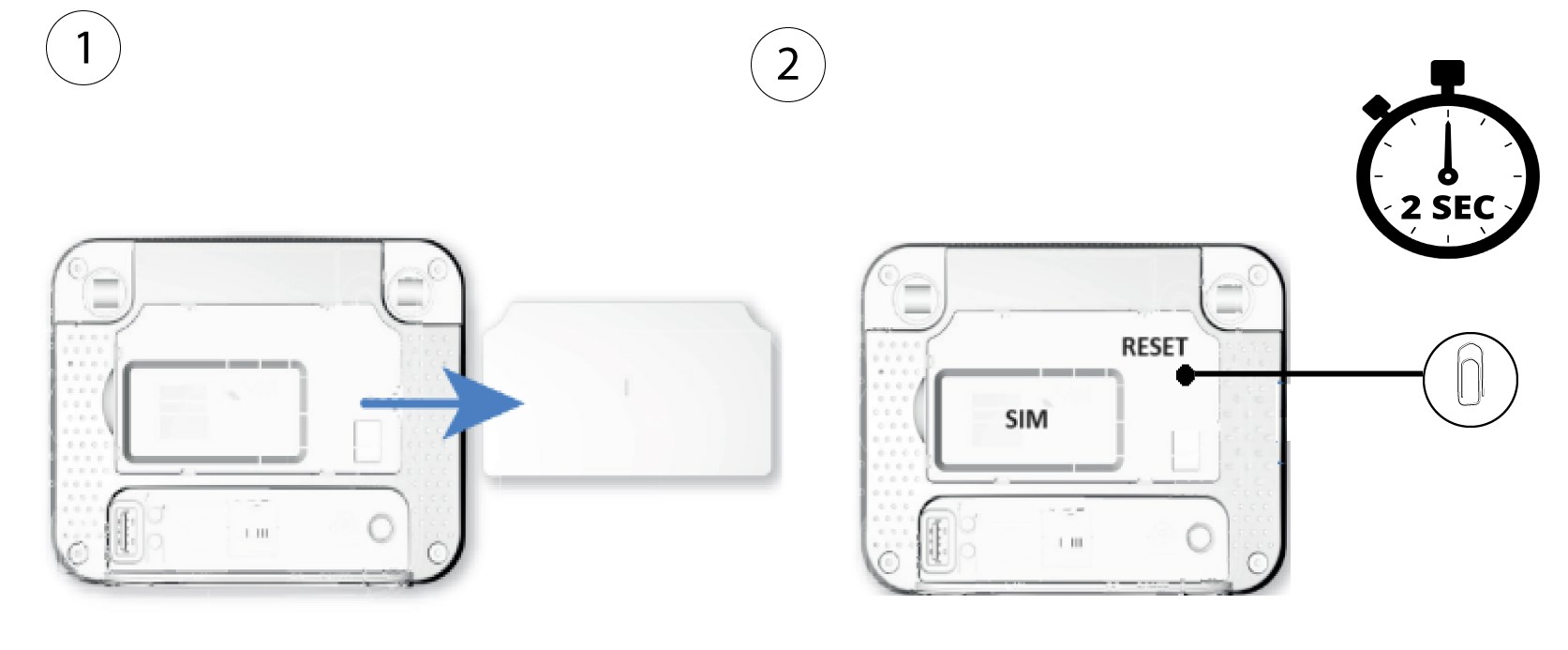
1 Slučaj 1: Tipka za resetiranje.
Da biste to učinili, uklonite poklopac na stražnjoj strani rutera i pritisnite tipku RESET 2 sekunde pomoću spajalice.
1 Slučaj 2: Resetiranje u web sučelju
Morate se povezati s web sučeljem kako biste resetirali usmjerivač, slijedite donji postupak:
2 Ažuriranje firmvera
Zatim kliknite Ažuriranje firmvera .

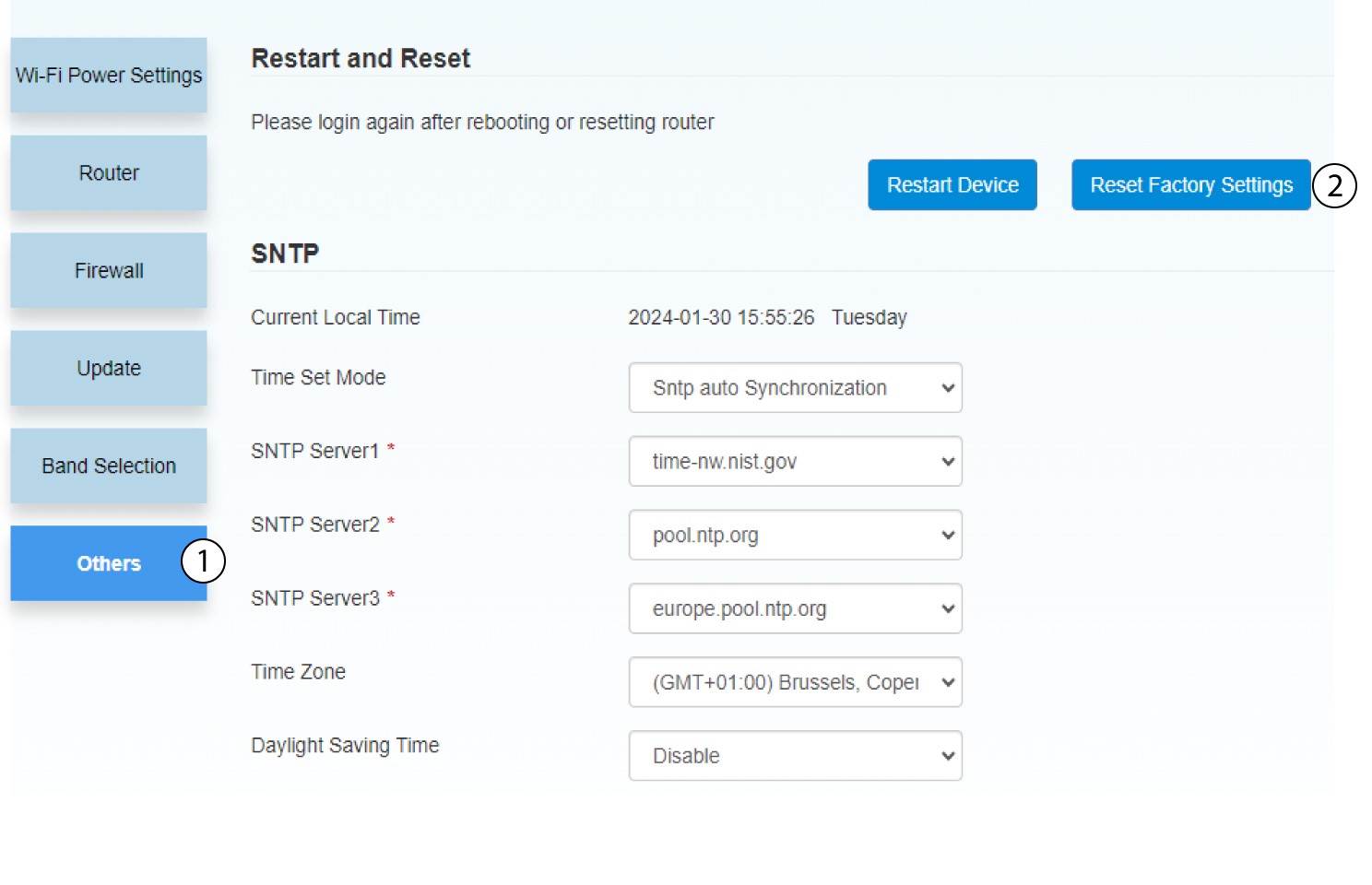
3. Vratite tvorničke postavke
Kliknite Ostalo . U odjeljku Ponovno pokretanje i resetiranje kliknite resetiraj tvorničke postavke .
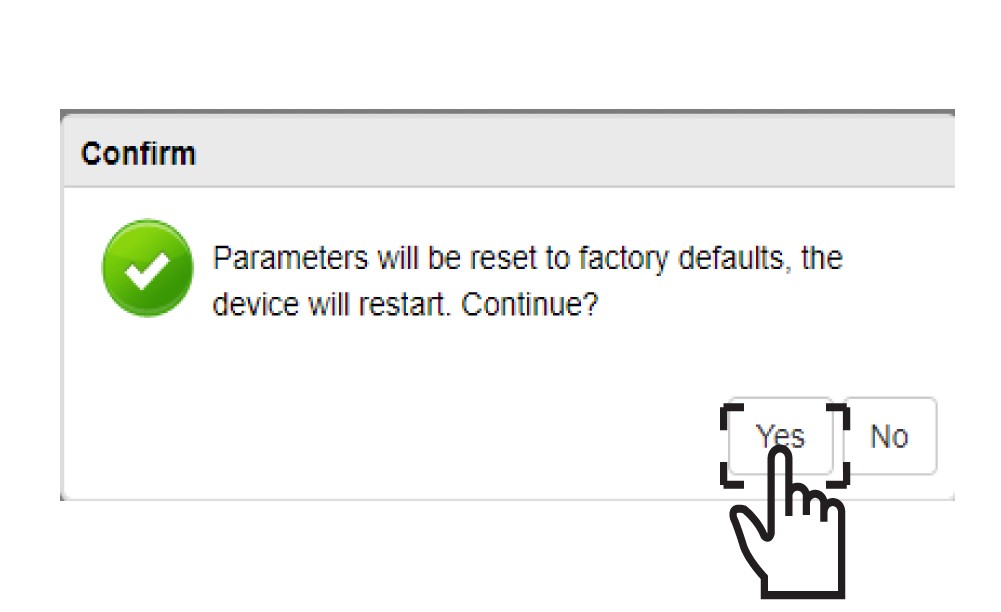
4 Skočna poruka
Kliknite DA u skočnom prozoru s porukom.