Nema pronađenih stavki.
LEAP -S1
Nema pronađenih stavki.
Sva pitanja
Nema pronađenih stavki.
LEAP -S1
Nema pronađenih stavki.
Kako mogu resetirati LEAP S1 na tvorničke postavke?

Upozorenje: Kada vratite uređaj na tvorničke postavke, sve aplikacije i prilagođene postavke bit će izbrisane. Morat ćete ponovno instalirati sve aplikacije ispočetka .
1 Uključite uređaj
Uključite televizor i LEAP S1.
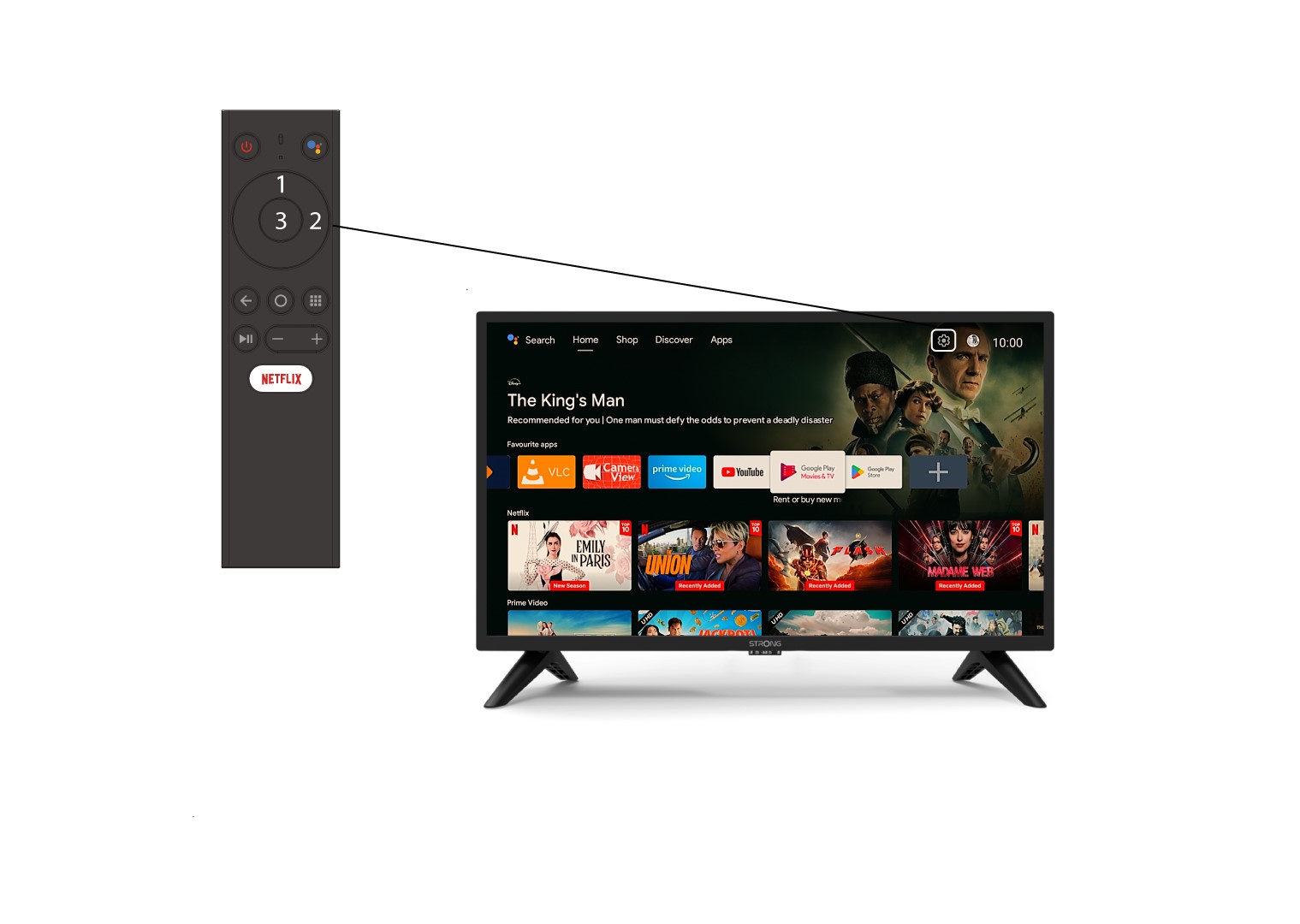
2. Idite na izbornik Postavke
Pronađite ikonu zupčanika (Izbornik Postavke) u gornjem desnom kutu zaslona i odaberite je pomoću strelica na računalu. Zatim pritisnite gumb U redu na daljinskom upravljaču da biste otvorili izbornik Postavke.
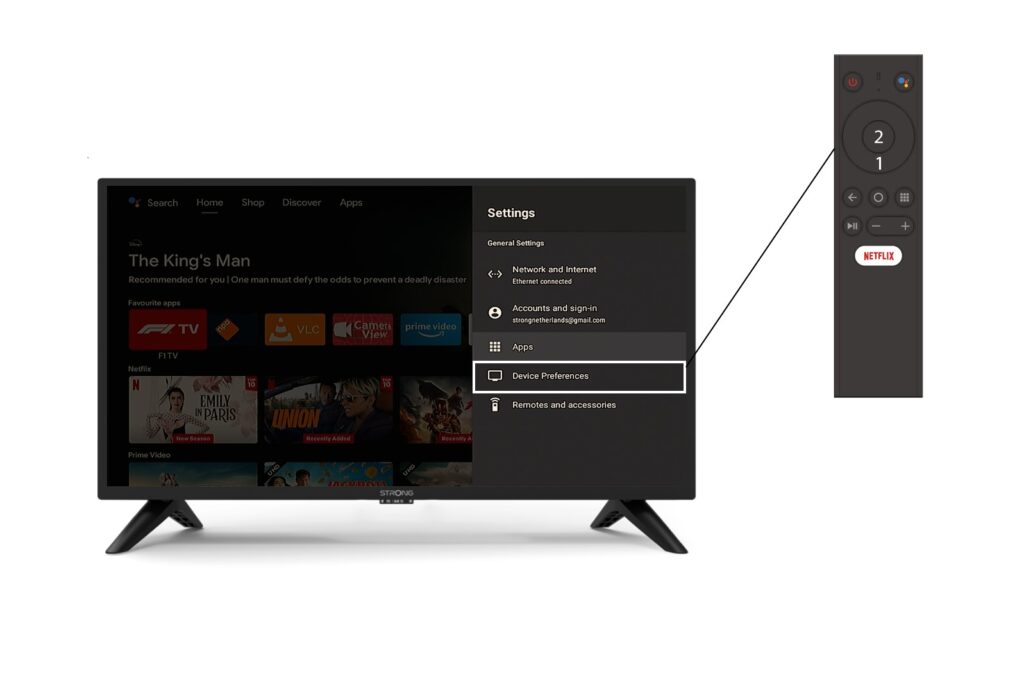
3 Postavke uređaja
U izborniku Postavke odaberite Postavke uređaja i pritisnite gumb U redu na daljinskom upravljaču.
4 O nama
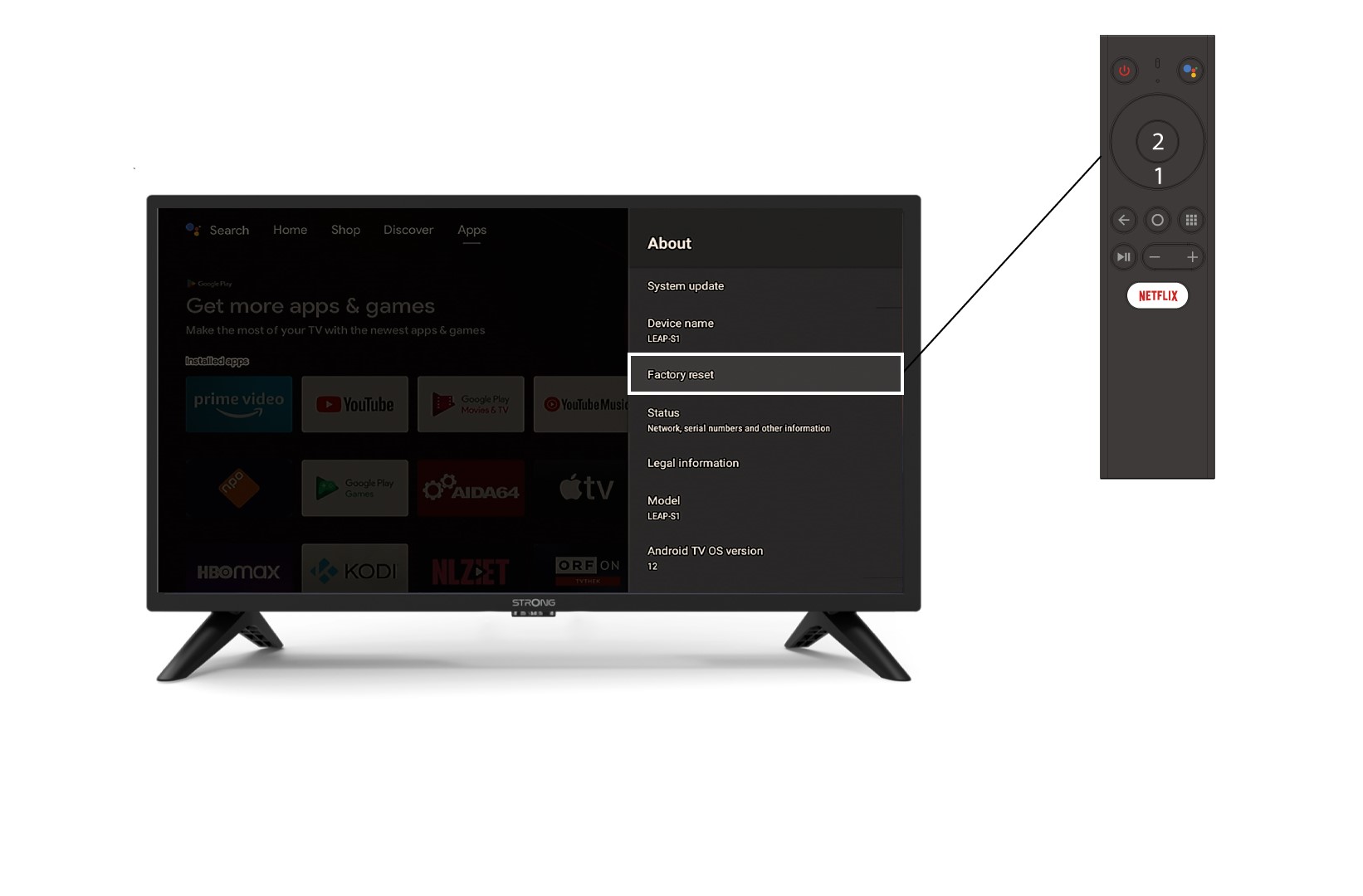
U izborniku O nama odaberite Vraćanje na tvorničke postavke .