
Repetitor AX1800
Sva pitanja
Repetitor AX1800
Kako ažuriram firmware repetitora?
1. Posjetite odjeljak za preuzimanje na https://www.strong-eu.com/
Prije ažuriranja morate posjetiti odjeljak za preuzimanje na našoj web stranici kako biste vidjeli je li dostupna nova verzija softvera.
2 Preuzmi
Za pristup preuzimanjima kliknite Pomoć i Preuzimanje u gornjoj traci i njezinom podmeniju.

3 Odaberite referencu proizvoda
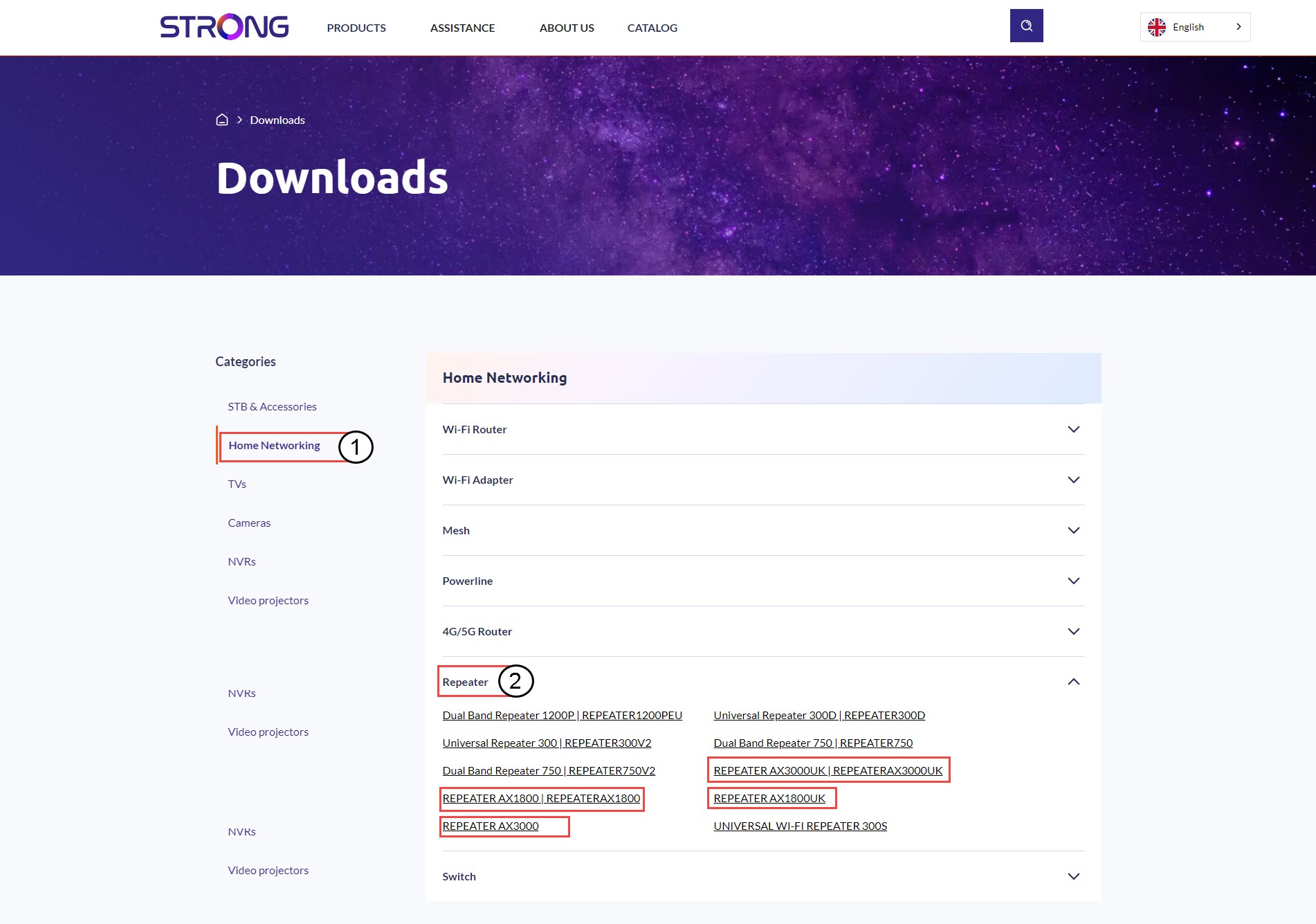
Nakon što ste pregledali stranicu Preuzimanja, kliknite Kućne mreže i repetitor i kliknite referencu proizvoda.
4 Odjeljak firmvera
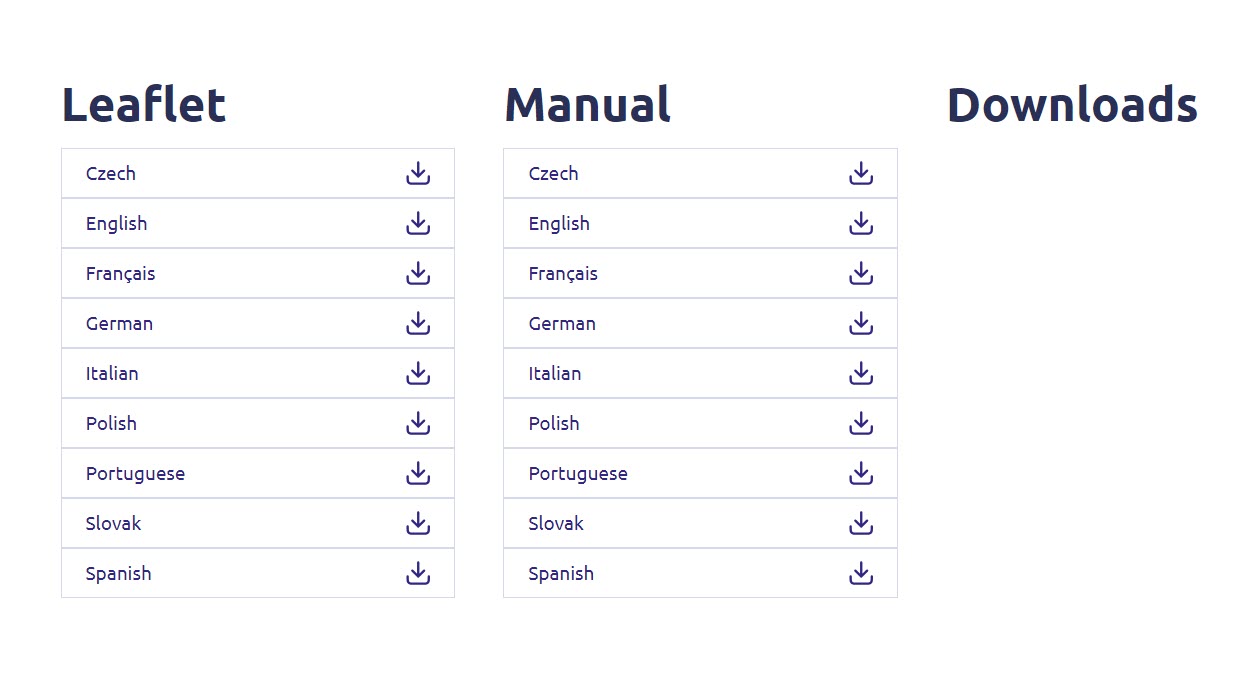
Na donjoj stranici pronaći ćete novu verziju softvera u odjeljku firmvera.
Ako na stranici za preuzimanje ne vidite odjeljak s firmverom, to znači da nema dostupne nove verzije softvera.
5. Spojite se na web sučelje
Slijedite ovaj postupak za povezivanje s web-sučeljem.
6 Firmware
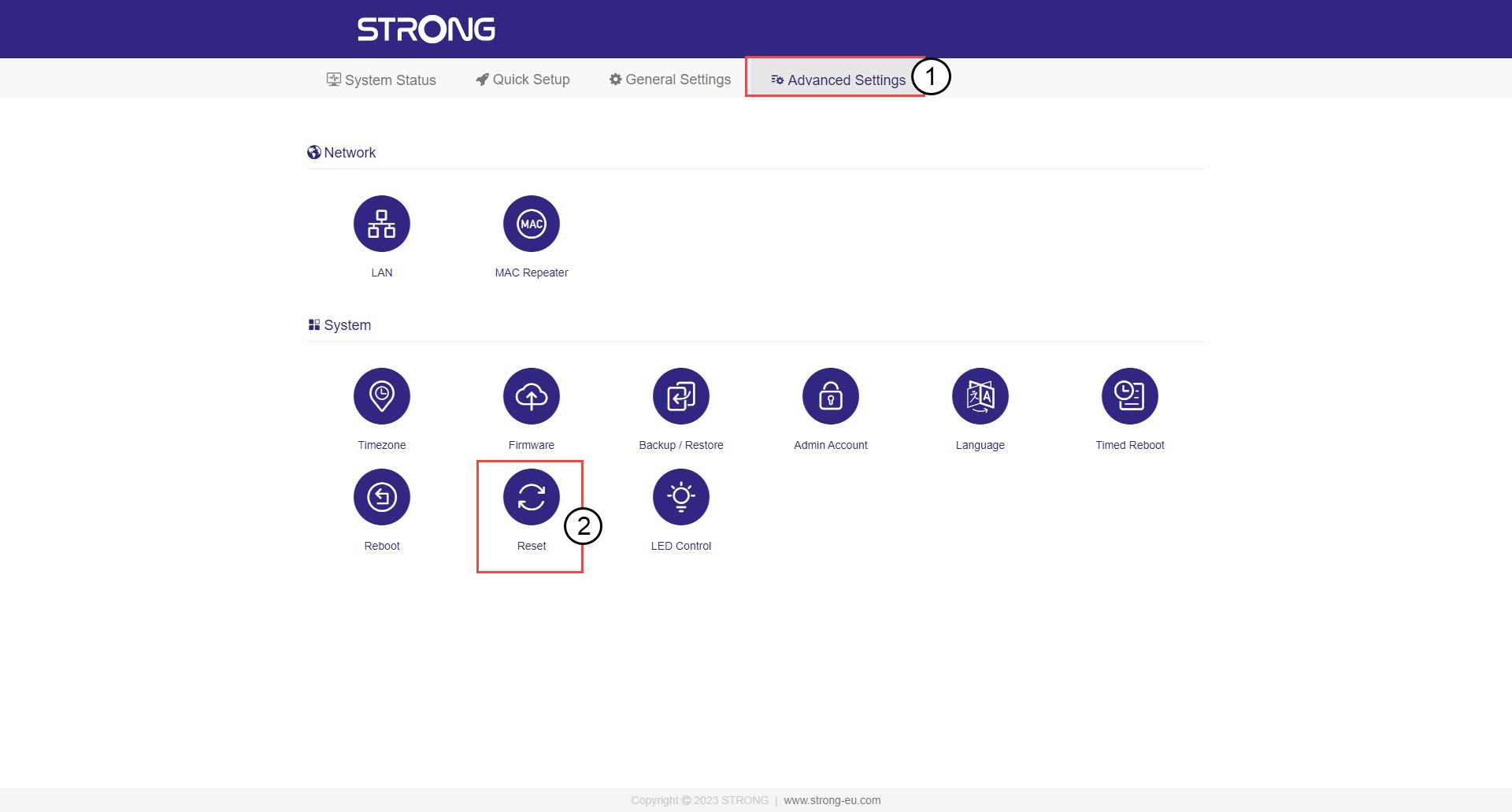
Kliknite Napredne postavke i firmver .
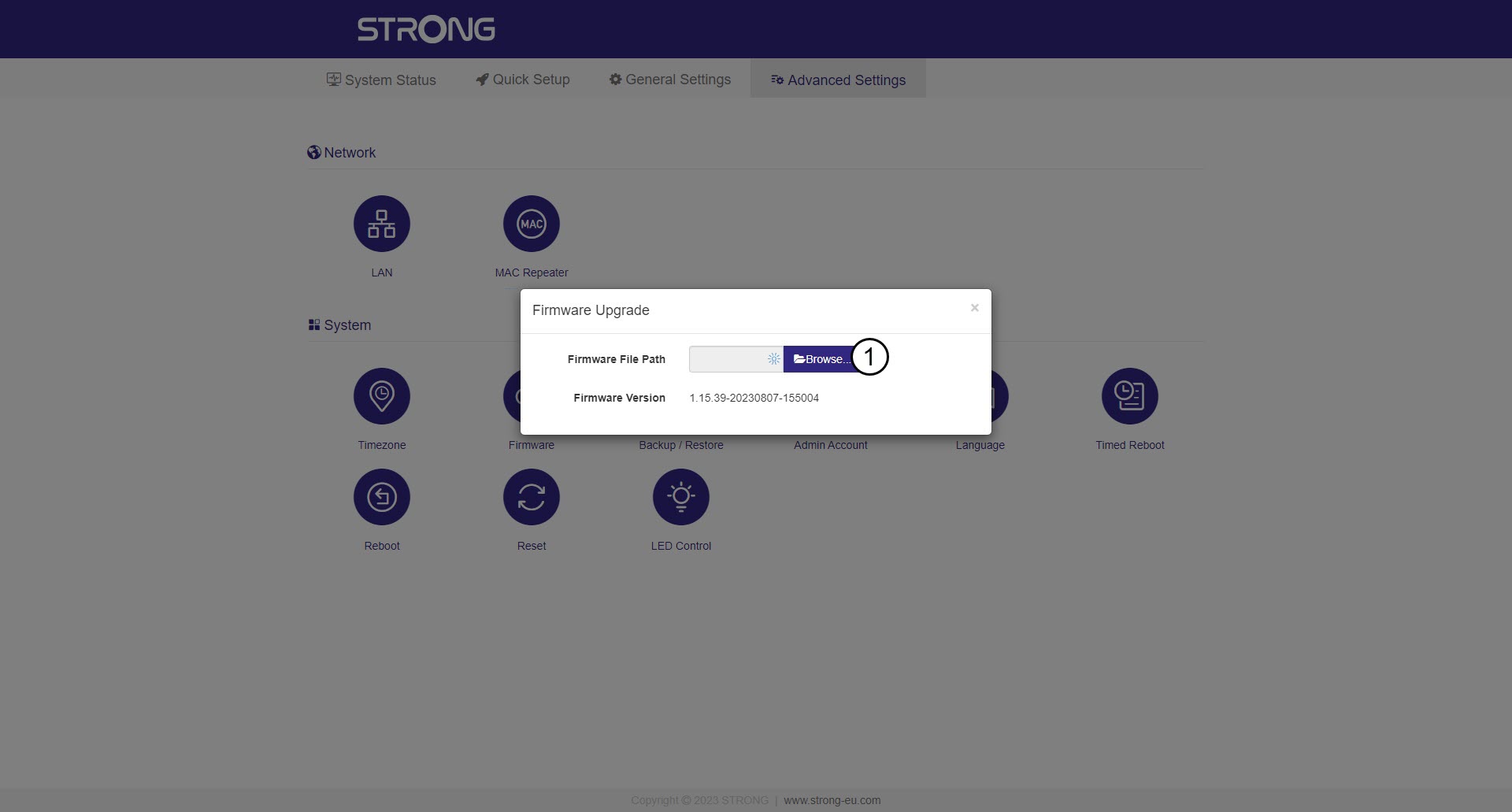
7 Odaberite datoteku firmvera koju ste preuzeli
Odaberite datoteku i ažuriranje će se automatski pokrenuti.

Upozorenje: Pričekajte da se ažuriranje dovrši i da se uređaj ponovno pokrene. Vi
Nakon ažuriranja morate se ponovno povezati s Wi-Fi mrežom.