4G AIRHOME 300 Mini ruter s odvojivim 4G antenama
Sva pitanja
4G AIRHOME 300 Mini ruter s odvojivim 4G antenama
Kako ažuriram firmware uređaja?
Kada ste spojeni na web-sučelje, morate provjeriti verziju firmvera koju koristi vaš uređaj pomoću opcije online nadogradnje na web-sučelju. Na taj će se način instalirati najnovija verzija firmvera.
Ako imate drugu verziju, pogledajte dolje navedeni postupak za ažuriranje firmvera.
1. Povežite se s Wi-Fi mrežom
Za ažuriranje firmvera uređaja morate se povezati s Wi-Fi mrežom.

2. Pregledajte IP adresu web sučelja
Zatim u preglednik unesite sljedeću IP adresu: 192.168.0.1 .

3 Stranica za prijavu
Zatim kliknite Prijava .

4 Unesite svoje vjerodajnice
Morate unijeti korisničko ime i lozinku . Zatim kliknite Prijava .

5 Napredne postavke
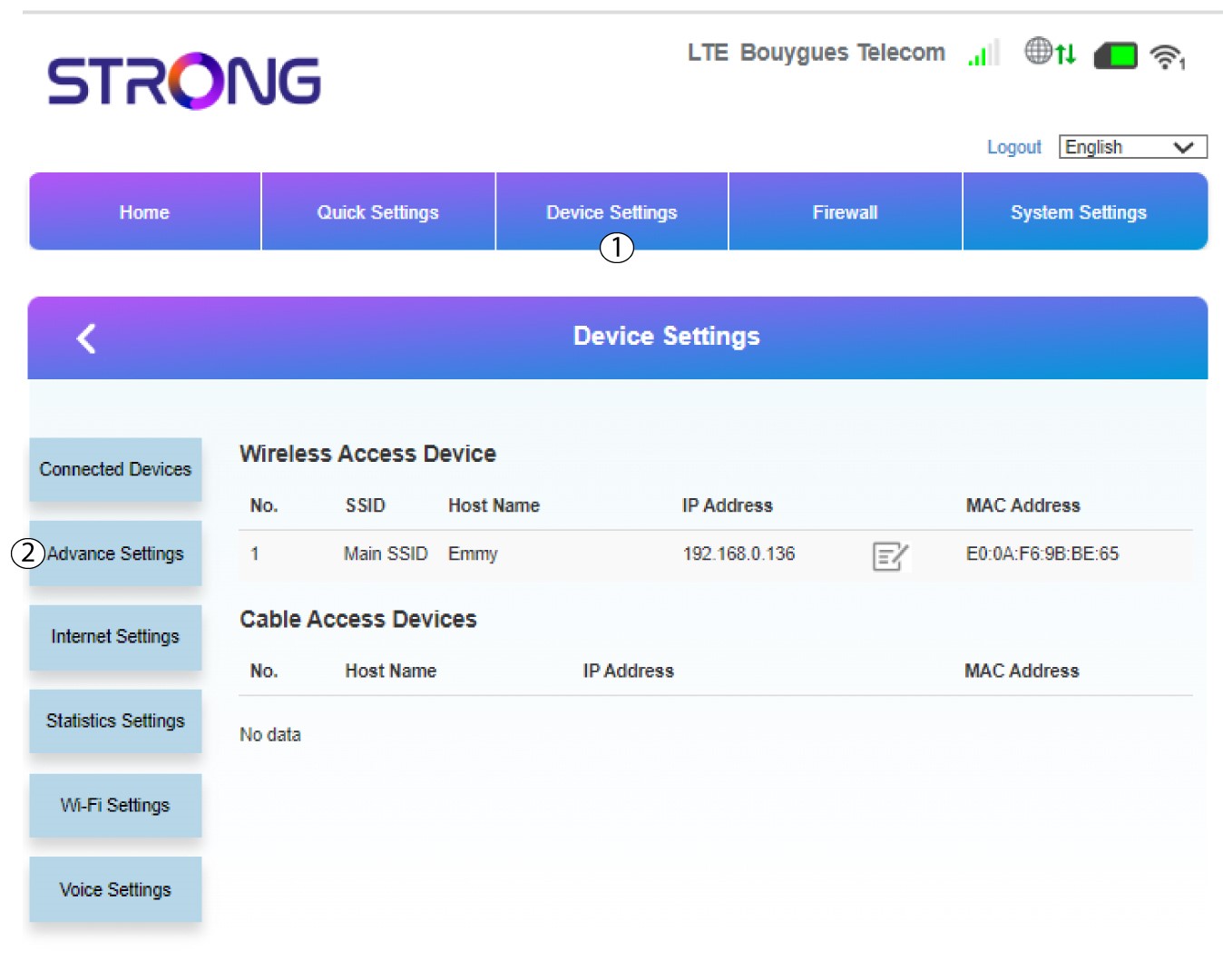
Kliknite Postavke uređaja i odaberite Napredne postavke .
6 Online nadogradnja
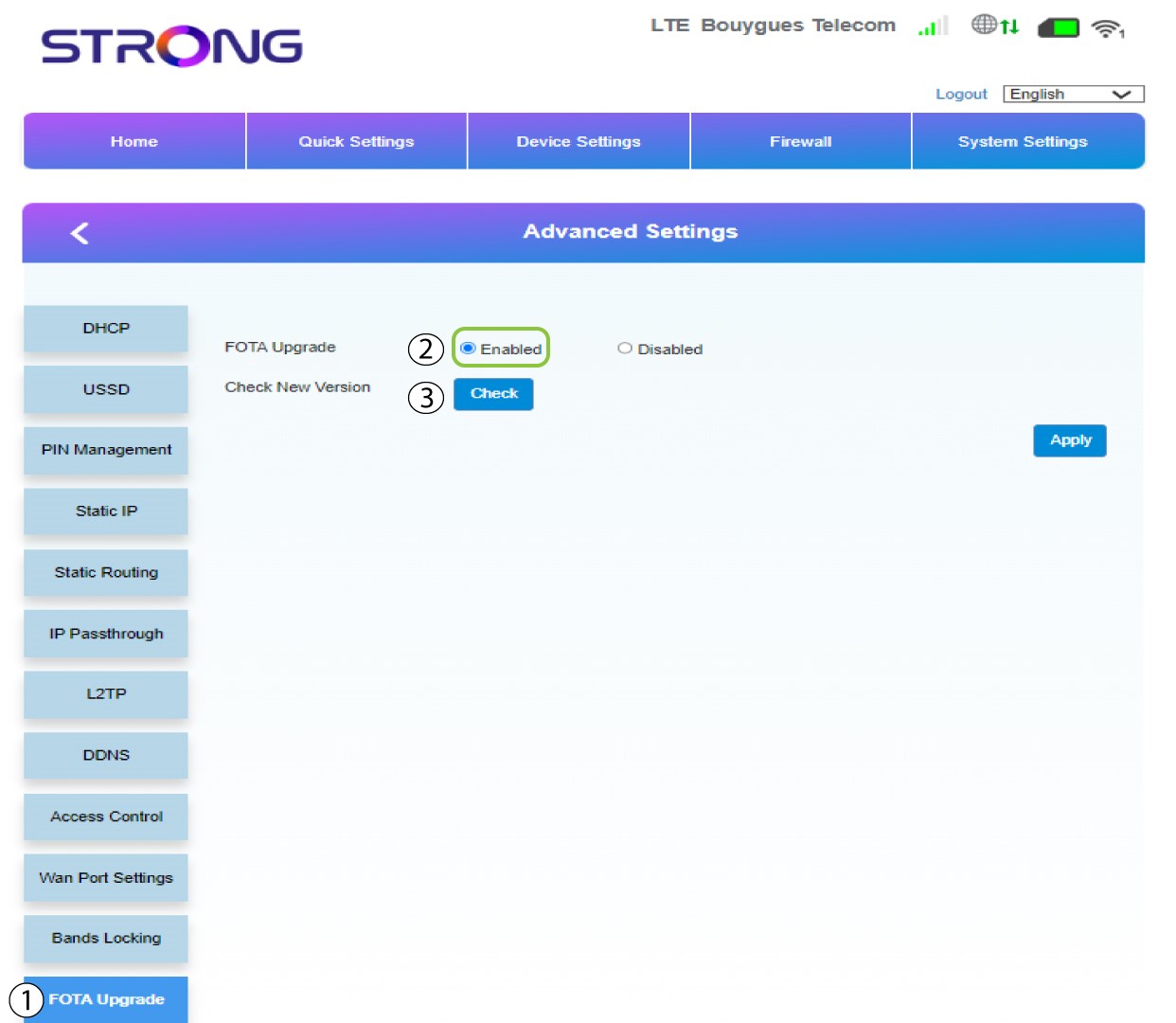
U Naprednim postavkama kliknite FOTA nadogradnja i odaberite Omogućeno . Zatim kliknite Provjeri .
7 Slučaj 1: poruka upozorenja (firmver je ažuriran)
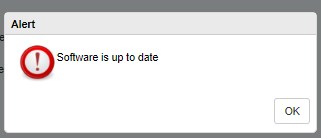
Pojavit će se poruka koja vas obavještava ako je dostupno ažuriranje. Ako postoji, kliknite Da kako bi se softver preuzeo i instalirao. Ako je softver ažuriran, vidjet ćete ovu poruku:
8 Slučaj 2: Dostupna je nova verzija firmvera
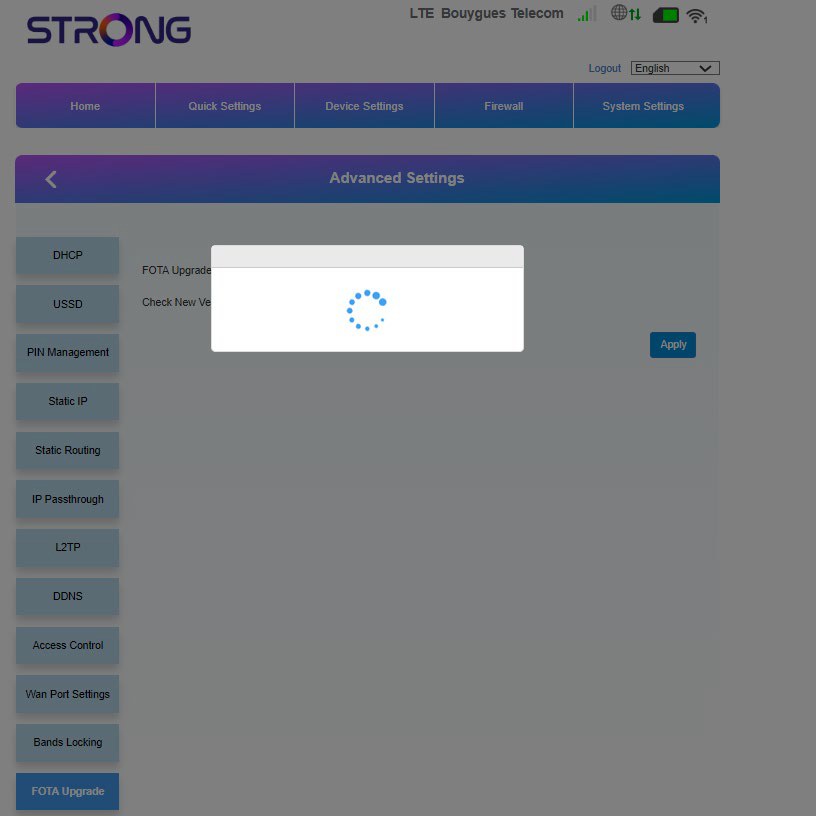
U slučaju ažuriranja, morate pričekati dok se ažuriranje ne dovrši. Prilikom nadogradnje LED diode uređaja postaju plave, a plavo svjetlo prelazi s lijeva na desno od jedne ikone do druge. Nakon što je ažuriranje završeno, ikone se vraćaju u prethodnu boju. Ažuriranje može trajati do 5 minuta.