LEAP S3 | 4K Google TV Dolby Vision
Sva pitanja
LEAP S3 | 4K Google TV Dolby Vision
Zašto je i dalje nemoguće kontrolirati razinu glasnoće nakon deaktiviranja opcije kontrole glasnoće?
Ako i dalje ne možete kontrolirati glasnoću pomoću daljinskog upravljača LEAP S3, slijedite upute u nastavku kako biste "zaboravili" TV u postavkama daljinskog upravljača.
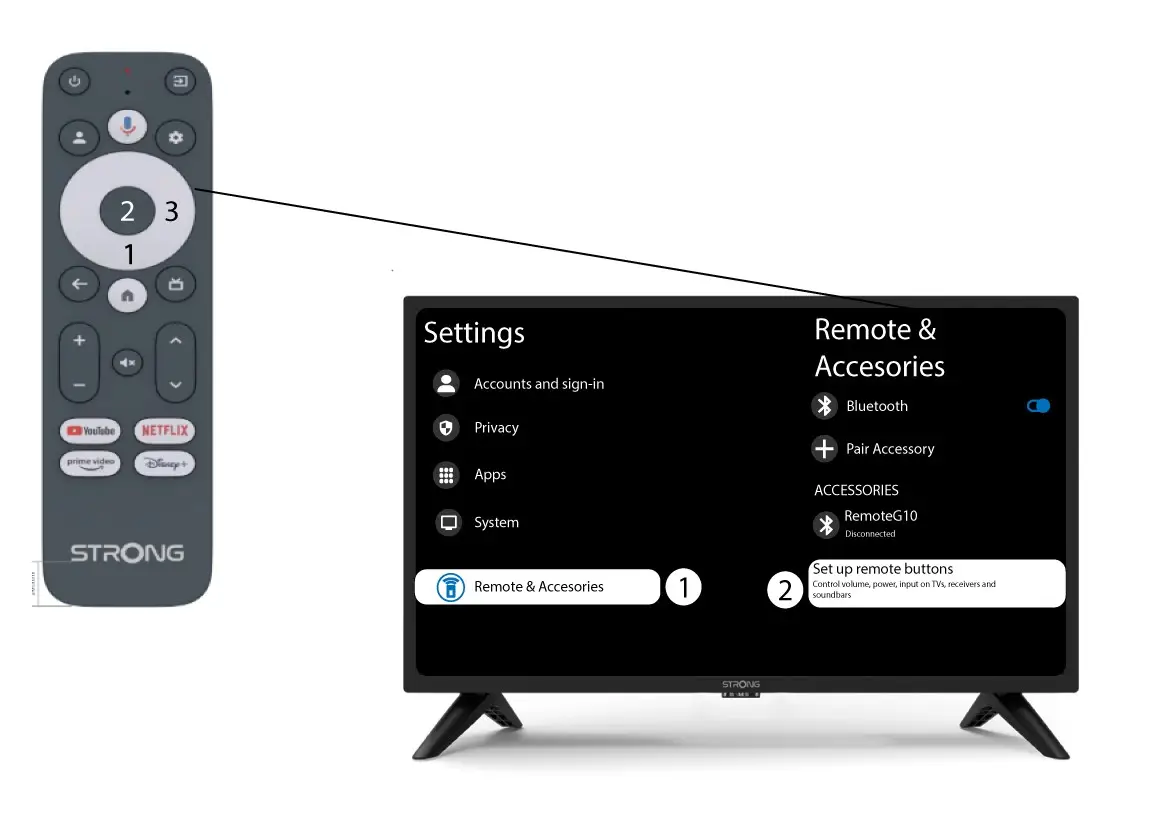
1 Postavke
Pritisnite gumb Postavke i pritisnite U redu

2 Postavke daljinskog upravljača i dodatne opreme
Pritisnite tipku za dolje nekoliko puta za odabir "Daljinski upravljač i pribor" i pritisnite tipku U redu. Zatim pritisnite tipku za dolje nekoliko puta za odabir "Postavljanje tipki daljinskog upravljača " i pritisnite tipku U redu .
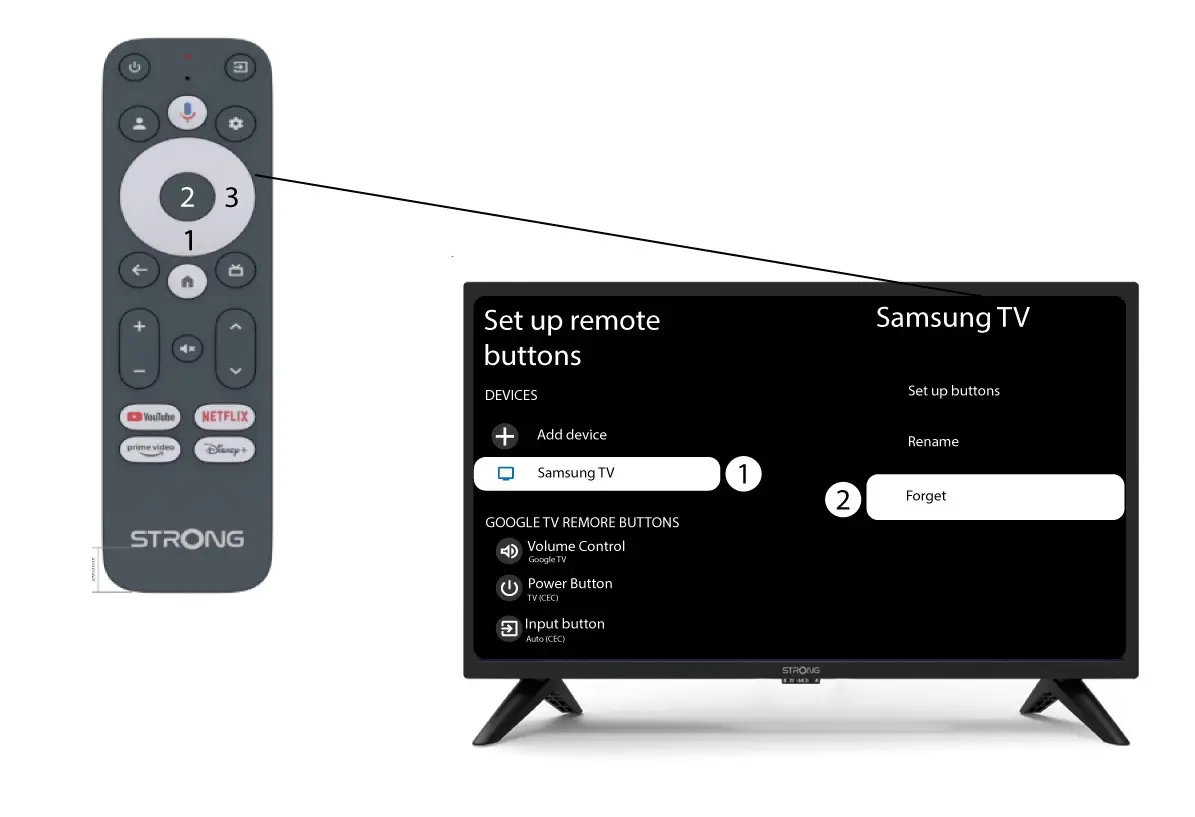
3 Zaboravite TV povezan s daljinskim upravljačem
Ako je TV već postavljen i prikazan na popisu, morate ga izbrisati s popisa da biste ga ponovno konfigurirali.
Da biste to učinili, odaberite marku televizora i odaberite "Zaboravi" prije nego što pritisnete OK za potvrdu.
4 Provjerite kontrolu glasnoće
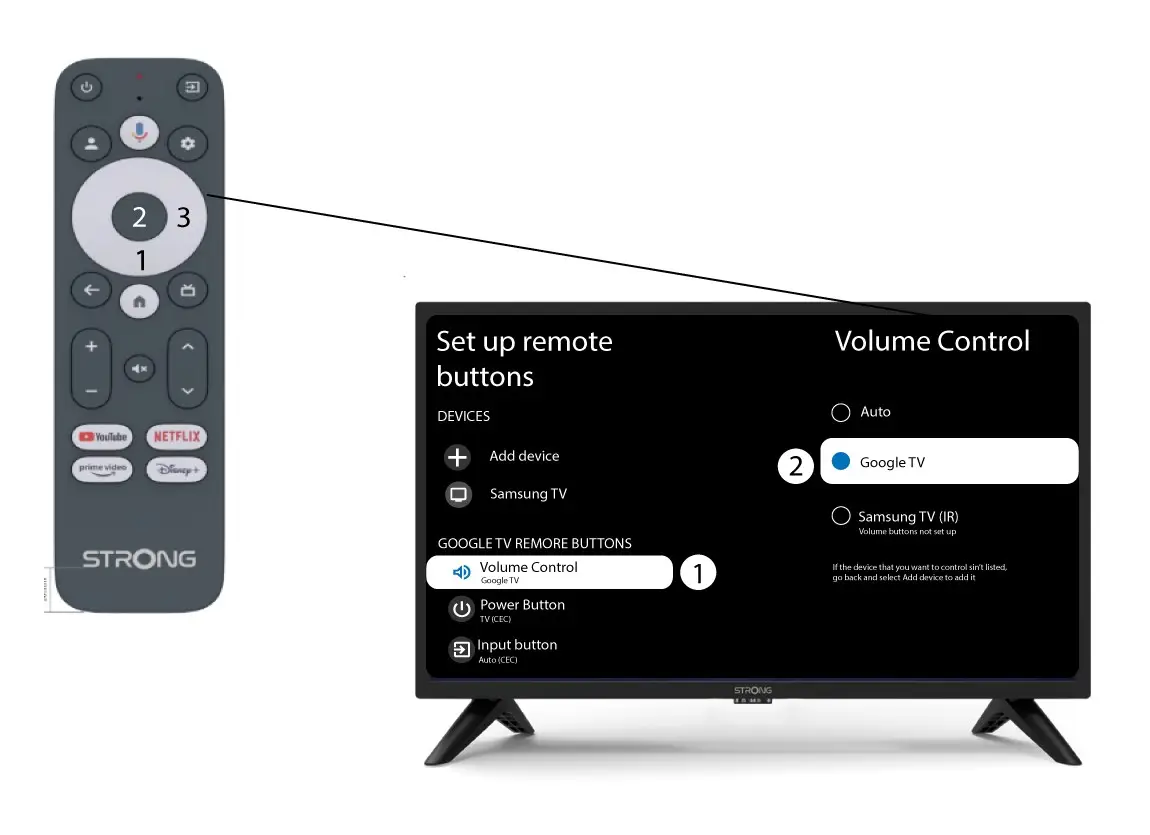
Na kraju, morate provjeriti je li kontrola glasnoće postavljena na Google TV. Ako nije, odaberite je i kontrola glasnoće trebala bi ispravno raditi na oba daljinska upravljača.