Nem találtunk tárgyakat.
LEAP
Nem találtunk tárgyakat.
Minden kérdés
Nem találtunk tárgyakat.
LEAP
Nem találtunk tárgyakat.
Hogyan adhatok hozzá vagy távolíthatok el egy alkalmazást a kezdőképernyőről?
1.1. eset: Alkalmazás hozzáadása
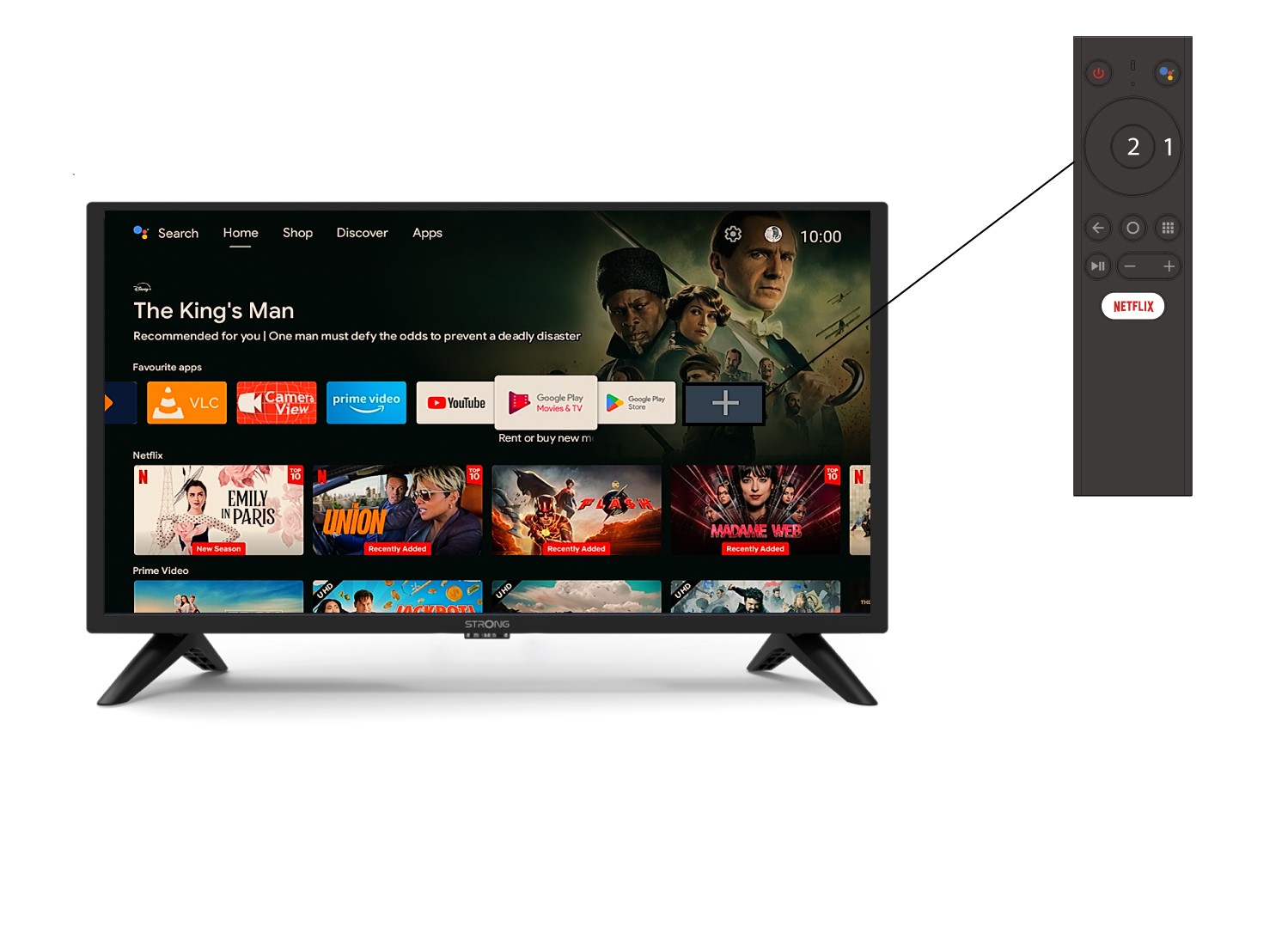
Ha egy alkalmazást szeretne hozzáadni a kezdőképernyőhöz, keresse meg a már a kezdőképernyőn található alkalmazások listájának végén lévő + ikont, majd nyomja meg az „OK” gombot.
2. Alkalmazásoklistája
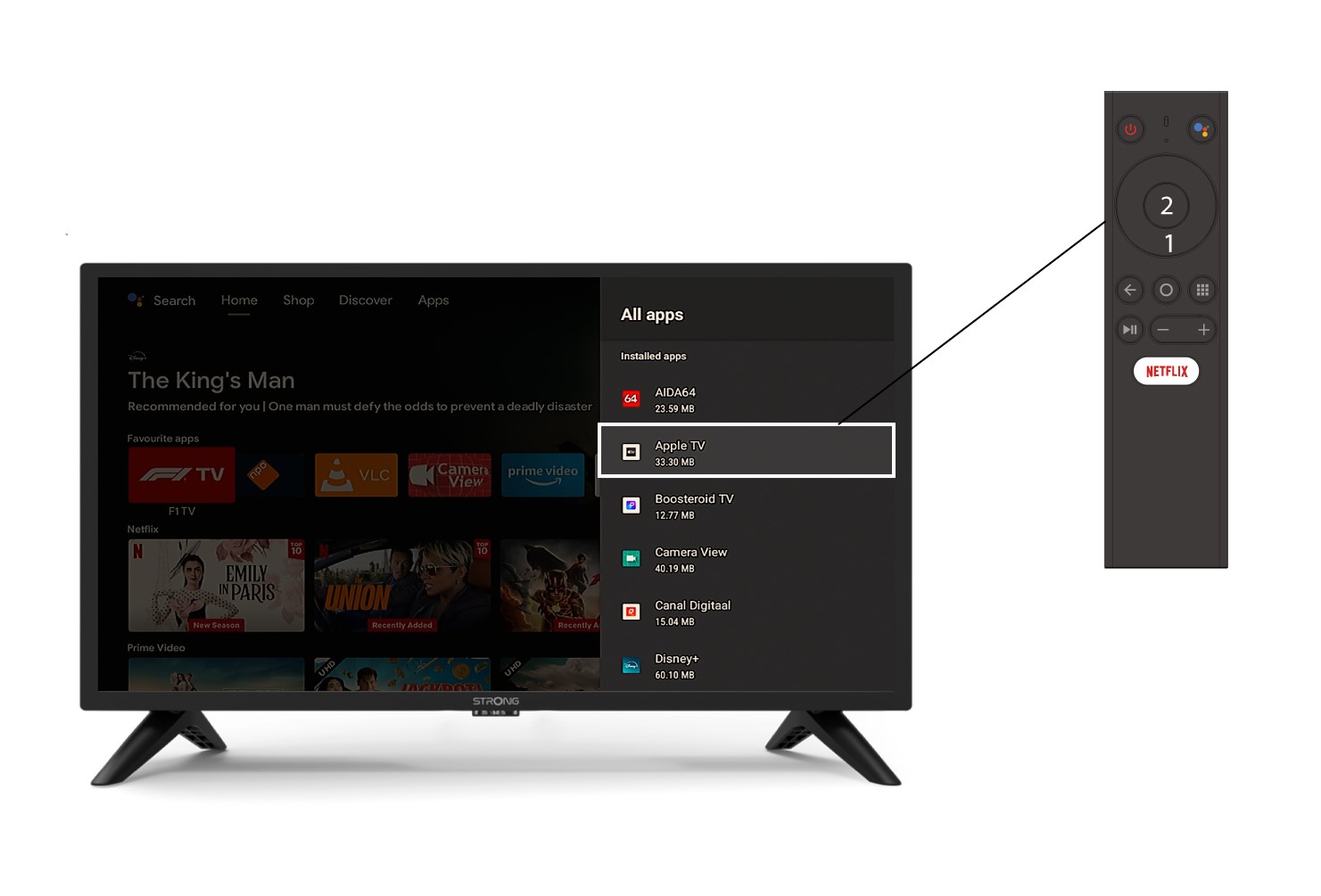
Ekkor megnyílik az alkalmazások listája; válassza ki a kívánt alkalmazást, majd nyomja meg a távirányító OK gombját.
3.2. eset: Alkalmazás eltávolítása
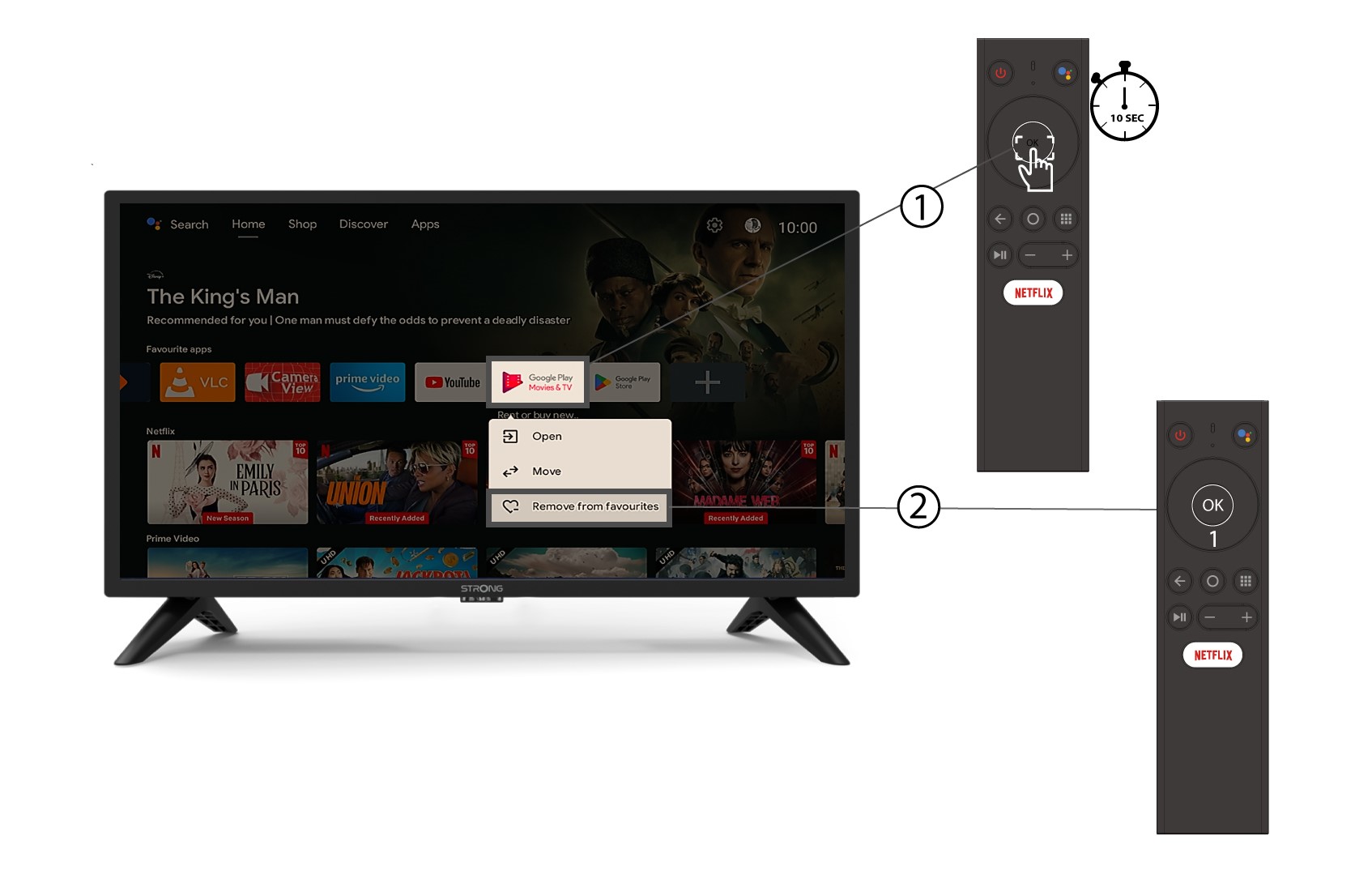
Ha egy alkalmazást szeretne eltávolítani a kezdőképernyőről, keresse meg az eltávolítani kívánt alkalmazást a kezdőképernyőn már megjelenő alkalmazások listájában, hosszan nyomja meg az „OK” gombot, majd a megjelenő ablakban válassza a „Kivétel a kedvencek közül” lehetőséget.