LEAP
Minden kérdés
LEAP
Csatlakoztattam egy AZERTY billentyűzetet USB-n keresztül, de a rendszer QWERTY billentyűzetként ismeri fel. Miért?

Figyelem: Felhívjuk figyelmét, hogy a külső billentyűzetek esetében a támogatott billentyűzetkiosztásokat a Google határozza meg. Ezért előfordulhat, hogy az Ön billentyűzetkiosztása nem támogatott. Ebben az esetben javasoljuk, hogy vegye fel a kapcsolatot a billentyűzet gyártójával, és érdeklődjön, van-e olyan alkalmazás, amely biztosítaná a billentyűzet kompatibilitását.
1. Kapcsoljabe a készüléket
Kapcsold be a tévédet és a LEAP S1 készülékedet.
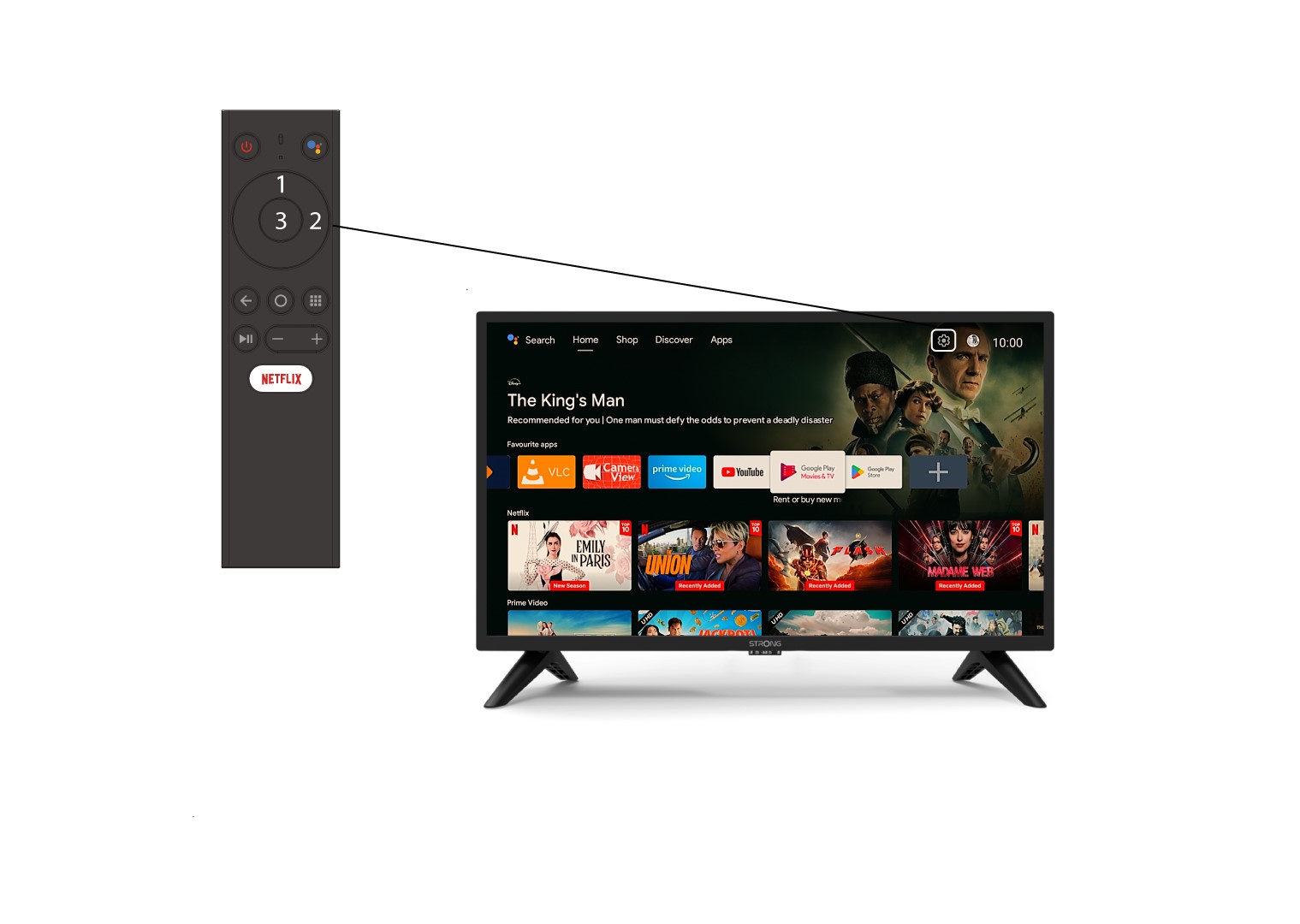
2. Nyissa mega Beállítások menüt
Keresse meg a képernyő jobb felső sarkában található fogaskerék ikont (Beállítások menü), majd a számítógép nyilakkal válassza ki. Ezután nyomja meg a távirányítón az OK gombot a Beállítások menü megnyitásához.
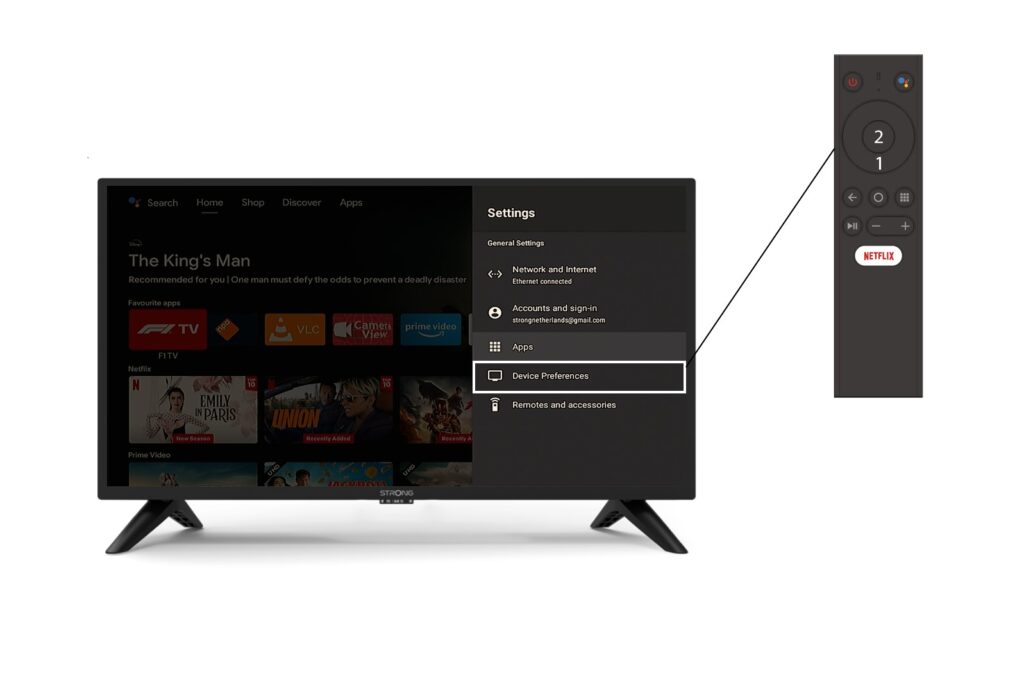
3. Eszközbeállítások
Válassza ki a „Készülékbeállítások” menüpontot a Beállítások menüben, majd nyomja meg a távirányító OK gombját.
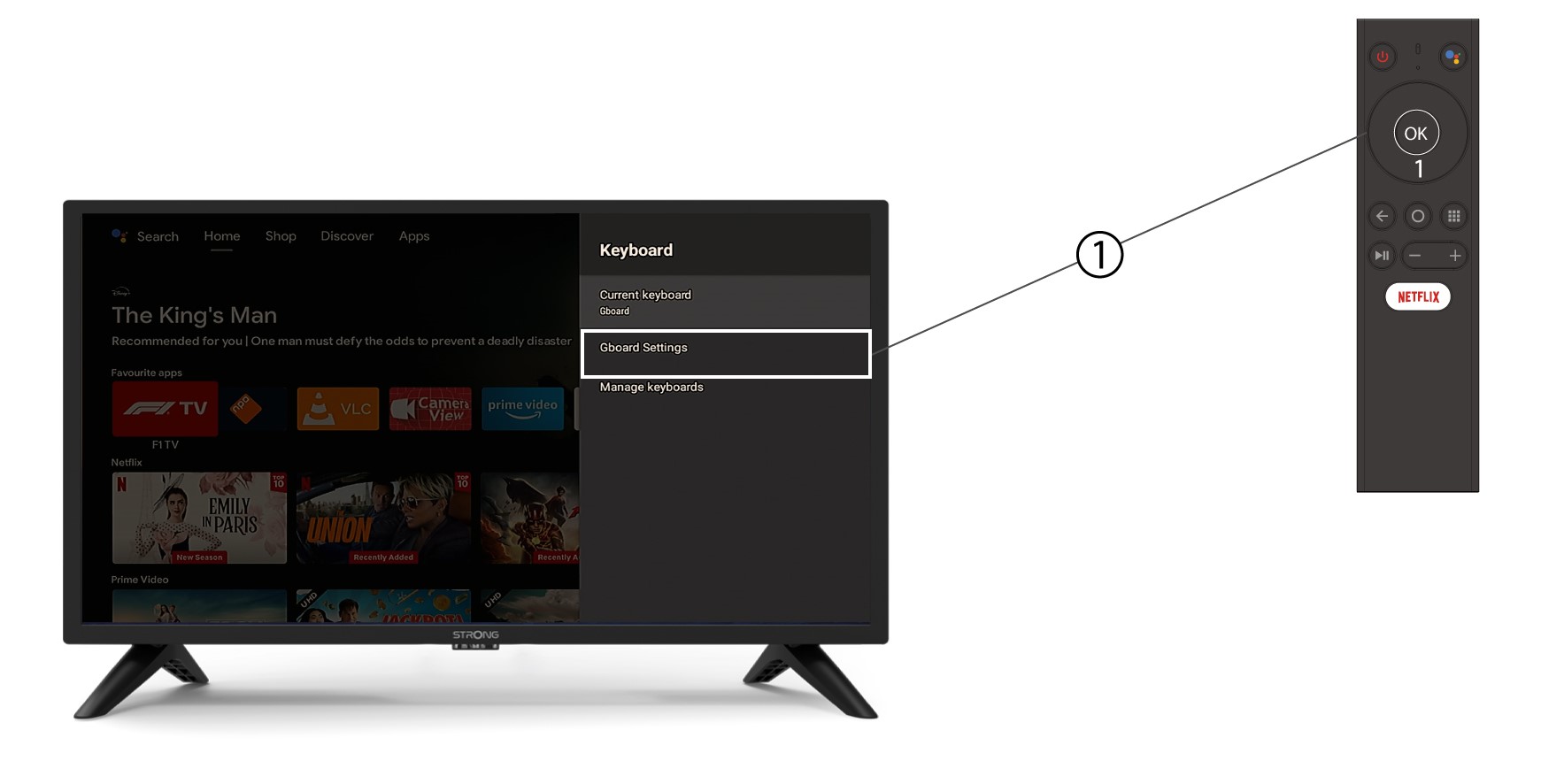
4. Billentyűzetbeállítások
A billentyűzet menüben kattints a „Gboard beállítások” elemre, majd nyomd meg az „OK” gombot.
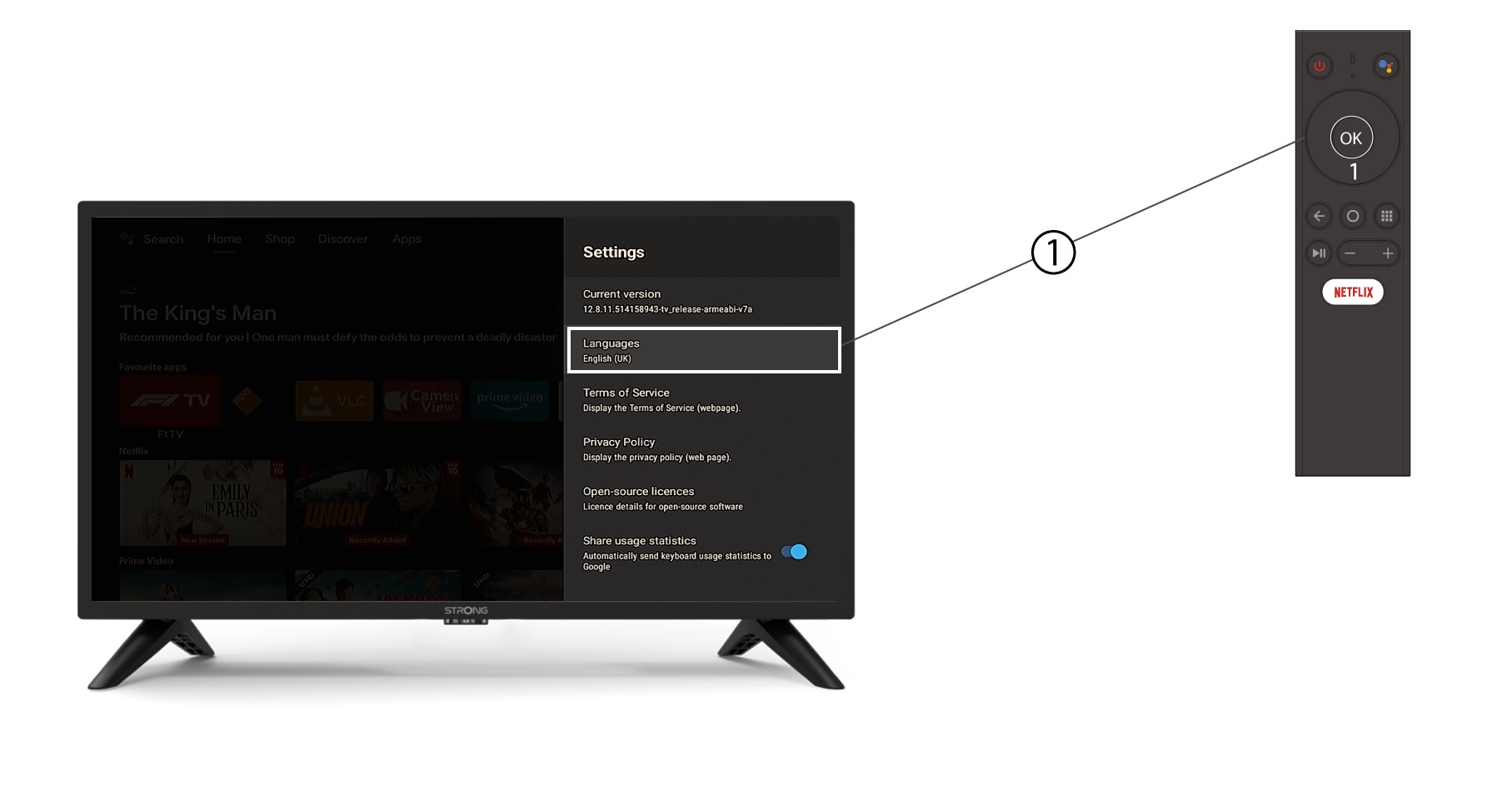
5. Nyelvibeállítások
A megnyíló Beállítások menüben kattintson a Nyelv elemre, majd állítsa be az értéket angolra ( UK ), és nyomja meg az OK gombot.