Nem találtunk tárgyakat.
4K GOOGLE TV BOX S3+ | DOLBY VISION ATMOS
Nem találtunk tárgyakat.
Minden kérdés
Nem találtunk tárgyakat.
4K GOOGLE TV BOX S3+ | DOLBY VISION ATMOS
Nem találtunk tárgyakat.
Hogyan adhatok hozzá vagy rendezhetem át az alkalmazásokat a kezdőképernyőn?
1.1. eset: Alkalmazás hozzáadása
Ha egy alkalmazást szeretne hozzáadni a kezdőképernyőhöz, keresse meg az „Alkalmazások hozzáadása” gombot a kezdőképernyőn már meglévő alkalmazások listájának végén, majd nyomja meg az „OK” gombot.
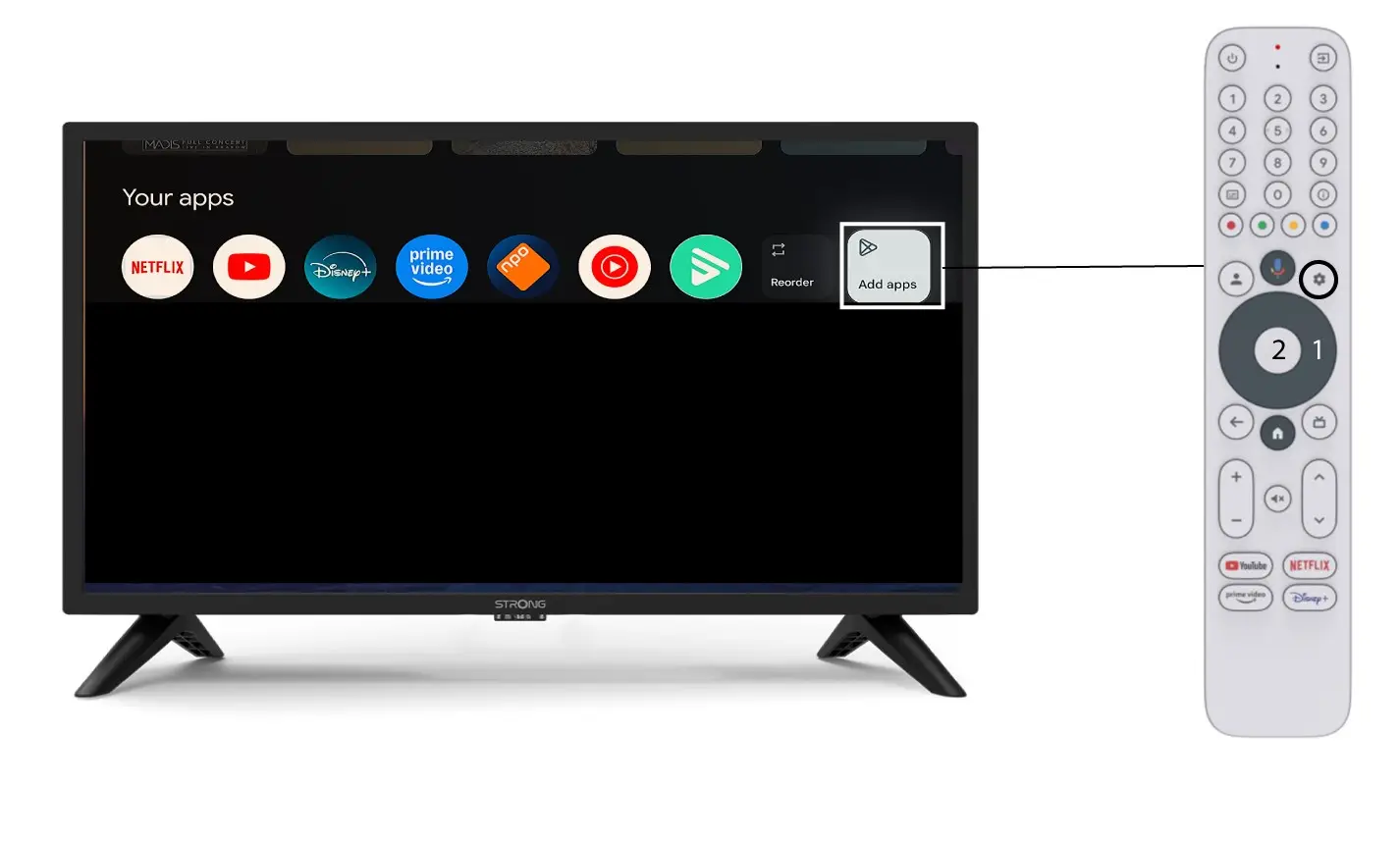
2. Alkalmazásoklistája
Ekkor megnyílik az alkalmazások listája; válassza ki a kívánt alkalmazást, majd nyomja meg a távirányító OK gombját.
Felhívjuk figyelmét, hogy az alkalmazásokat nem lehet eltávolítani a Kedvencek közül. Ha azt szeretné, hogy az alkalmazás eltűnjön erről az oldalról, akkor azt el kell távolítania.

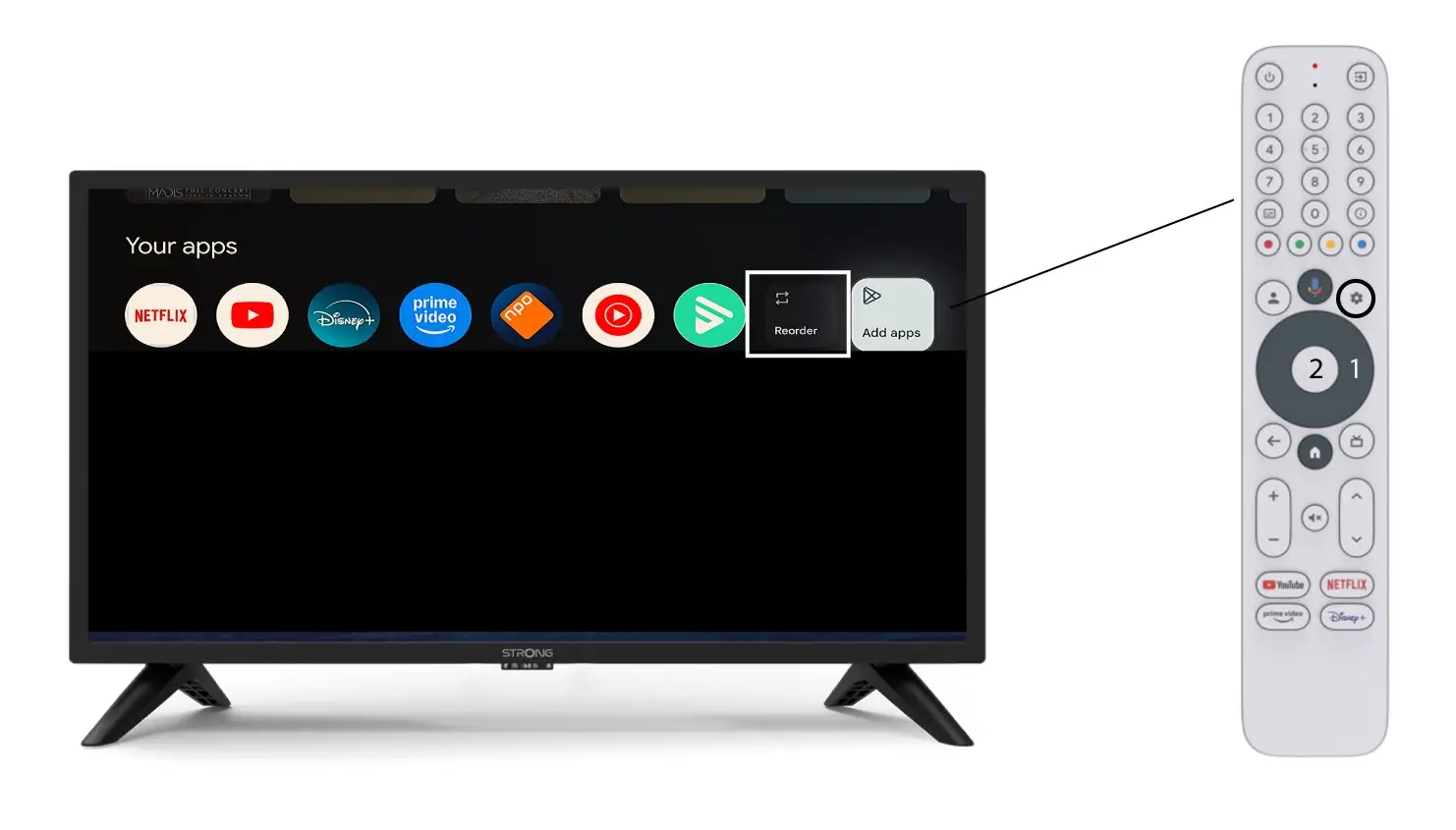
3.2. eset: Az alkalmazások sorrendjének módosítása
A kezdőlapon megjelenő alkalmazások sorrendjének megváltoztatásához kattintson a „Rendezés” gombra.