4K GOOGLE TV BOX S3+ | DOLBY VISION ATMOS
Minden kérdés
4K GOOGLE TV BOX S3+ | DOLBY VISION ATMOS
Hogyan állíthatom be újra a LEAP S3 hangerejét, ha a hangerő túl alacsony?
Ha a LEAP S3 készülék hangereje túl alacsony, az alábbi eljárás szerint állíthatja vissza a LEAP S3 paramétereit.
A LEAP S3 telepítése során beállíthatja, hogy a hangerő-szabályozást az HDMI-CEC végezze. Ha ez az opció engedélyezve van, a LEAP S3 távirányítójával állíthatja be a tévé hangerőszintjét.
Ezt a funkciót a tévékészülék képernyő- és hangbeállításaiban lehet be- vagy kikapcsolni. A LEAP S3 alapértelmezett hangerőszintje egy bizonyos értékre van beállítva, és előfordulhat, hogy ez túl alacsony. Ha a hangerő túl alacsony, célszerűbb kikapcsolni ezt az opciót.
Hogyan lehet ezt a funkciót be- vagy kikapcsolni?
1. Nyomja mega Beállítások gombot
Ebben az esetben nyomja meg a Google távirányítón a „Beállítások” gombot, majd az „OK” gombot.

2. Beállítások
A képernyőn megjelenő Beállítások oldalon válassza ki a „Kijelző és hang” menüpontot. Ezután nyomja meg a jobb oldali navigációs gombot, és válassza kia „HDMI-CEC” menüpontot.
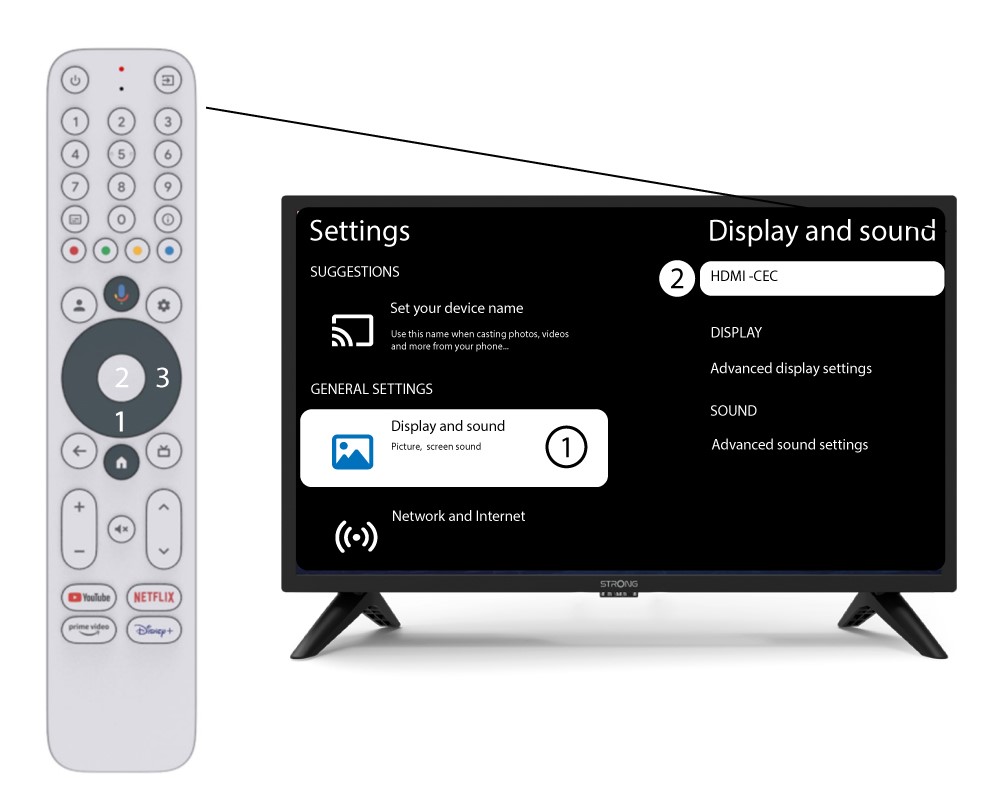
3. Hangerő-szabályozás
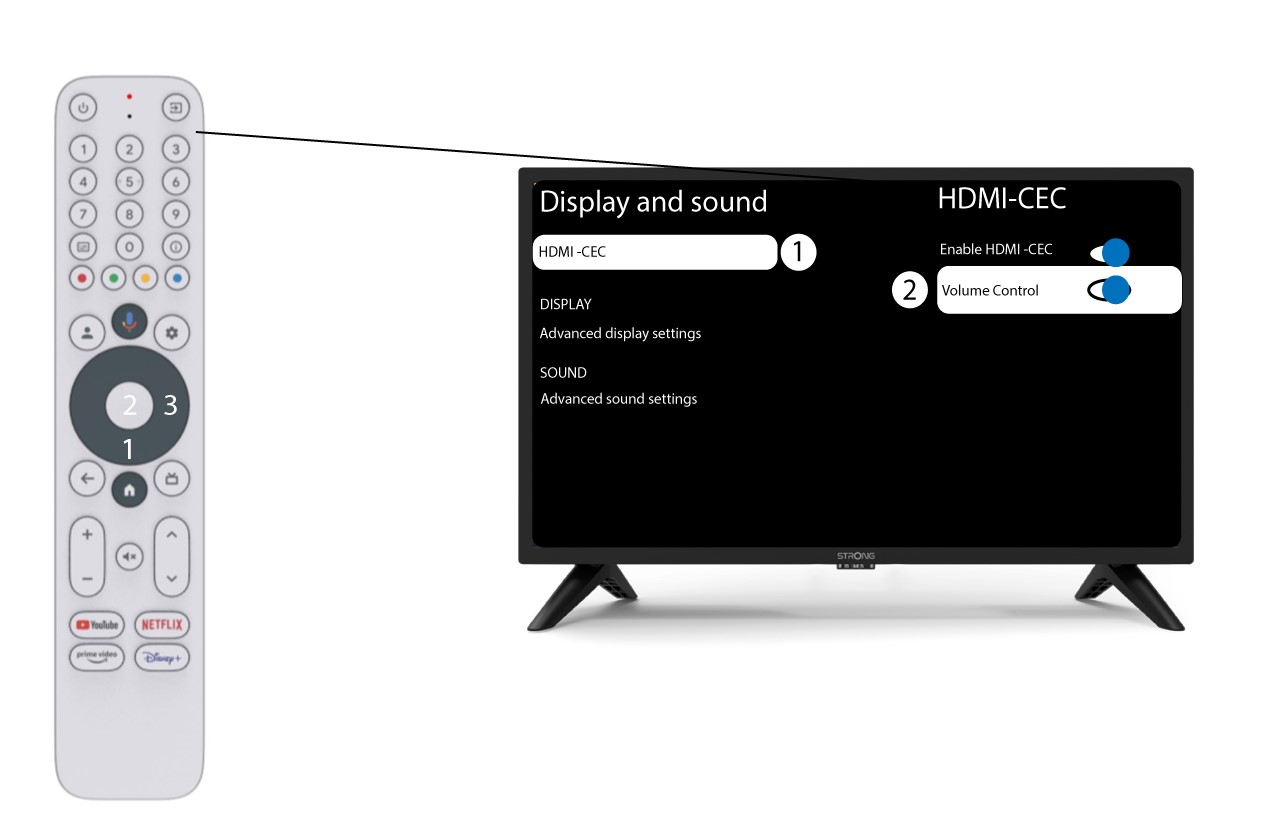
Válassza ki a „Hangerő-szabályozás” menüpontot, majd nyomja meg az OK gombot a funkció kikapcsolásá switch
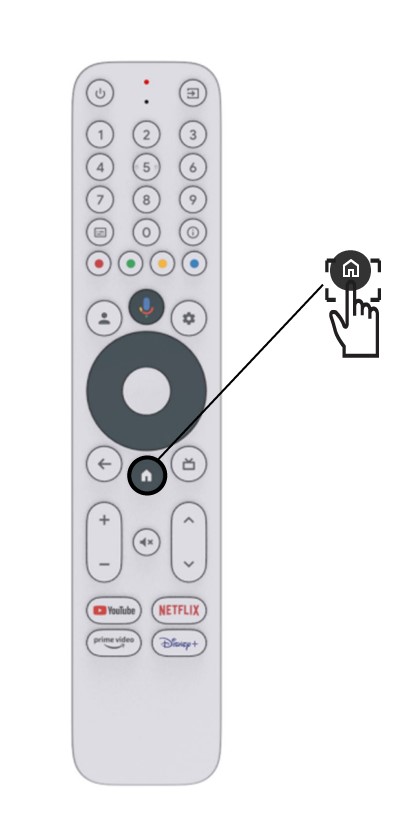
4Visszaa kezdőlapra
Nyomja meg a HOME gombot , hogy visszatérjen a kezdőképernyőre.
A hangerő beállítása mostantól ismét a „ LEAP-S3 ” távirányítóval végezhető el.