
4G AIRHOME 200 Mini útválasztó levehető 4G antennákkal
Nem találtunk tárgyakat.
Nem találtunk tárgyakat.
Minden kérdés
4G AIRHOME 200 Mini útválasztó levehető 4G antennákkal
Nem találtunk tárgyakat.
Nem találtunk tárgyakat.
Hogyan módosíthatom az admin jelszót?
1. Csatlakozása webes felhasználói felülethez
A webes felhasználói felülethez való csatlakozáshoz kérjük, kövesse az alábbi dokumentumban leírt útmutatásokat:
2. A bejelentkezési jelszó módosítása
Miután ezt elvégezte, kattintson a felső sávban található „Bejelentkezési jelszó módosítása” linkre.
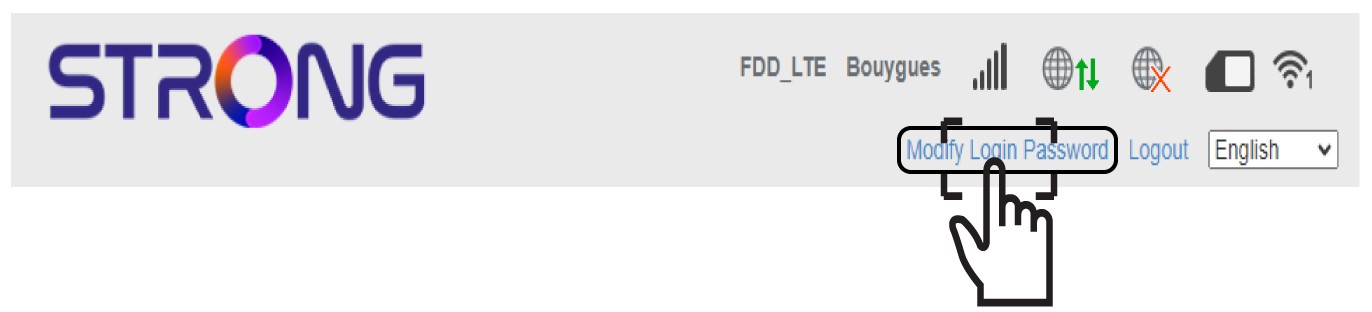
3. Adja megaz új jelszót
Az „Alkalmazás” gombra kattintás előtt adja meg az alábbi adatokat:
• Jelenlegi jelszó: Írja be a jelenlegi jelszót.
• Új jelszó: Írja be az új jelszót.
• Új jelszó megerősítése: Írja be ugyanazt a jelszót, mint az előző mezőben.
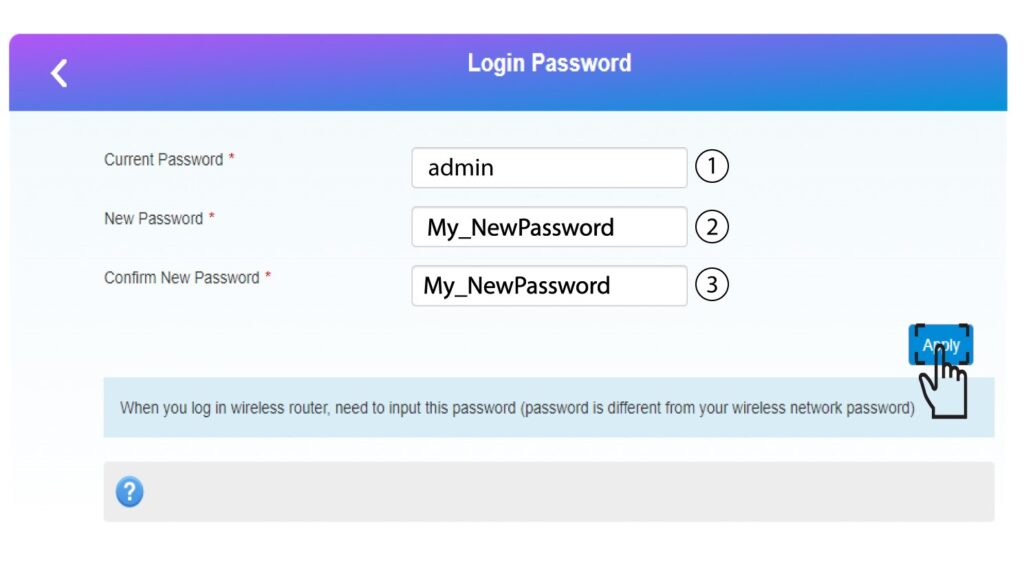
4. Írjale az új jelszót
Írja le az új jelszót a webes felhasználói felület eléréséhez.
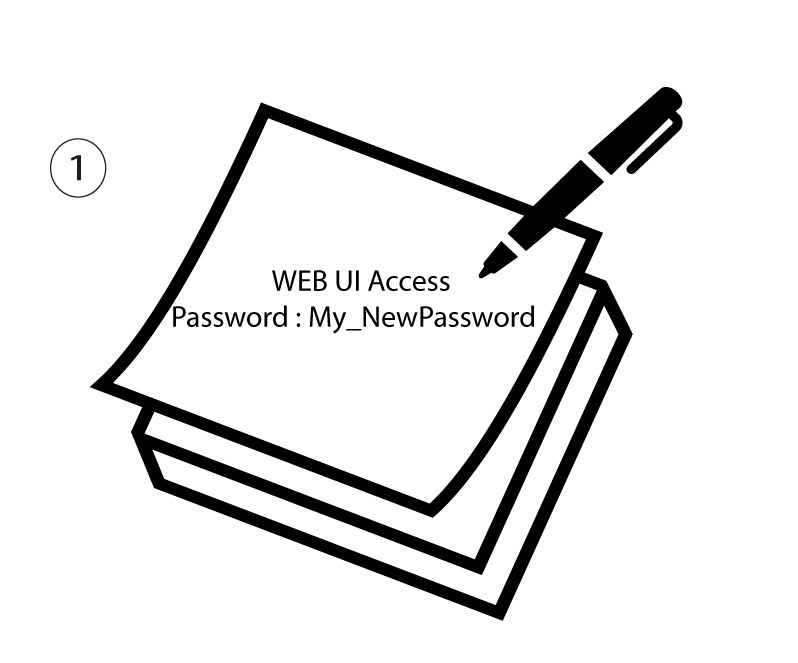
The new password can contain up to 32 characters including numbers, lower case, upper case, and special characters (! # $ * + , - . % : = ? @ [ ] ^ _ { | } ~).