
4G AIRHOME 200 Mini útválasztó levehető 4G antennákkal
Nem találtunk tárgyakat.
Nem találtunk tárgyakat.
Minden kérdés
4G AIRHOME 200 Mini útválasztó levehető 4G antennákkal
Nem találtunk tárgyakat.
Nem találtunk tárgyakat.
Hogyan módosíthatom az SSID-t (a Wi-Fi-hálózat nevét) és a Wi-Fi-jelszót? (Wi-Fi-beállítások)
1. Csatlakozzaz útválasztód Wi-Fi-hálózatához
Az SSID (Wi-Fi-hálózat neve) és a Wi-Fi-jelszó megváltoztatásához csatlakoznia kell az eszköz Wi-Fi-hálózatához.

2Keressemeg a webes felhasználói felület IP-címét
Ezután írja be a böngészőjébe a következő IP-címet: 192.168.188.1.

3. Adja mega túra-bejelentkezési adatait
Be kell írnia a jelszót.

4. Wi-Fi-beállítások
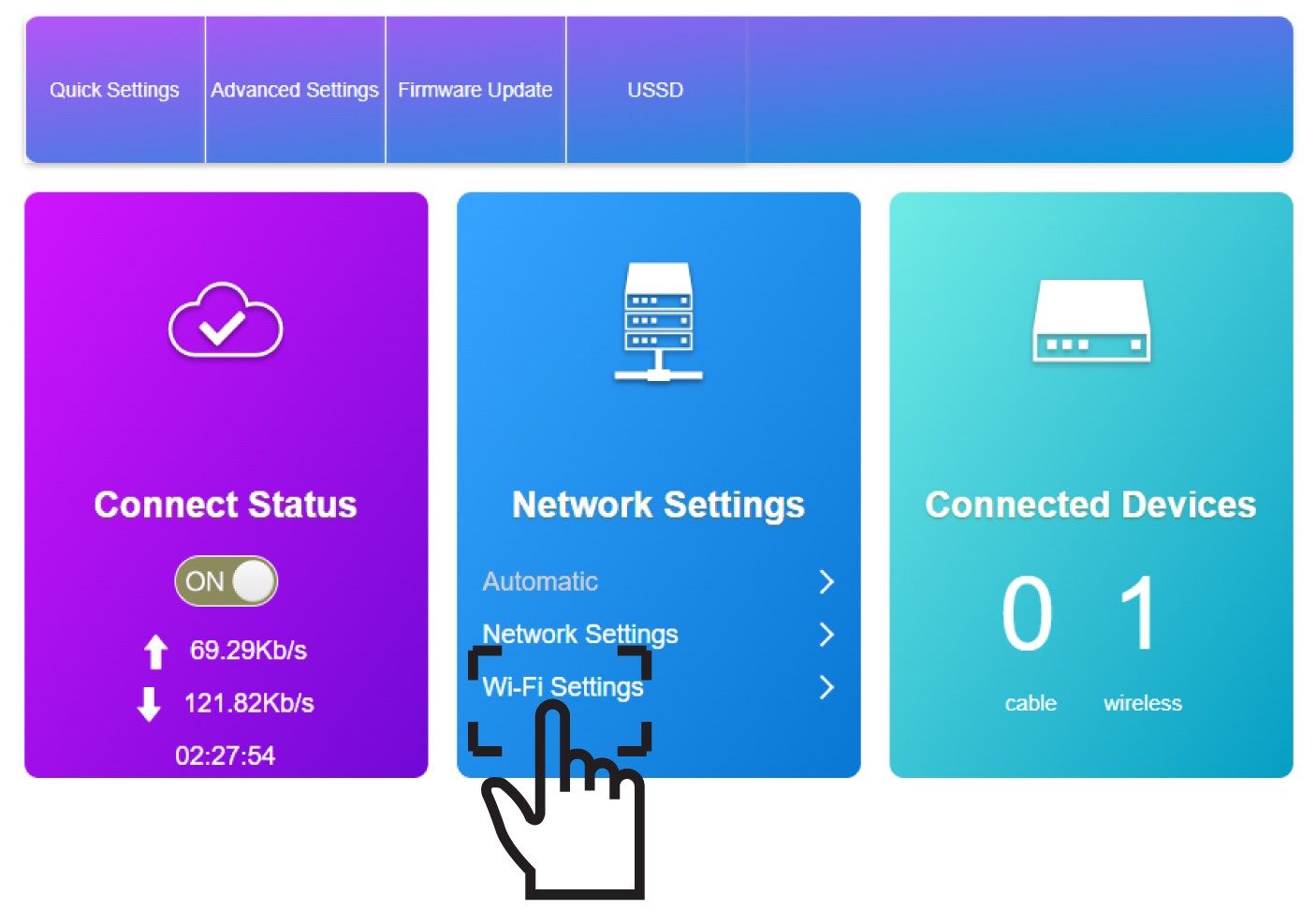
Kattintson a „Hálózati beállítások” részben a „Wi-Fi-beállítások” elemre.
5. Adja megaz új hálózati adatokat
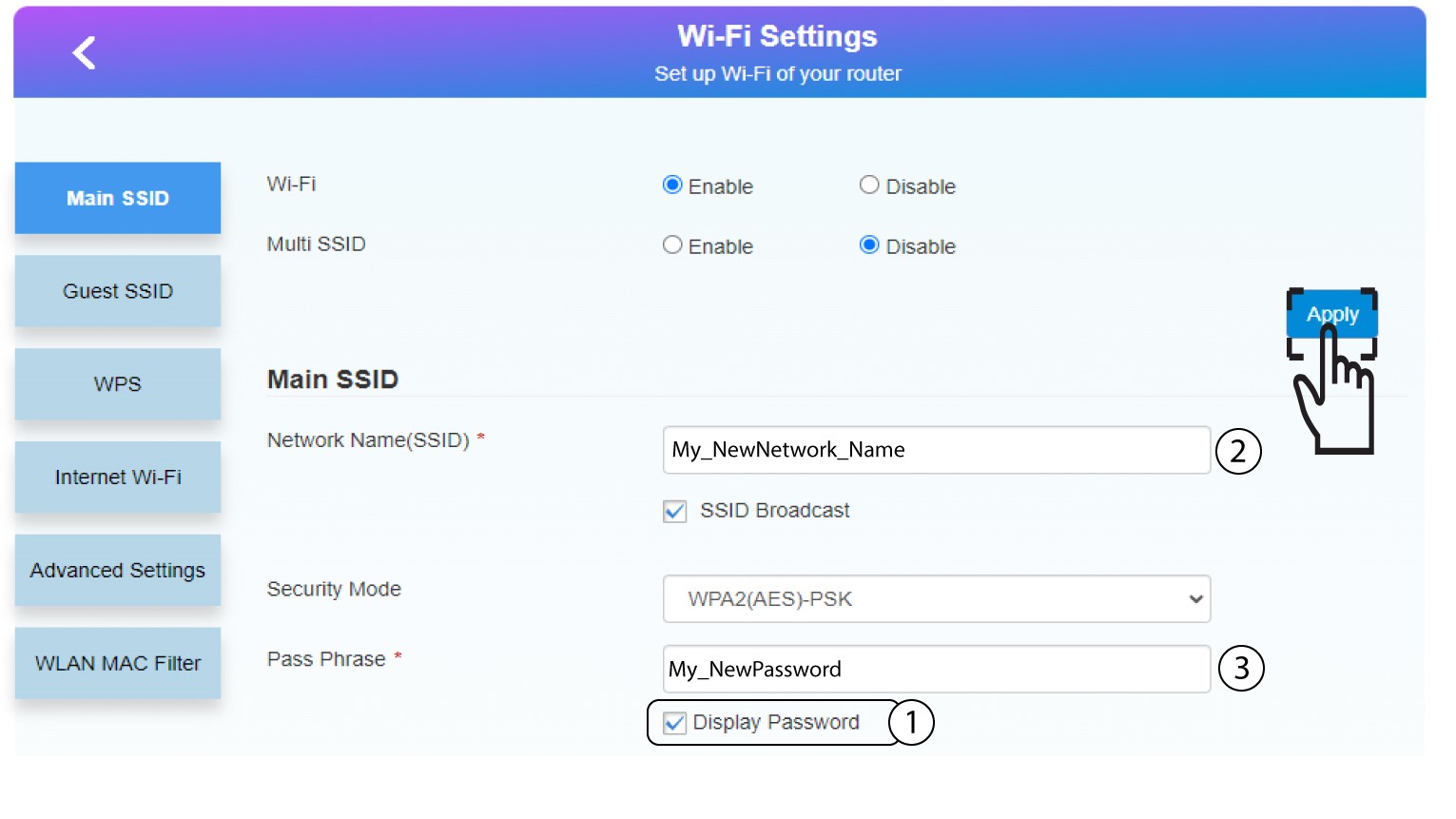
Kattintson a „Jelszó megjelenítése” gombra, majd adja meg az alábbi adatokat, mielőtt az „Alkalmaz” gombra kattintana:
a. Írja be az új hálózat nevét.
b. Írja be az új Wi-Fi-jelszót.
6. Az új hálózati adatok mentése
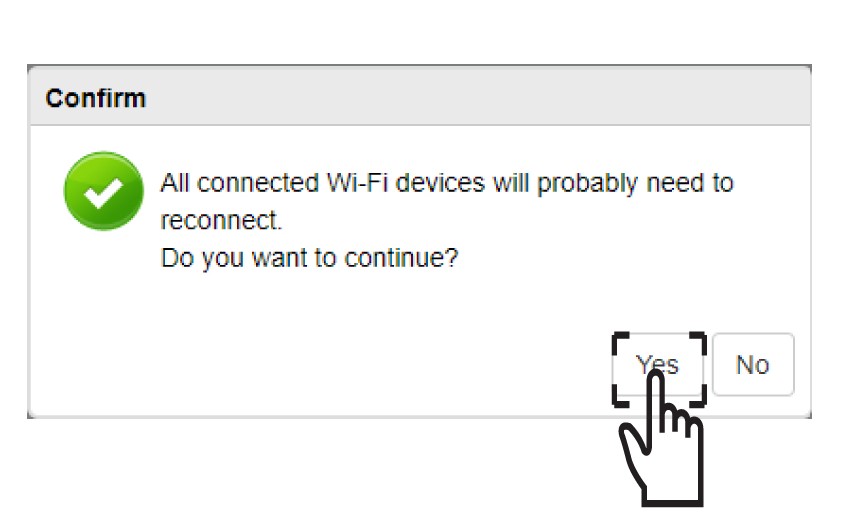
A felugró ablakban kattintson az „Igen”gombra a módosítások alkalmazásához.
7. Írjale az új hálózati adatokat
Írja le az új hálózati adatokat egy papírlapra.
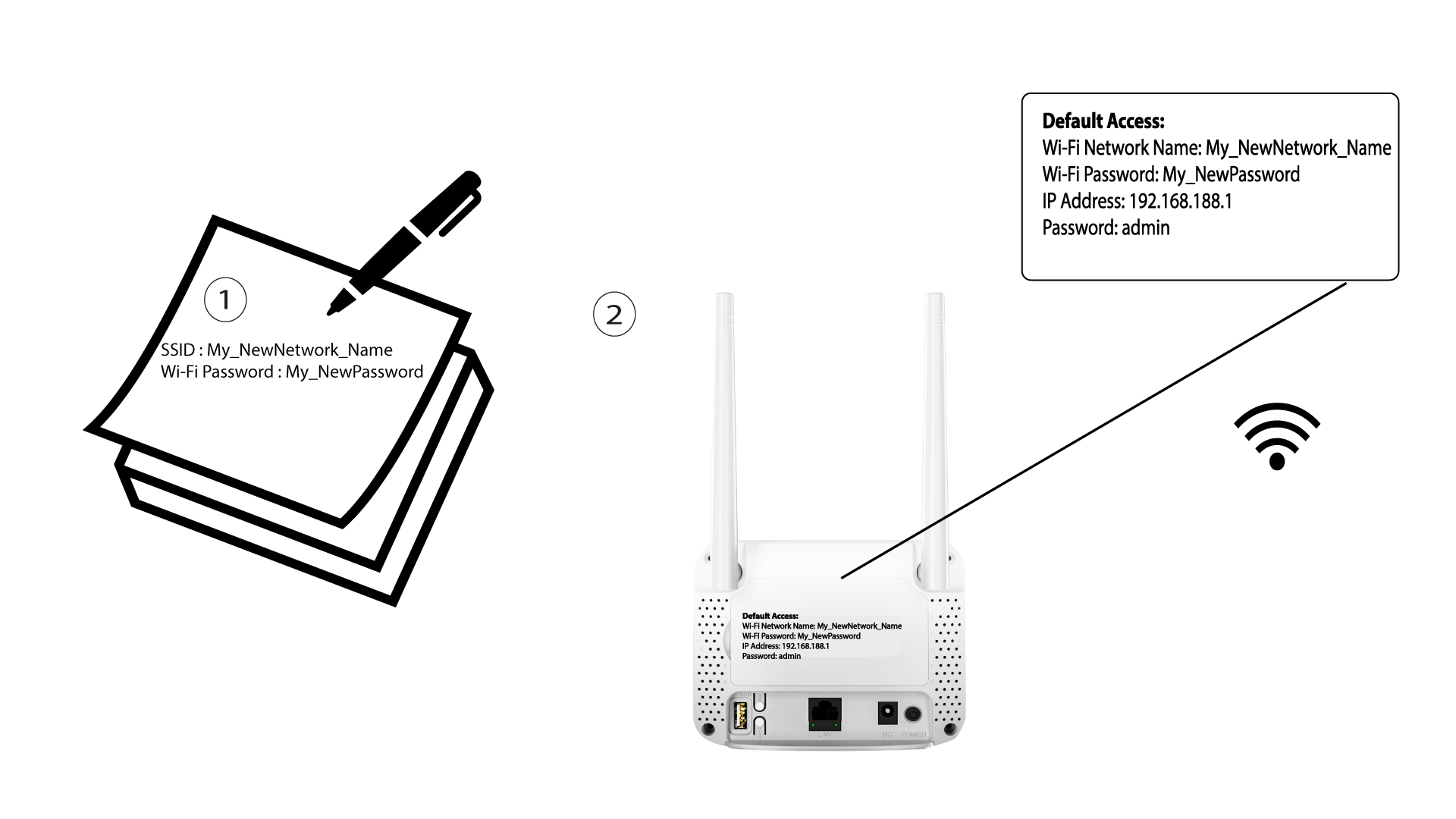

A Wi-Fi-hálózat adatainak módosítása után a hálózathoz csatlakozó összes eszköz automatikusan leválik a hálózatról.