4G AIRHOME 300 Mini útválasztó levehető 4G antennákkal
Nem találtunk tárgyakat.
Nem találtunk tárgyakat.
Minden kérdés
4G AIRHOME 300 Mini útválasztó levehető 4G antennákkal
Nem találtunk tárgyakat.
Nem találtunk tárgyakat.
Hogyan állíthatom be a SIM-kártya PIN-kódját?
1. Csatlakozzaz útválasztó Wi-Fi-hálózatához
Csatlakoznia kell a webes felhasználói felülethez. Ehhez adja meg az eszközén az útválasztó SSID-jét és jelszavát.

2. Keressemeg a webes felhasználói felület IP-címét
Ezután írja be a böngészőjébe a következő IP-címet: 192.168.0.1

3. Bejelentkezésioldal
Miután megnyitotta az IP-címet, kattintson a „Bejelentkezés” gombra.

4. Adja mega bejelentkezési adatait
Be kell írnia a felhasználónevet és a jelszót. Ezután kattintson a „Bejelentkezés” gombra.

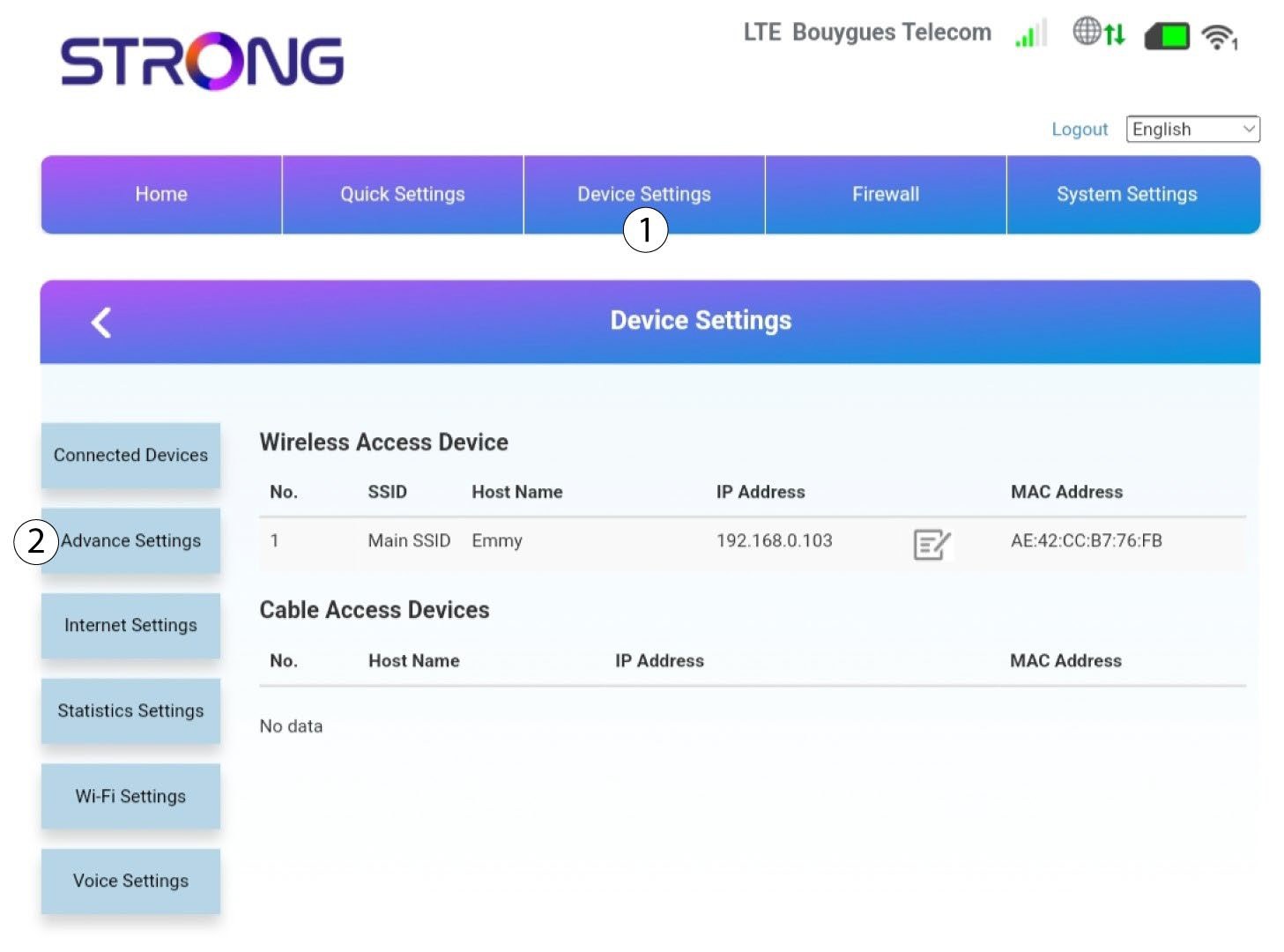
5. Speciálisbeállítások
Ezután kattintson az „Eszközbeállítások” elemre, majd a „Speciális beállítások” fülre.
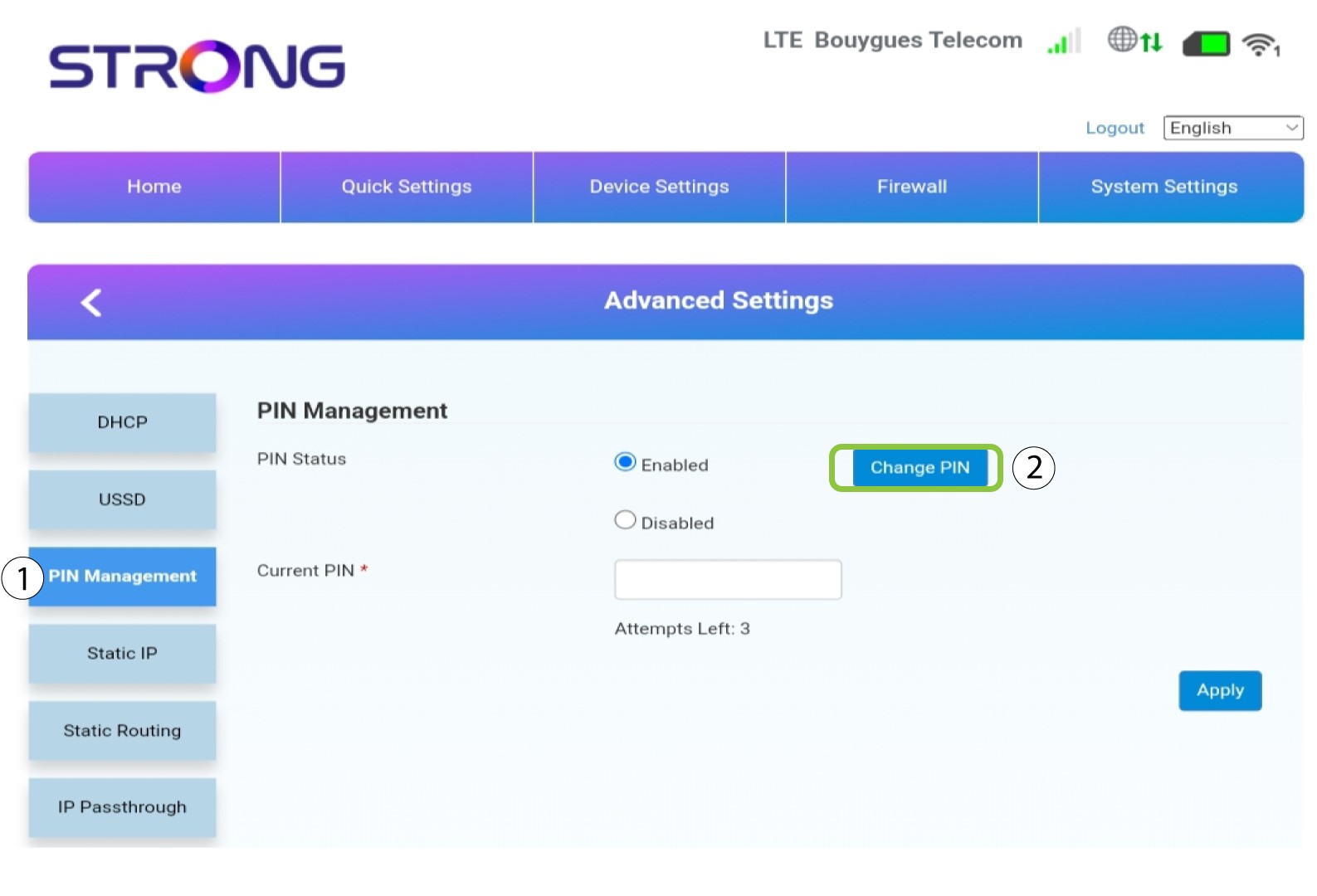
6PINkezelés
Kattintson a „PIN-kezelés”, majd a „PIN módosítása” gombra.
7Adja megaz új PIN-kódot
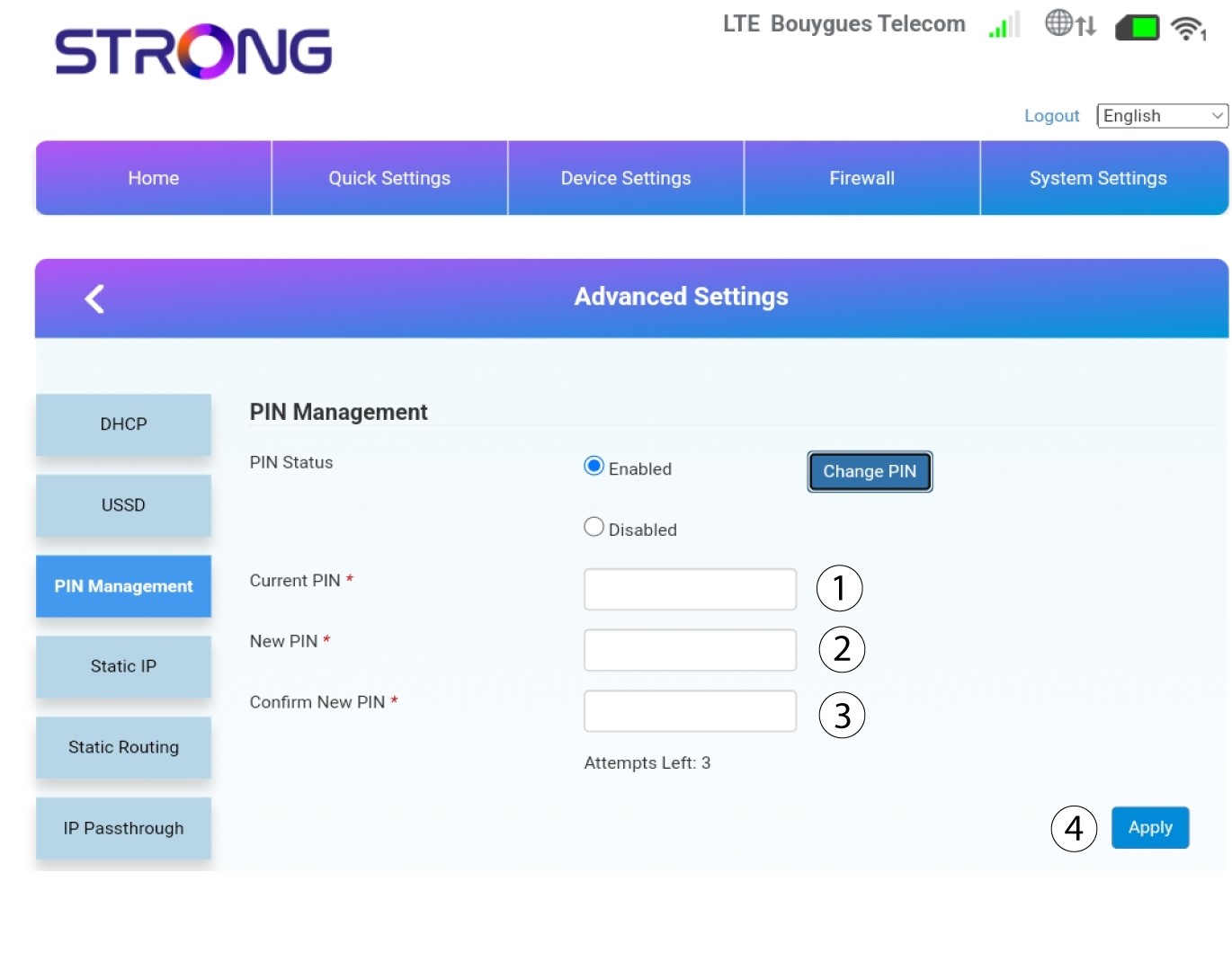
Adja meg az alábbi adatokat, majd kattintson az „Alkalmaz” gombra:
• Jelenlegi PIN-kód: írja be a SIM-kártyája PIN-kódját.
• Új PIN-kód: írja be az új PIN-kódot.
• Új PIN-kód megerősítése: írja be ugyanazt a PIN-kódot, mint az előző mezőben.