4G AIRHOME 300 Mini útválasztó levehető 4G antennákkal
Minden kérdés
4G AIRHOME 300 Mini útválasztó levehető 4G antennákkal
Hogyan csatlakoztathatom az eszközeimet a WPS segítségével?

A WPS funkció segítségével beállíthatod például a Wi-Fi-kapcsolatot az útválasztód és a számítógépeid, illetve a nyomtatód között. Mobiltelefont a WPS segítségével nem lehet csatlakoztatni. Ha egyszerűen szeretnéd csatlakoztatni a telefonodat a Wi-Fi-hálózathoz, kérjük, olvass be az útválasztód hátoldalán található QR-kódot; így a rendszer automatikusan csatlakoztat a hálózathoz, anélkül, hogy be kellene írnod a Wi-Fi-jelszót.
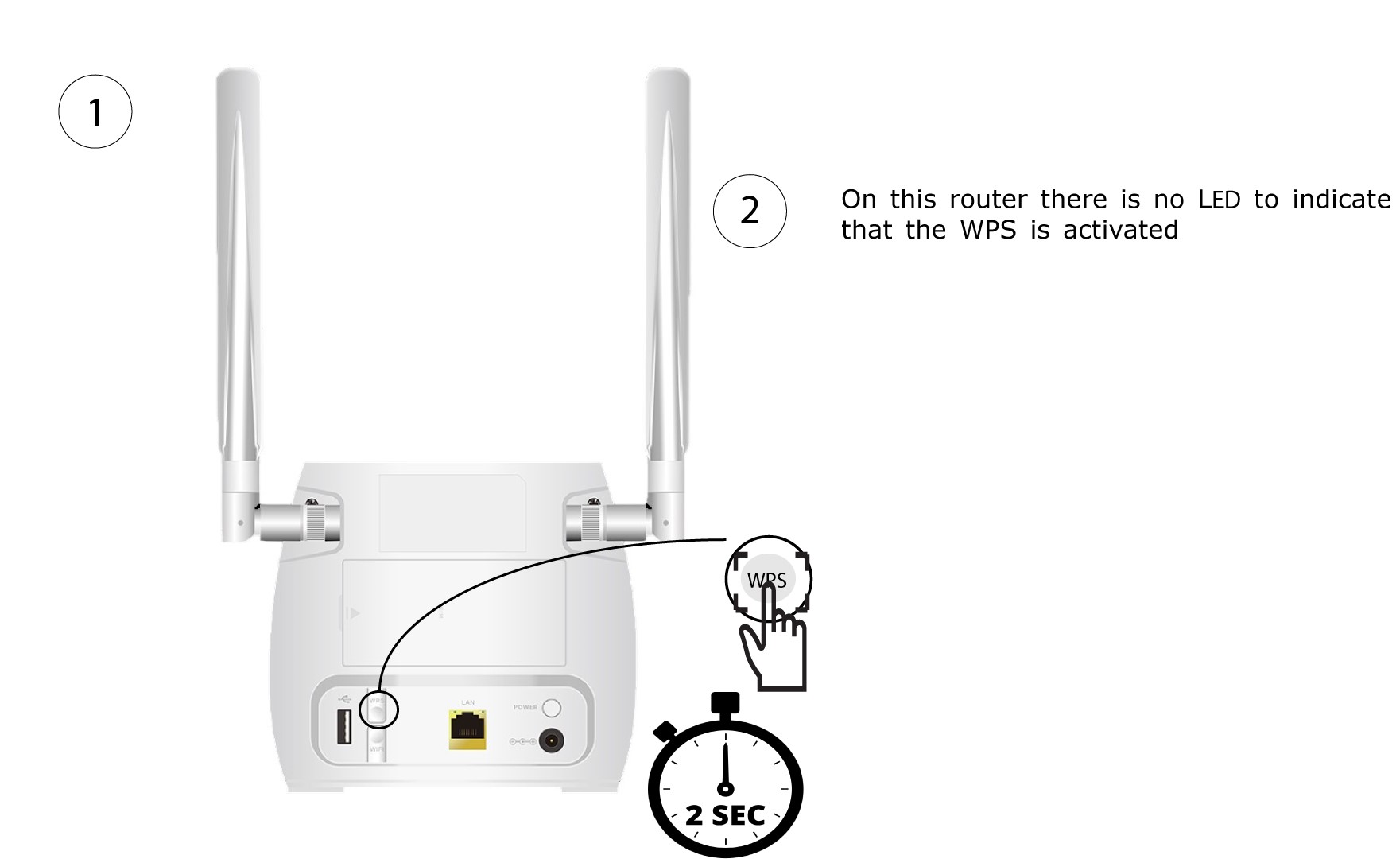
1. Nyomja mega WPS gombot
Nyomja meg 2 másodpercig az útválasztó hátoldalán található WPS gombot, hogy az otthonában található bármely kompatibilis eszköz automatikusan csatlakozhasson az útválasztó Wi-Fi-hálózatához.
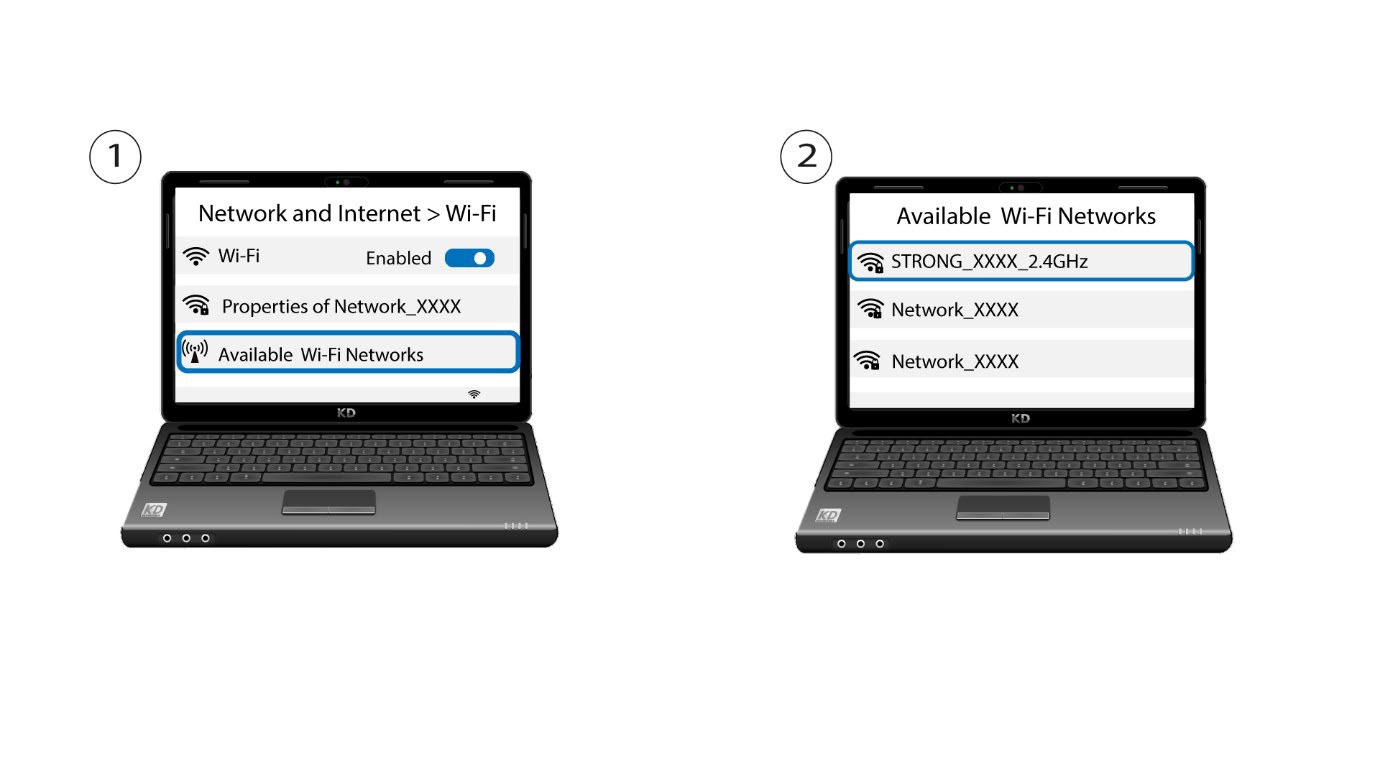
2. Válassza kiaz útválasztó Wi-Fi-hálózatát
Nyissa meg a számítógép vagy a telefon Wi-Fi-beállításait, majd kattintson az útválasztó nevére a kiválasztásához.
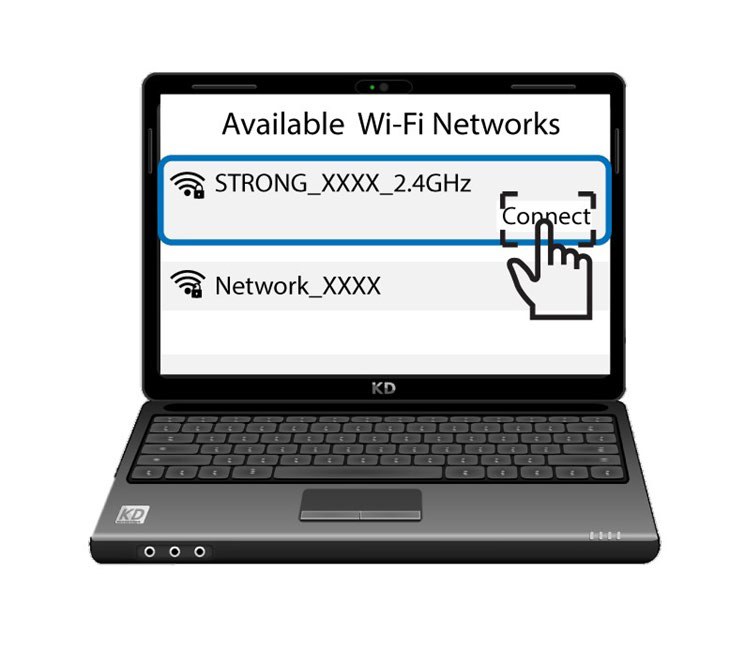
3. Csatlakozza Wi-Fi-hez
Ezután kattintson a „Csatlakozás” gombra