
4G AIRHOME 300 Mini útválasztó levehető 4G antennákkal
Nem találtunk tárgyakat.
Nem találtunk tárgyakat.
Minden kérdés
4G AIRHOME 300 Mini útválasztó levehető 4G antennákkal
Nem találtunk tárgyakat.
Nem találtunk tárgyakat.
Milyen típusú SIM-kártyát helyezhetek be az útválasztómba?
A 4G LTE Router 300M SIM-kártyahelyébe mikro-SIM-kártyát kell behelyezni. A SIM-kártya mérete miatt nem kell aggódnia, mivel a router csomagjában megtalálhatók a megfelelő méretű adapterek. A készülék bekapcsolása előtt be kell helyeznie a SIM-kártyát.
1. eset: Teljes méretű SIM-kártya
Miután behelyezte a SIM-kártyát az adapterbe, nyomja meg és tartsa lenyomva a SIM-kártyát az adapterben, hogy a helyén maradjon. Vegye kézbe a készüléket, és helyezze be a SIM-kártyát a nyílásba az alábbi ábra szerinti helyzetben.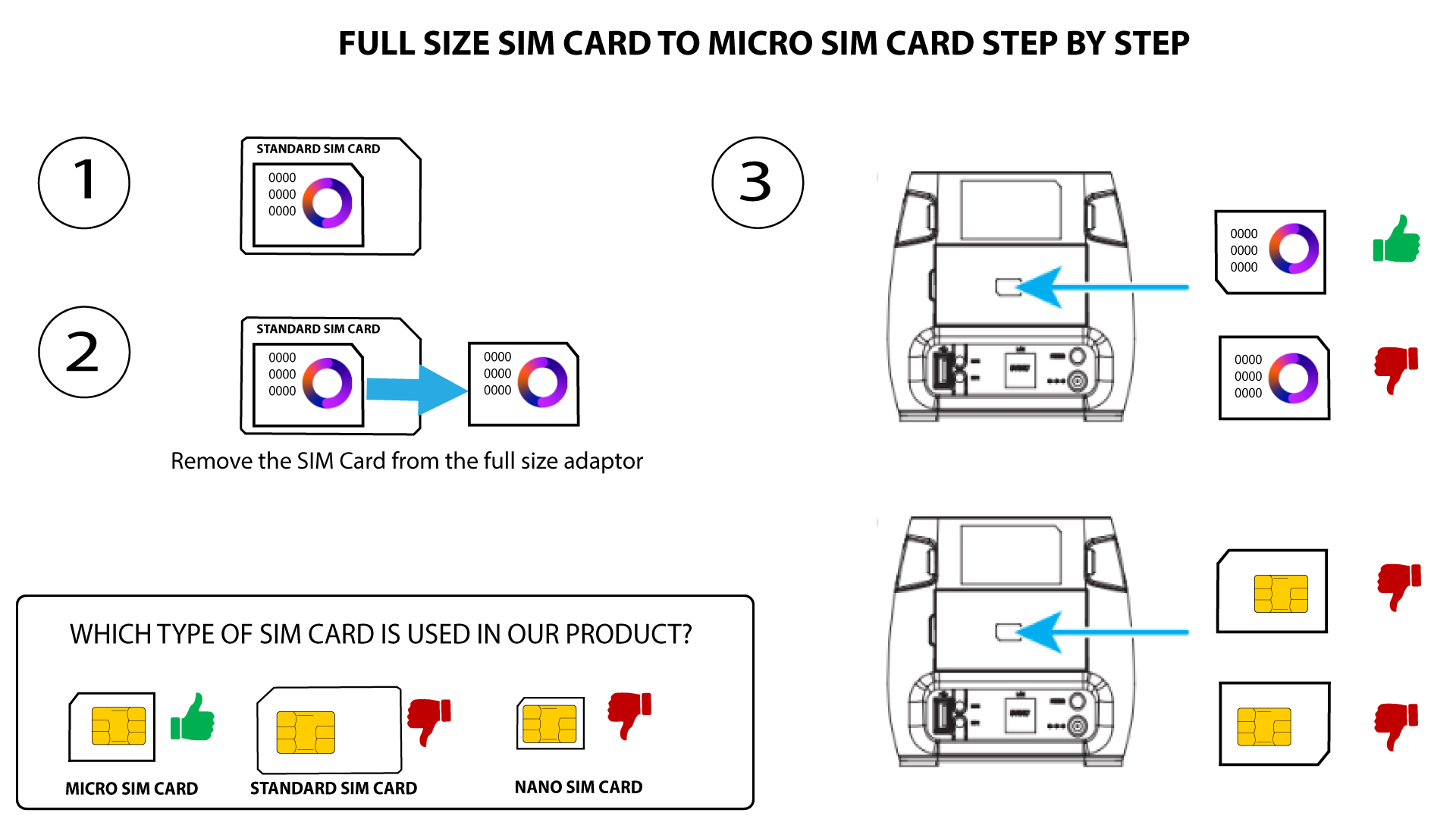
2. eset: Nano SIM-kártya
Miután behelyezte a SIM-kártyát az adapterbe, nyomja meg és tartsa lenyomva a SIM-kártyát az adapterben, hogy a helyén maradjon. Vegye kézbe a készüléket, és helyezze be a SIM-kártyát a nyílásba az alábbi ábra szerinti helyzetben.
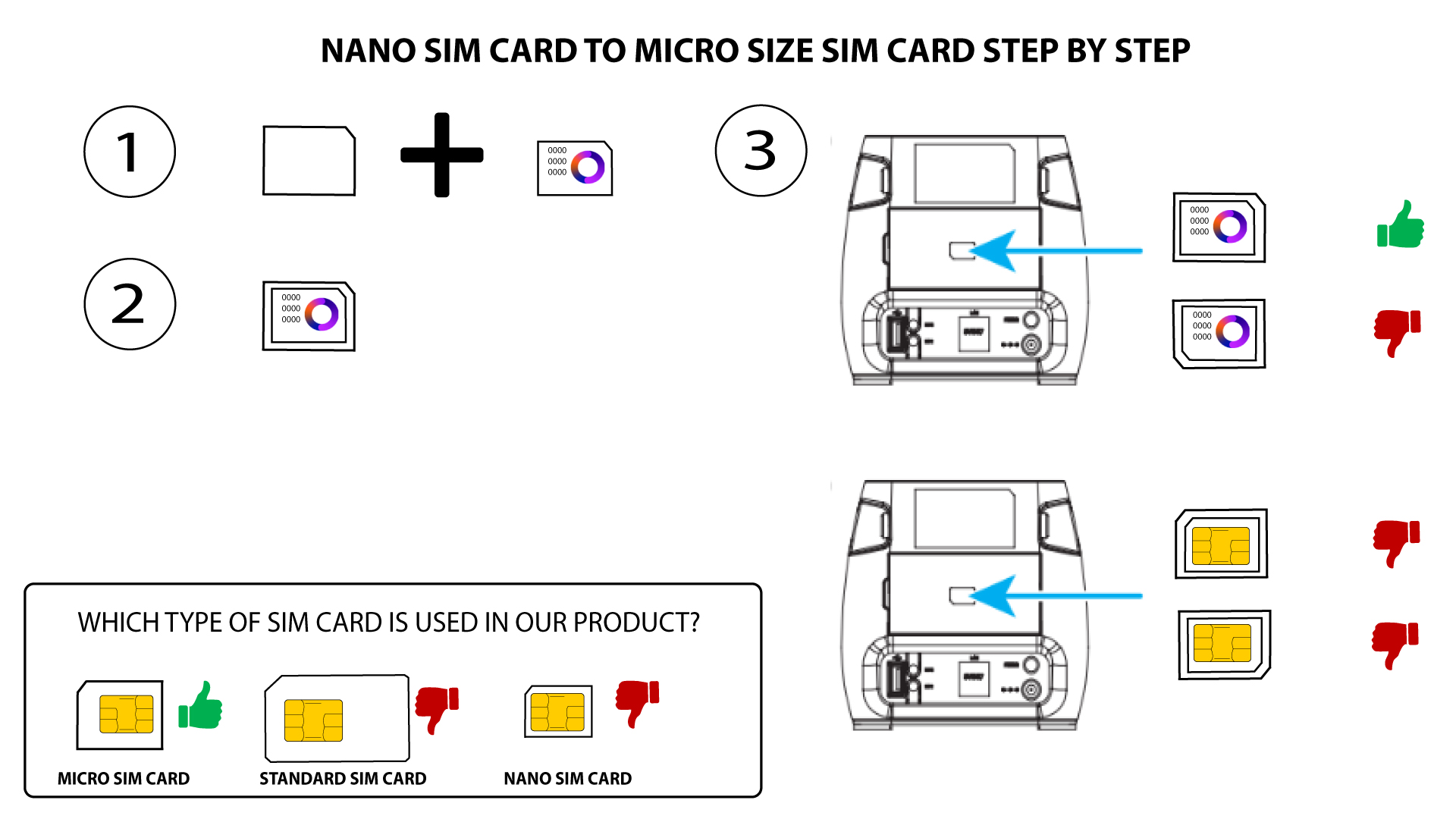

Mielőtt a SIM-kártyát a nyílásba helyezi, győződjön meg arról, hogy az megfelelően van-e elhelyezve az adapterben.
Ha a készülék nem ismeri fel a SIM-kártyát, kérjük, ellenőrizze annak helyzetét, és hogy az adaptert megfelelően helyezte-e be.