
4G+ AIRSPOT 520 Wi-Fi érintőképernyővel
Nem találtunk tárgyakat.
Nem találtunk tárgyakat.
Minden kérdés
4G+ AIRSPOT 520 Wi-Fi érintőképernyővel
Nem találtunk tárgyakat.
Nem találtunk tárgyakat.
Hogyan adhatom meg a PIN-kódomat? (Mi-Fi képernyő)
Amikor először helyezi be a SIM-kártyát, a készülék kéri, hogy adja meg a PIN-kódot.
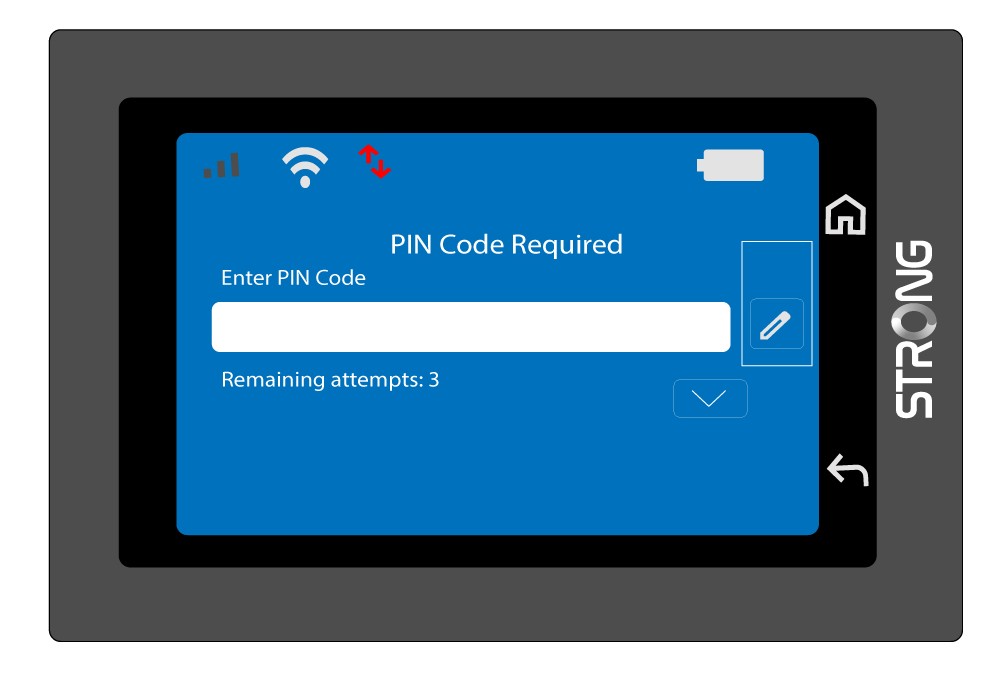
1. Nyissa mega billentyűzetet
Kattintson a toll ikonra a numerikus billentyűzet megnyitásához.
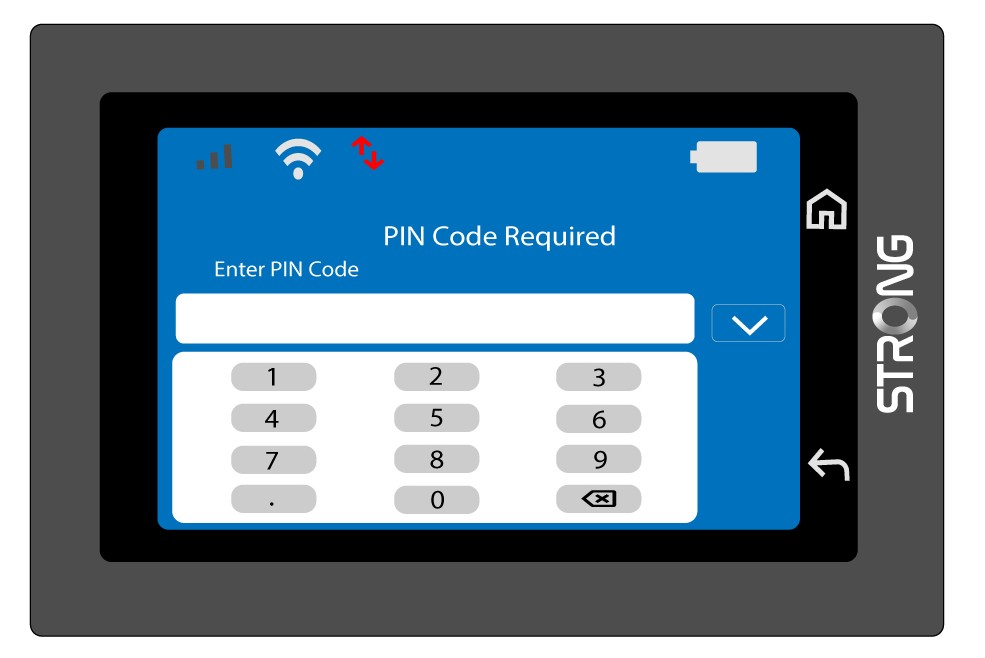
2. Írjabe a PIN-kódot
Írja be a PIN-kódját a numerikus billentyűzeten, majd érintse meg a (v) ikont a megerősítéshez.
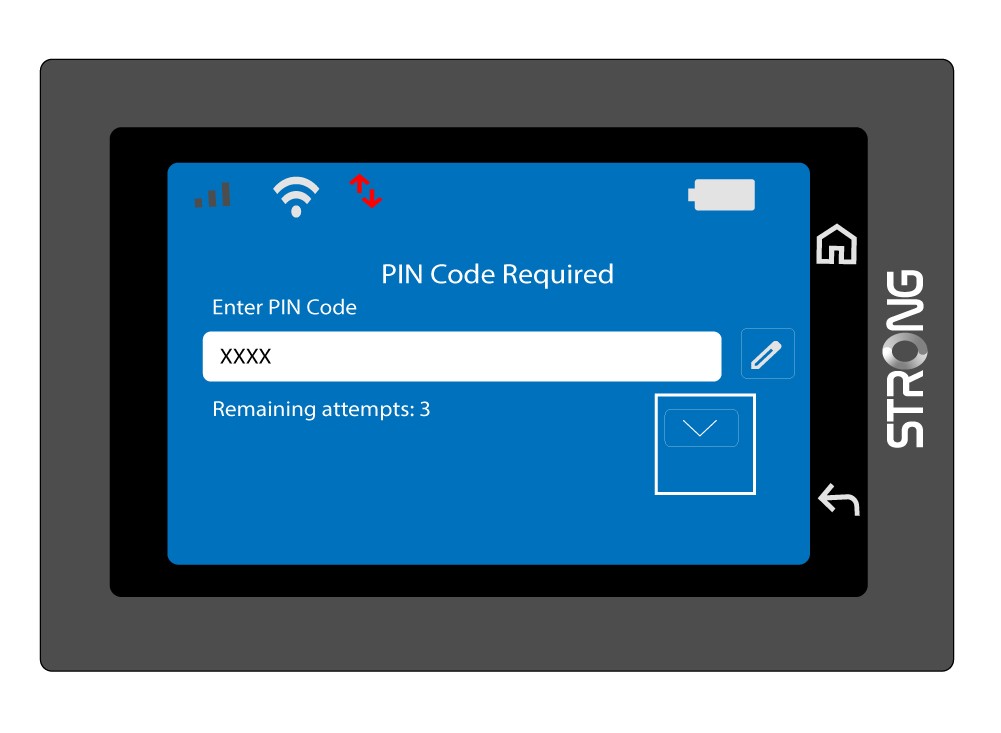
3. Erősítse mega kódot
Ellenőrizze a PIN-kódot a főképernyőn.
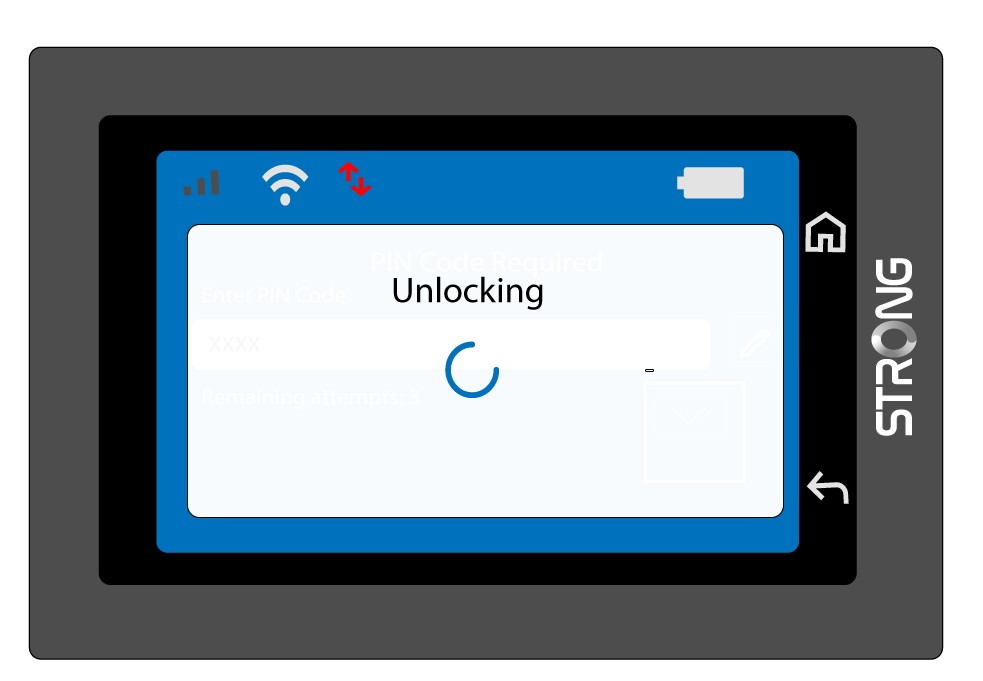
4. Várjameg a visszaigazolást
Várjon, amíg a feloldásra vonatkozó üzenet eltűnik a képernyőről.
5. Használatra kész
A következő képernyőnek kell megjelennie.
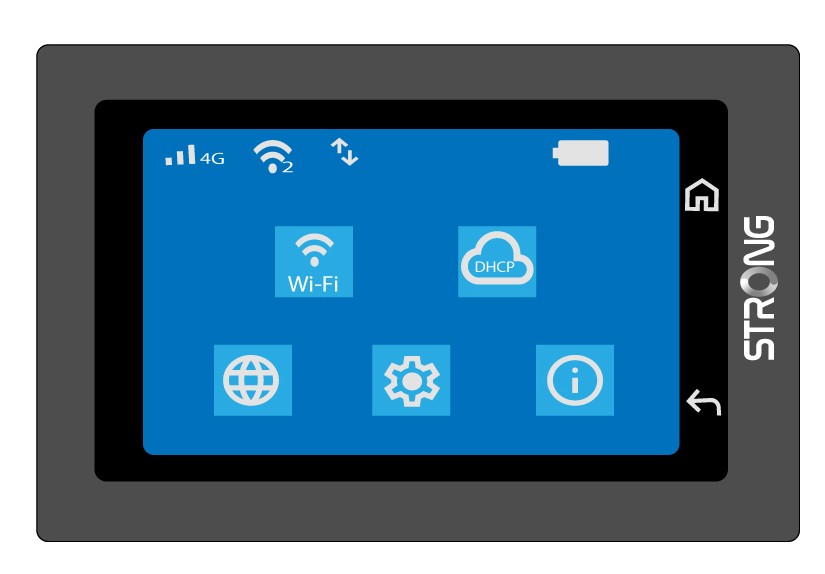
Az első sikeres bejelentkezés után a Mi-Fi elmenti a PIN-kódját.